Hi
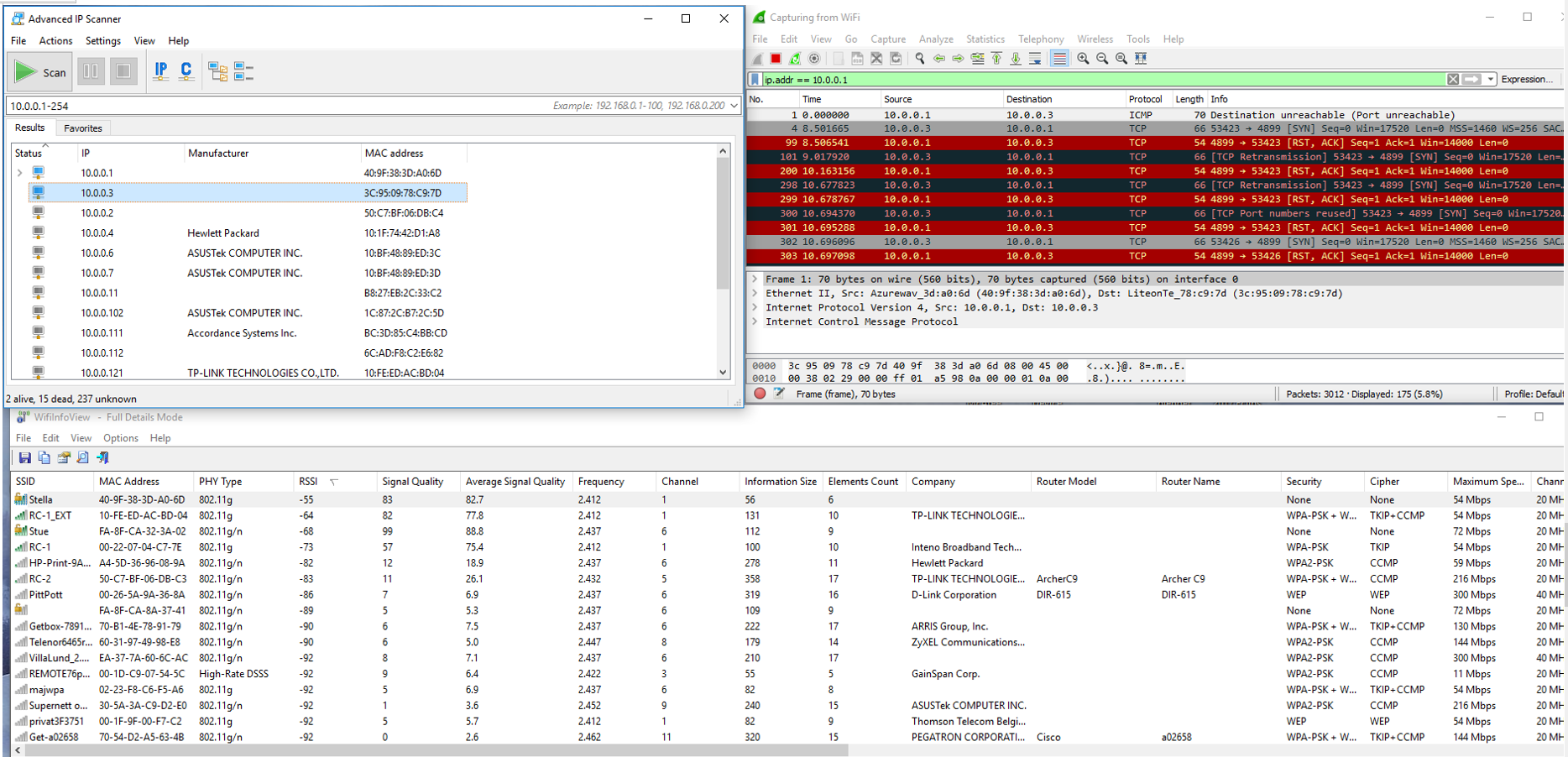
I can not get Stella to connect to my home network As ACCESS PPINT it works fine.
Has anyone ever succeeded in connecting to the home network?
My understanding of Stella is like this:
The Stella has one radio for Wi-Fi connection consisting of two separated parts:
one part is software running on the iPad (the Stella app) and one part running on the Stella radio unit (the box connected to the telescope).
When Stella Wi-Fi WIRELESS MODE is set as "ACCESS POINT" (accessed under "WIRELESS" in upper right corner).
you can configure the radio under the Stella app wi-fi setting or by accessing the ip-adress 10.0.0.1.
In order to do so you must set your iPad to use the STELLA network which has turned up on the iPad wi-fi and push connect in the Stella app.
You can now fully enjoy the Stella app and control the telescope which must have gone trough the calibration procedure.
When Stella Wi-Fi WIRELESS MODE is set to "CONNECT TO NETTWORK" (accessed under "WIRELESS" in upper right corner).
I expect Stella radio to connect to the network selected under SCANNED NETWORKS and configured with the right PASSWORD.
I expect STELLA wi-fi network to disappear from the iPad list of Wi-Fi networks as STELLA now is a computer connected to the network by the radio and not a radio access point. The telescope should communicate with the Stella iPad app in the same way as in ACCESS POINT mode, but use an ip-address in the Local network for communication. But Stella dos not . The Stella radio also claims this (" before it closes the ACCESS MODE and become not accessible).
If I scan my network using Advanced IP Scanner I can not find Stella on the network. I have to reset it to factory configuration to get contact again.
I have tried to show how I understand Stella and Stella accept has only one radio (one radio should be fine) however Stella claims it can run in network connected mode. I can not see that.
I try to connect to a 2.4 Hz LAN using VPA-PSK with AES encryption. On my home network.
If I have misunderstood please correct me and give me advice or tell me what you do to get Stella to connect to a network.
Rune Christensen
ruchrist@broadpark.no
mob: +47 48193016