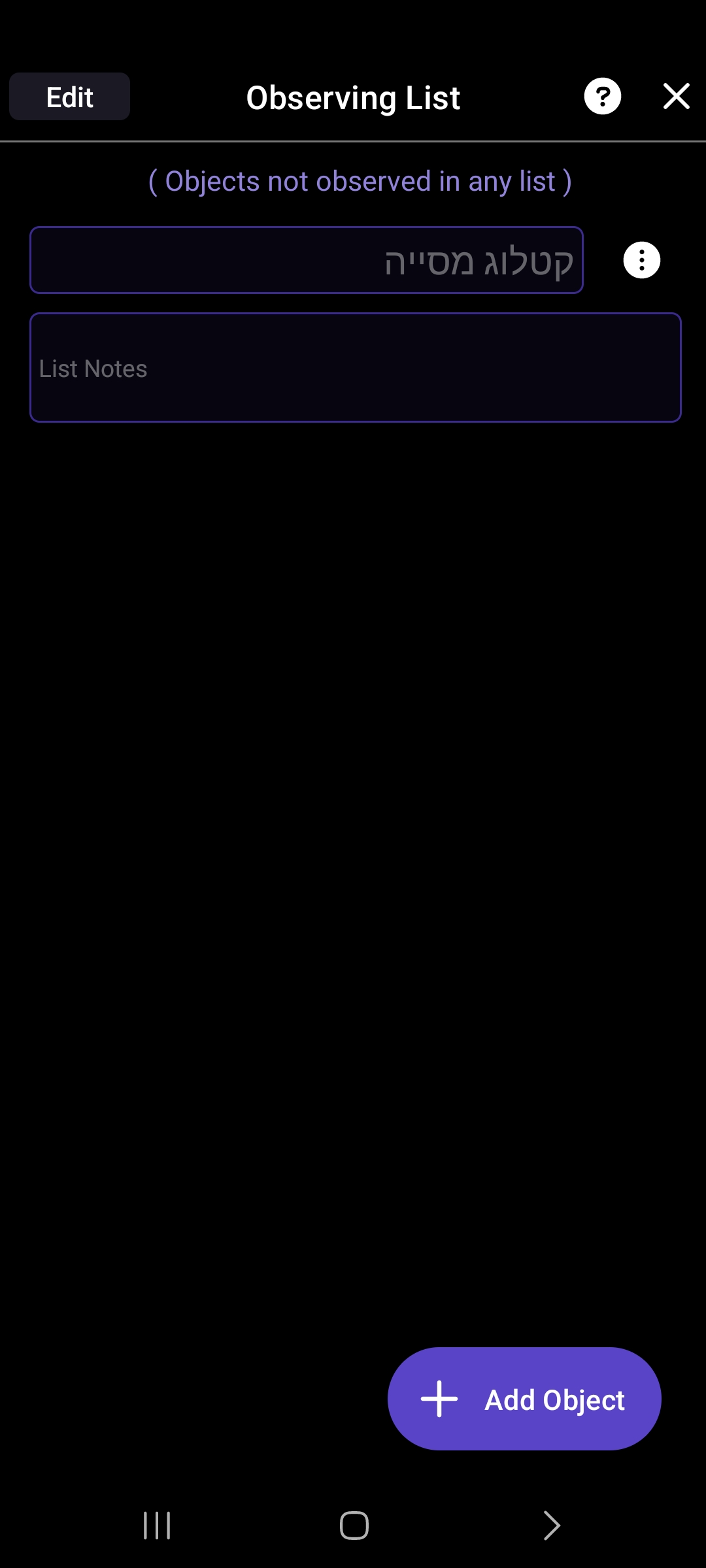
When all the objects in a certain observation list do not appear in the list display, (for example because they have all already been observed and the list is configured to show only those that have not been observed) the button of the filter that allows you to change the definition of the objects that are displayed does not appear.
If I want to change the list setting to "show all" I can't do it, because the button doesn't appear. The only (and cumbersome) way I found to do this is by adding another object that has never been viewed, changing the filter and deleting the new and unrelated object from the list.
All that needs to be changed is that the filter button will appear even if there is no object in the list.
I am attaching a screenshot that shows my intention, you can see that the button is not on the top right.
Galaxy a33, android 13, SkySafari pro VER 7.1.8.0 (the newest version).