New post
0

How To Transfer SkySafari 5 Pro to Sky Safari 6 Pro And Migrate Equipment And Observing Lists (Answer: Read On!)

The help says to copy the files from the SS5 folder from Android device to the SS6 folder.  The SS5 folder exists on the Tablet and I can see the files.  However the SS6 folder doesn't exist and I don't see a way in which to have SS6 Pro create the local files.


Running Android 11

24 comments

  • 0
    Avatar
    Chris

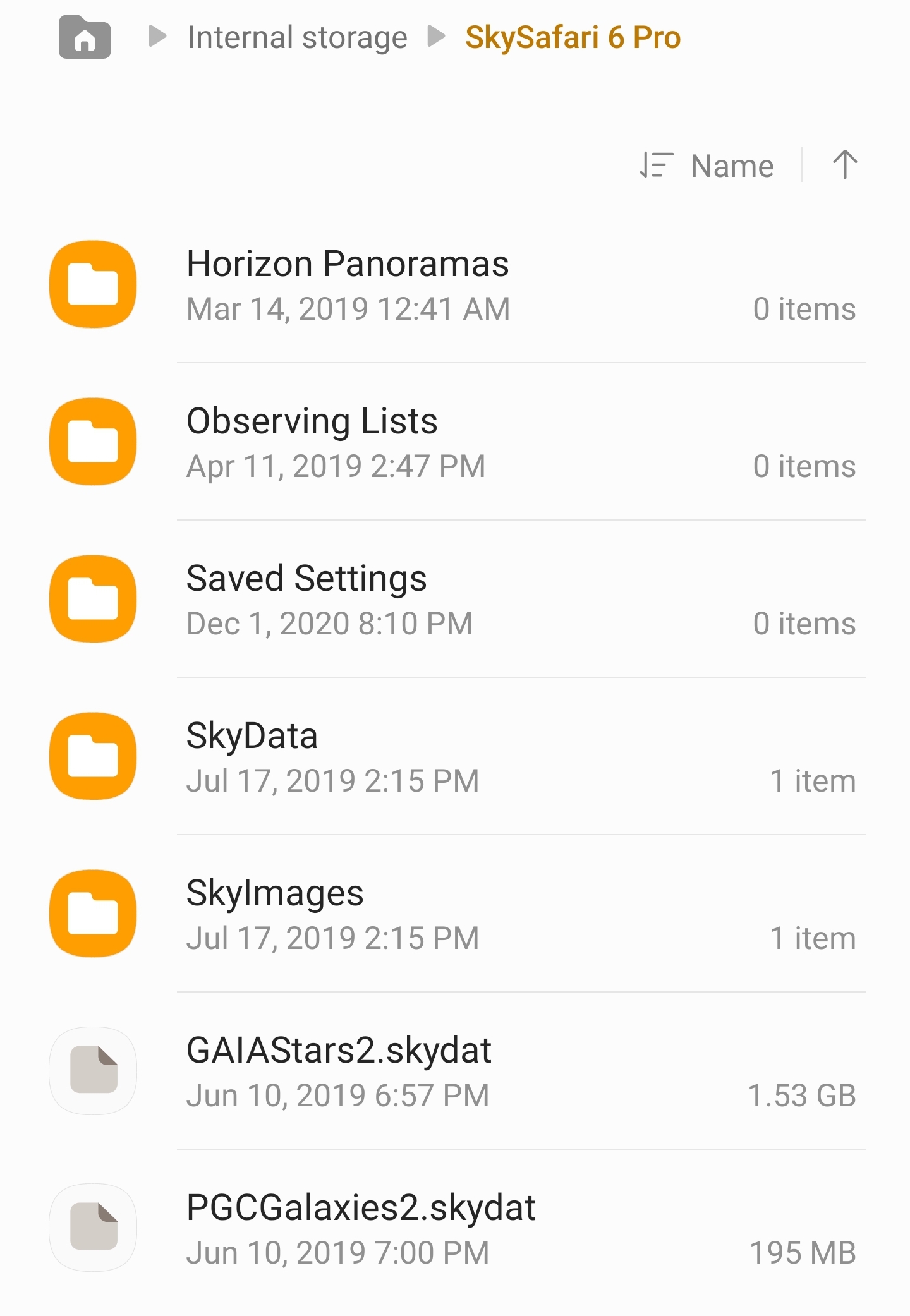
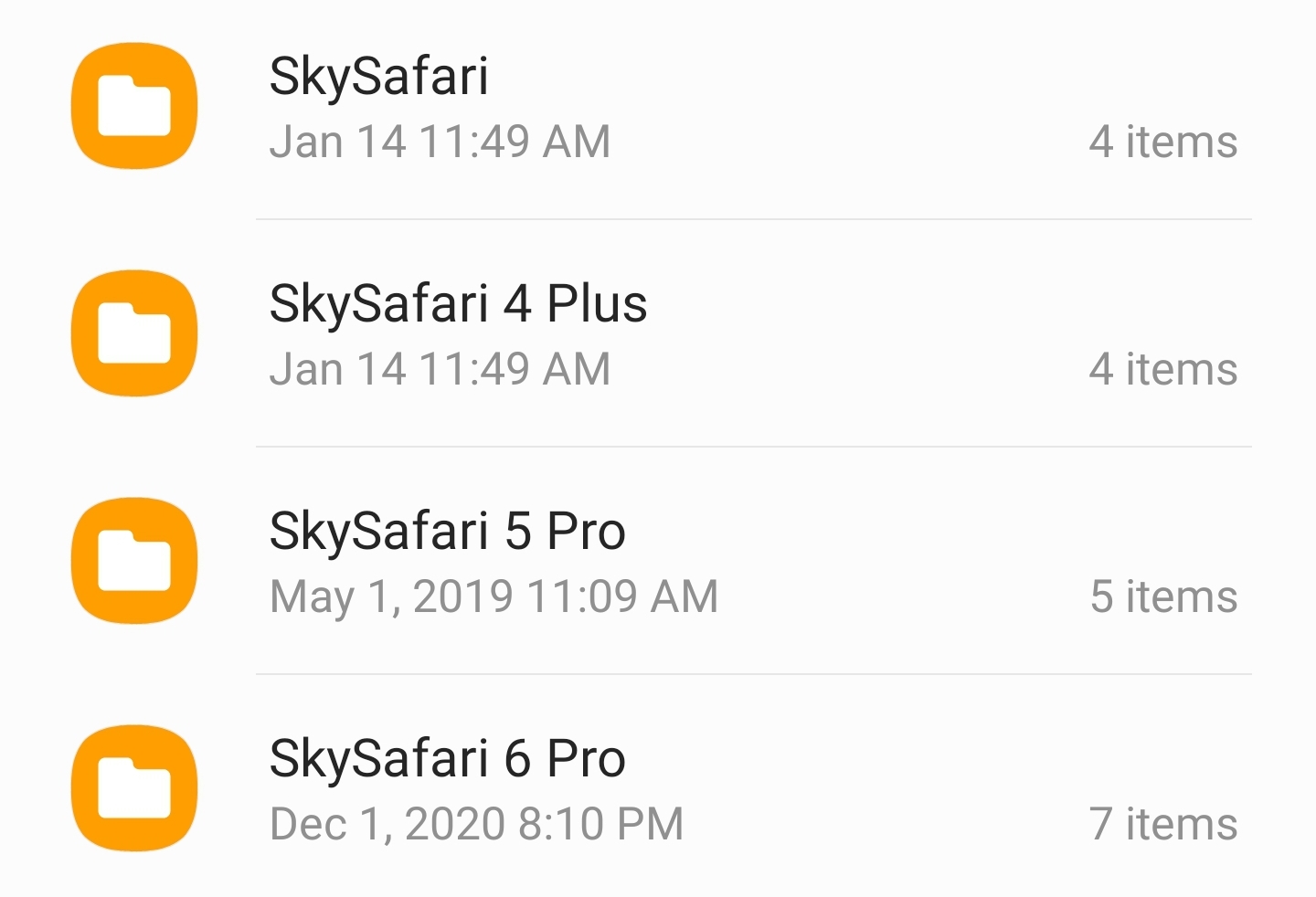
    I would have expected there to be a folder for SS6. Here's what my folder structure looks like, as well as a screen shot from inside my SS6 Pro folder.


    --------------------------------------

  • 0
    Avatar
    T. S.

    That is what I would expect

  • 0
    Avatar
    Chris

    Is there any chance SS6 is on your SD card?

  • 0
    Avatar
    T. S.

    I have also tried to download an observation list in hopes that it would create the folder

  • 0
    Avatar
    T. S.

    nope.. checked the SD card

  • 0
    Avatar
    T. S.

    I have just duplicated the ss5 Pro folder and renamed it SS6 pro.  rebooted the device and tried to see if SS6 Pro reads the files.. nope

  • 0
    Avatar
    T. S.

    I also see that the time is wrong.  It has my right location but the time is one hour back. As if it is not seeing the Daylight savings checked box

  • 0
    Avatar
  • 0
    Avatar
    T. S.

    any suggestion on how to fix the migration issue?

  • 0
    Avatar
    Chris

    Gonna have to pull in Keiron Smith or Ros Hartigan

  • 0
    Avatar
    T. S.

    Thanks Chris

  • 0
    Avatar
    Keiron Smith

    I will need to check with Ros Hartigan.

  • 0
    Avatar
    Keiron Smith
    In the latest update SkySafari 6 has been refactored for Android 10, and the pathway-to-folder is now different.
     
    We no longer have access to the top level folders such as "SkySafari 6 Pro"
     
    From now on please copy files from
     
    Android/Internal storage/SkySafari 5 Pro
     
    to
     
    Android/data/com.simulationcurriculum.skysafari6pro/files
     
    Thanks!
  • 0
    Avatar
    T. S.

    Hi Keiron,

    On a Samsung Galaxy Tab S7 on Android 11 the directory:

    Android/data/com.simulationcurriculum.skysafari6pro/files

    does not exisit

    what does exist is

    Android/obb/com.simulationcurriculum.skysafari6pro


    I have tried to copy the SS5 Pro files to this directory and also tried creating a folder called "files" and then putting the files here as well.... NO GO :-(

  • 0
    Avatar
    Keiron Smith

    I find the folders, not sure what the issue is on your device.  I'll have to check with Ros.

  • 0
    Avatar
    T. S.

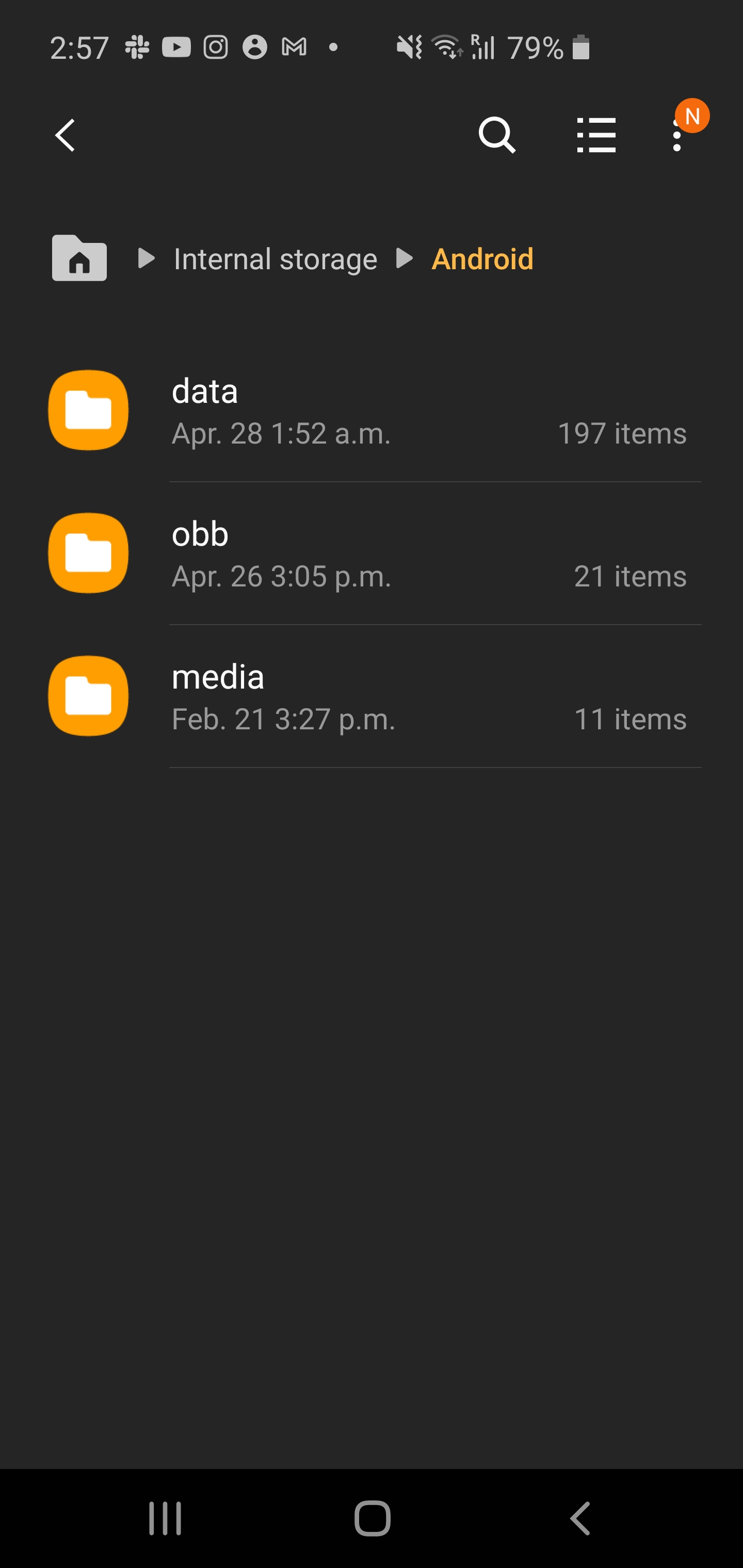
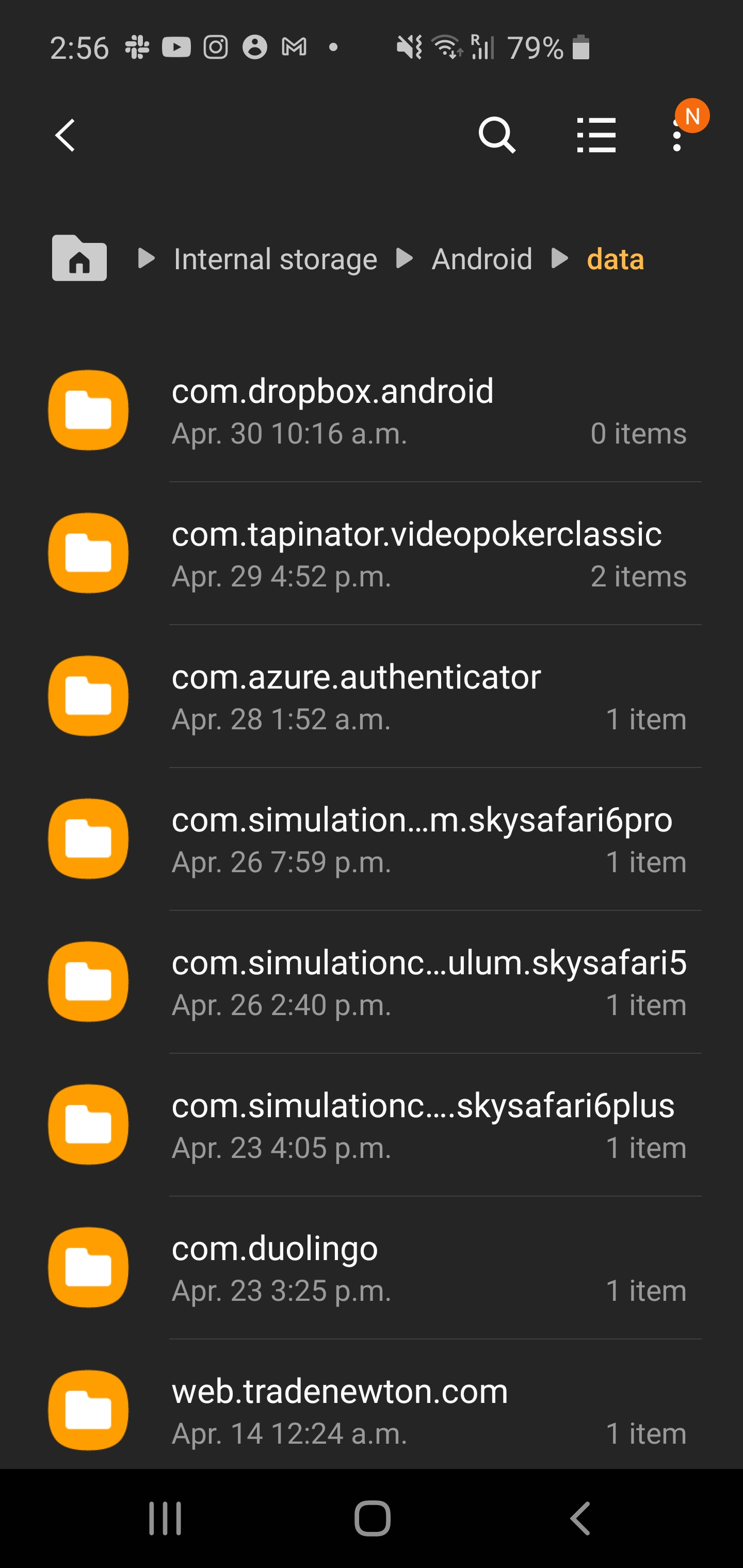
    my data folder is blank

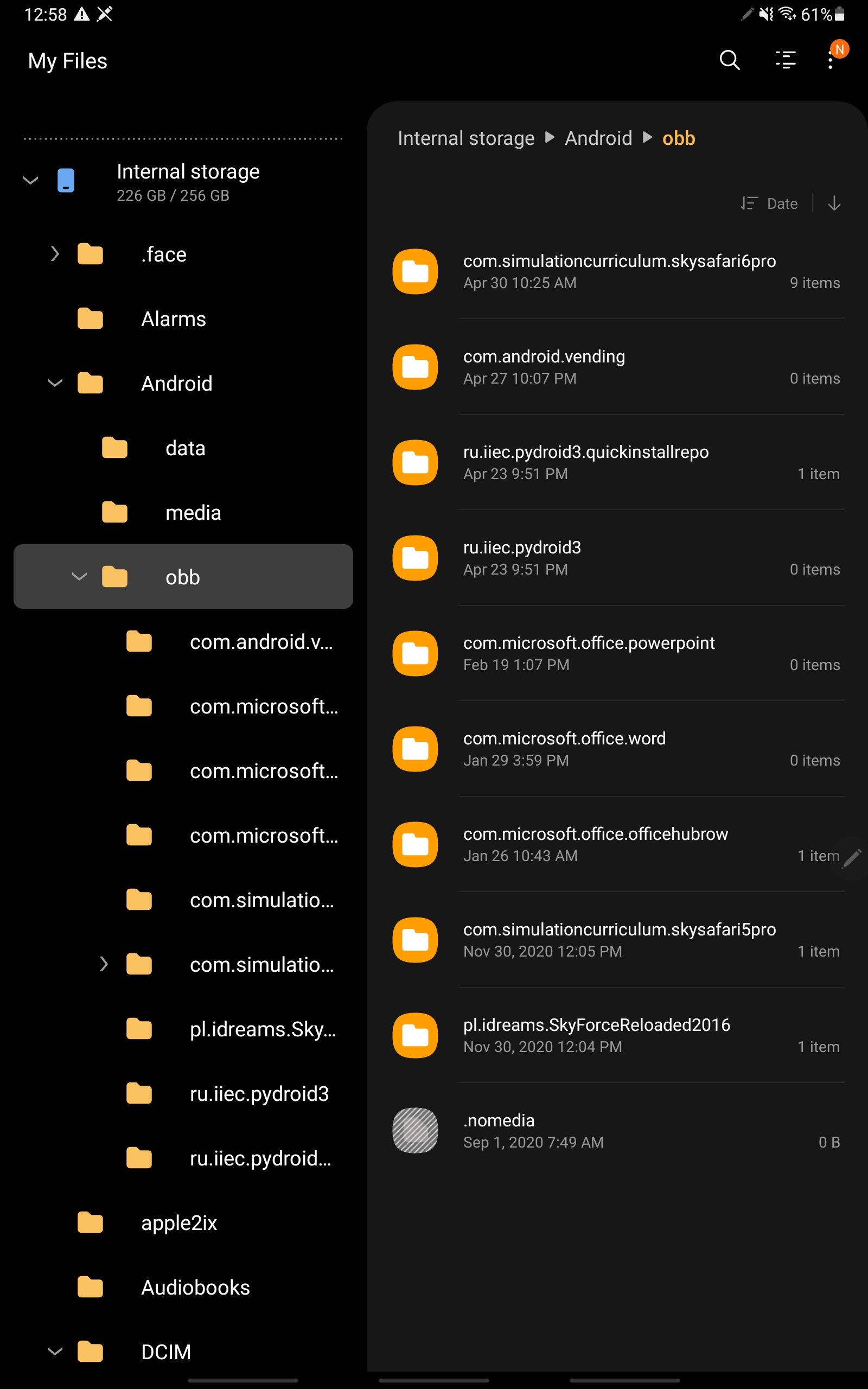
    the OBB folder has both

    com.simulationcurriculum.skysafari6pro

    and com.simulationcurriculum.skysafari5pro


    the only file inside these folders is :

    main.68100.com.simulationcurriculu.skysafari6pro.obb          this file is 1.77GB

  • 0
    Avatar
    Keiron Smith

    What device is this?  And, please attach screenshots, like mine, showing both the Android folder and the Android/Data folder.

    Thanks!

  • 0
    Avatar
    T. S.

    This is a Samsung Galaxy Tab S7..  Model number SM-T870..  Less than a year old


  • 0
    Avatar
    T. S.

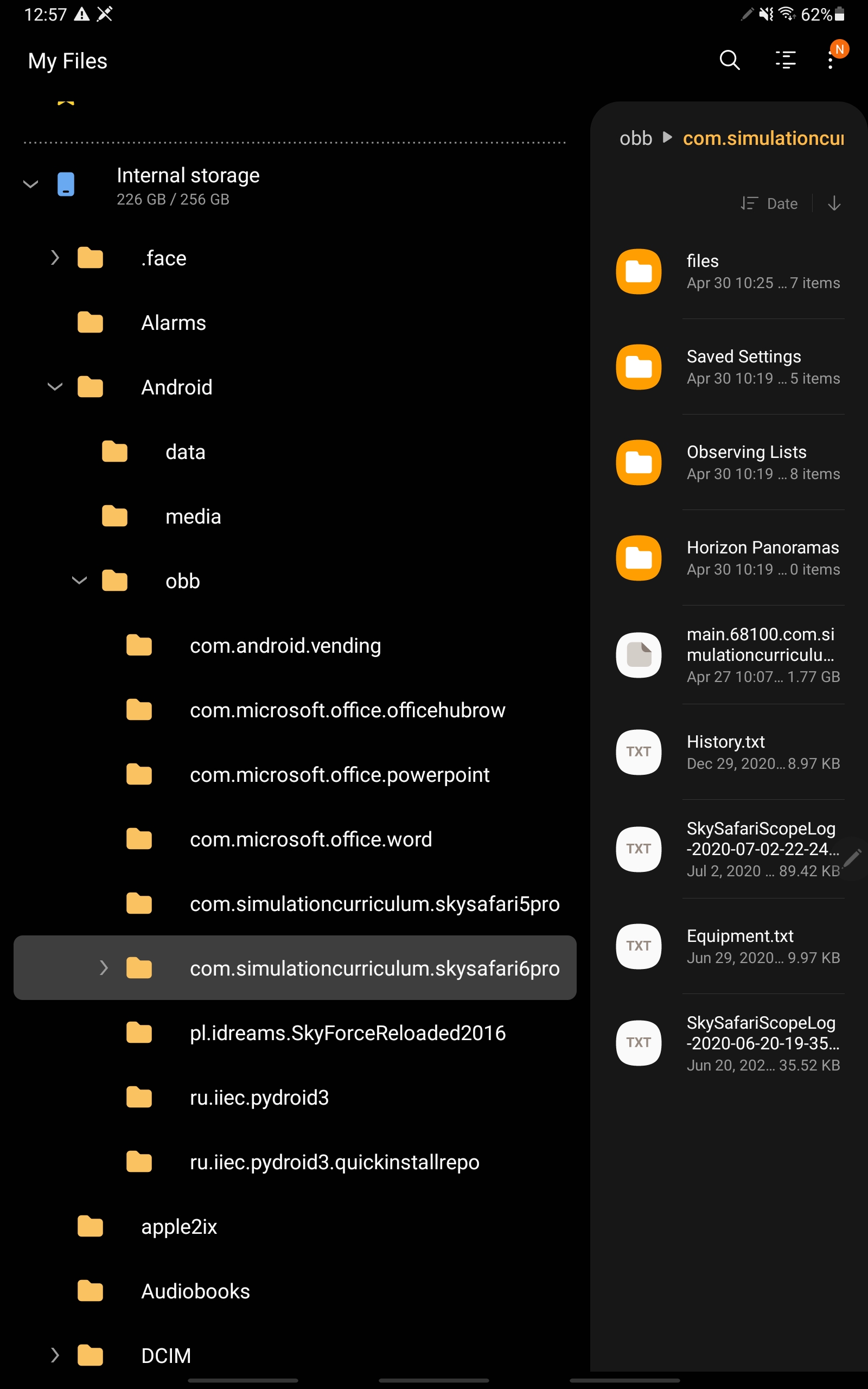
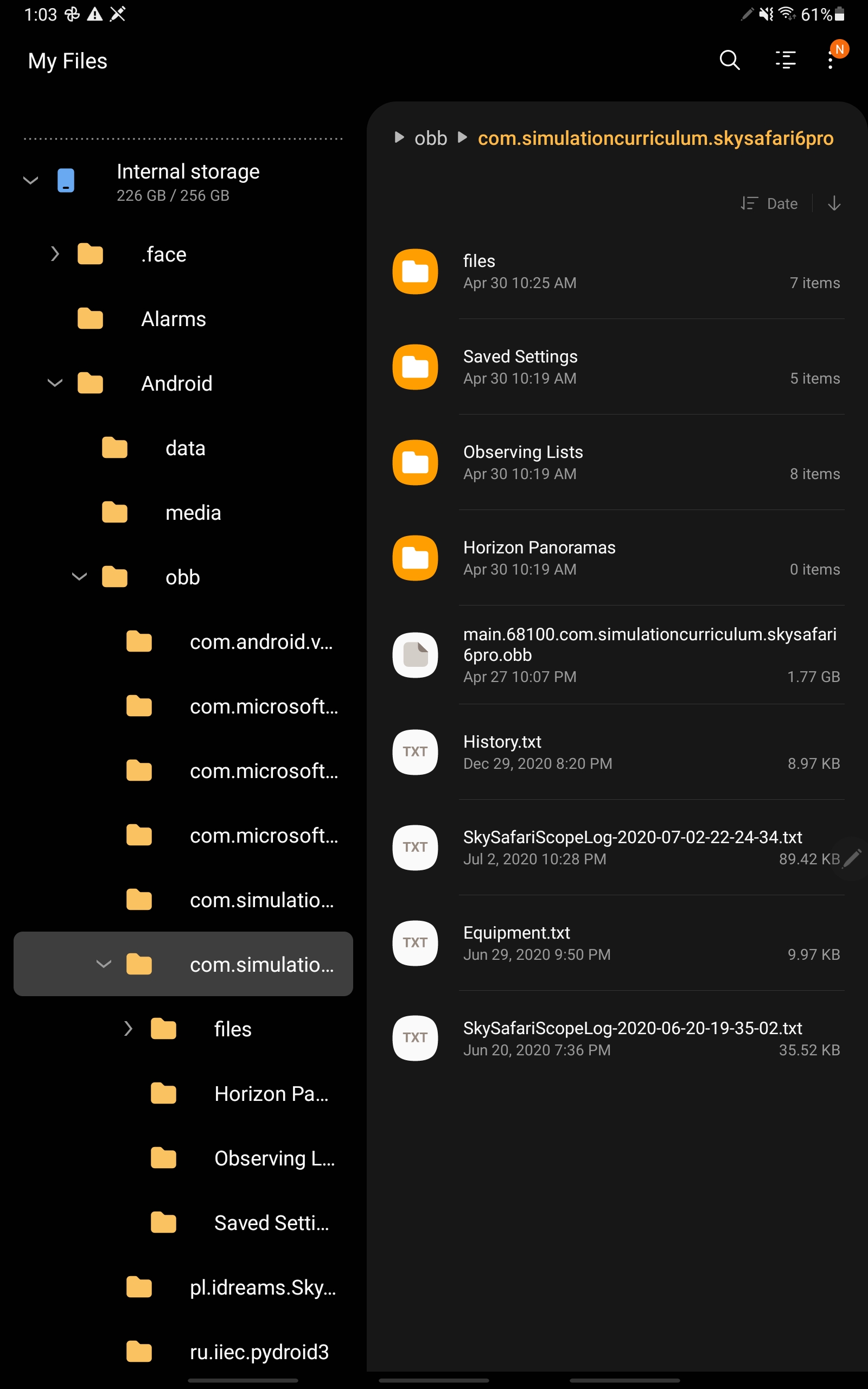
    note that in the second screen shot the only file that was there originally was

    main.68100.com.simulationcurriculum.skysafari6pro.obb


    I then tried to copy the SS5 Pro files in the directory..  that didn't work so I tried to create the "files" folder in the co.simulationcurriculum.skysafari6pro folder and then add the SS5 Pro files there too... that didn't work


  • 0
    Avatar
    T. S.

    I have also tried in SS6 Pro in settings turning off in the STORAGE section saving to the cloud..  either on or off doesn't make a difference

  • 0
    Avatar
    Ros Hartigan

    Hi T.S,

    The best course of action would be to create the path Android/data/com.simulationcurriculum.skysafari6pro/files and copy your data - the Observing Lists folder and the equipment.txt file - into it.

    On launch SkySafari 6 should import those files.

    Ros

  • 0
    Avatar
    T. S.

    Hi Ros,

    I tried to do this and when I try to copy com.simulationcurriculum.skysafari6pro to the Data folder I get a message that com.simulationcurriculum.skysafari6pro already exists.  I say replace, but the tasks says could not copy folder...

    I have show hidden files turned on but the Data folder looks empty.


    Any way to have SS6 look at the OBB folder?

  • 0
    Avatar
    T. S.

    Ok.. I was able to get it to work, but you should consider making changes in the code because it looks like Android 11 locks down the internal Android Data folder...  see this thread


    https://us.community.samsung.com/t5/Note20/My-files-has-hidden-all-the-app-folders-in-the-data-folder-on/m-p/1605847#M19671


    to fix it I needed to get an app from the Google store to allow access to the folder.  See this thread

    https://www.reddit.com/r/Android/comments/j3zgmm/managing_files_in_the_androiddata_folder_on/


  • 0
    Avatar
    Ros Hartigan

    Thanks for the response T.S.!  I'm glad you found a solution.

    In future we will not support Android file-based transfer and migration, since user data is now backed up with our LiveSky cloud service, and available to all devices that way. SkySafari 5 -> SkySafari 6 is the last time users will have to migrate data.

    We will also be using LiveSky to import data, although email based import of Observing Lists and Settings files will continue to be supported.

    Ros

Please sign in to leave a comment.