New post
0

How To Correctly Install A Custom Horizon (Answer: Read On!)

Hi,

I'm trying to add a custom horizon (picture) in the SkySafari pro app. Great app by the way!

I re-used & adjusted a panorama image used in stellarium.
This image was adjusted to the required dimensions (2048  x 1024) and settings adjusted to save the PNG as a 32-bit (8 bits per channel) RGBA color image.

What I didn't do was using Itunes. I saw a skysafari folder in the file app. So I tried both copying the file in the root of that folder & the subfolder 'SkyImages'.
None of this made the horizon appear in the setting list.

Can someone help me out please?

10 comments

  • 0
    Avatar
    Peter Geukens

    Somebody?

    I can share the used image for debugging reasons if wanted.

    Also confirming which folder to put the image in would be greatly appreciated.


    Thanks!

  • 0
    Avatar
    Steenkh

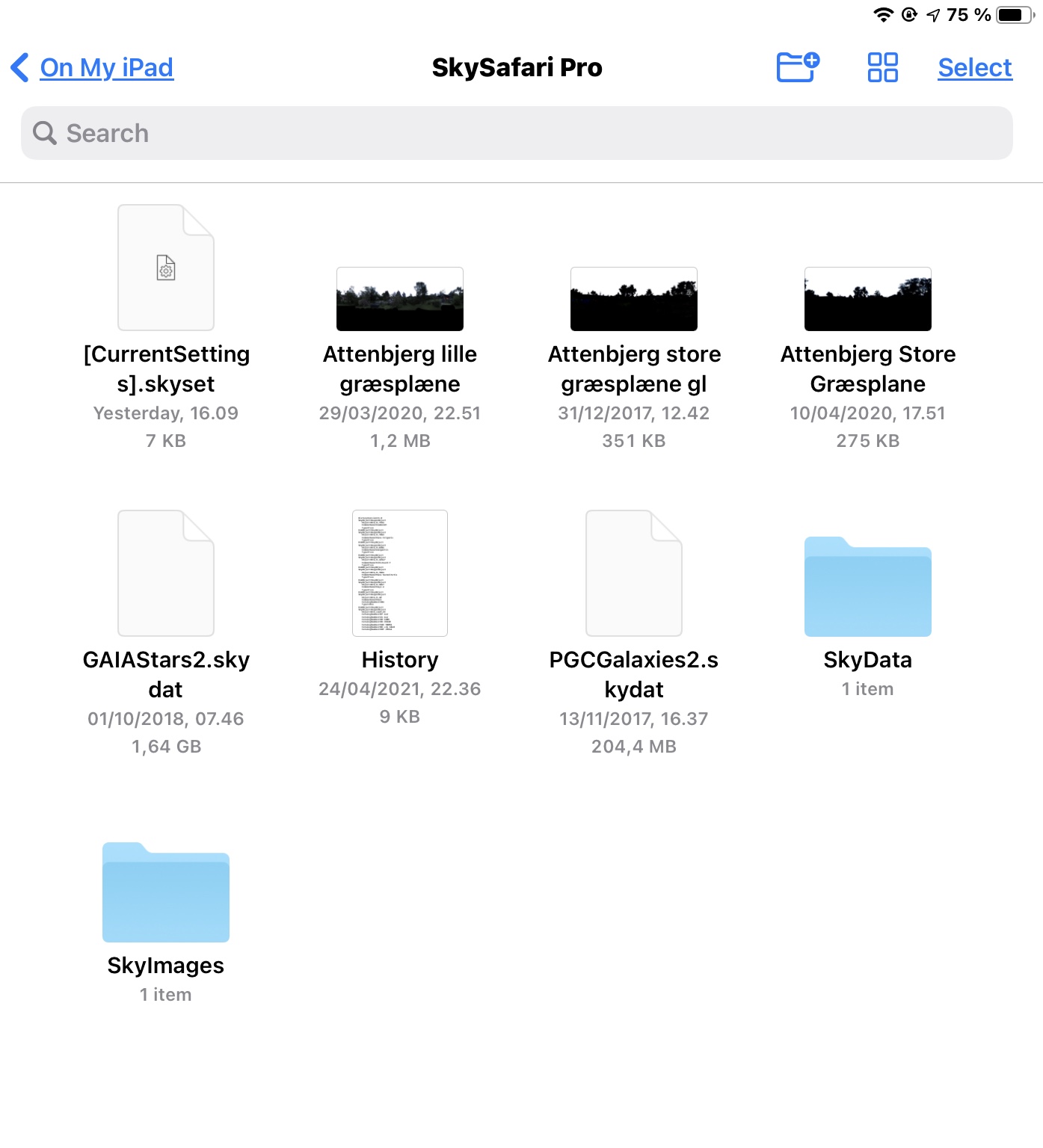
    I’ll bite. The root of the folder is the right place to put the custom horizon panoramas. I have added a screenshot of my root folder with three panoramas (the ones that start with “Attenbjerg”).

  • 0
    Avatar
    Peter Geukens

    Thanks! Now at least I know I’m putting the image in the correct folder. 
    That does however mean there’s something wrong with the image itself. 
    The dimensions are correct, that I’m sure off. 
    The whole 32 bit thing I’m not. Not that familiar with photo editing. 
    If I attach the image here, would you be able to tell if it’s ok or not?

  • 0
    Avatar
    Steenkh

    Yes, I’ll take a look at it, but I have to tell you that I might not be able to do it immediately. I have a busy extended weekend. But I promise that I’ll do it.

  • 0
    Avatar
    Peter Geukens

    Great, thanks! Just enjoy the extended weekend, no rush ;-)

    I seems the image too big to attach here, I have shared it in my dropbox.

    https://www.dropbox.com/s/ubbvao9qt3hari0/Home1.png?dl=0

  • 0
    Avatar
    Steenkh

    Well, I did get time :)

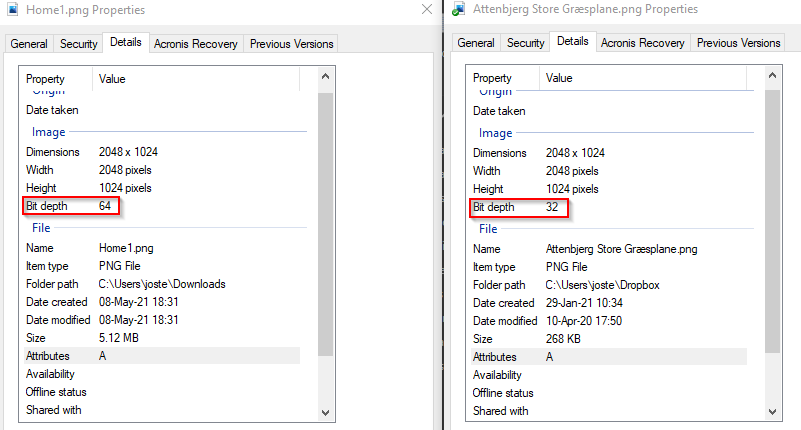
    I made a comparison with my own panorama, and it is obvious that your bit depth is wrong. It should be 32 bits, but it is 64 bits.

    I also tried to change your bit depth to 32 in Paintshop Pro that I use, but for some reason that I cannot understand, it reverted to 64 when saved. I wonder if this is a bug, and that you also use PaintShop Pro.

  • 0
    Avatar
    Peter Geukens

    Although I work in IT, photo editing has never been my thing and have almost no experience with it.

    I just GIMP to make the sky transparant & did the export from there. I did some googling and found some setting which should have saved the image is 32 bit. Apparently that wasn't the case. Guess I'll have to play with the setting a bit more.

    Thanks for your time & help!

  • 0
    Avatar
    Garry Bluhm

    Hi Peter,

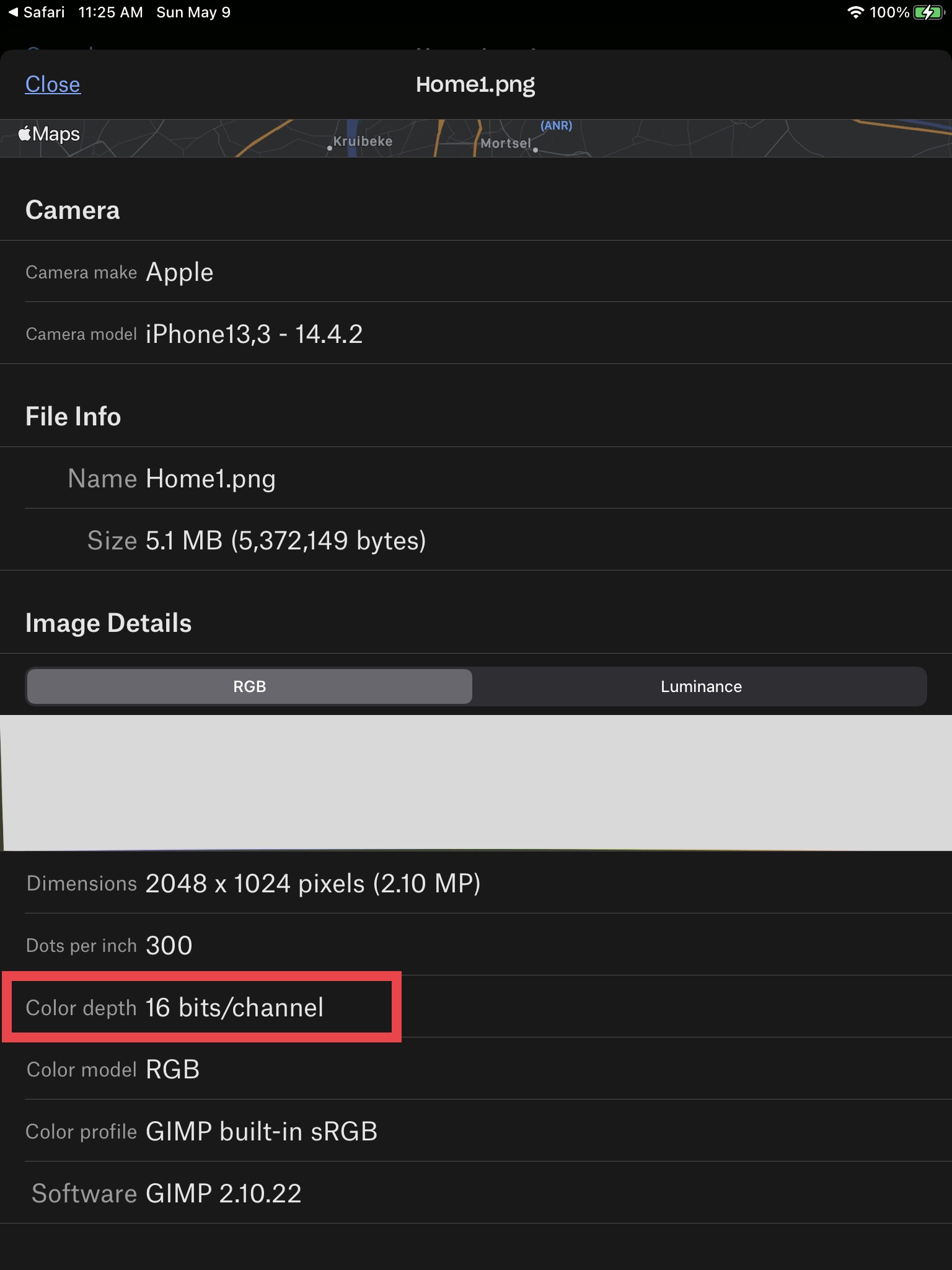
    When your image is opened on my iPadPro direct from your dropbox the info says 16 bits/channel not the required 8. Also no indication of the RGBA Alpha channel for transparency.


  • 0
    Avatar
    Garry Bluhm

    Peter,

    Open your image file in gimp, select File>Export Image>Select File Type (By Extension)>PNG image>EXPORT.

    Now a dialog box will come up “Export Image as PNG”, select automatic pixelformat>8bpc RGBA>EXPORT.

    Now as above shown by Steenkh copy the finished image into SS6Pro folder located in your devices File folder.

    That will now work as a Horizon. Rename the image as needed.

    Used GIMP 2.10.24 (rev3).

    Clear Skies,

    Garry

  • 0
    Avatar
    Peter Geukens

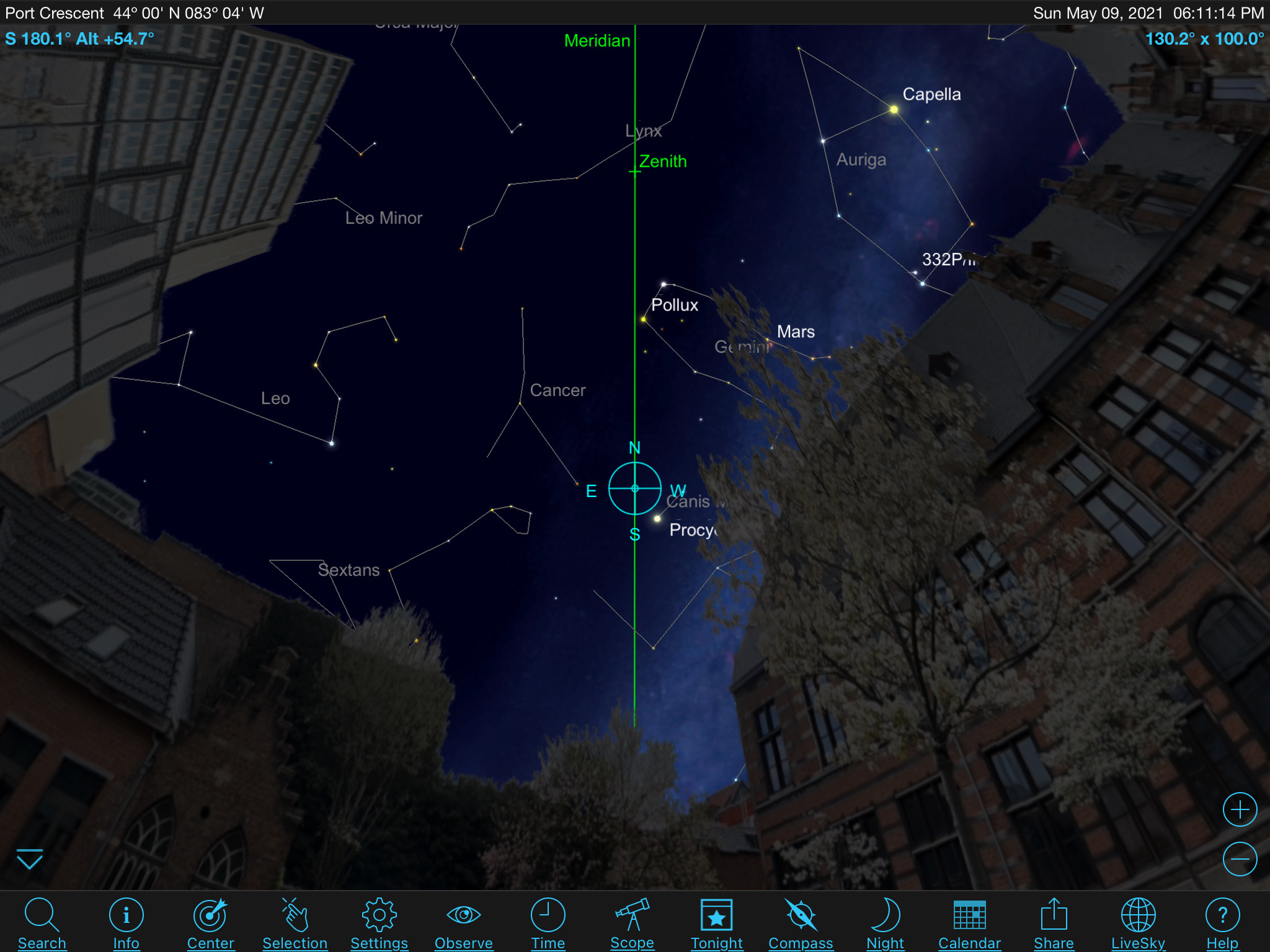
    Thank you all for your help. I've taken the steps as described by Garry and now it seems to work just fine!

    Only the North/South alignment is still a bit off. I guess I will have to cut & pasting to get the image properly aligned?
    I made the 360 image with google street view and would have hoped these aligments would be automatically correct....

Please sign in to leave a comment.