
Hi
Again, thanks for the update to hide the Android Nav buttons in Night Vision mode, but I've ran into an issue with it. Details as requested below
Thanks!
Don
--
Sky Safari Pro 6.8.3.0
Android 11 with May 5, 2021 Security updates
Google Pixel 4a phone
Start SkySafari Pro
Enter Night Vision Mode
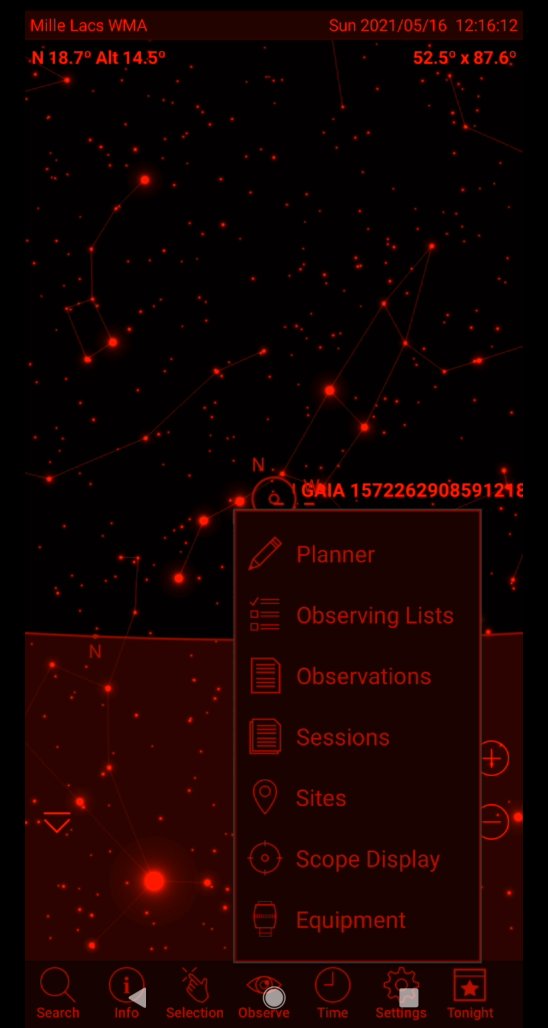
Note that the Android Navigation buttons on the bottom disappear (triangle, circle, square) at this time
Select "Observe" from the SS bottom icon menu
At this time the Android Navigation buttons reappear
Tap the Map and the menu disappears along with the nav buttons
Select "Selection" from the SS bottom icon menu
At this time the Android Navigation buttons reappear
Tap the Map and the menu disappears along with the nav buttons
Tap the Field of View in the upper right corner
The menu appears to select FoV and Orientation
At this time also the Android nav buttons reappear
Tap the Map and the menu disappears along with the nav buttons
Tap the Altutude/Azimuth readout in the upper left corner
The menu appears to set limiting mag, Scroll the map, etc...
At this time also the Android nav buttons reappear
Tap the Map and the menu disappears along with the nav buttons
Video of repro https://1drv.ms/v/s!AuVjUhbjS1iegcBlICiiTCQYy5XAuA?e=nm2m3h
