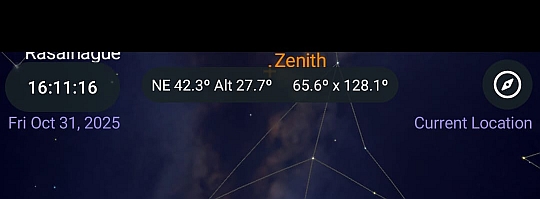
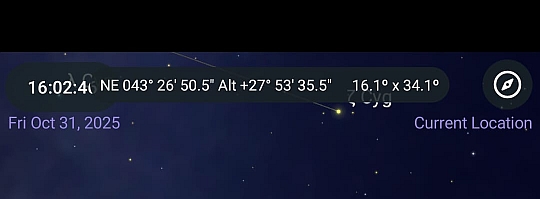
New post
0

New Version 7.6.4.0 UI Issues

I use SkySafari a lot on my phone, and I love it. However the update from 7.6.2.5 to 7.6.4.0 has introduced some issues  (at least, it has on my phone) which I think need to be fixed. 

- when an observing list is activated so as to show all items on the chart a button becomes visible just above the toolbar. This button opens a menu for managing the list. In the previous version the menu opened with the bottom-left corner anchored to the button, so the whole menu remained on-screen. Now the top-left corner is anchored to the button so now most of the menu falls off the bottom of the screen and is unreachable. 
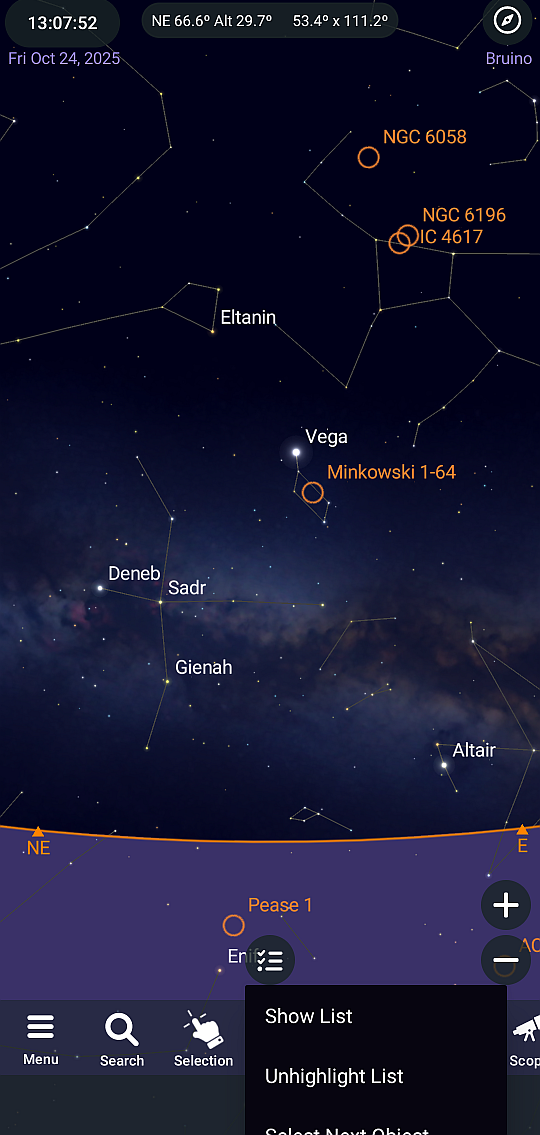
 

- the redesigned field used for coordinates and FOV data, and also for the object data (name, magnitude, constellation etc), has a vertical position which switches between two different locations. When you open the app with a wide field of view the field is on the same line as the clock and the new compass icon. Unfortunately this is where the camera is on my phone and so you can't read all the text. Also, when object data is shown here it sometimes overlaps the clock and compass icon. This issue appears in in Horizon, Ecliptic and Galactic modes, and the example here is in Horizon mode. 
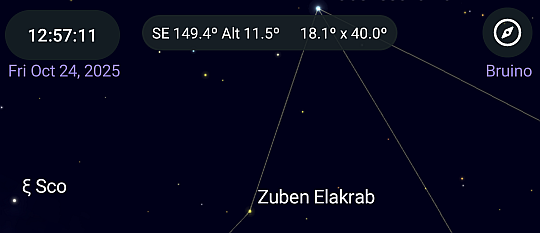
However if you reduce the field of view so that alt-az is shown in deg:min:sec instead of just degrees (this happens at 18° FOV width), and then press the Observe toolbar button (which seems to force a redraw) the field jumps down by a line to where it should be, so that you can read all the text. It stays there unless another redraw is forced while the FOV width is greater than 18°, when it jumps back up to the top line. 
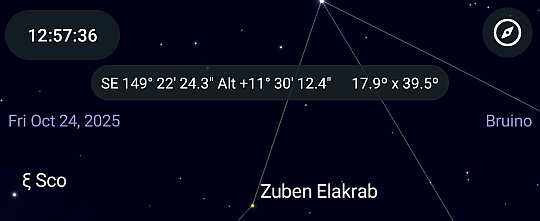
 

Finally, you can't turn off the new compass icon in the top-right corner, and if you touch it by accident the screen goes haywire. I understand that people might want a fast way to activate the compass (though they can do that by configuring the toolbar), but please give us a way to turn it (and the clock) off.

Thanks

-Piero

6 comments

  • 1
    Avatar
    Mike Atkins

    I can add another to the list.

    When you go to settings >appearance & behavior and clear show date and time it is still visible. Clearing that selection hides the coordinates and FoV from the screen.

    SS7PRO v 7.6.4.0
    Samsung Galaxy S23 Ultra
    Android 16/OneUI 8.0

  • 2
    Avatar
    Ros Hartigan

    Thanks for your feedback (and your patience!) you all, we are working on improving these.

  • 1
    Avatar
    Piero Bradley

    Hi

    I just installed v.7.6.4.1. and have some initial feedback. The new version has fixed the unreachable menu problem, and also allows the compass to be disabled. Thank you!

    The coordinate field still moves up and down depending upon the field of view, though it now seems shifted down by a line so the camera never obscures the text, which is great. The only real remaining problem is that the clock is partially obscured by the coordinate field under some circumstances. Here again is how to recreate it: 

    -ensure that date/location setting (which includes the clock now, I see) and the compass are enabled

    - zoom out to greater than 18° FOV

    - open, and then close, the search page to force a redraw

    -> the coordinate field is on the same line as the clock & compass

    - now zoom in to less than 18° FOV

    -> part of the (now much wider) coordinate field overlaps the clock. This is also true when object data is shown. To be honest, this is the only real issue remaining: that the clock is partially covered under some circumstances

    - now open/close the search page again

    -> the coordinate field jumps down by a line and no longer overlaps the clock

    By the way, if the date/location/clock are disabled in the settings the coordinate field no longer jumps around. 

    I hope this feedback is useful. Thanks for looking into this little remaining issue.

    Piero

    Motorola G52

    Sky Safari Pro v.7.6.4.1


  • 1
    Avatar
    Ros Hartigan

    Thanks Piero, that is very useful!  This should be fixed in the next round.

    Ros

  • 0
    Avatar
    Mike Atkins

    Hi Ros, for me the issue I reported above seems to be fixed and I have not been able to reproduce the issues Piero has reported.

    SkySafari 7 Pro v. 7.6 4.1
    Samsung Galaxy S23 Ultra
    Android 16/OneUI 8.0

  • 0
    Avatar
    Piero Bradley

    Thanks Ros, Mike.
    I tried a Redmi Note 8T and it doesn't have the problem, and nor does a Samsung A54, so for now it's just my phone.
    On my phone there's a settings page with a "Font size" and "Display size" setting. If I set these to minimum the now-smaller coordinates field remains fixed on the same line as the clock (I believe your intention is to have it one line lower), but at least it no longer overlaps anything so it's always readable. So there is this workaround if you choose to leave as-is.
    Piero

Please sign in to leave a comment.