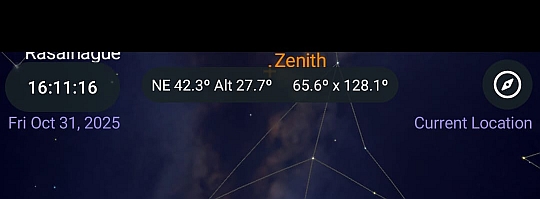
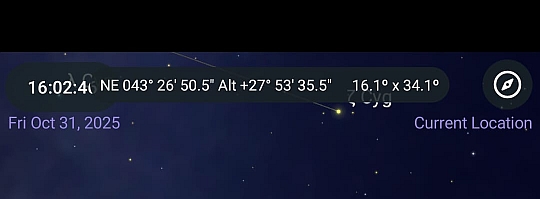
I use SkySafari a lot on my phone, and I love it. However the update from 7.6.2.5 to 7.6.4.0 has introduced some issues (at least, it has on my phone) which I think need to be fixed.
- when an observing list is activated so as to show all items on the chart a button becomes visible just above the toolbar. This button opens a menu for managing the list. In the previous version the menu opened with the bottom-left corner anchored to the button, so the whole menu remained on-screen. Now the top-left corner is anchored to the button so now most of the menu falls off the bottom of the screen and is unreachable.
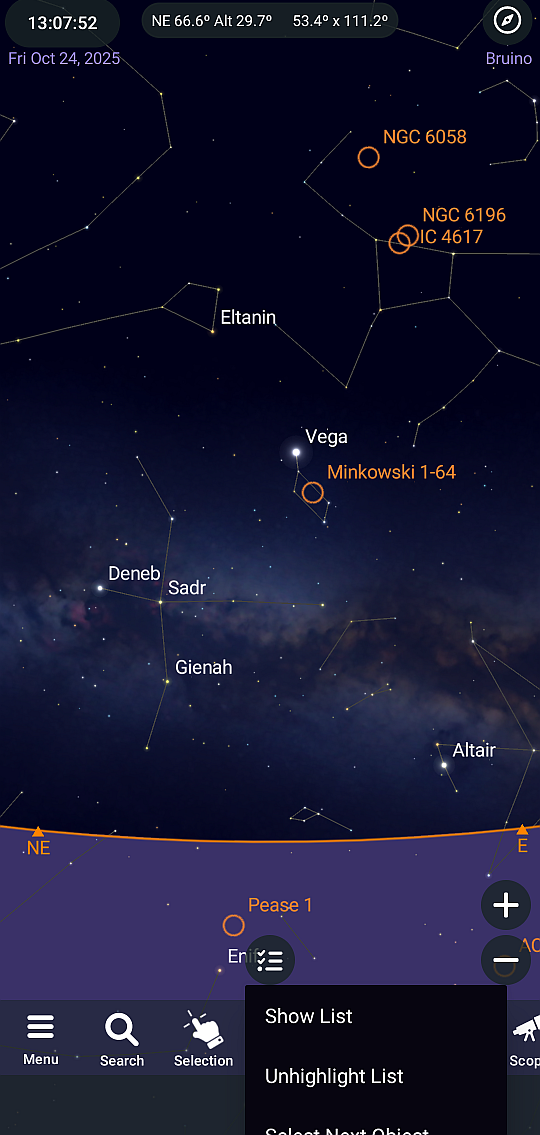
- the redesigned field used for coordinates and FOV data, and also for the object data (name, magnitude, constellation etc), has a vertical position which switches between two different locations. When you open the app with a wide field of view the field is on the same line as the clock and the new compass icon. Unfortunately this is where the camera is on my phone and so you can't read all the text. Also, when object data is shown here it sometimes overlaps the clock and compass icon. This issue appears in in Horizon, Ecliptic and Galactic modes, and the example here is in Horizon mode.
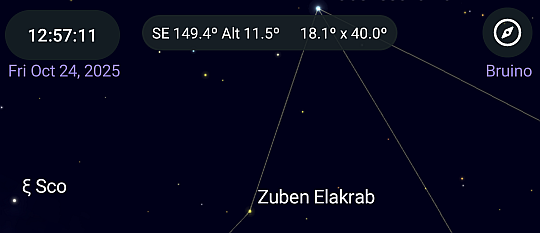
However if you reduce the field of view so that alt-az is shown in deg:min:sec instead of just degrees (this happens at 18° FOV width), and then press the Observe toolbar button (which seems to force a redraw) the field jumps down by a line to where it should be, so that you can read all the text. It stays there unless another redraw is forced while the FOV width is greater than 18°, when it jumps back up to the top line.
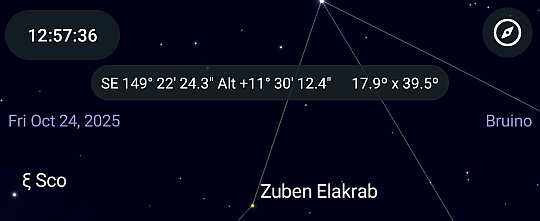
Finally, you can't turn off the new compass icon in the top-right corner, and if you touch it by accident the screen goes haywire. I understand that people might want a fast way to activate the compass (though they can do that by configuring the toolbar), but please give us a way to turn it (and the clock) off.
Thanks
-Piero