New post
0

Skyweek location and zoom button

SS Pro ver 6.0.2.26

Sony xperia Z1 Compact

Android 5.1.1

My saved location is Beringen.
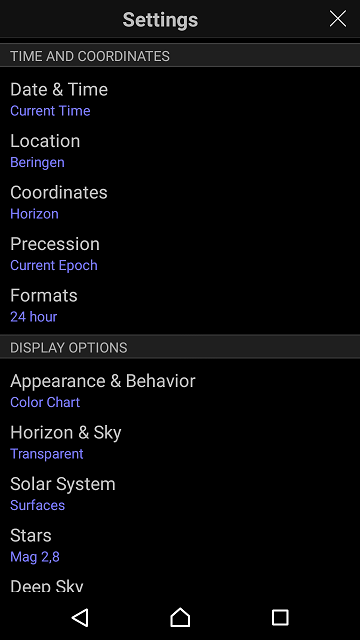
In 'Skyweek' when I hit 'View' it asks for my current location,
Isn't it possible that it wil take my saved location ?
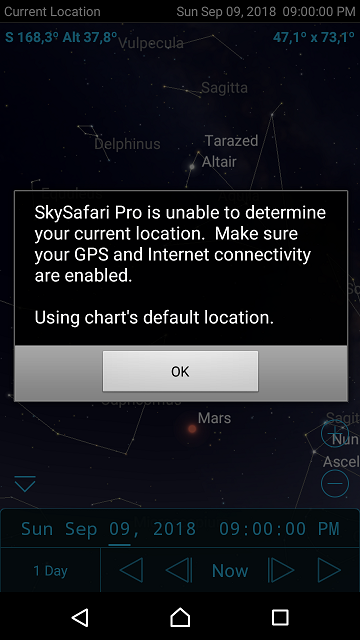
then I click ok.
When I then click this (red arrow) button.
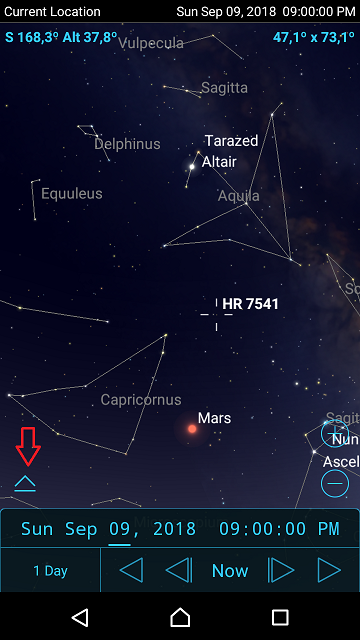

I get this.


The zoom buttons are gone.

When I touch the screen again somewhere, the zoom buttons are back.


3 comments

  • 0
    Avatar
    Bill Tschumy

    Gert,

    It looks like some of the settings files that Sky & Telescope makes are not interacting well with the new hide toolbar feature.  I am not seeing your problem, but there is obviously something going on.

    Also not sure why you are getting the "can't determine your location" error.  Do you normally use "Current Location" when not using SkyWeek?  Do you have your location preferences set to disallow?  Sky & Telescope set up that screen to ask for your current location.

  • 0
    Avatar
    Gert Vanesch

    Bill,

    I assumed that after I defined the location (eg choose location from list), Skyweek would therefore use this location definition for it.

    But obviously it does not work that way.

    If I set my location preferences to allow, there is no problem.


    I also want to thank you for making this great app.

  • 0
    Avatar
    Bill Tschumy

    No, SkyWeek has its own settings files that define the location.  Often that location is "Current Location" which requires permission to access your location.

    Glad you were able to work around it.

Please sign in to leave a comment.