Using SS6 on Samsung A5 (2017) with android 8.0.0
Instead of star-view I am getting a blank screen ( with menus etc).
I have tried reinstalling and searched for any camera permission/restrictions but without luck.
Any thoughts please?
Using SS6 on Samsung A5 (2017) with android 8.0.0
Instead of star-view I am getting a blank screen ( with menus etc).
I have tried reinstalling and searched for any camera permission/restrictions but without luck.
Any thoughts please?

Hi Tony,
Please attach a screenshot. Do you have a skin mods, is your device rooted, anything aside from stock Android different about your device?
Thanks!

Hi,
as far as I know, I'm running un-rooted, plain-vanilla Android with no skins.
Other apps are using the camera ok
Please see screenshot attached.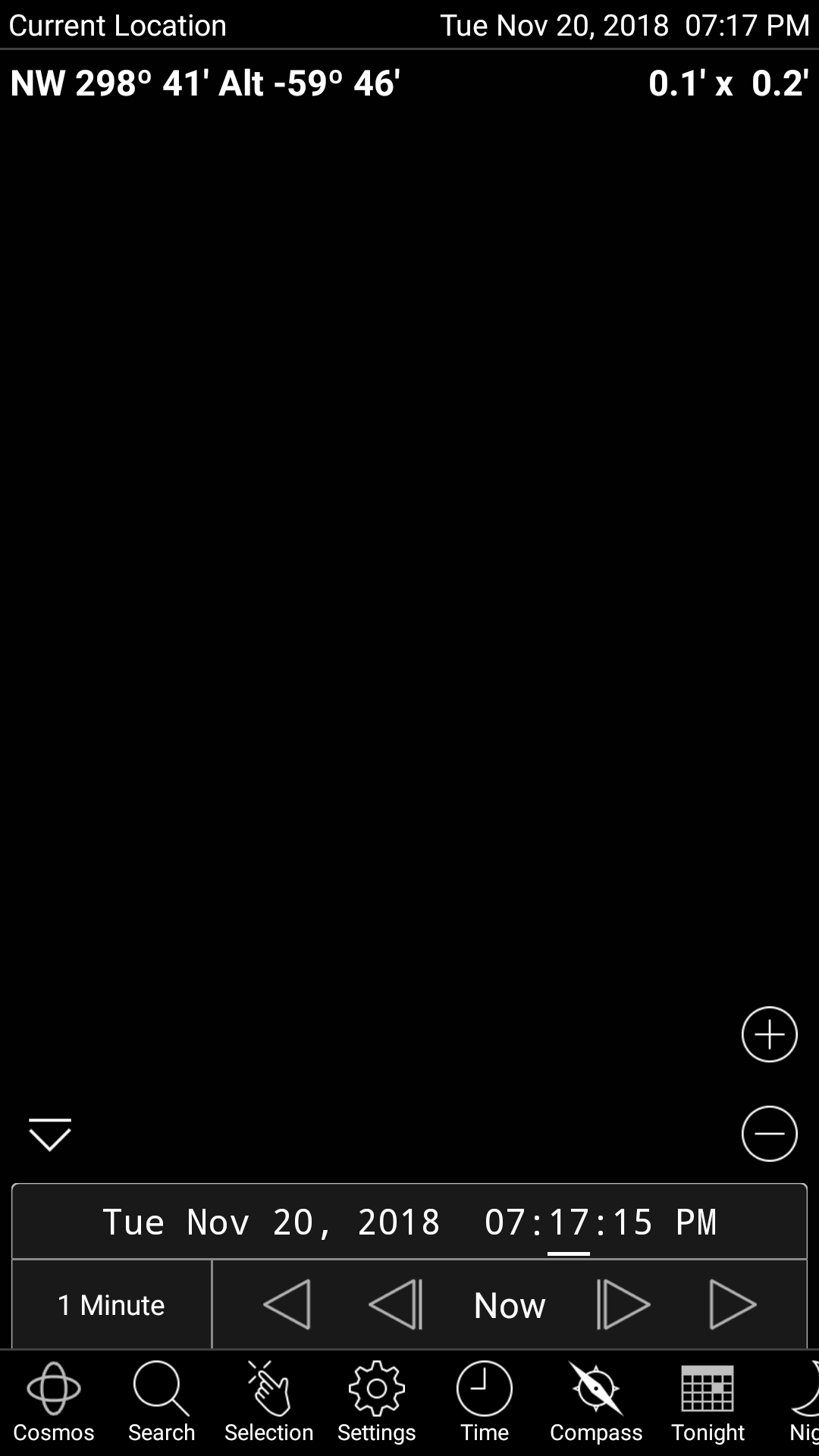
Thanks, Tony
HI Tony,
Please try this:
Download https://play.google.com/store/apps/details?id=com.estrongs.android.pop&hl=en (or similar)
Please let me know if the above resolves the issue.
Thank you, that sorted it.
Excellent, Tony! Clear skies and STARS!

Tony,
Looking at your original screen shot, the problem was that you were zoomed way into a very small field of view (0.1' x 0.1'). There are literally not stars in that field of view to display. If you had just zoomed out you would have had stars again. No need to reinstall or delete your preferences.