New post
0

2nd Request - changed Stella firmware to Skyfi 3 - Celestron AVX still won't connect

Hello.

This is a followup to my Inquiry # 45352 . I updated my brand new Stella firmware to Skyfi version Skifi-1.3.4 but still can't get my Moto G4+ to connect to my slightly more than a year old Celestron AVX. I have used "Celestron AVX/CGE/CGEM/CGX" Telescope Setup Setting and have tried both Connect to WiFi with Auto Detect Skyfi checked, and also unchecked with  IP address of 10.0.0.1 and Port number 4030. I have made sure my Moto G4 is connected to "Skyfi" network.

In addition I have tried all of the Celestron settings including "Celestron WiFI: to no avail. Also I have tried 2 different USB to mini-USB cables between the Celestron Handset and the Stella.

Only weird thing I can see is that whenever I check "Auto Detect Skyfi",several seconds later "(Not detected)" appears next to this tab.

This is really beginning to disappoint me as I seldom (maybe twice) could ever get Celestron's Skyportal to connect to my AVX either. I really need some more advanced help with this frustrating and time consuming roadblock.

Thank you.

6 comments

  • 0
    Avatar
    Bill Tschumy

    Dean,

    I need some more information.

    1. This is the new Stella Wi-Fi box with the non-rectangular shape, right?

    2. I assume you also had this issue before you updated the firmware?  Is that why you updated?

    3. Are you running the Stella Access software or the SkySafari software.  I don't think SkySafari can auto-detect the Stella firmware and Sella Access cannot detect the SkyFi firmware.  Nevertheless, it should work when just using the IP address 10.0.0.1

    4. Want version of Android are you running?

    The first thing to determine is if you are even able to talk to the Stella box.  When connected to its Wi-Fi, bring up Chrome and type in 10.0.0.1 in the URL field. After tapping GO, do you see the configuration screen?

  • 0
    Avatar
    Deansmith1958
    Bill,
     
    Thank you for getting back to me. Here are the answers to your questions:
     
    1. Yes it is the model with the "concave sides and convex top & bottom".
    2. Yes - that is why I changed firmware from Meade to Skyfi.
    3. I am running SkySafari 6 Plus.
    4. My phone has Android version 7.1.1 with November 1, 2018 Security patch level.
     
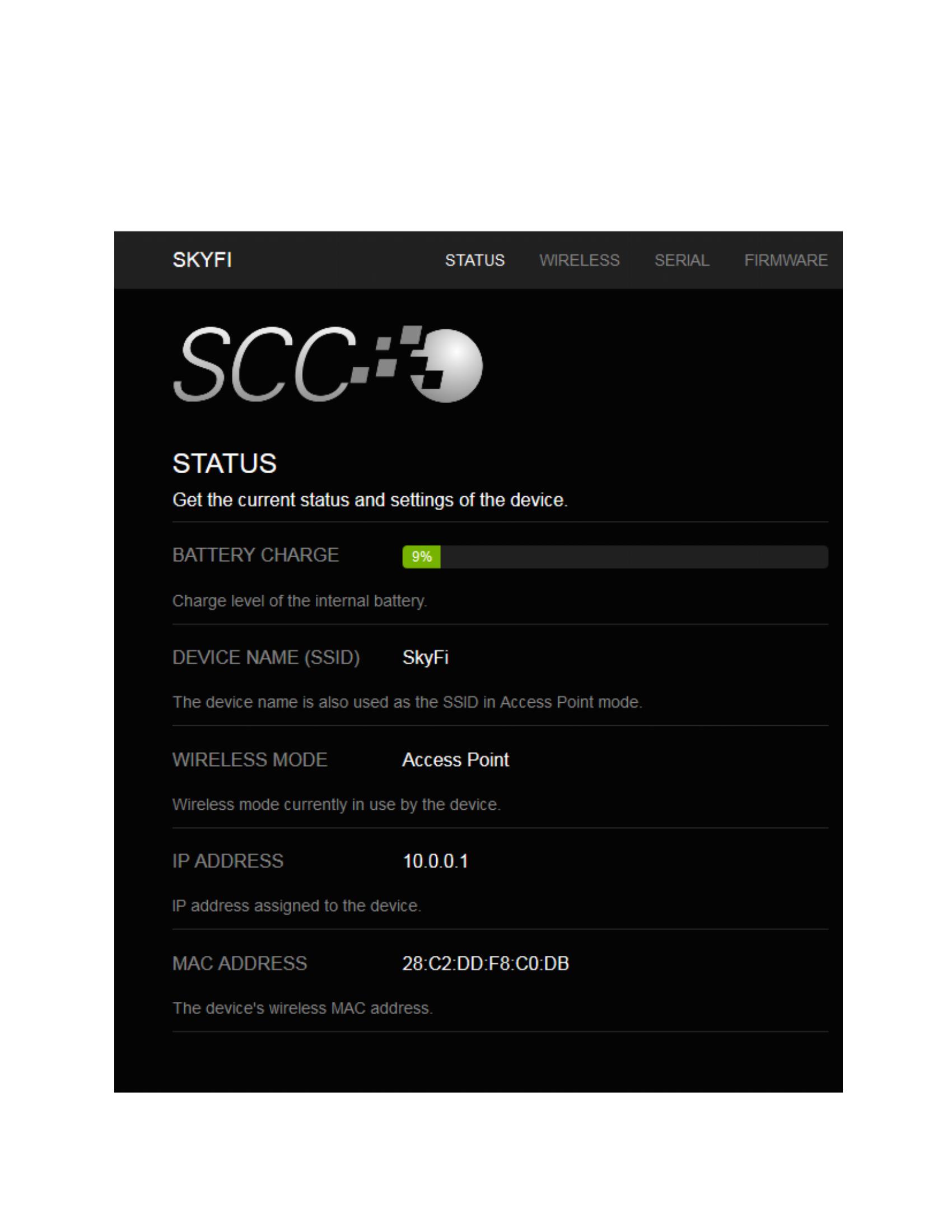
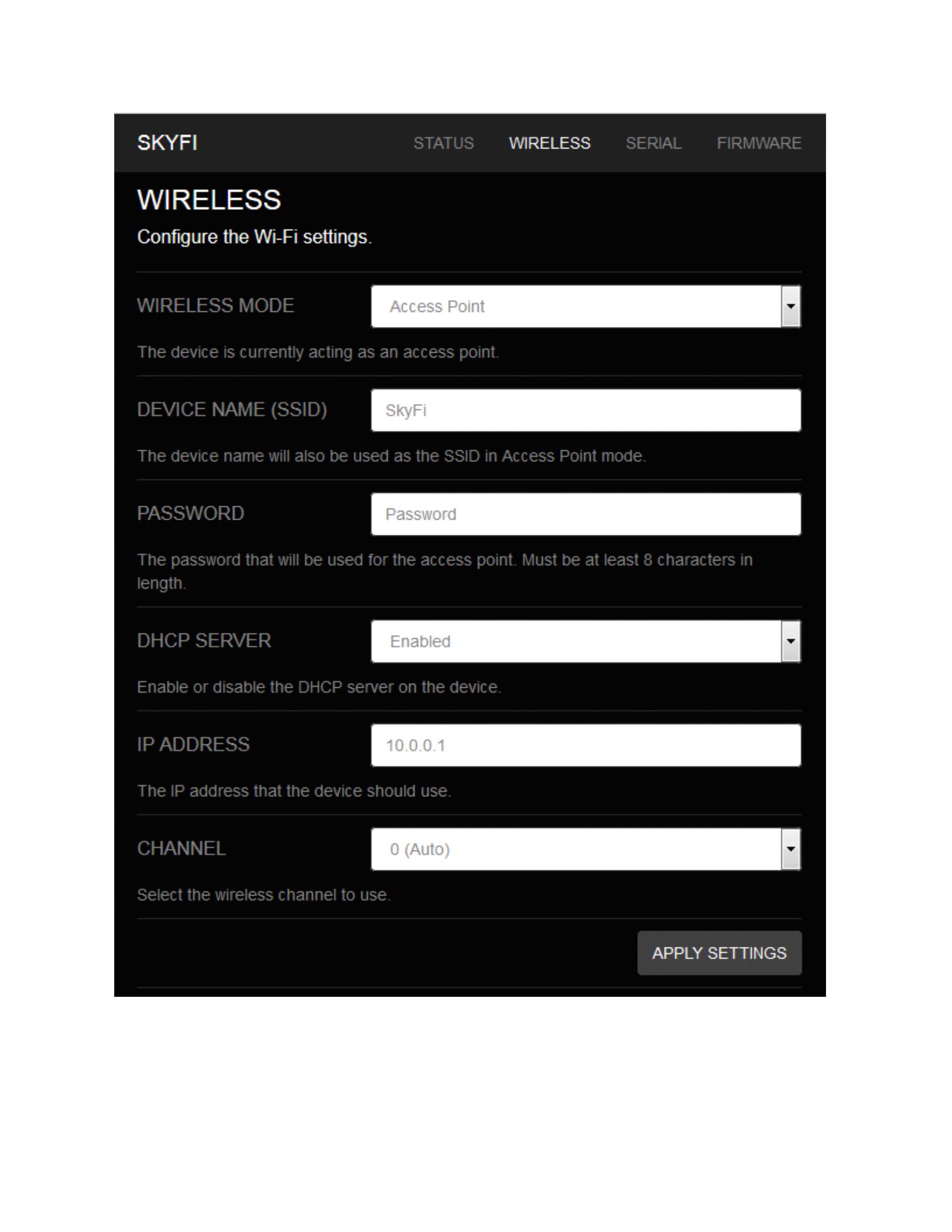
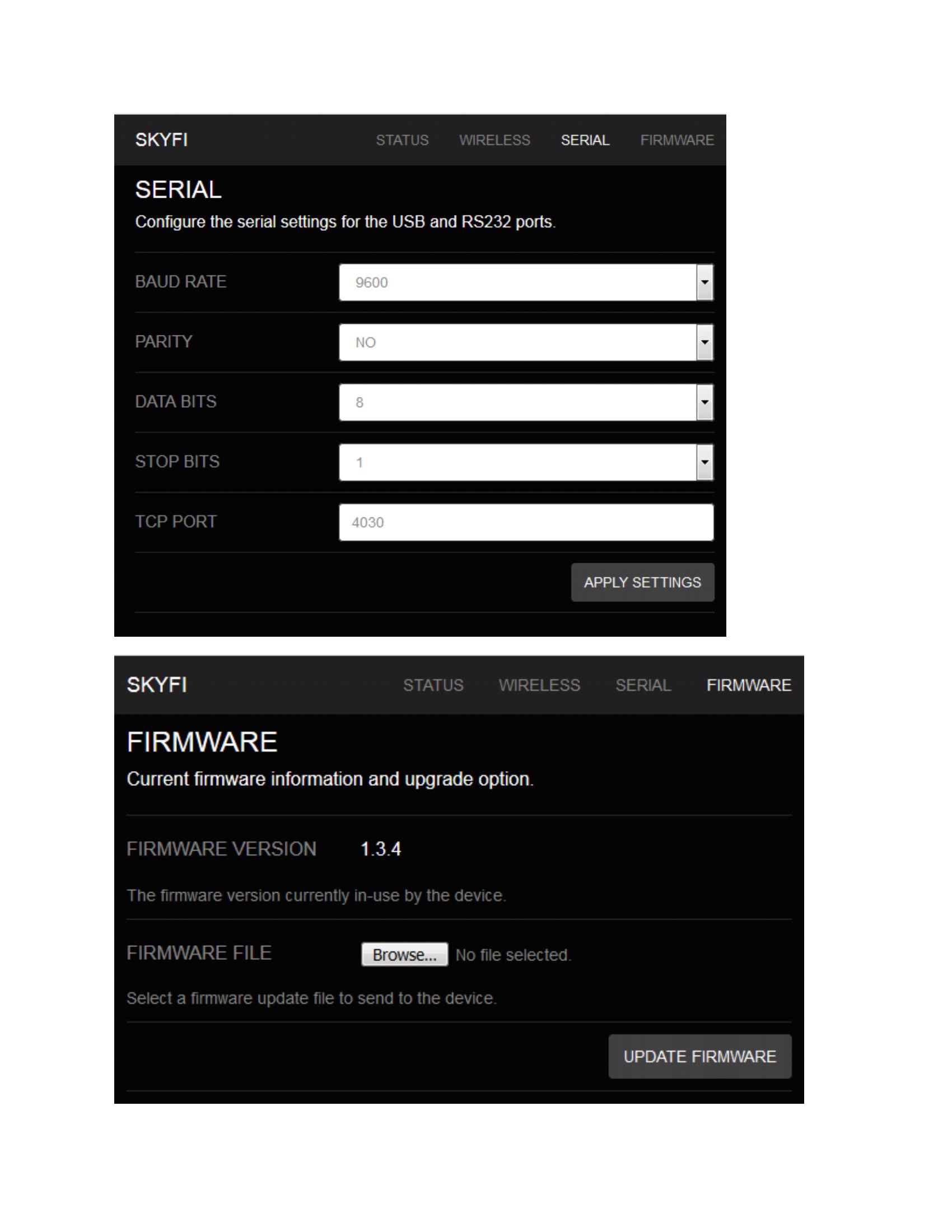
    I was able to get my laptop to wirelessly connect to the Stella device and I made screen shots of each tab I clicked on after I typed 10.0.0.1 in my browser. I have included below my message the screen shots of the pages that are brought up when I click on each tab of the Stella configuration screen.
     
    Also I believe I have confirmed that the mini-USB port on my NexStar+ hand controller is communicating properly as I updated the AVX firmware using the Celestron CFM program a couple of days ago. But the firmware upgrade to my AVX had no effect - still get the same "Connection Failure. SkySafari Plus can't make a wireless connection to the scope. If your using Bluetooth......,  If your using wifi ......" message.
     
    Also I have tried selecting the Celestron AVX/CGE/CGEM/CGX setting under the telescope setup, along with "Equatorial GoTo (German)" for the mount type, plus other Celestron scope settings, but to no avail. When I use the Celestron AVX scope setting I have"Connect to wifi" checked and the IP Address is 10.0.0.1 and Port Number is 4030.
     
    So I this point I am totally out of ideas. Any help would be much appreciated.
     
    regards,
     
    Dean Smith


  • 0
    Avatar
    Bill Tschumy

    Dean,

    The fact that you are getting the message "SkySafari Plus can't make a wireless connection to the scope" means that SkySafari can't even open a connection to the mount.  This has nothing to do with any scope settings in SkySafari.

    First, I'd charge up the SkyFi.  9% battery is pretty low and it is possible you could start to get errors then.

    When you are connected to the SkyFi Wi-Fi, I want you to use your Android device and go to 10.0.0.1 in a browser.  I want to make sure you Android device can even get to the SkyFi.

    You might also try rebooting your Android device if you haven't done so.

  • 0
    Avatar
    Deansmith1958

    Bill.

    I tried typing 10.0.0.1 using Chrome on my android phone after rebooting it, but kept getting a "this site can't be reached" message after a long time..I tried Firefox and I get a "the connection has timed out" message. I also tried my wife's new Galaxy S9 and her old Galaxy S5 and both of them went to the 10.0.0.1 page just fine.

    I tried looking at various wifi settings on my Moto G4+ but none of my changes to settings worked (not that I was able to find that many options to change BTW). I disabled Panda Security VPN but that didn't help.

    So it appears there is some setting on my phone's wifi preventing a connection, but I am at a loss to figure it out as I see very few settings that can be changed.


    Dean

  • 0
    Avatar
    Bill Tschumy

    Yes, it seems there is something about the phone that is preventing communication.  I really have no idea what that might be.  I don't think we've run into this before.  Perhaps some other community members might have an idea.

  • 0
    Avatar
    Deansmith1958

    Bill,


    Thanks for all your help in narrowing down the problem. I will create a new post requesting any Motorola phone users for advice.


    best regards,

    Dean

Please sign in to leave a comment.