New post
0

Why Are The Custom FOV Rectangles Not In The Correct Screen Position? (Answer: X-Offset And Y-Offset)

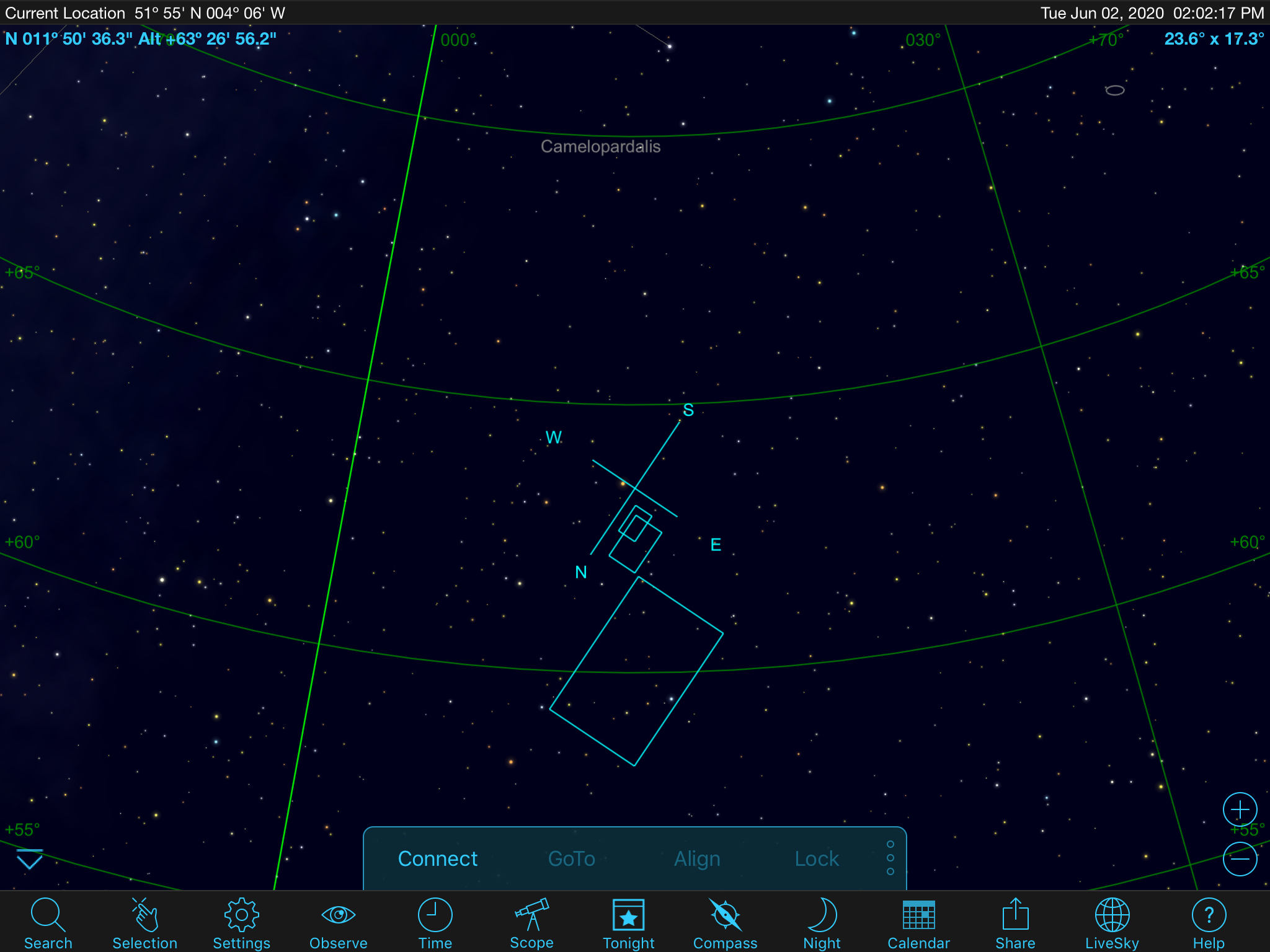
Hi - I've set up some custom FOVs, and the boxes are drawn to the NE (Cardinal Directions) of screen centre. If I turn on cross hairs, these are central - as per pic below. Happens with any custom FOV I create. Each one is drawn with the SW corner in the NE position as far as I can see.

Sky Safari 6.7.0.1 on iOS (iPad).

Mount set as iOptron CEM/iEQ Pro/AZ Mount Pro (but not connected)
 

2 comments

  • 0
    Avatar
    Robin Livermore

    OK, sorry, I solved this for myself. I had x-offset and y-offset in the camera settings. No idea why, I don't remember putting them there, but setting them to zero has sorted this out.

  • 0
    Avatar
    Keiron Smith

    Thanks for sleuthing out the solution, Robin!

Please sign in to leave a comment.