In SS7 when I start a new session and "connect & align" to my telescope (Celestron Evolution 9.25 which has internal wifi), it always defaults to the "SkyAlign" method. My preferred method is "Manual Align". It is possible to get around the problem by going "connect" first, and adjusting the setting to "Manual Align" before doing the "Connect & Align" routine, but this appears to be a bug which wasn't there is SS6.
Date
Votes
7 comments
-

Keiron Smith Official comment DevOps reference: https://starrynight.unfuddle.com/a#/projects/7965/tickets/by_number/1560
-
Keiron Smith Kyle,
When you are connected to your scope please visit the Celestron WiFi options via the Celestron icon.
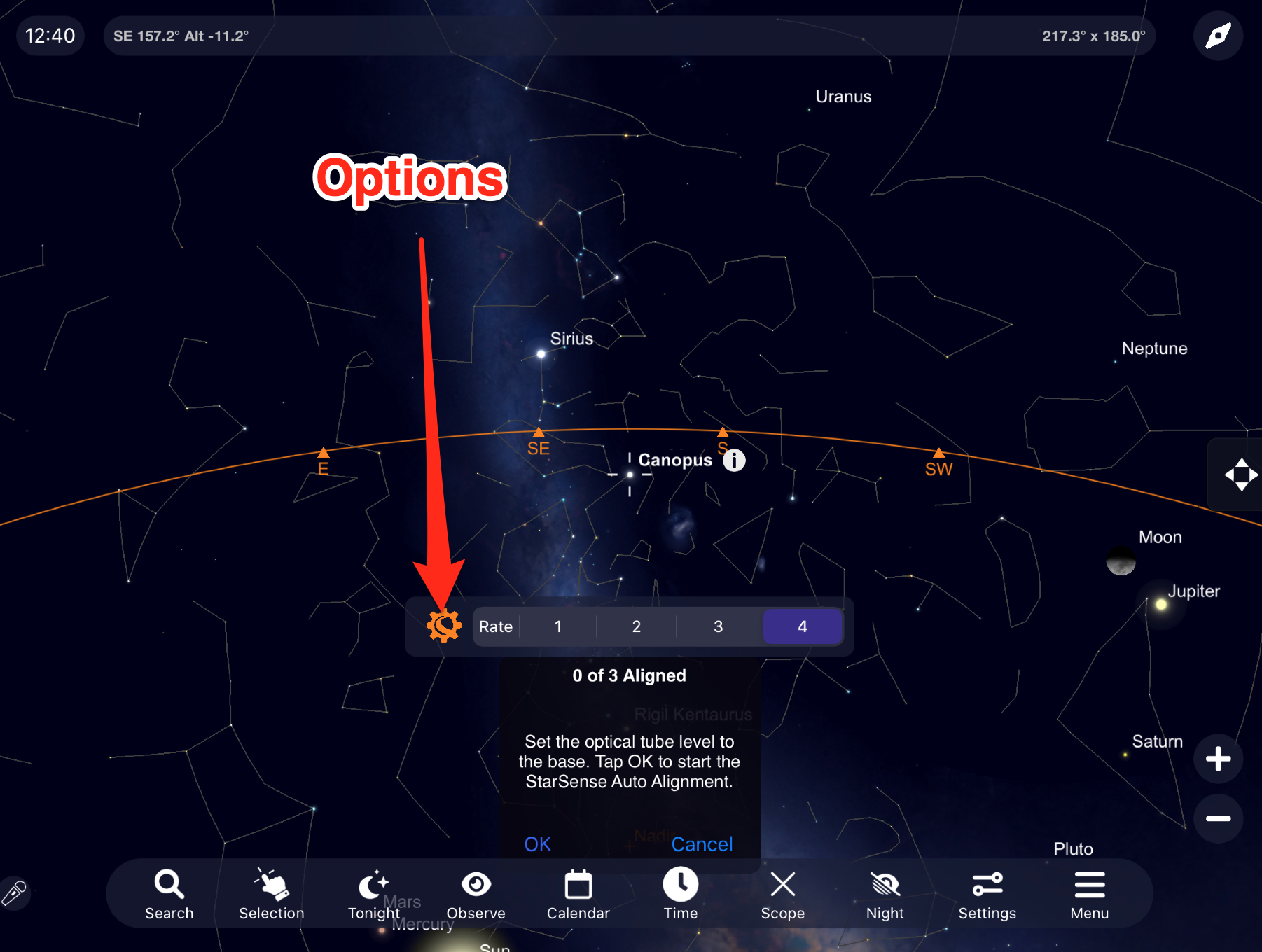
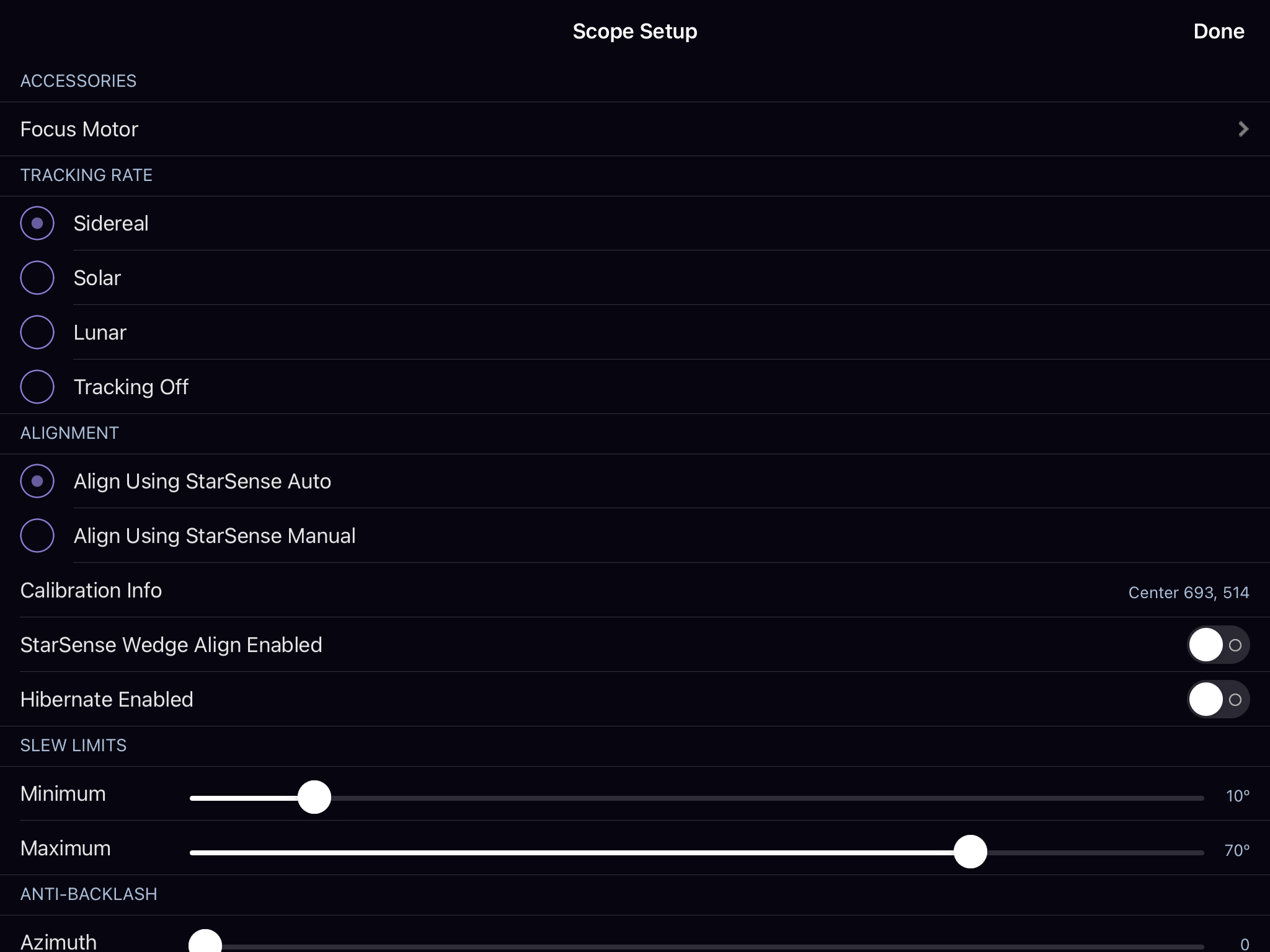
Thanks!
-

Kyle Walton Thanks Kieron, I had already found that settings button. The issue is once I have changed it to “manual align” in the settings, the app does not retain the setting and it reverts to “Skyalign” the next time I enter the app (It did not do this in SS6). This means I cannot go straight to the “connect & align” when I start SS7. Regards Kyle.
-
Keiron Smith Seems to me the following should work.
- Choose Connect & Align
- Choose Celestron options
- Choose Alignment > Manual
- Choose Done
- Choose Cancel
- Choose Connect & Align
- Now you have the option to align the mount manually. Correct?
- However, next time you start the app and choose Connect & Align you are defaulted back to the SkyAlign process. Correct?
Please confirm the above. And, if the issue is just about defaulting back to SkyAlign in step 8 then likely we can fix that.
And, if this is not the case I need you to either post screenshots showing each step in the process or link me to a screen recording so I can better understand what the issue it.
Thanks!
-
Kyle Walton Yes item 1-7 is as you say. And item 8 is also as you say. The issue is the setting not being retained upon quitting the app. Note it Is just that one setting, the other settings from that telescope settings menu are retained. It is not a major just a small annoyance, you guys do a great job curating the software which is fantastic.
-
Keiron Smith Excellent, Kyle. I will discuss with the developers, see if we can save the last state.
Thanks!
-

Doghousemike25 Thanks for commenting on the process for manual alignment. (my preferred way). Could not find any help in the SS7 Pro in app manual when using the app for the first time last week.
Very pleased now Thanks.
Please sign in to leave a comment.