New post
0

SF7 does not connect to CGX mount- WHAT settings will work?

I have been trying to use SF7 to connect to my Celestron CGX mount.

I am connected to the mount via USB cable to CGX USB port and I am running CPWI connected via MOUNT.

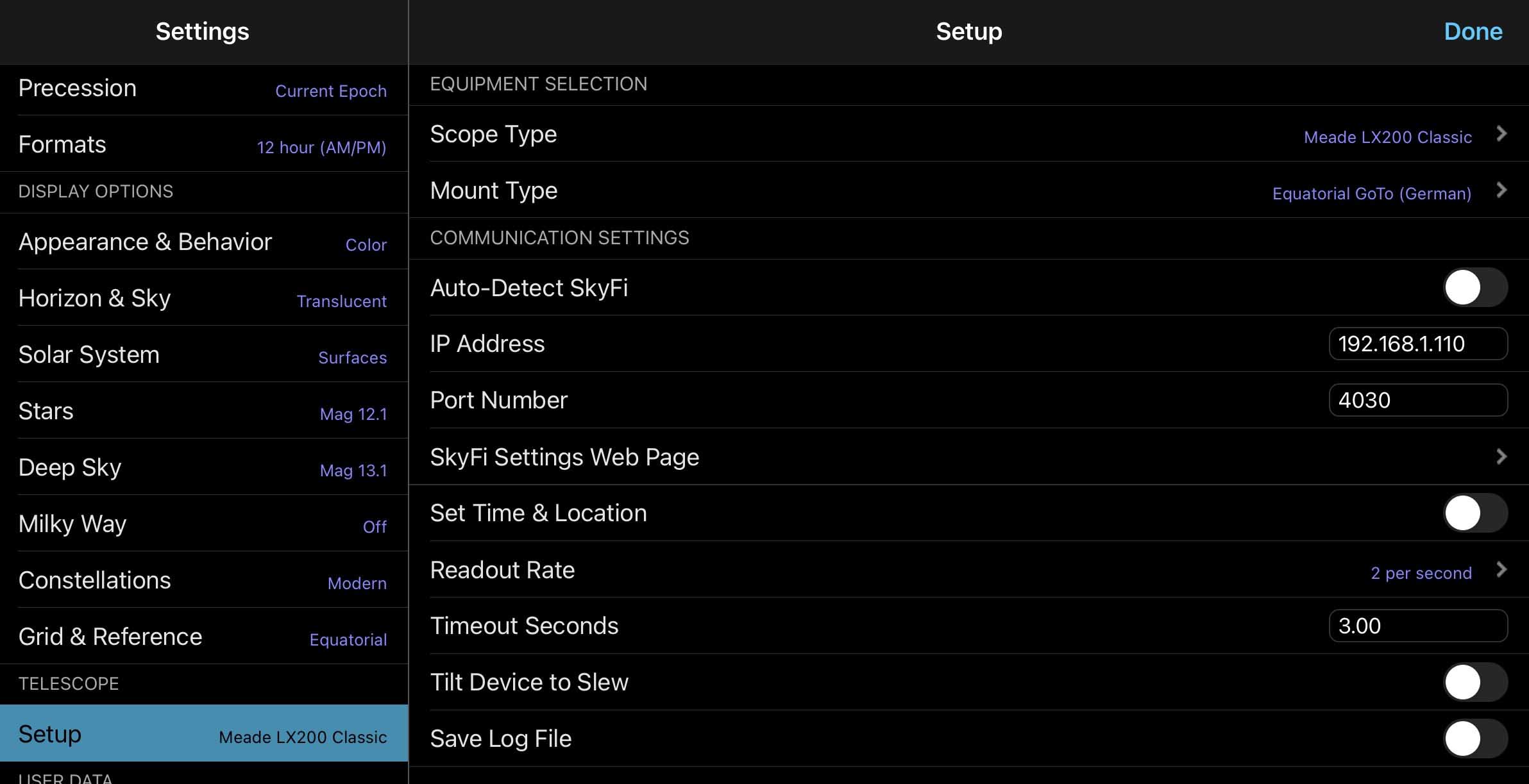
In SF7 in  PRESETS , Mount type- Equatorial GOTO,  Scope Type- Celestron AVX/CGX/CGEM/CGX

I have tried my previous IP address (192.168.1.110) used with WifiScope. as well as the default (10.0.0.1) 

Port number 4030

What settings should I use to connect SF7  to my CGX mount via its USB port?

Thanks for any help.

Steve

9 comments

  • 0
    Avatar
    Pedro Braganca
  • 0
    Avatar
    Ros Hartigan

    Hi Steve, can you give us anymore information on how it fails? 

    • A description of how you set up the scope connection preset
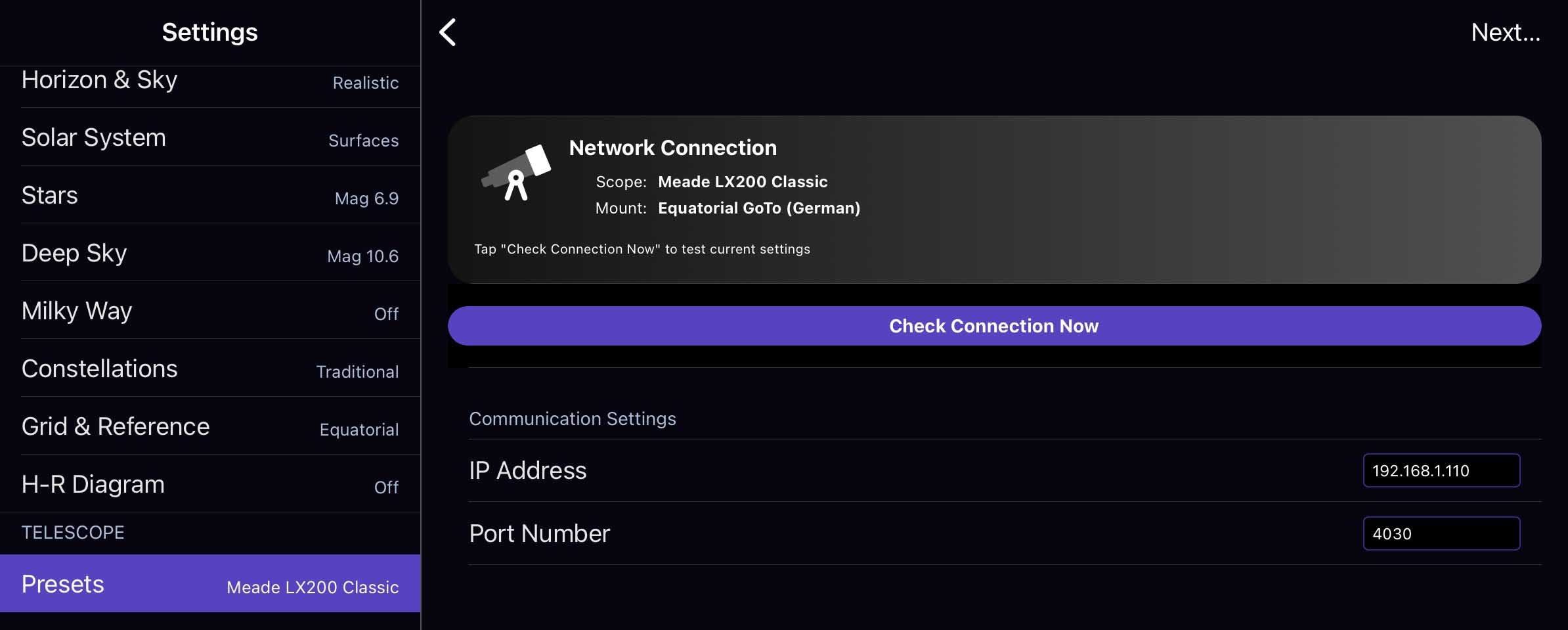
    • A screen shot of the 'Network Connection' screen in the preset setup in SS7Pro
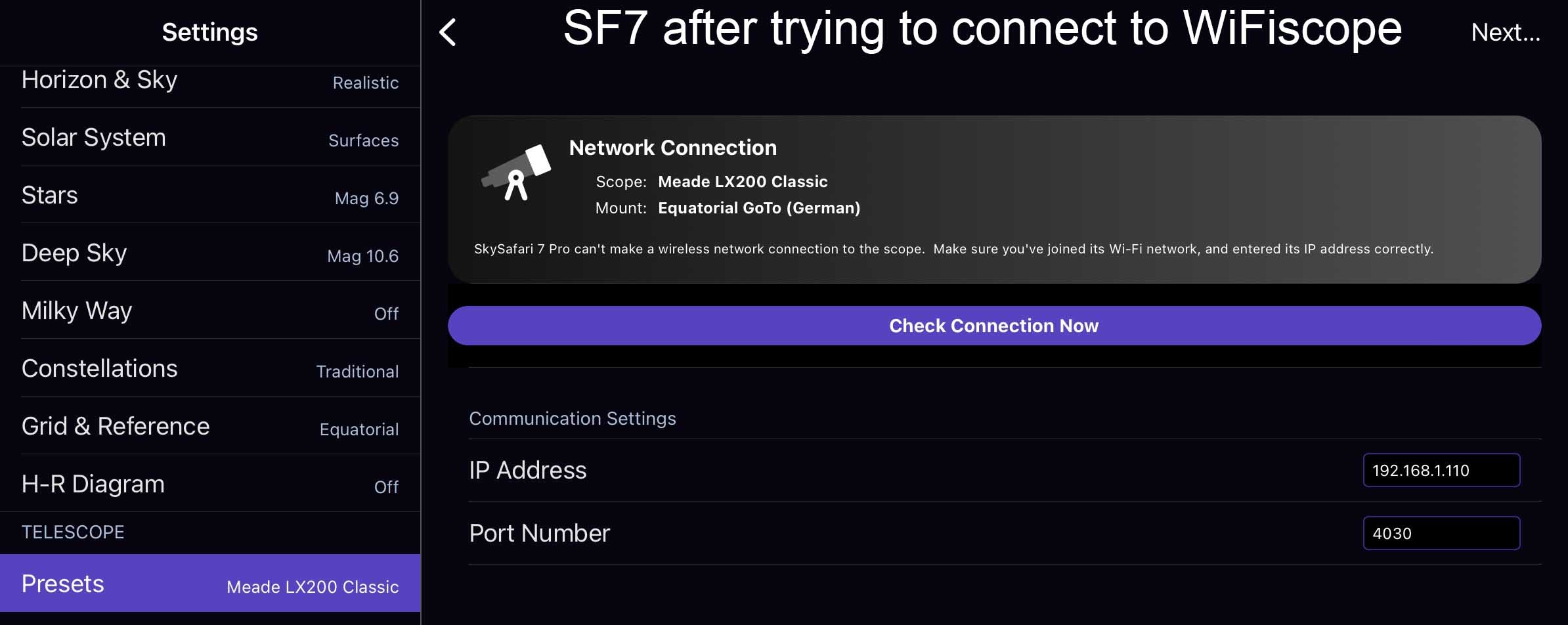
    • What failure message does SS7Pro give you you get when you try to connect?
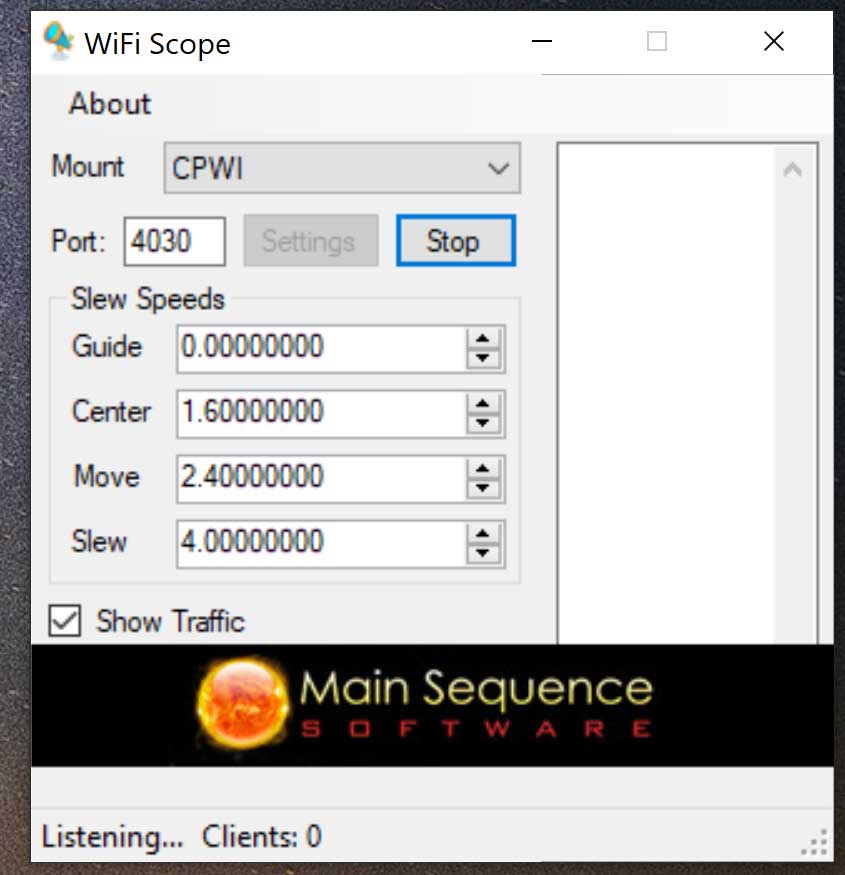
    • A screen shot of the WifiScope setup/listening screen
    • A copy of the WifiScope log

    Ros


  • 0
    Avatar
    Skaiser3

    SF7 settings are set the same as SF6 settings for connection to WiFIscope.

    Nothing appears in the WiFI scope log when  SF7 tries to connect.

    Here are screen shots of what shows.


    WiFiscope shows no traffic when trying to connect SF7

    here is the beginning traffic when I connect with SF6

    ------------------

    Connected
    <-- :GR#
    --> 09:35:18#
    Connected
    <-- :RM#
    --> Nothing
    <-- :GD#
    --> +89:58:27#
    Connected
    <-- :GR#
    --> 09:35:19#
    Connected
    <-- :RM#
    --> Nothing
    <-- :GD#
    --> +89:58:27#
    Connected
    <-- :GR#
    --> 09:35:19#
    Connected
    <-- :GD#
    --> +89:58:27#
    Connected
    <-- :GR#
    --> 09:35:18#

    --------------

    Thanks for any help on this

  • 0
    Avatar
    Pedro Braganca

    We're looking into it Steve - thank you for your patience!

  • 0
    Avatar
    Skaiser3

    Hi Pedro

     Glad to hear you are checking into this. I know your group has always been responsive on issues. Very nice!

    The good thing about this. It is repeatable and easy to replicate.

    SF6 always connects via WiFIscope, SF7 never connects. As mentioned, SF7 doesn't seem to send any msg info over the link.

    I consider this partly my fault. I have participated in your beta testing before but did not  participate in the SF7 beta testing. Probably would have discovered this right away.

    I hope to get a workaround operational by using your ASCOM ALPACA connection (see my other posting). Working on debug of this but would still like to see the WiFiscope working.

    Thanks for your efforts.

    Take care

    Steve

  • 0
    Avatar
    Skaiser3

    After long remote connection, debug with Ascom person , no luck connecting via ascom alpaca- ascom remote.

    So I hope you can figure out how to get SF7 connected to wifiscope.

    hope you have a happy thanksgiving.

    steve

  • 0
    Avatar
    Ros Hartigan

    Hi Steve,

    Can you try turning on telescope logging for SS7 while connecting to CWPI through wifiscope (as you already did with the ASCOM Alpaca remote preset)? That might give us some additional feedback.

    Ros

  • 0
    Avatar
    Skaiser3

    Ros

     I will give that a try tomorrow and report back.

    who knows , maybe WiFi scope will start working also. 😳

    Take care

    steve


  • 0
    Avatar
    Skaiser3

    Ross

     Slight technical problem.

    I ran SF7 on my Ipad with the logging turned on while I tried connecting to WiFiscope on my PC.

    I have no idea how to find or transfer this file from my Ipad to my PC? or send directly from Ipad?

    If I connect my Ipad to my PC via USB, all I can "see" are image files from the DCIM directory.

    Sorry I don't have a MAC and not much of expert on Ipad files-transfers.

    Need help on this.

    Thanks

Please sign in to leave a comment.