
When selecting an Object from Search list the display is not full screen, but instead is small with two scrollable columns. SkySafari Pro 8.1.2 (1220) Using 11” iPadPro M4 with iOS 26.7.2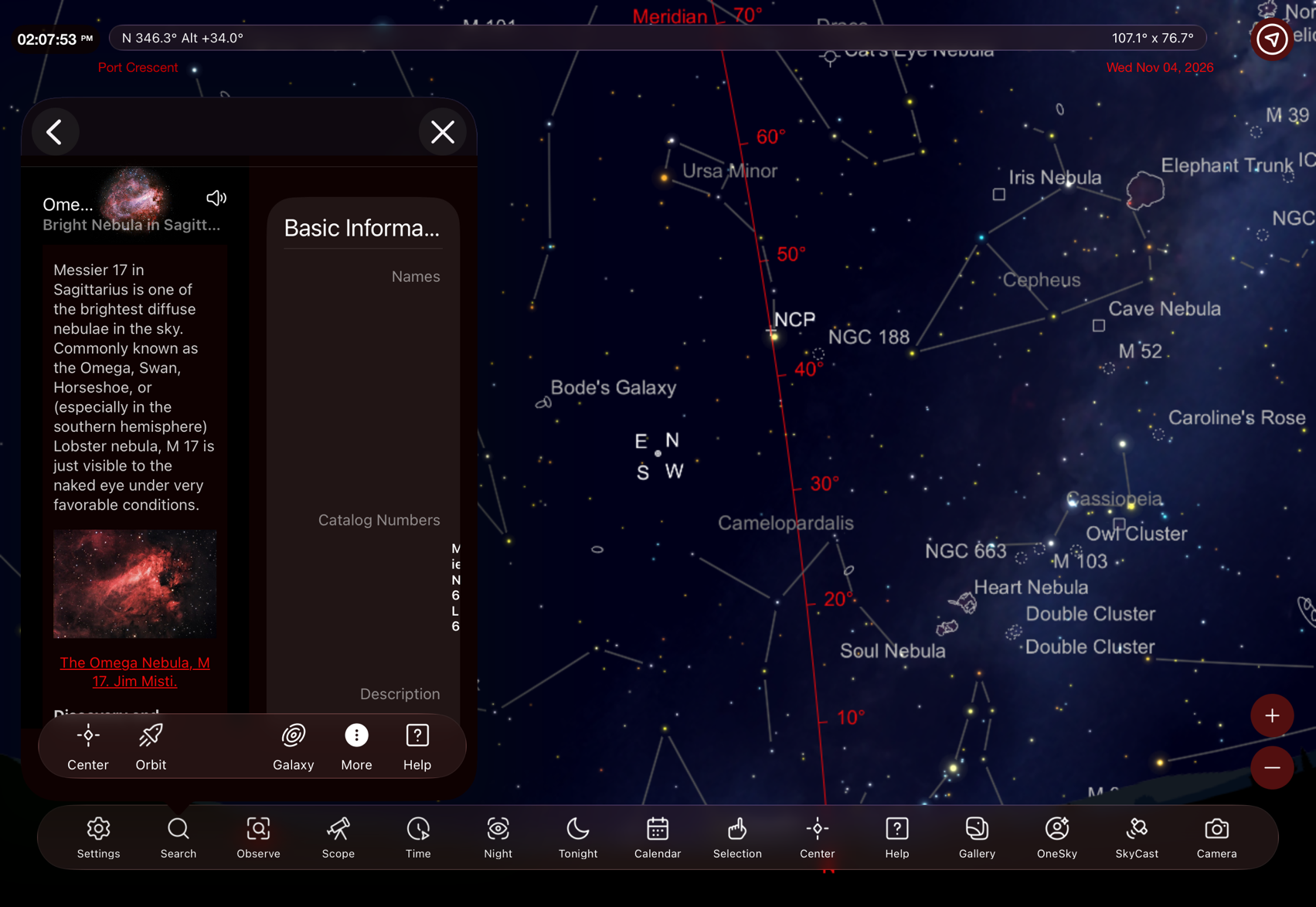
Date
Votes
4 comments
-

Keiron Smith Official comment DevOps reference: SKY-301
-

Skaiser3 I agree with Garry.
Ipad pro 11, iPadIOS V 26.7.2. The latest SF pro 8.1.2 (1220) does not display the target information screen properly, when using the SEARCH function .
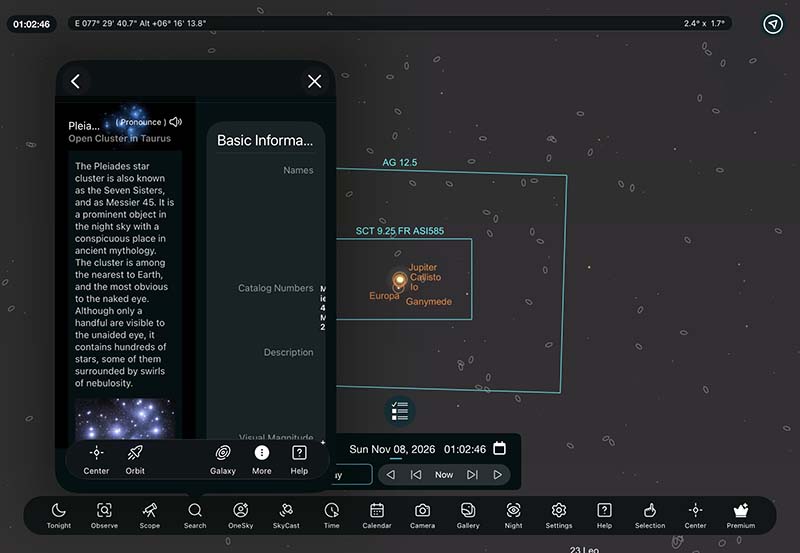
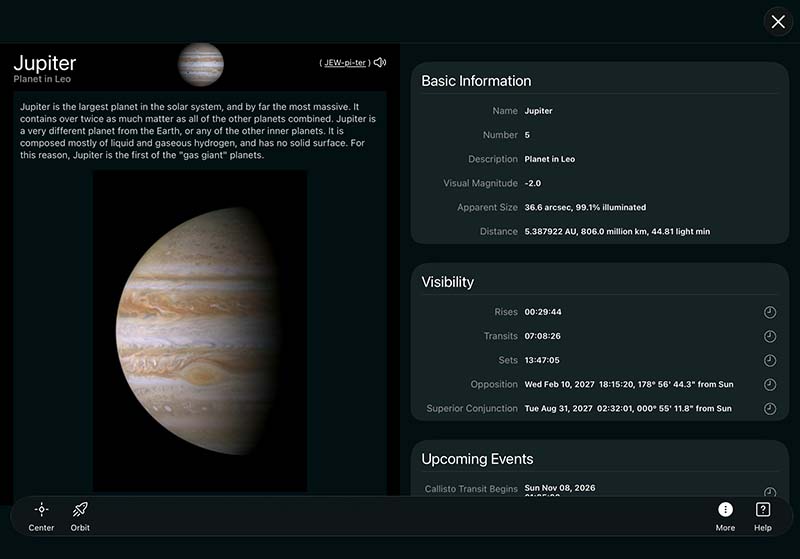
The target information DOES display properly if you select the target on the main screen , and tap the I (information icon) next to the target.
-
Keiron Smith Thanks for the reports.
Developers will fix this asap.
-

psap Hello,
I can confirm this on a second configuration: SkySafari Pro 8.1.2 (1220), iPad, iPadOS 18.7.8. iPad Air (5th gen). After selecting an object from Search, the information panel is cramped. The titles are truncated (“Basic Informa…”) and the values are pushed against the right edge of the screen and are unreadable. So it is not specific to iPadOS 26.Yet on iPhone it works as it should, perhaps because the information is arranged in a single column there.
Please sign in to leave a comment.