New post
0

SkySafari 7 Pro + Paramount MX Issues (Users Needs Community Help)

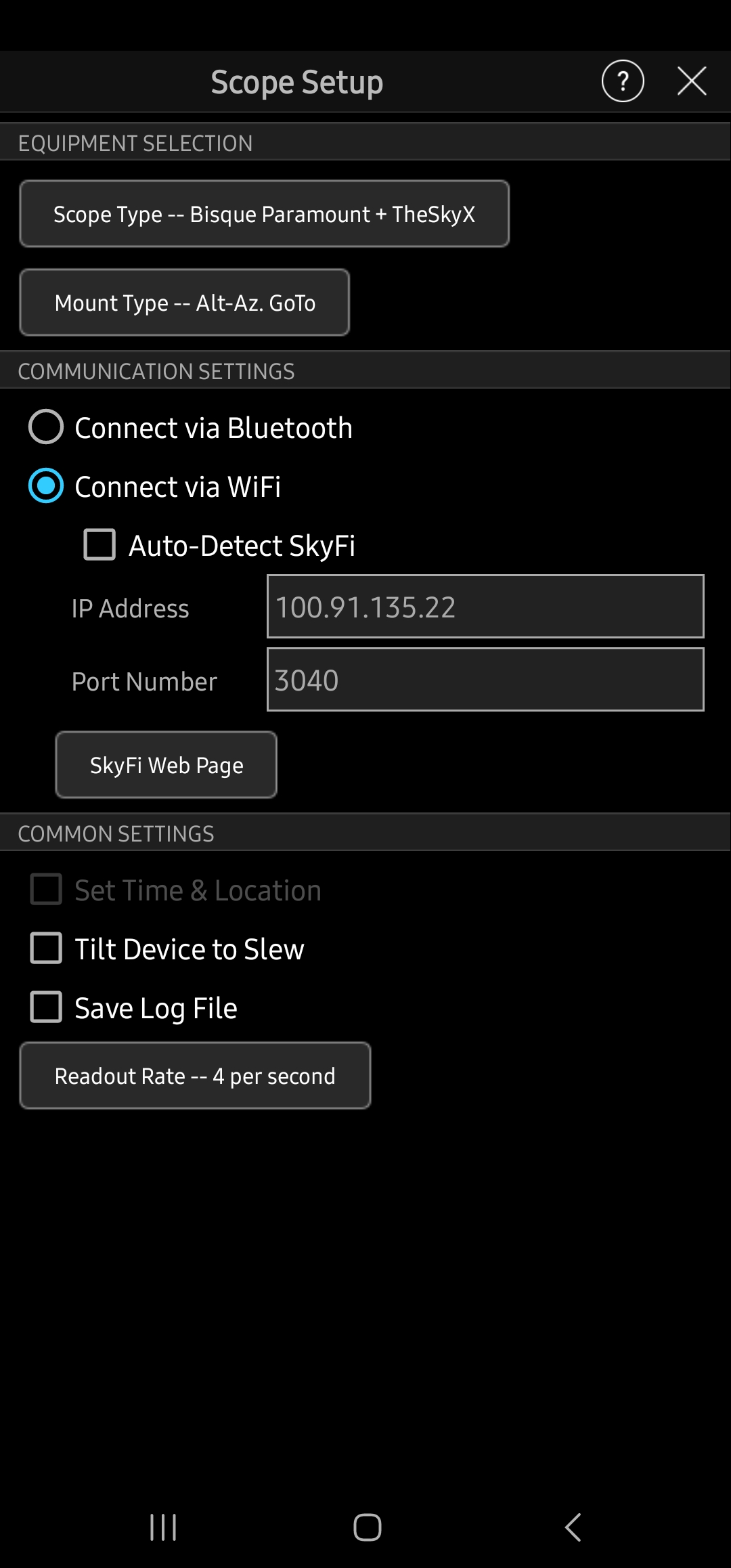
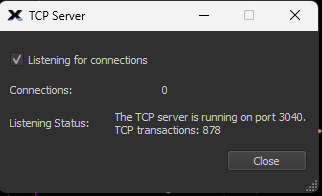
I have a remote observatory running Paramount & theskyX. I can connect to it with only the IP address and port of 3040, and setting it to bisque +Paramount in sky safari pro 6, Pro 7 does not work with the identical settings. The listener says there are connection attempts but 0 connected.

10 comments

  • Avatar
    Keiron Smith Official comment
  • 0
    Avatar
    Bryan Ramsey

    Nothing?  It's still same issue.  Is there a different place for support? I bought this 4 months ago and cant integrate into my workflow. Waste of 50$

  • 0
    Avatar
    Keiron Smith

    Bryan, 

    More information will be required to assist with the troubleshooting.

    Please include the following info:

    1. Apps and versions.  See Help > scroll to the bottom.
    2. OS version.
    3. Device make and model.
    4. Scope make and model.
    5. Scope HC firmware.
    6. WiFi hardware type.
    7. Serial cables.
    8. Photos of hardware configuration.
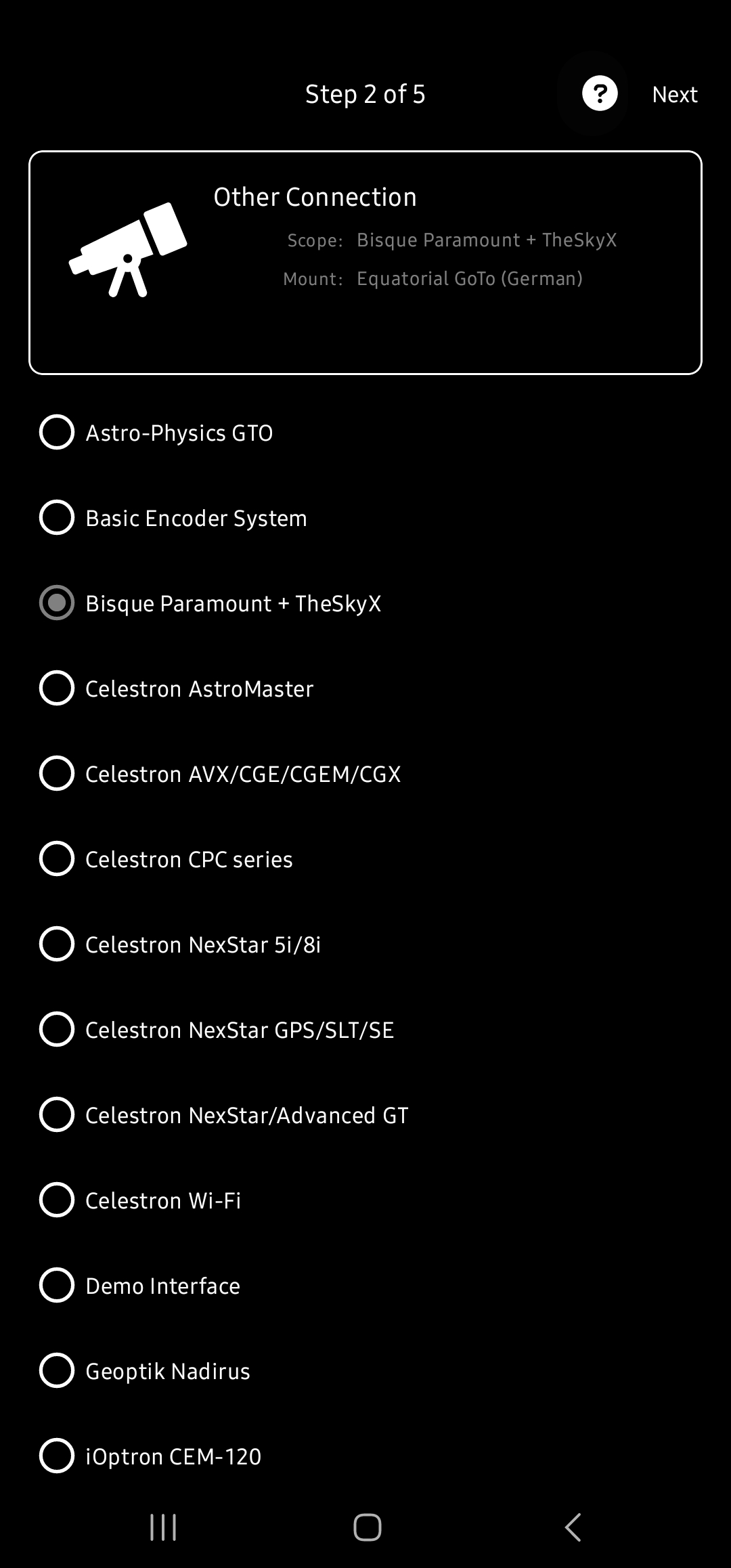
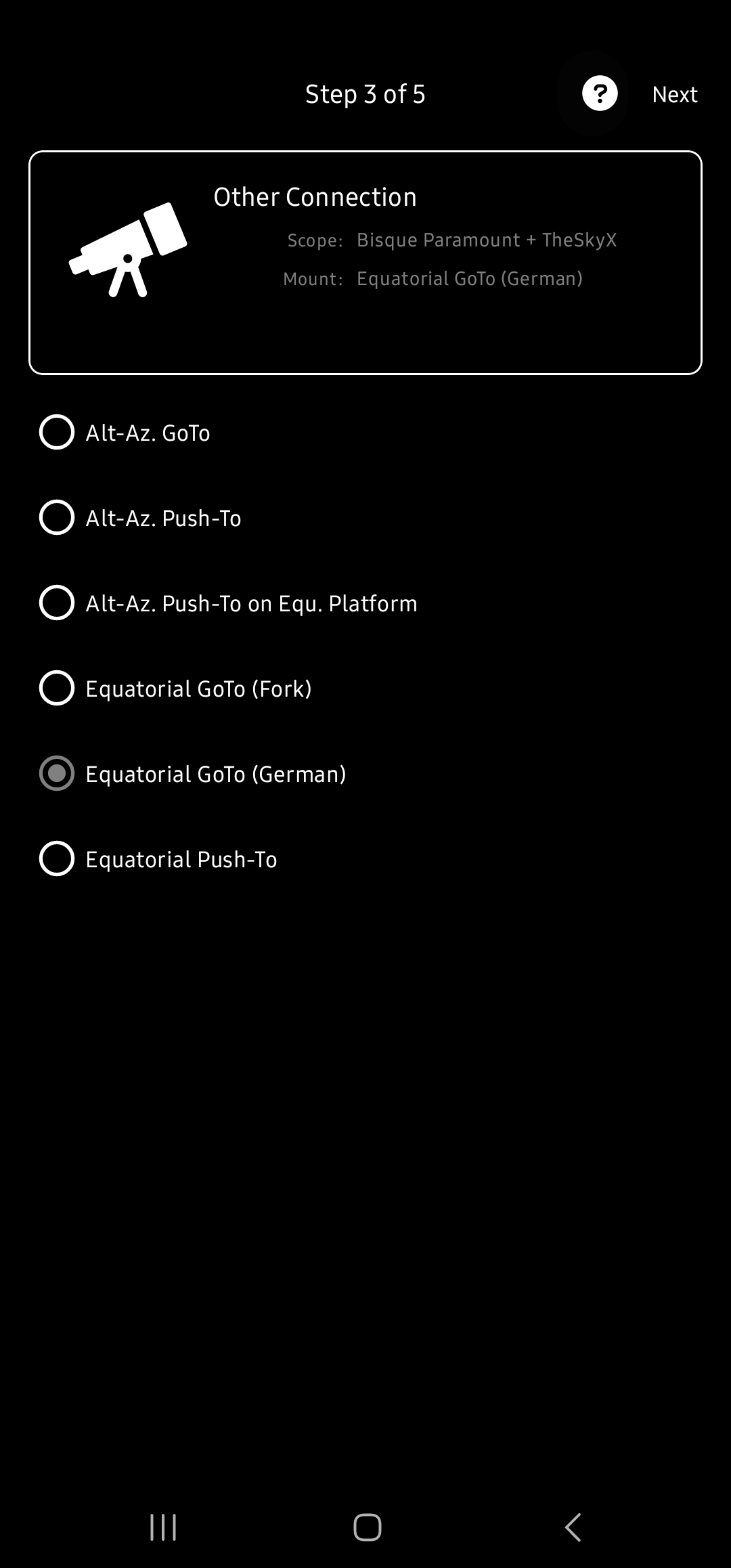
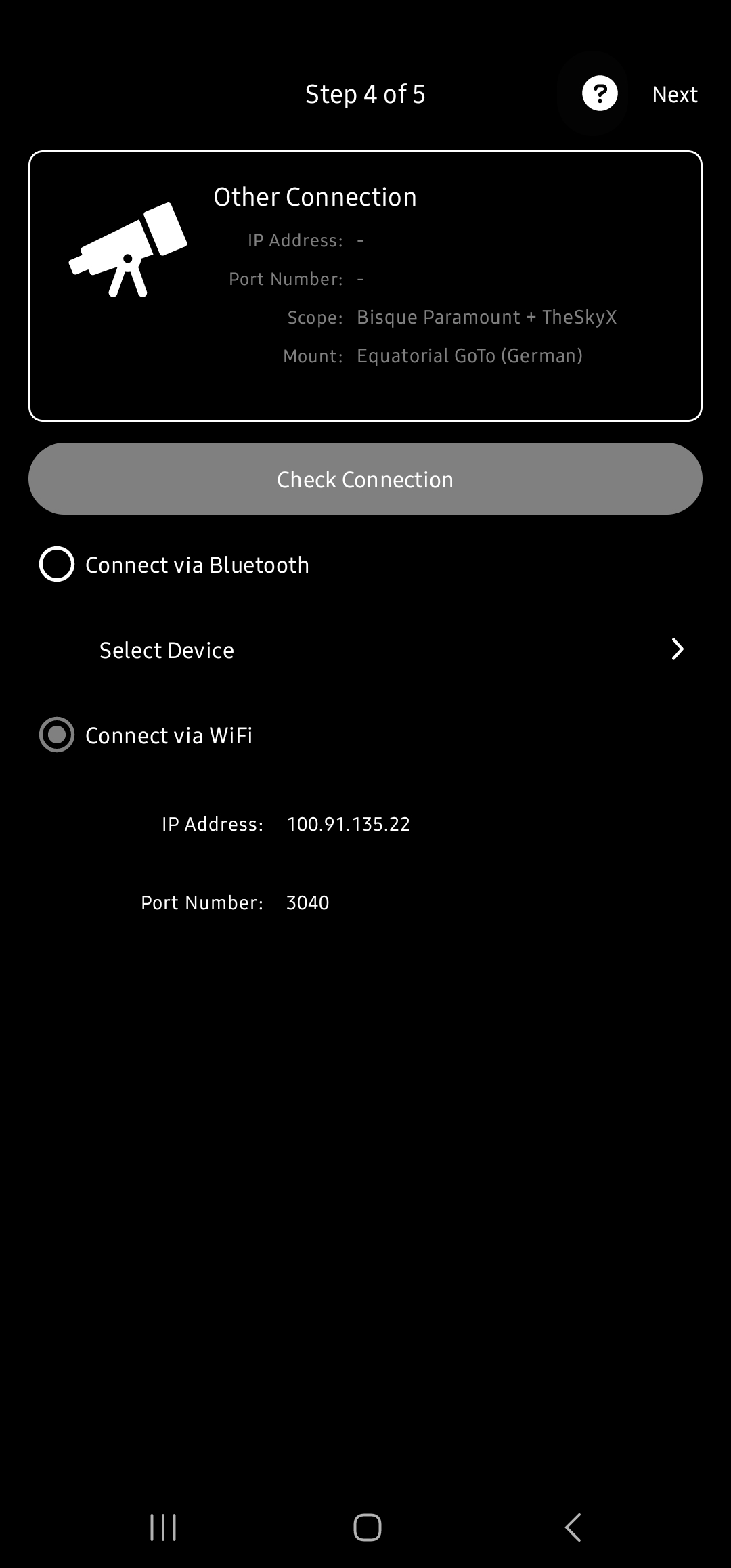
    9. Screenshots of telescope settings.
    10. Screenshots of error messages.
    11. Also, if you required to connect to SkyX in order to connect to the Paramount then again, all the SkyX program, version, OS, computer, telescope setup info, screenshots, etc, are also required.

    We do not have the Paramount + SkyX in-house for testing.  So, we will need otherSkySafari + Paramount users to assist with this troubleshooting.

    Your initial post was in the Starry Night telescope forum, but has now been moved to the correct SkySafari 7 telescope forum.

    Thanks!

  • 0
    Avatar
    Bryan Ramsey

    Sky safari pro ver 7.1.0.2
    Android version 13 Nov1 security patch
    Samsung Galaxy S22 Ultra
    Paramount MX, running the Sky X 10.5.0 Build 134979 on:
       Windows 11 Pro 22h2 Os build 22621.819
       Ethernet
       TCP Connections shared on port 3040 (this is the standard config and I can connect via Kstars, indi, astroberry, and every other software Ive   tried that can connect to theskyX

    Can connect via Sky Safari pro 6 (latest build from Google Play), so Im certain it is something with SSP7


  • 0
    Avatar
    Bryan Ramsey

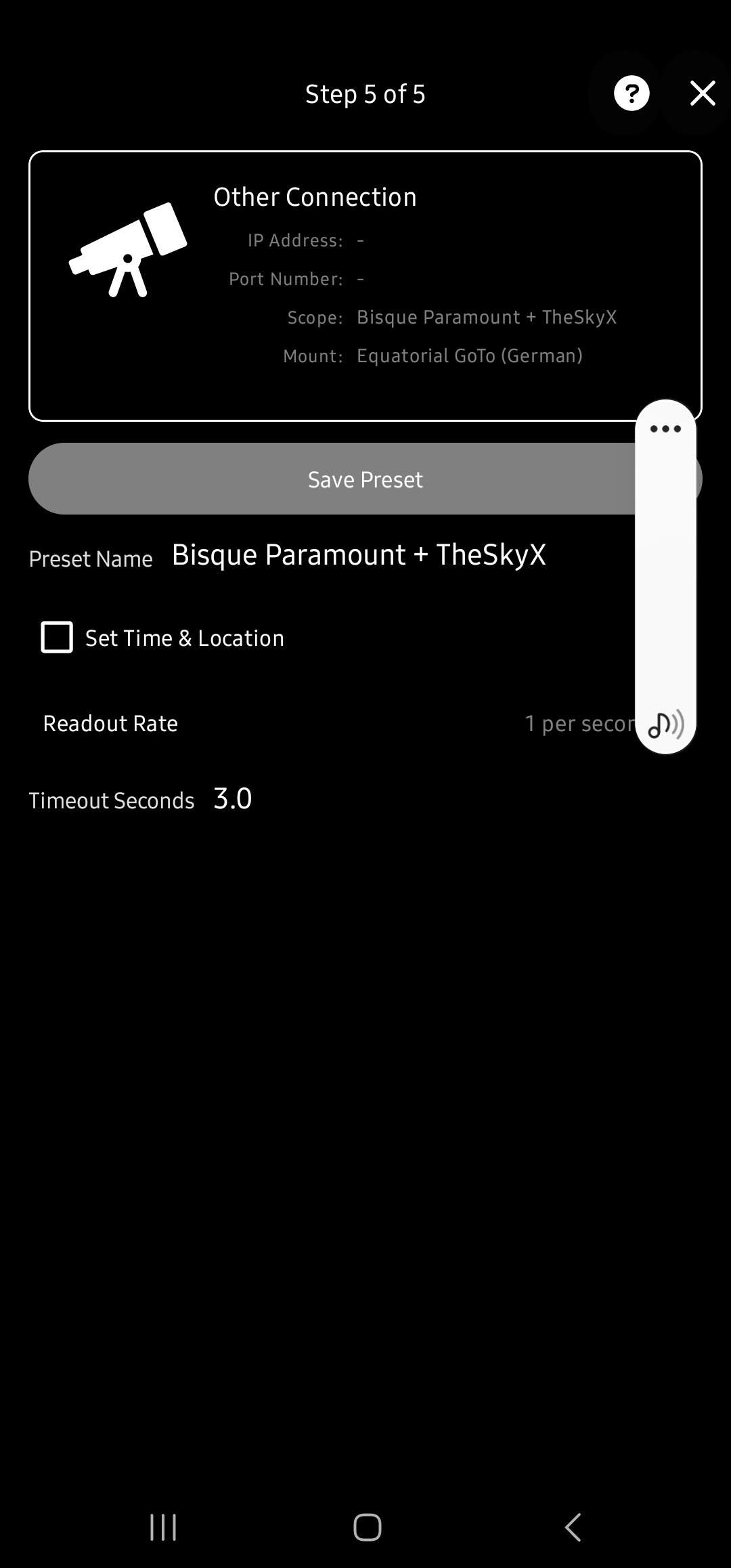
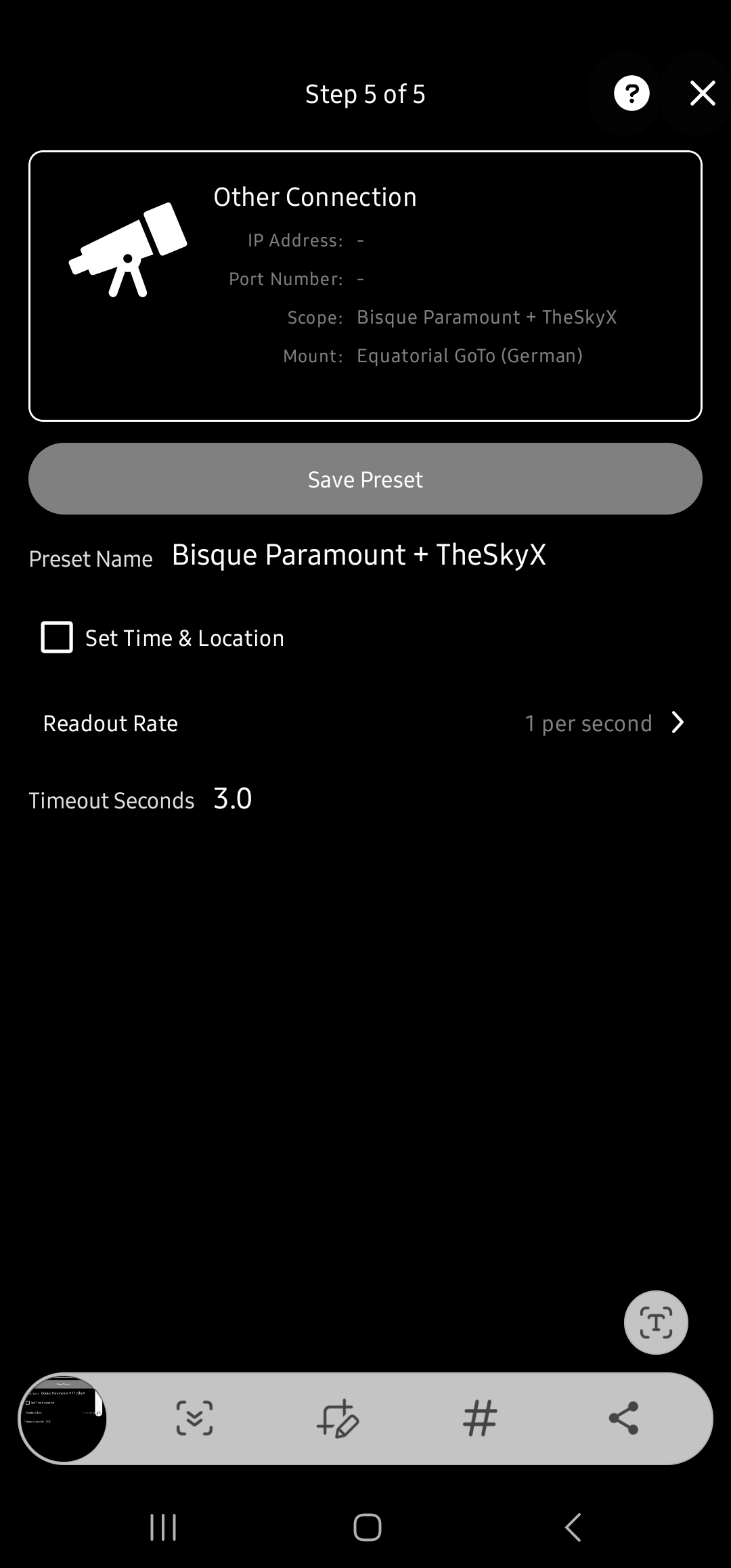
    Locked up after I dragged the image into the window, so I had to submit early... First pic is SSP6, the rest since there is not just a single settings page, are for SSP7.  Honestly I don't know what good any other info would do. The settings are brain dead simple, and work for everything else.

  • 0
    Avatar
    Bryan Ramsey

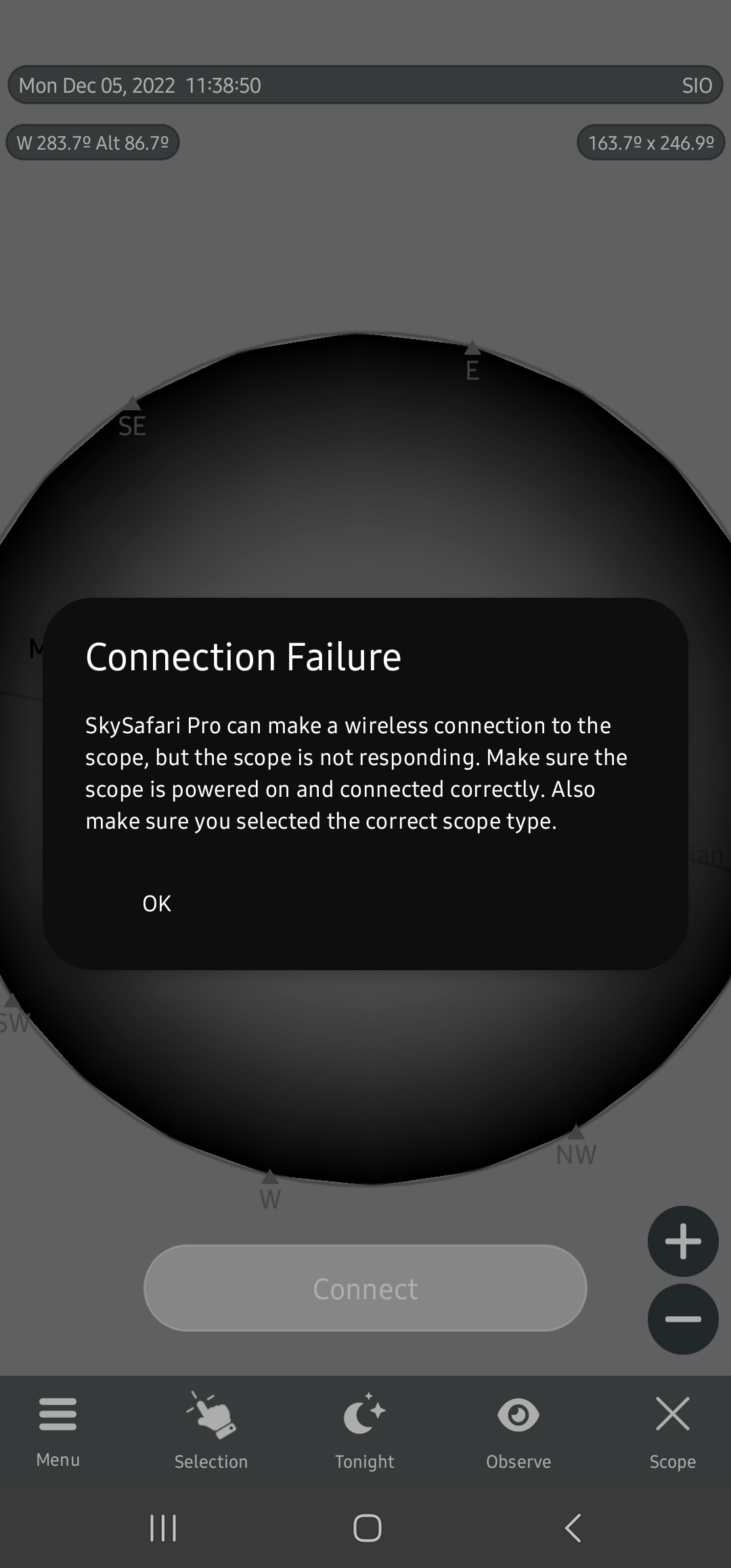
    Here is the connection error:

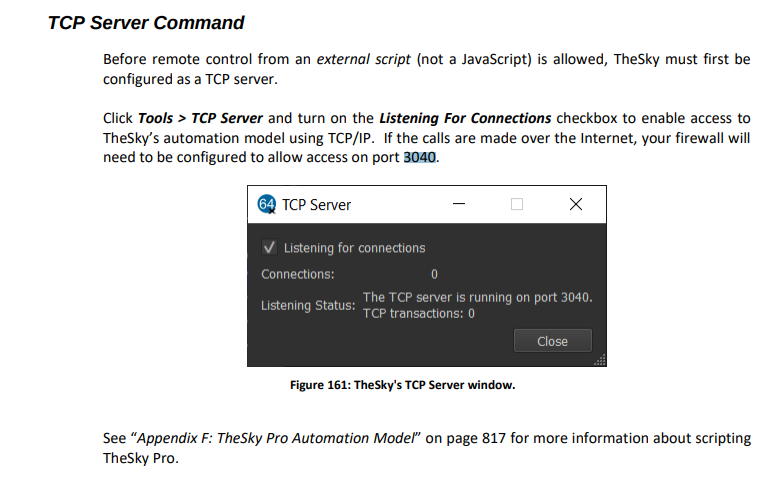
    I even deleted other scopes, and this setting and added a second time for good measure.  Also you guys are defaulting to 4030 port it is 3040, but of course it can be changed See here for reference. Note I am using the correct TCP Port:

  • 0
    Avatar
    Bryan Ramsey

    Alright then.  Can I get a refund? Sky safari pro 6 works fine.  This was a needless upgrade if it's not going to work.  

  • 0
    Avatar
    Keiron Smith

    Developers are reviewing the issue, please give them time to see if something needs to be fixed.

  • 0
    Avatar
    Keiron Smith

    Please also update to the latest version of SS7 Pro, and confirm the issue is still present.

  • 0
    Avatar
    Riballe

    Was the problem solved?

    I am interested!

Please sign in to leave a comment.