New post
0

SkySafari 6 Pro | Enabling iOS Accessibility Option Breaks Lines And Text In Menu

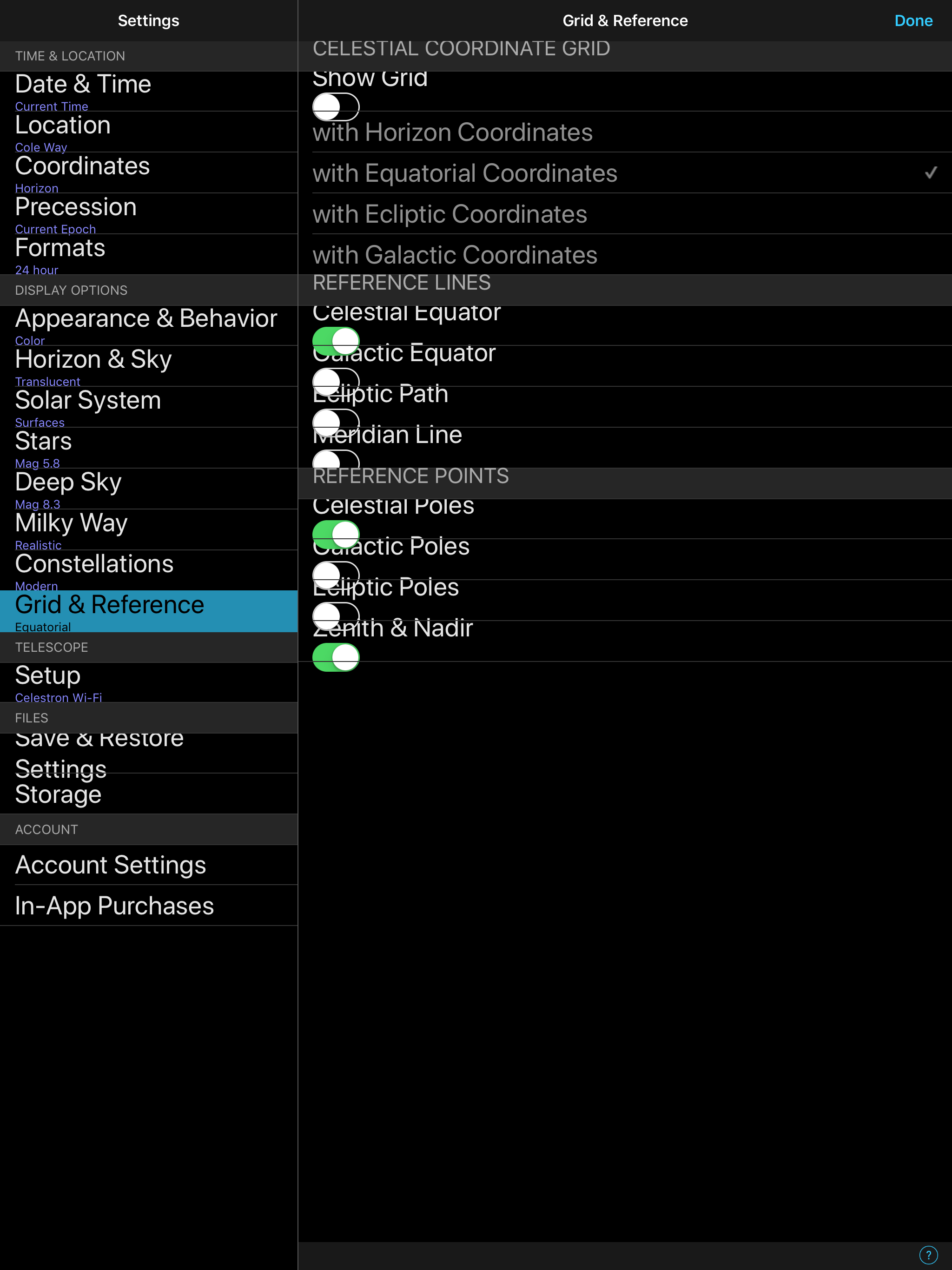
took advantage fo SS6 Pro and upgraded from 5. First observation is that Pro 5 menu text are tidy whereas Pro 6 are 'bunched-up' and interfere with the next line.

Although the options function ok, it looks very cluttered.

Attached is a screenshot from my iPad Pro 12.

Suggestions?

Thanks

Gary.
4 comments

  • 0
    Avatar
    Bill Tschumy

    Gary,

    That appears to be happening because you have set the iOS font size pretty large.  However, they should space out correctly.

    I just tried this on my iPad and I don't see any problems even with the largest font size.  You must have something set up differently on your.  Did you go into the iOS Accessibility settings and turn on the option to allow even larger font sizes?  Perhaps that is failing.

    To be honest this loos like an iOS bug.

  • 0
    Avatar
    Tim Campbell

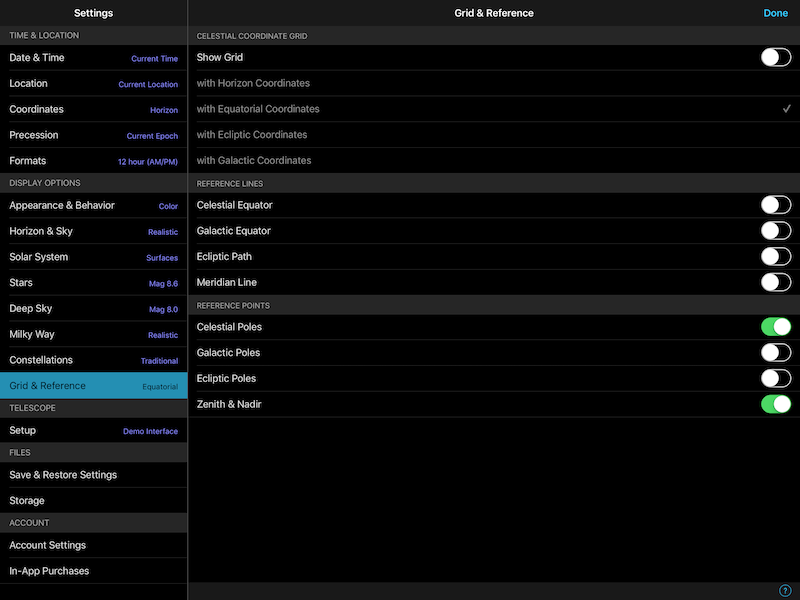
    That's very strange... I'm running SS6 Pro (production) on my iPad Pro 12.9" and everything is formatted fine (I've reduced the image size here a bit)

    Also during the beta testing I never saw a bunched up menu.  I'm running iOS 11.2.1 and Sky Safari 6 Pro version 6.0.0.24.

    I can force my iPad to display as yours does... but it requires that I go into iOS "Settings" -> "General" -> "Accessibility" -> "Larger Text" and then (a) enable the "Larger Accessibility Sizes" option and then (b) slide the text size up to a very large size.

    BTW, if I do not enable the "Larger Accessibility Sizes" option and merely increase my text size a bit, the menus in Sky Safari are still fine.  I really have to increase the size significantly to reproduce the issue.


  • 0
    Avatar
    Gary Neilson

    Thanks for the quick response! Fixed! I did have the accessibility option enabled and its now off problem solved. 

    Its the first time I've had this happen in an App and can't event remember when switching large text on! Strange as Pro 5 worked fine.

    Cheers

    Gary.


  • 0
    Avatar
    Bill Tschumy

    SkySafari 5 is compiled using the iOS libraries at were available then.  My guess is that they changed some library and that is why you see the difference in behavior.  SkySafari itself hasn't changed with respect to how that UI is laid out.

Please sign in to leave a comment.