New post
0

[Bug - Needs Path To Reproduction] SkySafari 6 Pro | FL & AP Data Fields Missing (And Not Editable) From Imported Scope

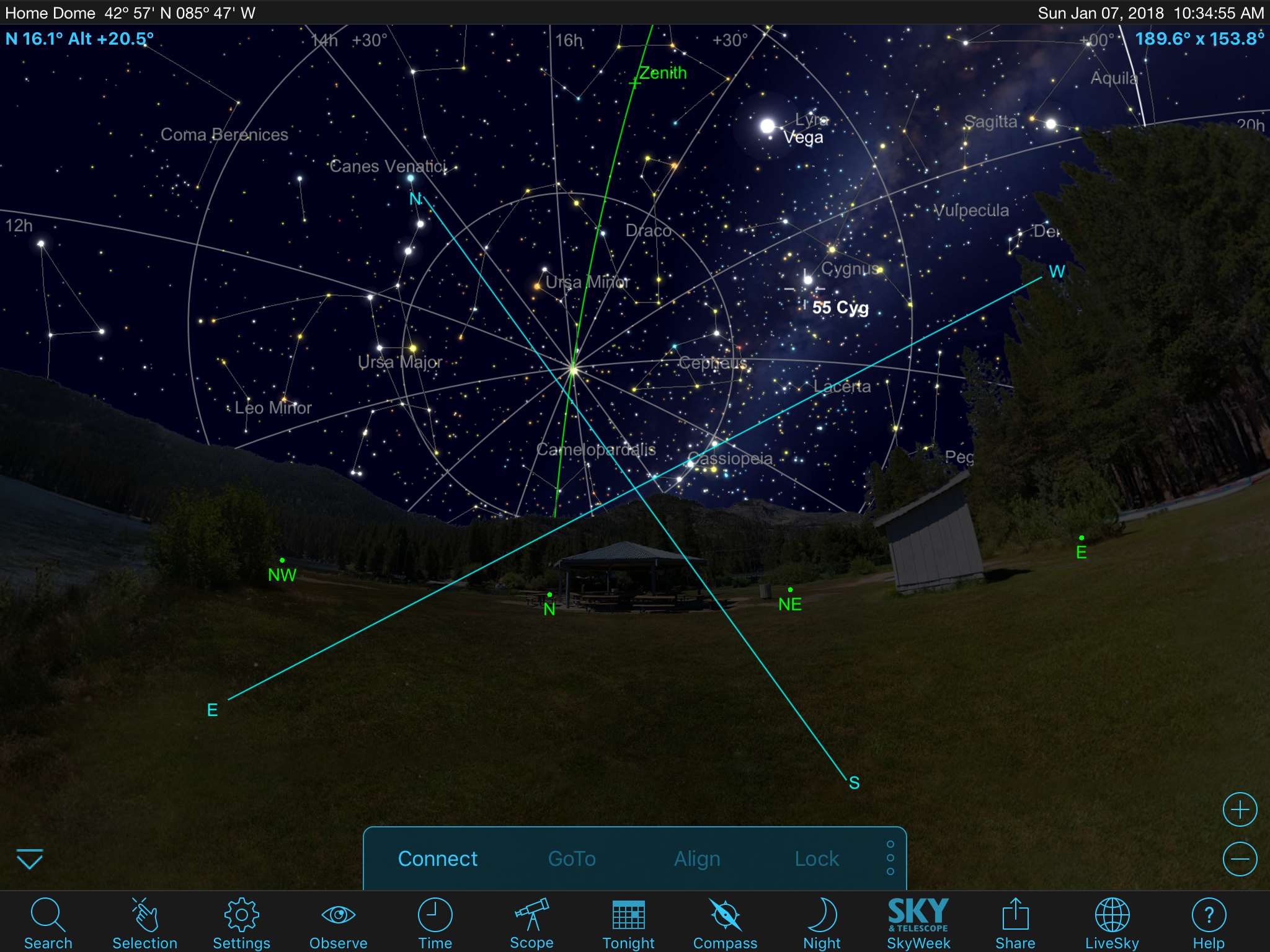
On my ipad3  SS6P has no scope view as setup on my other devices (iphone 7+ and ipad mini).

If turned on cross hairs appear (huge). no bounding boxes for equipment views as I achieve in the other devices.

I loaded settings from the other devices (set and saved on those) imported into ipad 3.


Latest OS for ipad3 -   ISO 9.3.5


7 comments

  • 0
    Avatar
    Bill Tschumy

    Could you attach a screen shot of the Scope Display screen showing your defined fields of view?


  • 0
    Avatar
    Ronkramer1957

  • 0
    Avatar
    Ronkramer1957

    Working with it - it appears the equipment data didn't import from my the sky web site.  Looking in equipment in SS6 pro on the Ipad3 shows the scopes, but not the FL or AP.  I just  added equipment in the app on the ip3 and oddly all scope views were/are correct now.   Trying to edit equipment would not allow me to change the FL or AP setting fields. Those fields were blank.

    After adding a fake scope in the app itself, the views appeared correctly. The missing data is now in the fields for the scopes I could not edit. 

    I now deleted the fake scope - and it's gone.  The data was retained for FL and AP for the two scopes I do have and created in the sky website.

    however - clicking Observe, scope display, edit  (does not let me edit field of view scopes/listed? I can only delete. 

    It appears to be fine now, apparently, the bug is in the importing of the website data.  local length and aperature were blank.

    ODDLY - there data was in there somewhere - as it corrected itself when I created a new scope (I selected one from the list).  At that point

    my missing data fields appeared.  (data fields mixed up? commas missing or some such in the data file). Oh well it's fine here now. 


  • 0
    Avatar
    Bill Tschumy

    How did you import the Equipment?  Did you drag the Equipment.txt file from SS5 into SS6 using iTunes File Sharing?

    If you add a scope from the list of scopes (rather than create a custom scope), that data is not editable.  However, I don't think we ever try to match with a scope in the list when we import for SS5.  There we always create custom scopes and all fields should be editable.


  • 0
    Avatar
    Ronkramer1957

    I created the equipment entries in the online/livesky entry (if I recall right). I have 3 SS6 devices and PC... so it's a bit hazy. But I assumed if I enter it online in the livesky - that it imports into any and all IOS devices.  That way we enter it once.  This worked with iphone and ipad mini.  With the ipad3 the FL and AP were blank and uneditable since I created them in livesky?    ADDING a new scope from the list in SS6 on the ipad3.  (worked) and then the data in the other two scopes I actually own were then filled.  (AP and FL appeared) that were previously blank. 

    I then deleted the fictitious scope I added and it's fine.  I suspect some sort of data file field typo.  Which corrected itself when a new entry was appended?  One comma can throw it all out of wack.  ;-)


  • 0
    Avatar
    Ronkramer1957

    hoping sky stari WEB allows us to try it - before the premium trial expires. it's all that is of interest in premium.

  • 0
    Avatar
    Bill Tschumy

    We should have it going by then.  If not we will probably extend the trial.

Please sign in to leave a comment.