New post
0

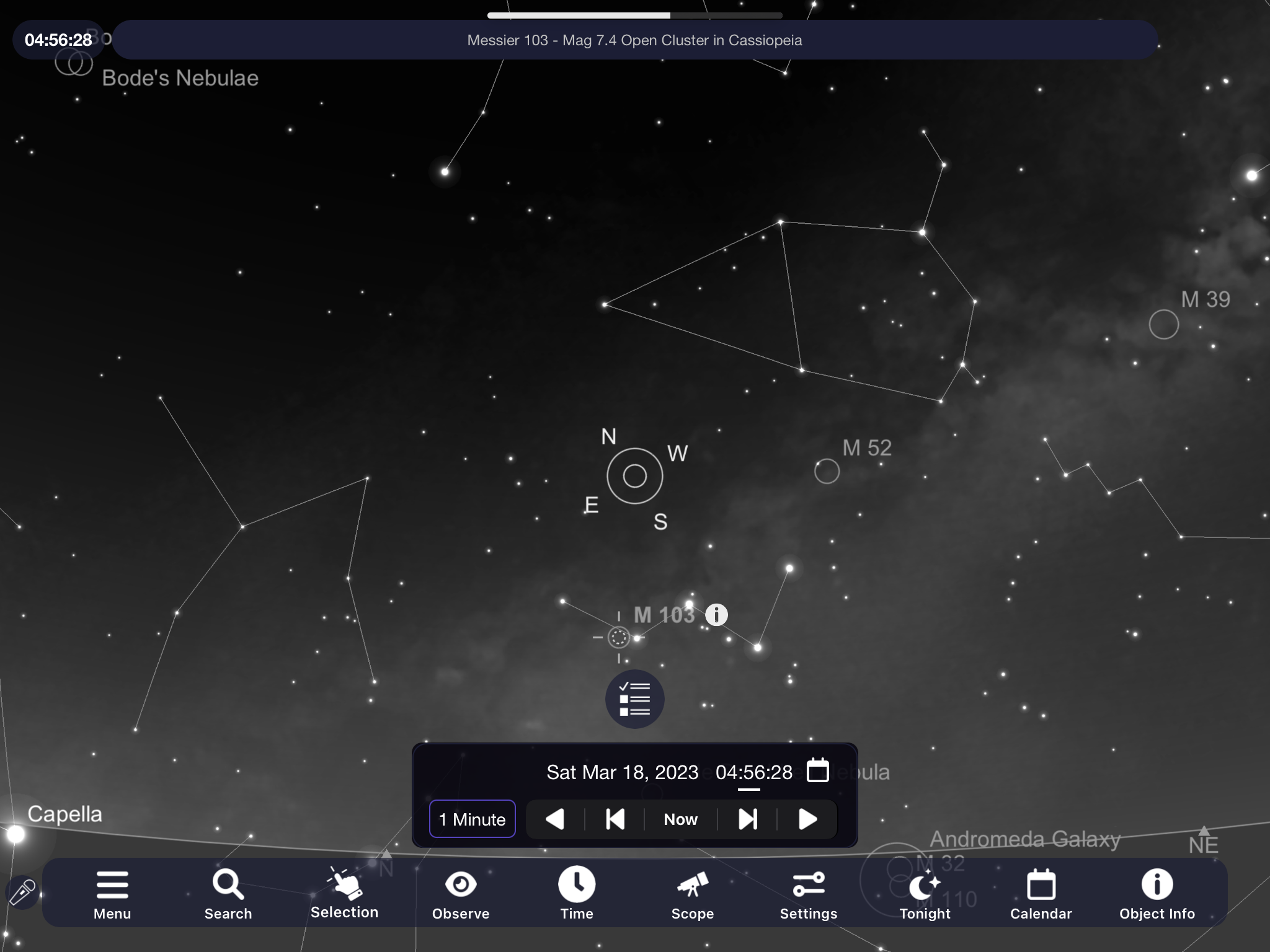
Text of object description (at top of screen when object is selected) doesn't respond to font size increase

I switched from Android to iOS for my field observing tablet. One little niggle is how small the object description text is (first line at top of screen when an object is clicked.) Neither Sky Safari or system settings seem to change the size of this. Any work arounds? Thanks!
 

5 comments

  • 0
    Avatar
    Keiron Smith

    Bentley, 

    Please see Settings > Appearance and Behavior > Font > Larger

    Thanks!

  • 0
    Avatar
    Bentley Ousley

    Thanks for responding. I already have this setting on "Larger" and as I mentioned earlier, the iOS system settings for font size don't seem to affect this. Any other advice? Thanks!

  • 0
    Avatar
    bruce lamoreaux

    If you are referring to the size of M 103 text, you get Regular, Large and Larger.  No other settings are available.

    Bruce


  • 0
    Avatar
    Bentley Ousley

    I can understand your confusion (Keiron changed the title of the post.)  The text to which I am referring is the text at the top of the screen: "Messier 103 - Mag 7.4 Open Cluster in Cassiopeia". Notice how small the text is compared to the other text on the screen?

  • 0
    Avatar
    bruce lamoreaux

    Oh, got it.  I think that text size is locked at regular.   It only stays on a short time so I guess that I don't pay attention to it.

    Bruce


Please sign in to leave a comment.