New post
0

How Come SkySafari 6 Pro Beta Does Not Connect To An iOptron HAE29? (Solution: Use IP Address 10.10.100.254 - Read On!)

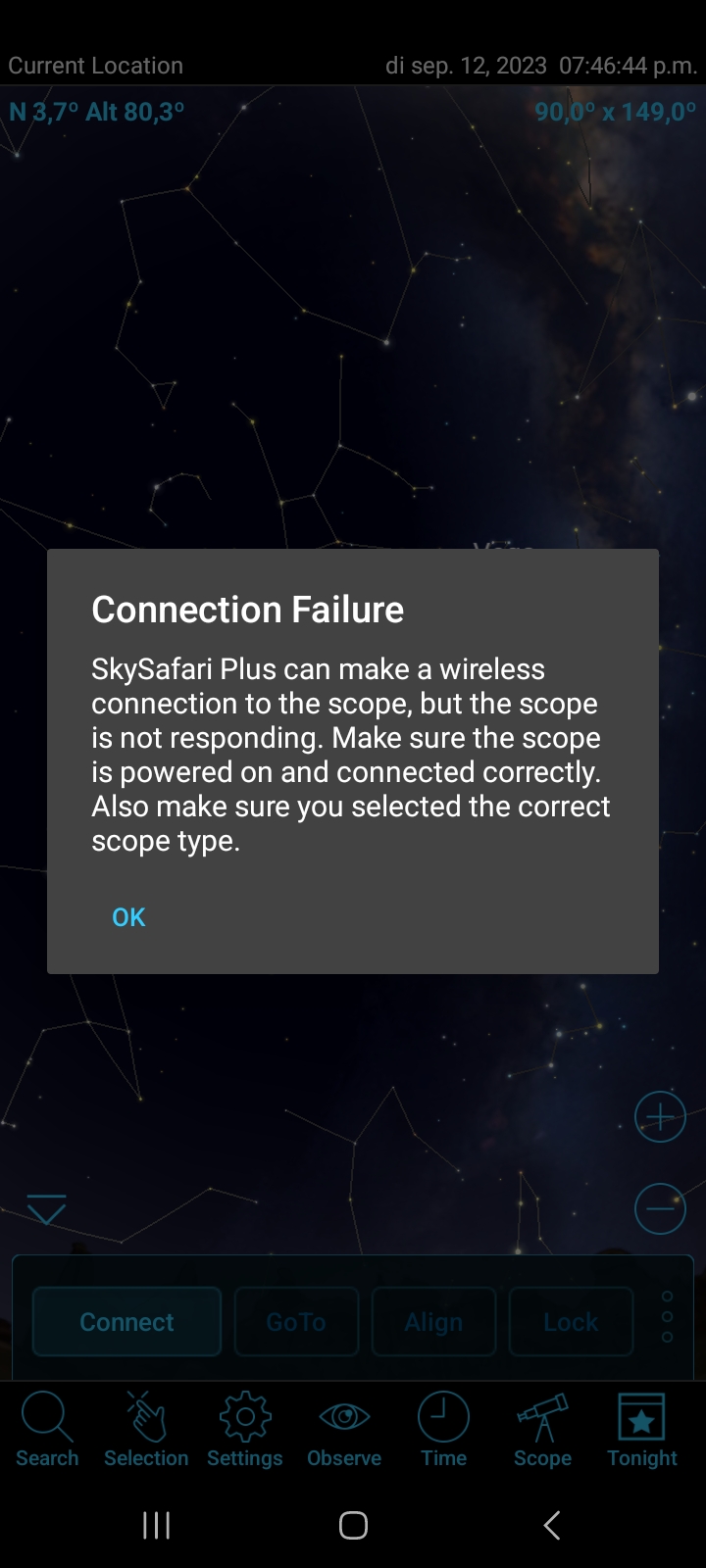
After connection problems of SS6 Pro with my iOptron HAE29 I tried the beta version. That worked well for 3 sessions, and then it stopped at the fourth session, showing a popup which said that there was no Wifi connection. Deleting SS6 and reloading did not help.

  1. SS6 App and version number:  Skysafari 6 Pro (beta)  version 6.8.7.2
  2. OS version number : 13
  3. Scope make and model:  iOptron HAE29  in AZ modus
  4. Hand controller firmware version number:  8409 V2
  5. WiFi hardware (i.e. SkyFi 3)  :  scope setup: Connect via wifi 
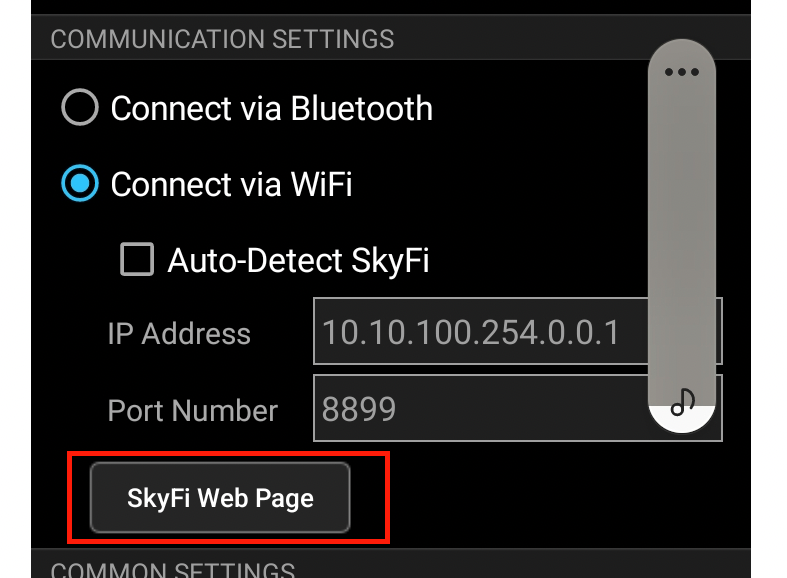
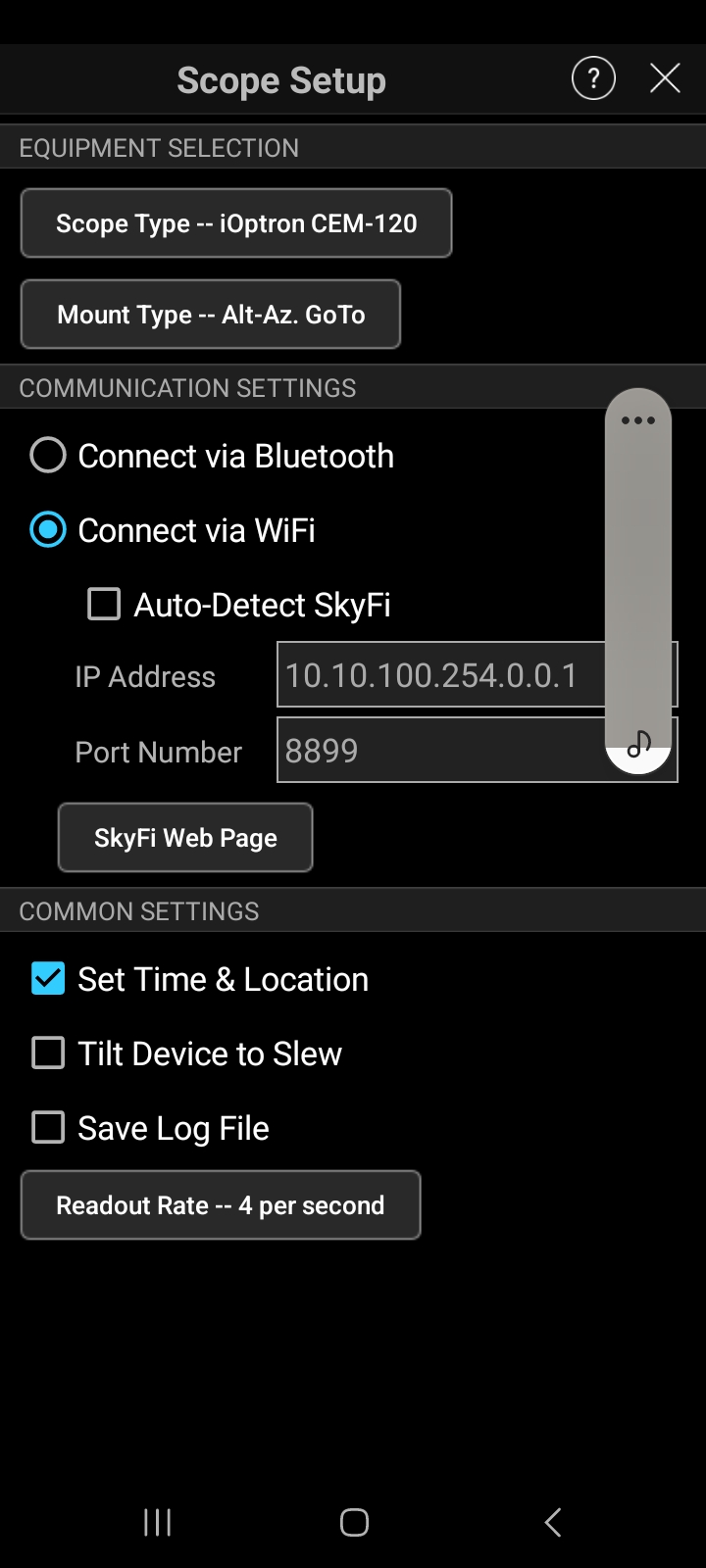
  6. Confirm WiFi network connection via mobile device      IP adress   10.10.100.254.0.0.1       Port number  8899
  7. Serial cables
  8. SkySafari Scope Type setting:   iOptron CEM-120
  9. Alignment type process via hand controller : One star alignment
  10. Screenshots of Telescope Presets : see add.
  11. Screenshots of error messages: see add


5 comments

  • 0
    Avatar
    Keiron Smith

    Can you open the SkyFi Webpage?

  • 0
    Avatar
    Keiron Smith

    Please also try the different iOptron presets available.

  • 0
    Avatar
    Keiron Smith

    Also, this IP Address: 10.10.100.254.0.0.1 is what? Built-in iOptron WiFi?

  • 0
    Avatar
    Keiron Smith

    Please also read this SS7 + iOptron AZ mount configuration guide - just in case something in there helps.

    [### User Guide ###] How To Connect SS7 + iOptron AZ Mount Pro On Android OS 


  • 0
    Avatar
    Npdejongh

    IP adress was wrong. It should be  10.10.100.254  , I changed it and now the mount works. 


Please sign in to leave a comment.