Just downloaded SkySafari Pro 7 ver 7.6.3 to my iPhone and iPad, both iOS 26. iPhone app works well, but the iPad app does not show the scope control button after connecting. I have uninstalled and reinstalled SkySafari several times, and rebooted the iPad numerous times. Looks like this version of the app (7.6.3) is working for others. Wondering if anyone has any additional suggestions to get the scope control button visible and working. Thanks.
Date
Votes
8 comments
-

Dave Whipps Official comment Howard,
Thanks for the report. It looks like you're using the Celestron WiFi scope preset, and you have a StarSense Autoguider plugged in... I have that exact setup here in my office, so I should be able to fix it for 7.6.4. To be clear, it's the "rate toolbar" that seems to be missing on iPad.
Thanks,
Dave
-

Keiron Smith Howard,
Please look in Settings > Appearance and Behaviour > Configure Toolbar.
Do you see the scope button as an option? If so, drag it into visibility.
Thanks!
-

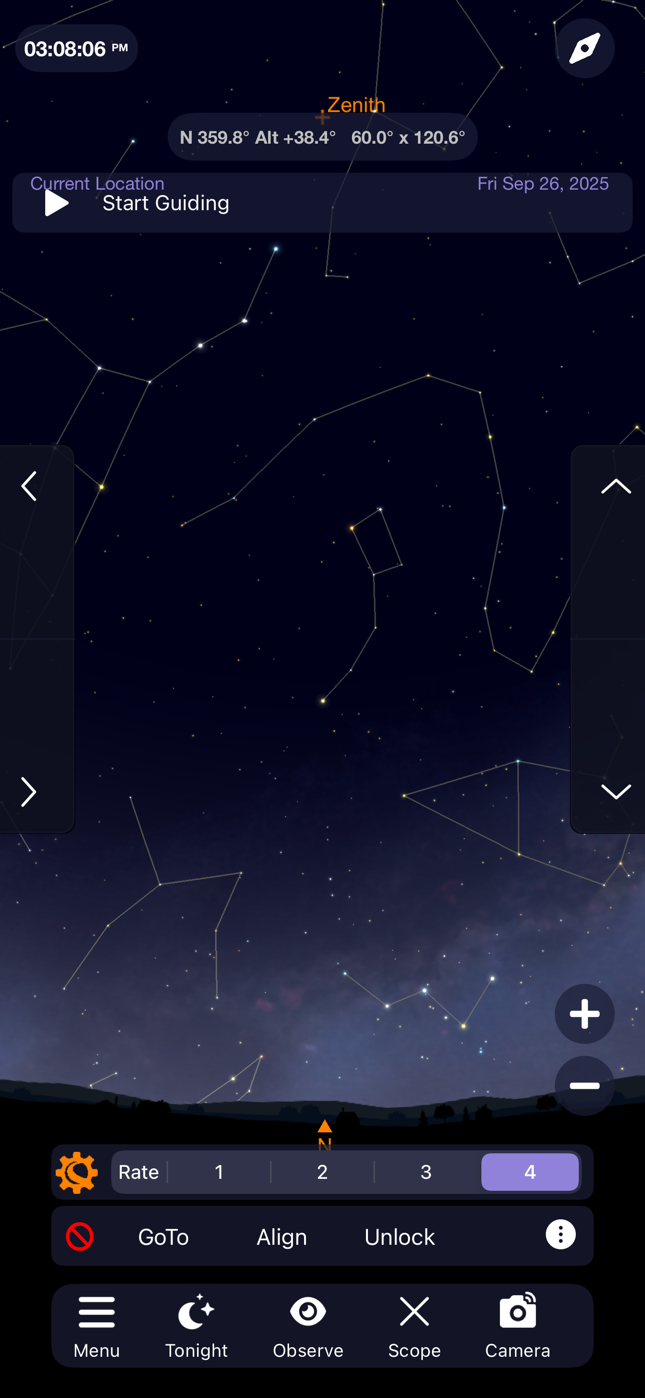
Howard Huish So, this issue remains unresolved. Yes, there is a “Scope” button on the toolbar. That is NOT the issue. On the iPhone version of the app, when you connect to the scope, Two small toolbars pop up above the main toolbar. The first says “GoTo Align Unlock” and gives an additional option to adjust RA/Dec, do polar alignment, etc. The second popup toolbar (above the first) includes the Scope Setup button, which allows the user to set tracking rates, do various alignments, move to home position, control focus, etc. This toolbar is missing on the iPad version and that is the issue.
-
Keiron Smith Howard,
Please attach a screenshot from the iPhone vs the iPad.
Please also confirm you are using the same scope preset in each.
Thanks!
-
Howard Huish Yes, same scope preset.
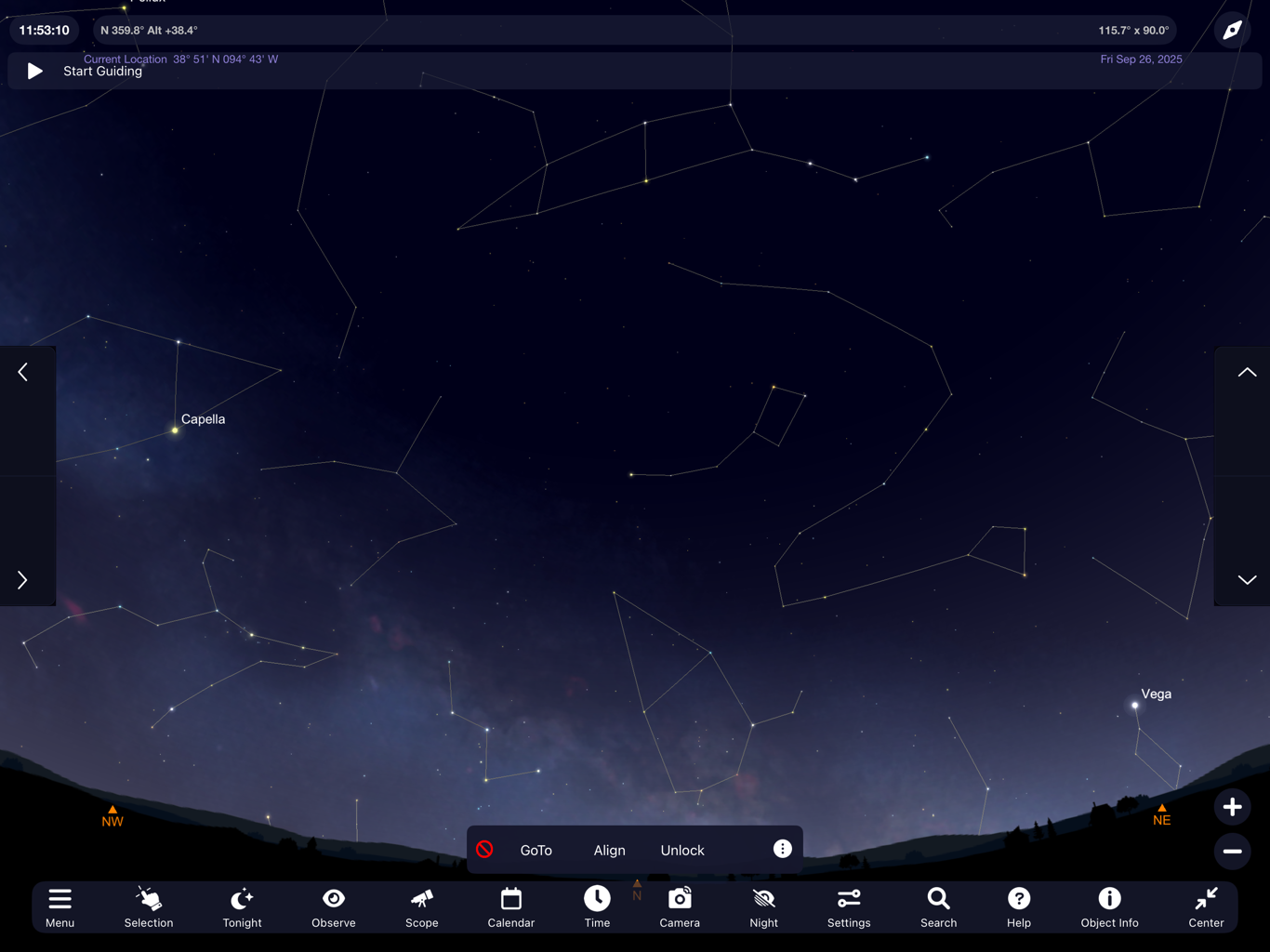
Above is iPad, below is iPhone
-

Rick Ray I have exactly the same issue. The second bar for controlling the scope does not appear in newest version for iPad. I have SkySafari 7 Plus. Same screenshots apply. I’ve submitted a request. Anyone found a way to get the other bar to come up?
-

Sm5uiu Please also make option to make the up/down left/right buttons translucent so that the buttons dont eat up the "whole" iphone screen. Reverse N/S etc does not seem to get saved.
-
Dave Whipps Rick,
(Please see my "pinned" comment above). This is already fixed and will be released in a few days! Sorry for the delay.
- Dave
Please sign in to leave a comment.