I purchased the in-app UCAC 5 upgrade in Pro 6 and have tried to download it several times to my iPhone 6S (64gb). The first time, I had about 4MB free, and it did not seem to succeed downloading. The second time, I tried restoring purchases, but ran into some strange problems with my flash storage filling up. I had to wipe the phone and restore it and did some system cleaning and upgrade from iOS 10 to 11. Then my phone had about 16GB available and I tried restoring purchases in Pro 6. The download status bar for UCAC5 started doing its thing, but rather disconcertingly would advance and then retreat and then advance again a bit further. After a few minutes of this behavior, it finally said download was complete. I noted that total pro 6 app and data usage did not increase to reflect the downloaded star data when I checked in system settings, which is what I had observed after my previous attempts. This was also a bit concerning to me. I then went back to Pro 6 app and picked a spot in the Milky Way and zoomed in and found stars to 18th mag or better, so it looked like it had worked after all. Then after panning and zooming and increasing the plotted star magnitude limit via the status bar some, stars above mag 15 we’re gone. The max star mag was still set to unlimited in settings. I subsequently fussed all the star mag control settings to see if I could get it to snap out of it and plot stars above 15m. No luck. Should I try restore purchases again? I am worried about losing more and more flash memory again.
50 comments
-

Bill Tschumy Glad it is currently working, but I suspect it may get deleted again somehow. We are trying to figure out how this could be happening; it is nothing obvious. Please keep an eye on it and see if your disk usage drops back to ~1.8 GB again at some point.
-

Lowenthalm It’s seems to be working so far. I did notice some odd strips of missing stars in Sagittarius. In one roughly 1 deg sq region I see multiple square zones without stars when I kick the mag limit to over 15. I don’t know if this is an issue with the underlying dataset or something else. Is there a way I can send you a screen shot?
-
Bill Tschumy For people reading this thread that have had problems with the extended star database getting deleted, do you have the "Offload Unused Apps" option enabled in the iOS Settings > General > iPhone Storage? I'm wondering is somehow Apple is purging this file thinking it can be restored. Seems like many of you have lots of free storage, but possibly that is what is happening.
-
Lowenthalm I do not have that enabled. I’m not that trusting of iOS 11 yet!
-
Bill Tschumy OK, I've been able to reproduce one case where the data may get deleted. You guys may not care but I'll give a synopsis of what is happening.
When you make an in-app purchase that has downloadable content (which we do) then iOS calls our code after the download is finished. We are supposed to move the data from Apple's download cache to wherever we want it. Before the move to the new destination, we first delete any file of that name that is already in the destination (otherwise the move will fail).
The problem is that under some cases, Apple is calling our code twice. The first time everything works just fine and the data file is where it should be. However, on the second call the source datafile is no longer there since we have already moved it to the destination. However, we still would delete the destination file and try the move, which would fail because the file wasn't there. You would end up with no datafile in the destination.
I have no idea why we might be getting called twice. I have some suspicions about it happening if you entered your password incorrectly the first time. That is how I saw the double call to our code. On subsequent tests we were only called once.
I have modified the code to first check if the data is really at the source location before doing anything. This will protect against the double call. This really seems like Apple's bug.
I hate to push out another release so soon after 6.0.3. I now think if you get the file installed correctly, it shouldn't disappear unless you do a "Restore Purchases", in which case you *might* get the double call.
Programming is hard. We deal with these kinds of obscure problems day in and day out.
I've kind of lost count. Are there still folks in this thread that don't have the data installed? If so, you might try the restore one more time. As Lowenthalm said (I think it was he/her), they got it to work after deleting the app and reinstalling then doing a "Restore Purchases". Anyone still having the problem can try that. Then don't do anymore "Restore Purchases".
Sorry for the grief.
-

Uwe Hi Bill,
I was had no success with all your tips. I updated to ios 11.2.5, uninstalled the app, activated "offload unused apps", reinstalled the app again, restored both databases. Within itunes documents was only history.txt (4kb) and PGCGalaxies2.skydat (195 mb). The funny thing is: as long as I do not close the app (swipe it away), I have access to the big star database above 15 mag. After reopening the app, these stars are gone. The size of ss6 is all the time 2.05 gb (no joke!). Lowenthalm's tips do not work for me. Hope you'll find a solution for me.
-
Uwe The PGC database has NOT that problem!
-

Stefan R Benz Hi Bill,
thank you for continuously looking into this!
I recall seeing two "download complete" boxes sometimes, even though I pressed the "restore" button only once. No password issues (use fingerprint).
This finding might support your investigations towards a double call.
Everything fine now for me, on both my devices.
Thanks again for that great App
Stefan
-
Bill Tschumy Yes, if you see two "Download Complete" for the same product, then the bug is happening an I expect the file will be missing. If only one then you should have it.
-
Lowenthalm I also saw the double download complete dialog box. One showed “null” somewhere in the text. It went by too fast to see. This is consistent with the double call situation that you describe.
I’m a software engineer. I fee your pain. Thanks for diligently working the problem on your end. -
Bill Tschumy I've been experimenting with this and I can't see any rhyme nor reason for when it is called either once or twice. We definitely only ask for the "restore" once. It also seems to happen more on the large stars database then the smaller PGC galaxies database. As I said, this just feels like an Apple bug we have to work around. Fortunately my workaround does seem to be working.
-
Uwe No one workaround works for me. After several reinstallations of the main program, I always get the double download complete dialog box with the restoring of the ucac5 extended database. Will you release an update with your workaround soon, Bill?
-
Bill Tschumy I'll need to talk to the team about this. We really don't like releasing a new version so soon after the last. I think I may have a solution for you though. Please email me at "bill at simcur dot com" and we can discuss it.
-

Matt Russell Bill, how is the UCAC5 catalog numbered in SkySafari6? I've tried to do some searching and nothing is returned. What are the best methods to search?
-
Bill Tschumy UCAC5 catalog is not currently searchable. This would require an enormous in-memory index. There is a new version of the UCAC5 that (we think) has cross references to the GSC (Guide Star Catalog). Once we incorporate this you should be able search for a GCS star and find the corresponding UCAC5 star in the database.
-
Matt Russell Ok, but if you click on a specified star, choose show info, how are the UCAC5 stars listed? UCAC5-xxxxxx-xxxx-xxx? I'm asking because I cannot seem to find anything related to UCAC5.
Also, is the extended PGC catalog non-searchable as well?
-
Bill Tschumy The UCAC5 stars are listed as GAIA XXXXXXXXXXXXXX. Please see the attached image.
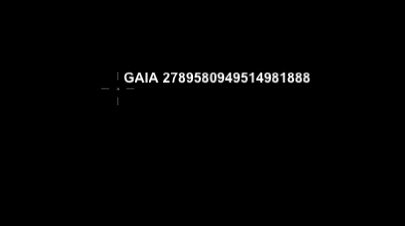
The extended PGC catalog is searchable.
-

Gary Carter Very frustrating....I certainly expected I would be able to search by UCAC reference.....so where on earth can I cross reference a UCAC5 object name to a GAIA object name? I've briefly Googled around and have not yet found a place to accomplish this.
-
Bill Tschumy Gary,
I believe the UCAC5 reference number is the same as the GAIA number we display. They are the same catalog. What you cannot do is cross-reference a GAIA number to a GSC number (as displayed in SS5).
-
Gary Carter Bill,
OK, that makes sense. So then my question is how do I cross reference a UCAC4 number to GAIA/UCAC5? For example UCAC4-506-126347 is the star that the asteroid Iduna occults early tomorrow morning. A group of us are going to attempt to photograph the event. I want to cross this UCAC4 catalog number to the corresponding GAIA catalog number.
I attempted to simulate the event in SS6 based upon the available information (stellar magnitude, timing, location, etc.) I believe the star to be occulted is GAIA 4300648816179118848, but I can’t find a resource that provides a simple cross reference from UCAC4 to GAIA/UCAC5 to confirm my assumption.
regards,
-Gary