New post
0

[Bug - Needs Path To Reproduction] SkySafari 5 Pro | Sort By Options Fail to Display On Tablet

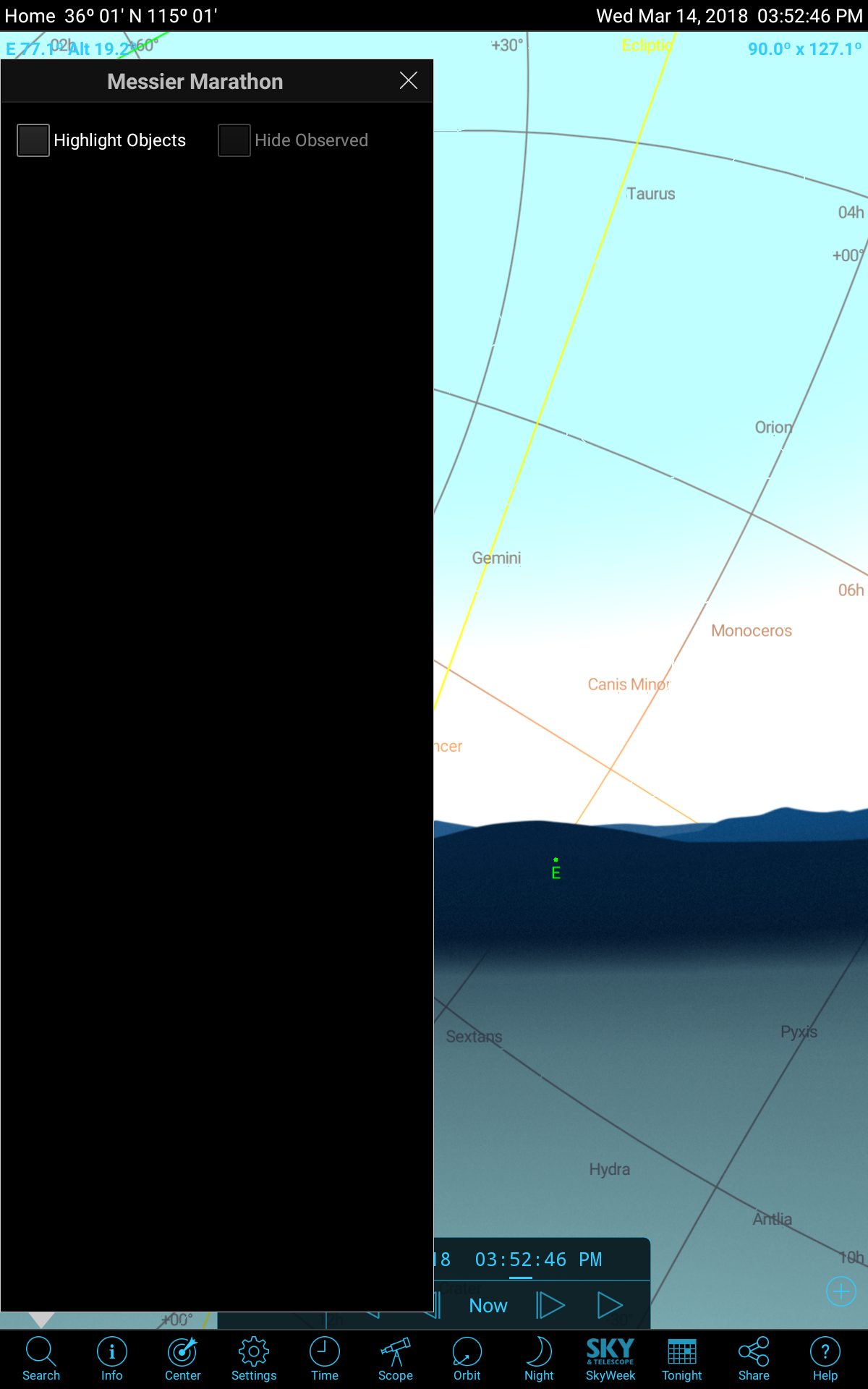
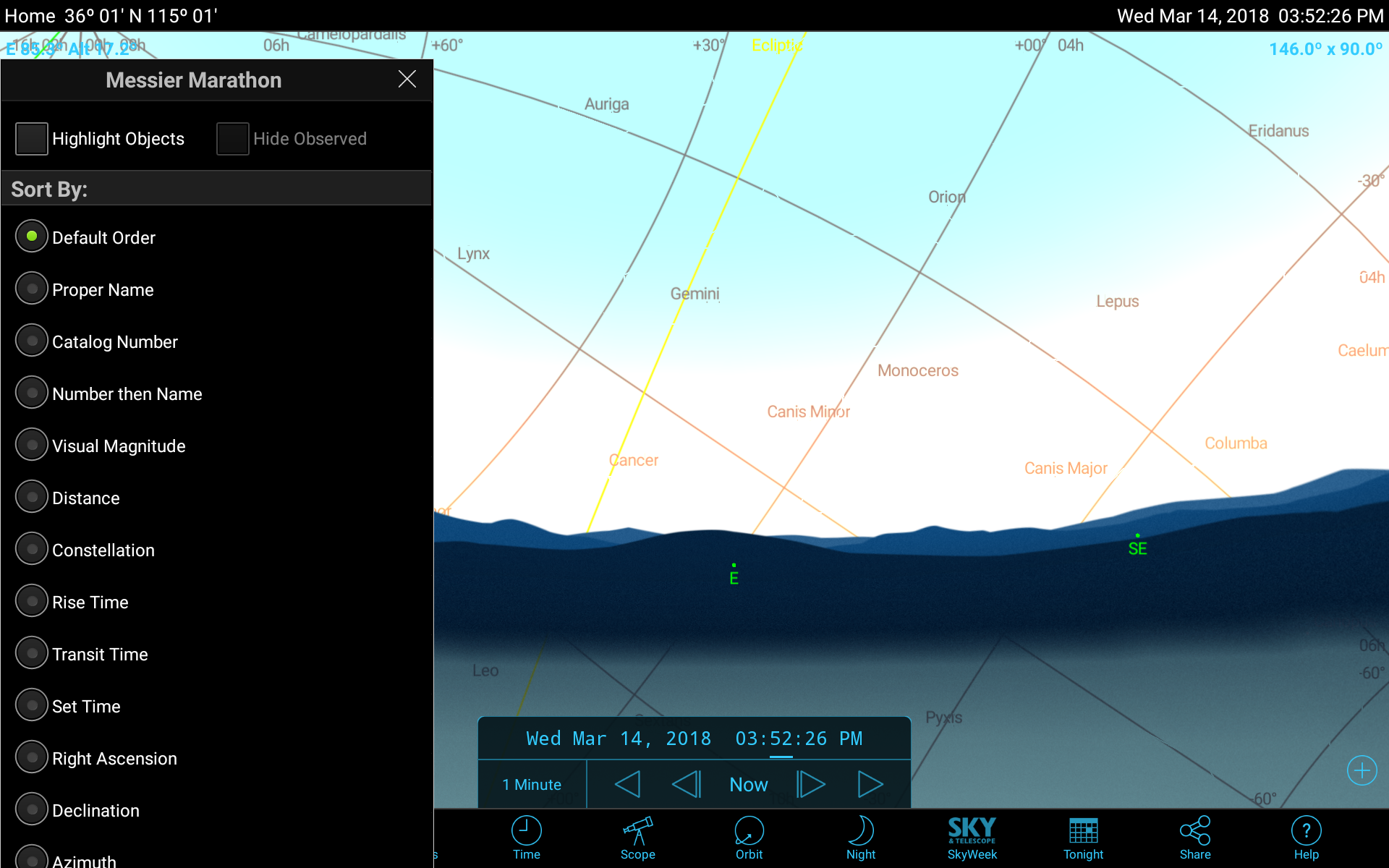
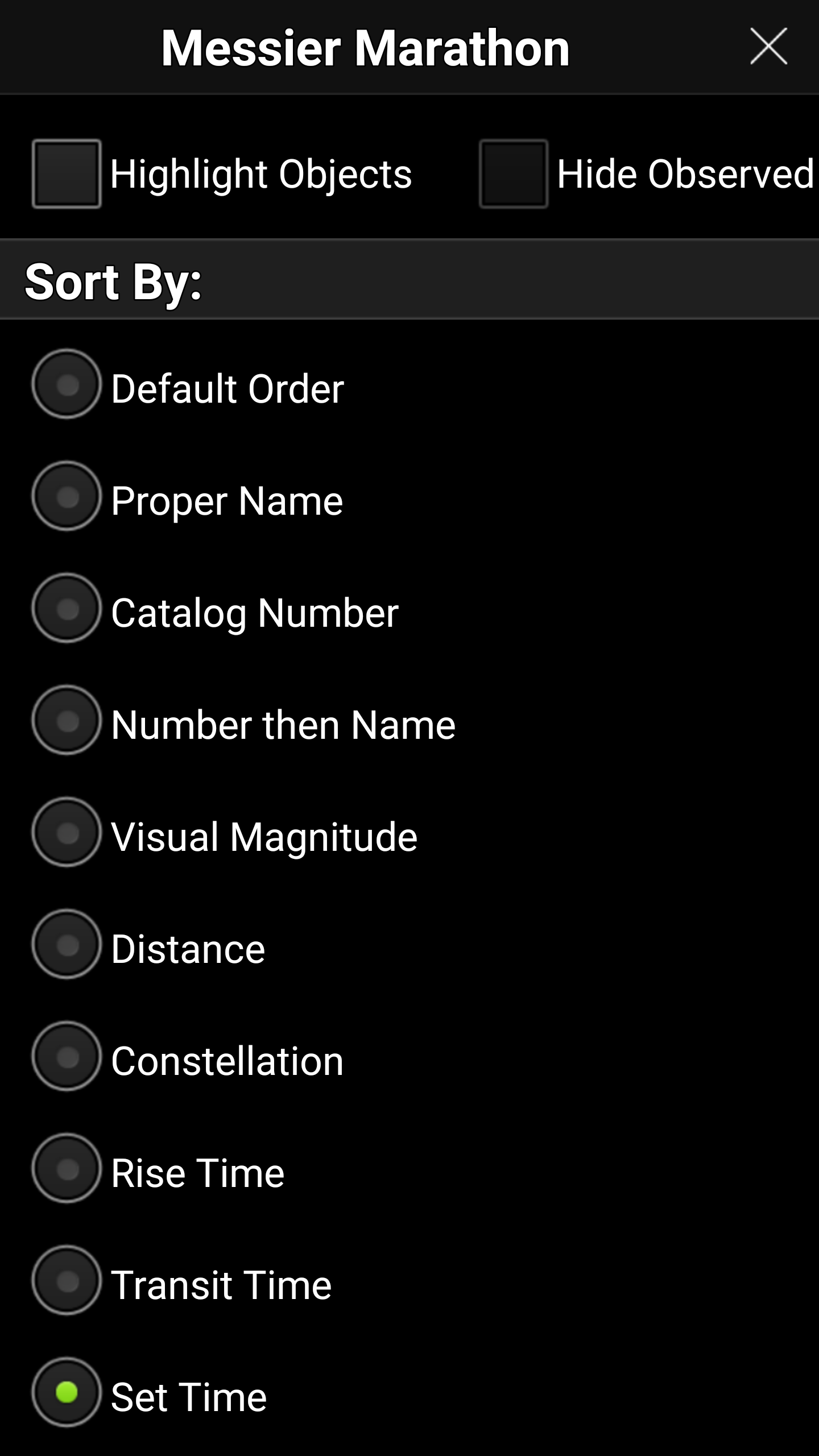
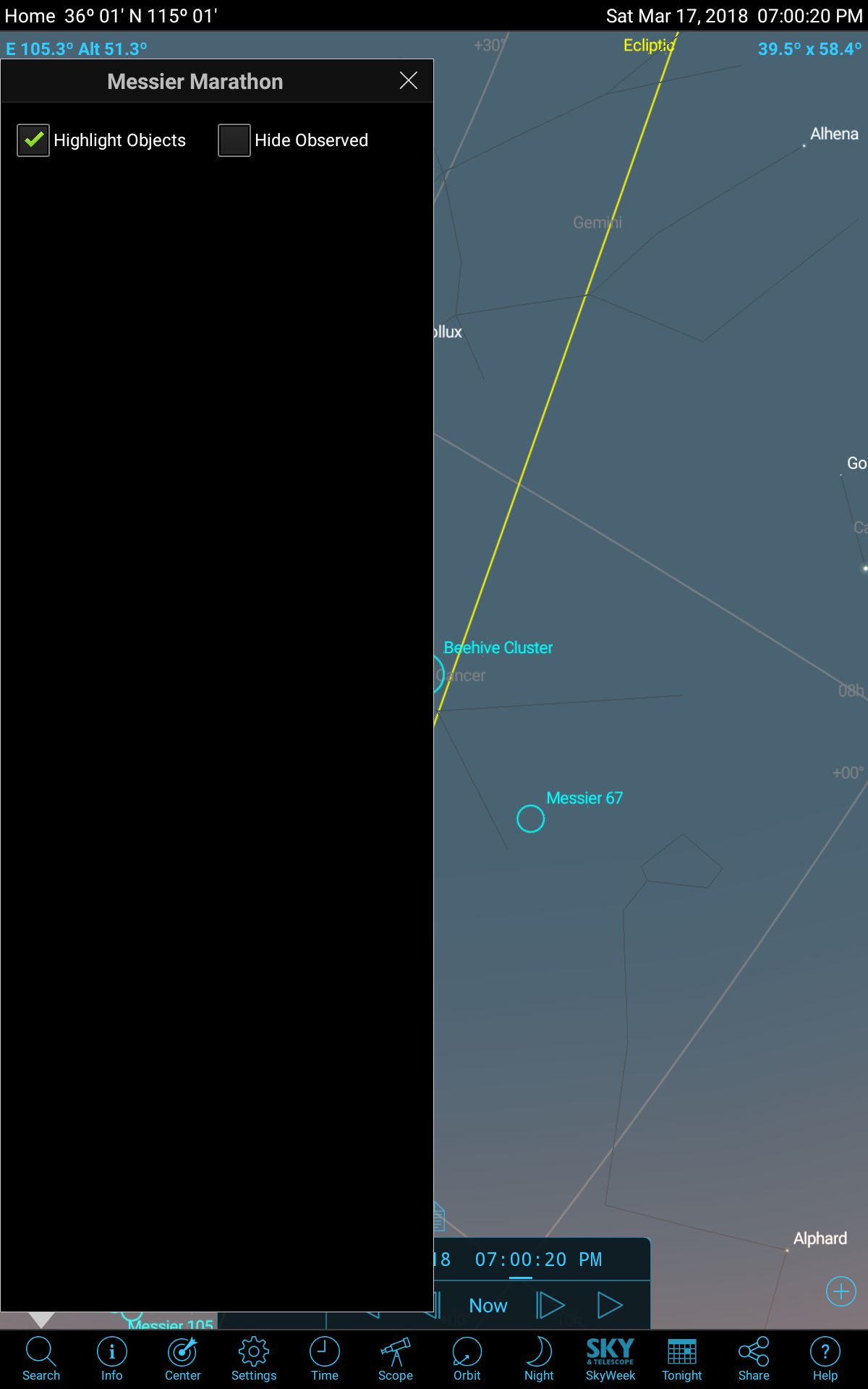
I have the latest version of Sky Safari Pro installed on my Samsung Galaxy S7 and my Samsung Tab 10.1 tablet. When I open the sort tab on the observers list on my phone I'm able to sort with all the options but when I open the same list on my tablet it doesn't give me any sort of. See the screenshots, first the phone and then the tablet.
8 comments

  • 0
    Avatar
    Chris

    Hmm that seems like either a bug or a corrupt install. I have a galaxy phone and 10.1 Samsung tab and the sort is working on both, so it 'should' work. Did you try completely uninstalling and reinstalling on the tablet?

  • 0
    Avatar
    Greg McKay

    I have reinstalled it twice. Both times to no avail.
    Thanks for checking though.

  • 0
    Avatar
    Greg McKay

    Another wrinkle in the issue. I rarely, rarely ever use the app in landscape mode when controlling my scope. I'm always in portrait mode. Well, as it turns out, if I'm in landscape mode the sort options show up just fine on my tablet. But as soon as I rotate back to my normal portrait mode the options disappear again. An easy fix for me but I wonder if others have run across this bug? See the two screenshots. I did nothing between the grabs other than rotate the tablet.


  • 0
    Avatar
    Keiron Smith

    Hi Greg, 

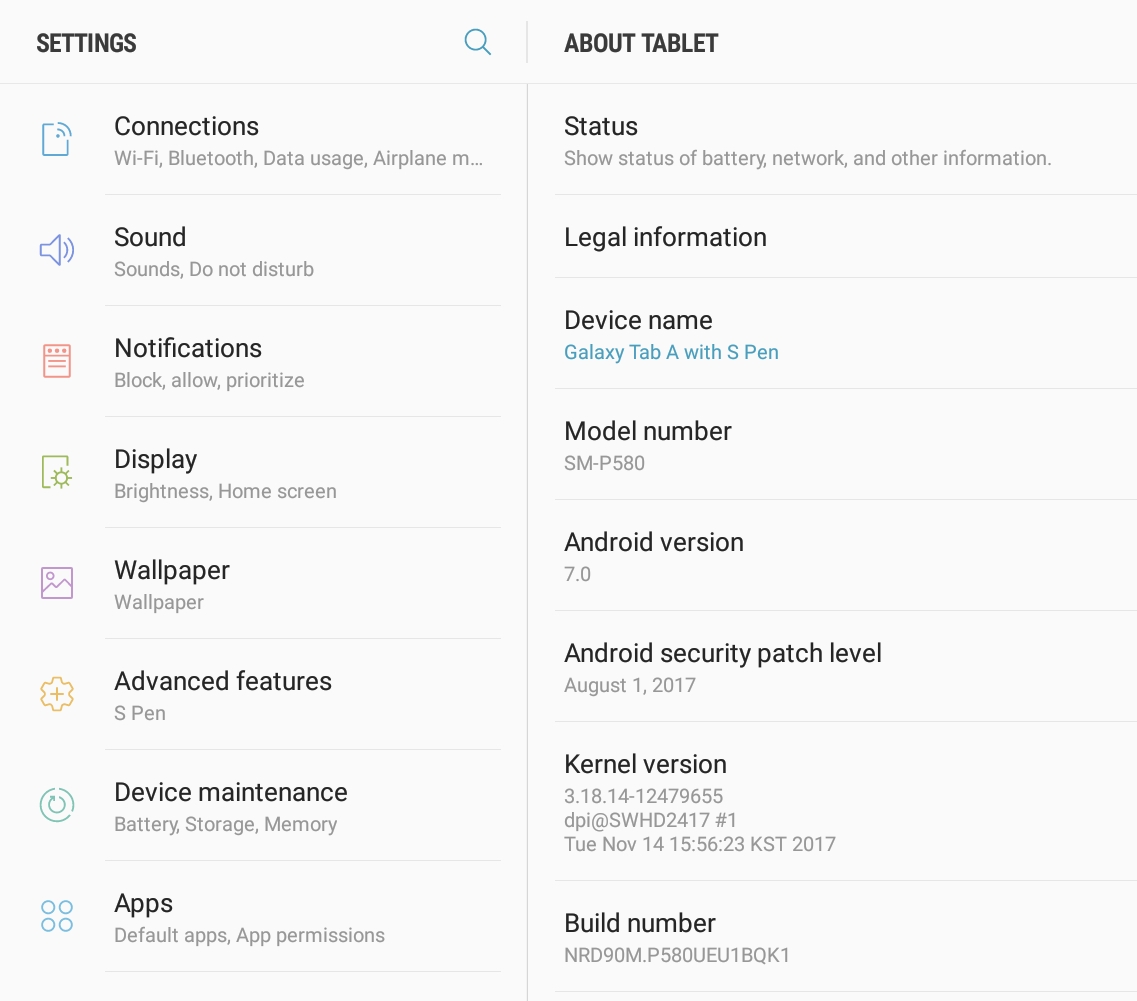
    1. What tablet and Android OS are you running?
    2. Is this a stock Android OS or are running a customized version, rooting or anything like that?
    3. Are you running any kind of UI skins, or changed preferences for fonts, accessibility, etc.

    Thanks!

  • 0
    Avatar
    Greg McKay

    It's a Samsung Galaxy S 10.1 with pen. Stock everything, no changes to any preferences.

  • 0
    Avatar
    RD

    I have experienced this issue since Sky Safari 5 came out. It is not a problem on my Motorola phone but it is on my Samsung and Asus tablets (I have several with various screen sizes).

    I started researching the issue when I was told by Simulation Curriculum to go to this site and see if there was an answer. The messages above are what I found. So I re-installed Sky Safari 4 to see if it also had the problem. I didn't remember it having it and I discovered that it correctly presented the sort options on all devices.

    In doing the comparisons I happened to notice that the objects in the list I was searching filled the screen on Sky Safari 4 but only appeared on the left side in Sky Safari 5. The screen shots above, which are not mine, but also look like what I get, confirm this.

    I started checking Display options in settings and found that if I changed the Screen Zoom option to HUGE that Sky Safari 5 would then display the sort options in the search lists. If I change the screen zoom option to anything smaller than HUGE the sort options no longer appear. And note that the search item display still does not fill the screen as it does in Sky Safari 4. But evidently a larger display area on the tablet is needed for Sky Safari 5 to display the sort options.

    I have changed the Display size option on my Samsung tablets and it works well. I have not found an option to change the Display size on the Asus tablets so I still cannot sort Sky Safari 5 search list objects on those.

    Hope this "workaround" works for those experiencing this issue. But it should also provide enough information for Simulation Curriculum to fix it in Sky Safari 5, or at least in Sky Safari 6. I personally hope they will fix it in Sky Safari 5 in case all of my Android versions that run Sky Safari 5 will not run Sky Safari 6. 


  • 0
    Avatar
    RD

    As Greg McKay mentioned, this issue does not occur in Landscape mode so it sure appears to be an issue related to the size of the display area the tablet can provide Sky Safari 5 to display the sort options for the search list items.

  • 0
    Avatar
    RD

    Here is another peculiarity about this issue and it was actually discovered by Greg McKay in an earlier message. But I found that in Sky Safari 5 if you have the Auto Rotation in the Appearance and Behavior tab under Settings set to allow, simply rotate the tablet to Landscape when the sort list fails to appear in Portrait mode. The list will then appear. And sometimes I have even seen it remain displayed when you move back to Portrait mode.

Please sign in to leave a comment.