New post
0

Starry Night Pro 7 | Sky Is Unresponsive When Panning Around (Solution: Unresolved)

I more or less have run out of option for getting Starry Night 7 PRO to run smoothly on our new computer.

Although the software is fully-functional (Connects to our 16" Meade SCT fine), but the graphics on the computer monitor have a lag like you wouldn't believe. Click the mouse and try to drag the sky from a NORTH view to EAST view....and it's unresponsive...try again...unresponsive...try a 3rd or 4th time and FINALLY the view will move where we ant it to go. I have video of this happening, but I don't see anywhere that I can share that type of media on this forum.

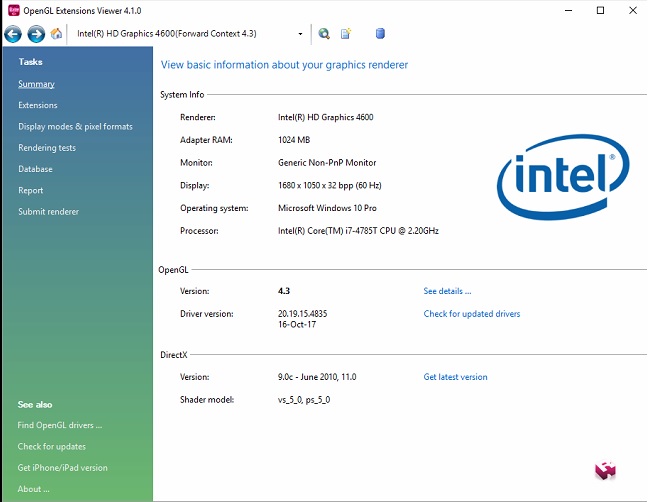
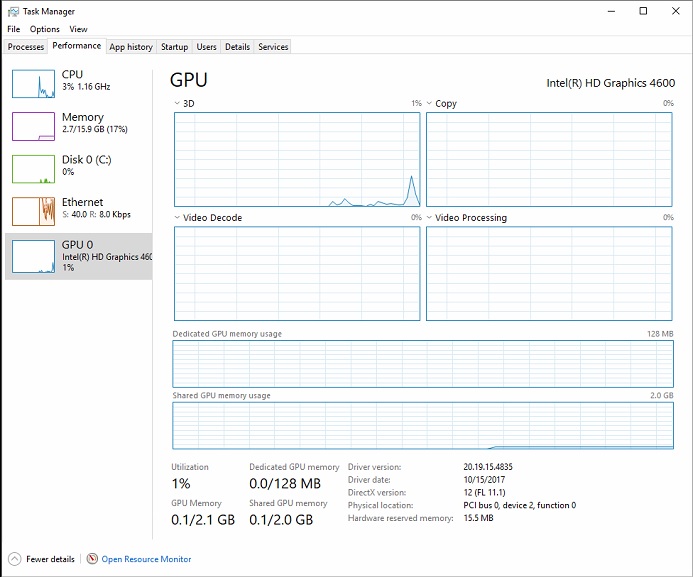
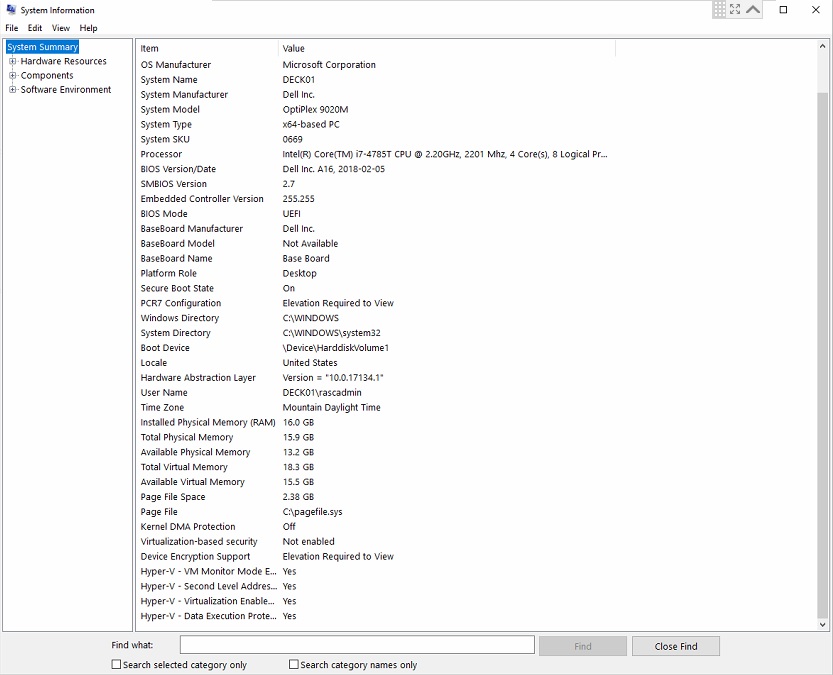
I've read about as much as humanly possible on OpenGL configuration as well as Display Adapters/Drivers....I just don't see anything wrong with our configuration. I have attached the 3 screenshots of our configuration information. Anything obvious to anyone??

6 comments

  • 0
    Avatar
    Keiron Smith

    Hi,

    Please use Dropbox, or a similar service, to share a link here that we can use to see the video.

    Thanks!

  • 0
    Avatar
    J. Lavender

    Hi Keiron,


    Thanks for getting back to me. Here is a link to the video:

    https://drive.google.com/file/d/1I5IowrG0V4kZPzb3VovyknhYl1m-s2oZ/view?usp=sharing

    As you can see that as I try to drag the screen view, Starry Night 7 is basically unresponsive.....and the suddenly, briefly becomes responsive again. This is at our local public observatory, and unfortunately is really problematic for us.


  • 0
    Avatar
    Keiron Smith

    Thanks for the video!  The specs look good.  What type of monitor, and connection to the monitor are you using?

  • 0
    Avatar
    Keiron Smith

    Nevermind, I don't think it is the monitor.  Can I remote your computer?

  • 0
    Avatar
    J. Lavender

    Hi Keiron,

    Unfortunately since we couldn't get the problem fixed, and our observatory is due to open to the public this weekend, we felt we had no alternative last night, other than to back out our Starry Night 7 Pro installation and replace it with Starry Night 6. (Which worked fine in the past) I will be testing the Starry Night 6 install tonight in hopes it's all back to "normal".

    Can I have both SN 6 & 7 installed on the same computer? If I can, I have no problem re-installing 7 and getting you to take a look at it. Is that an option in the coming days?


  • 0
    Avatar
    Keiron Smith

    Yes, you can have SN6 and SN7 installed and running side-by-side without issue.  Please re-install v7 and let us arrange a time to let me remote and have a look.

    Thanks!

Please sign in to leave a comment.