I have Galaxy Tab S3 with SkySafari Pro 5. I need to use a mouse, but when I click on the left button to drag the screen, the screen turns orange. When I unclick it, you can see the movement. The screen also turns orange when I use my fingers to move or zoom the screen. When I turn the mouse off it returns to normal. It just started doing this. Do you have any thoughts about what it could be?
Date
Votes
33 comments
-

Bill Tschumy Carl,
I have no idea what this could be. I didn't even know you could use a mouse with an Android tablet. You said you also see the screen turn orange when using you fingers to drag. Does this only happen when you have the mouse pair with the device?
-

Carl Lancaster Bill,
Thanks. Yes you can. I would prefer to use an iPad, but I need a mouse for my application. To answer your question, yes it does also turn orange when i drag my fingers. When I turn off the mouse, everything works as normal. I am wondering if maybe there was a system update on the Android side that caused the problem?
I tries two different Bluetooth mice, same result.
Thanks.
Carl
-
Carl Lancaster I tried two different mice....
-
Bill Tschumy I doubt it has anything to do with the type of mouse. This sounds like something out of our control. I assume you don't see any color shift with other applications?
I assume you need a bluetooth mouse to do this? Unfortunately, I don't have one available.
Is there anyone else on the forum that can confirm or deny this behavior? I suspect it is specific to you particular device, but who knows.
-
Carl Lancaster Bill,
One point of clarification, this behavior occurs any time I click the left mouse button, even when I select an object, it flashes orange for a moment.
I did not think it was the mouse either, but I wanted to rule it out. I have not tested other apps, as this tablet's use is specific for SkySafari, but I will test other apps later today and let you know.
I don't recall this happening several months ago when I first tested it, which is why I am wondering if it was an OS update (I have it set to automatic updates).
Carl
-
Carl Lancaster Bill,
Just to confirm this behavior only happens with only with SkySafari Pro. Google Maps, Excel, Gmail all worked fine.
Thanks.
Carl
-

Bentley Ousley I have a Galaxy Tab S2 and use an Apple Magic Trackpad through Bluetooth. I can't say I've seen this particular behavior, but I've learned that even point number upgrades to Android can break aspects of the functionality of the Trackpad and how it behaves with apps. This just doesn't seem to be something that the Android developers for the device view as a very high priority (and thus probably isn't thoroughly tested). When I found a tablet and Android version that worked with the trackpad, I made sure that the system is never updated.
If your Android system was updated recently, have you tried rolling it back prior to the last update?
-
Carl Lancaster Bentley,
I agree this feels like and OS issue. I can disable the automatic updates, but how do I roll it back? Sorry, I am more familiar with IOS than Android!
Thanks.
Carl
-
Bentley Ousley Trying to fix these sorts of issues can really take you down the rabbit hole.
I would really hate to advise you to flash your ROM with an older version and have your device become non-functional. There is no guarantee that flashing to an older OS will solve your issue and there is risk involved.
Start with Samsung support to see if they have suggestions. Do some targeted searches on sites such as Adroidcentral.com and try to find folks who have solved the issue (my personal experience with the Apple Magic Trackpad is that very few people understand using the tablet in this way, or care for that matter)
Just an off-the-wall observation: some versions of Android flash a red frame on the screen to indicate that the processing load is at the limit of the device. This doesn't sound like your issue, but here is a YouTube video that describes the process to disable the warning flash:
-
Carl Lancaster Bentley,
I have done some google searches and based on what I saw + your comments, reflashing my tablet isn't my first choice. I will contact Samsung support and start from there. I will also check out the video you posted.
Thanks for your help!
Carl
-
Carl Lancaster Bentley,
Thanks for the Android release of SkySafari Pro 6. I have downloaded it to my Samsung S3 tablet and the same issue with the orange screen exists when I use a mouse, so I will contact Samsung support and let you know the results. Thanks.
Carl
-
Bill Tschumy Carl,
We have not had any time to look into this. Things have been extremely busy around here with the new release. Maybe I'll have some time to try to reproduce it in a week or two. Let me know what you find out
P.S. SkySafari 6 uses OpenGL ES2 rather than ES1. I'd be curious to know if that makes this problem go away. In a week or so I should have the free basic SkySafari 6 available on the store so you could try it without having to buy anything.
-
Carl Lancaster Bill,
I contacted Samsung and they suggested I go to my local Best Buy and have the OS reflashed. I think I would prefer to wait until you have had a chance to take a look at it. I will wait for SkySafari 6 basic. FYI, the Android version on my tablet is 8.0, Samsung Experience version is 9.0. Security patch level is 4/1/2018.
Thanks.
Carl
-
Bill Tschumy Carl,
To be honest, we are unlikely to look into this in the next month or two. You are the only person reporting this and we just have too many other pressing issues on our plate. Sorry.
The new SkySafari basic version should be out early next week. It is being released as an update to SkySafari 5 basic, but the "5" will be dropped from the name.
Bill
-
Carl Lancaster Bill,
Sorry to hear it will take longer than expected. Please let me know when the new basic version is out. I will test it and then check in periodically after that.
Thanks.
Carl
-
Carl Lancaster Bill,
I downloaded the latest basic version, same issue with the orange screen.
Carl
-

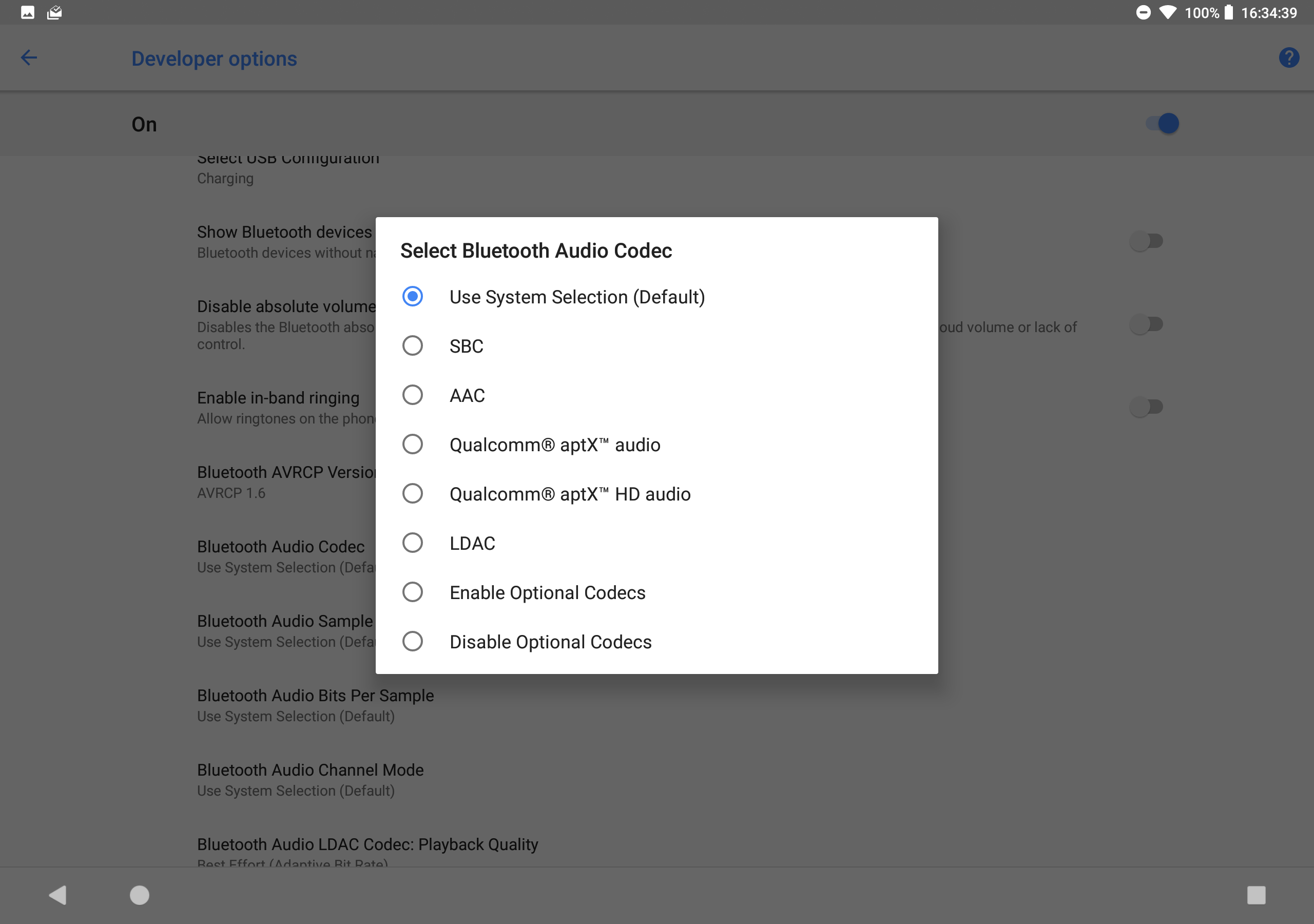
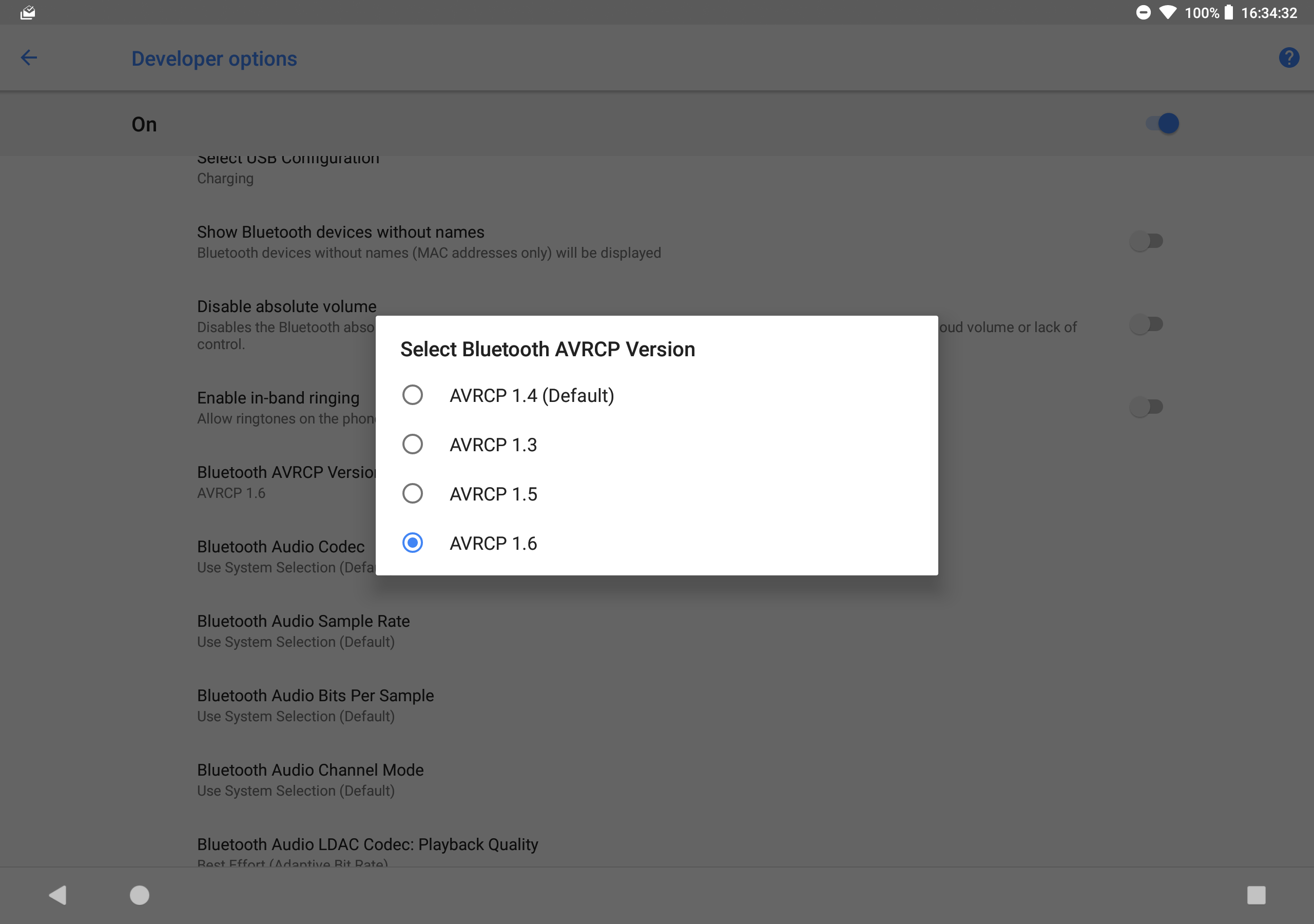
Andrew Sauls Android O and P have extensive Bluetooth settings for almost every kind of Bluetooth setting, there may be the fix for this
Andrew
Pixel C on Android 8.0 Oct18 Security Patch
-
Carl Lancaster Andrew, I have looked at the bluetooth settings on the S3, can you be more specific?
Thanks.
Carl
-
Andrew Sauls Enable Developer Options, then goto the blue tooth section and see the different settings.
-
Carl Lancaster Andrew,
Thanks, I will give it a try.
Carl
-
Carl Lancaster Andrew,
I successfully enabled developer mode and tried various options that seemed to make sense, no luck. Do you or Bill have any suggestions?
Thanks.
Carl
-
Bill Tschumy Carl,
I'm sorry but I don't have any suggestions. I assume this is some interaction with our OpenGL view and your Android OS. It is just not feasible for me to spend what would probably be a week of time for a problem that only you are having. Even then it is not clear this can be solved.
All I can do is offer to refund your purchase.
-
Andrew Sauls After you make those changes, you should restart your device and see if indeed those settings were set, then start the pairing process, then start the app and so on
-
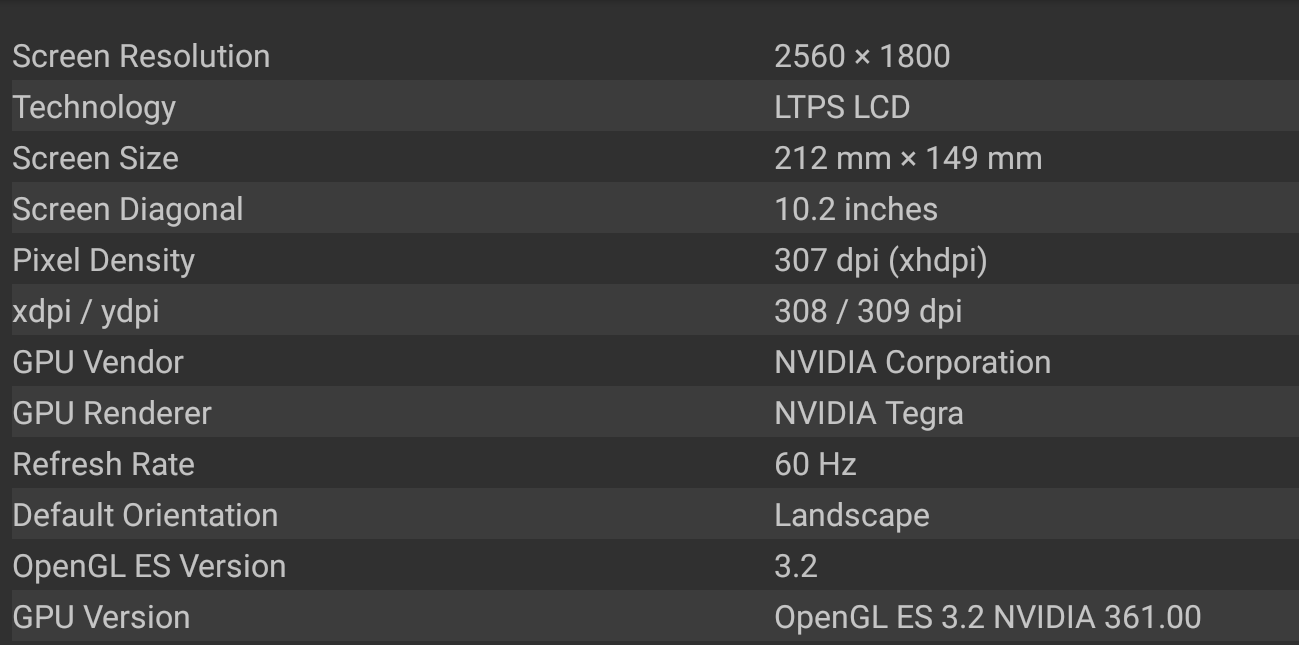
Andrew Sauls Bill, which OpenGL version are you using?
-
Andrew Sauls These are the Bluetooth options I have on Oreo ..

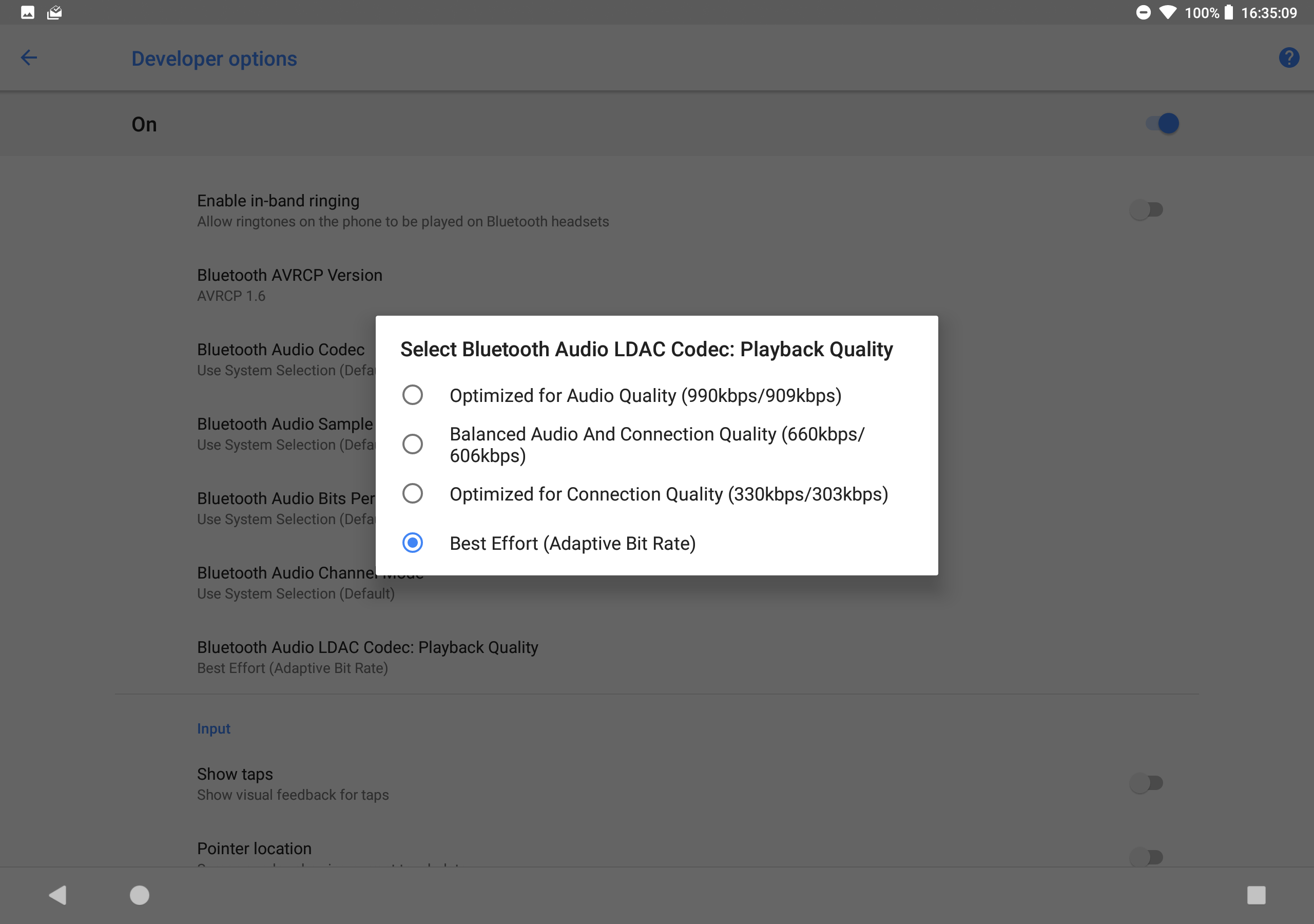
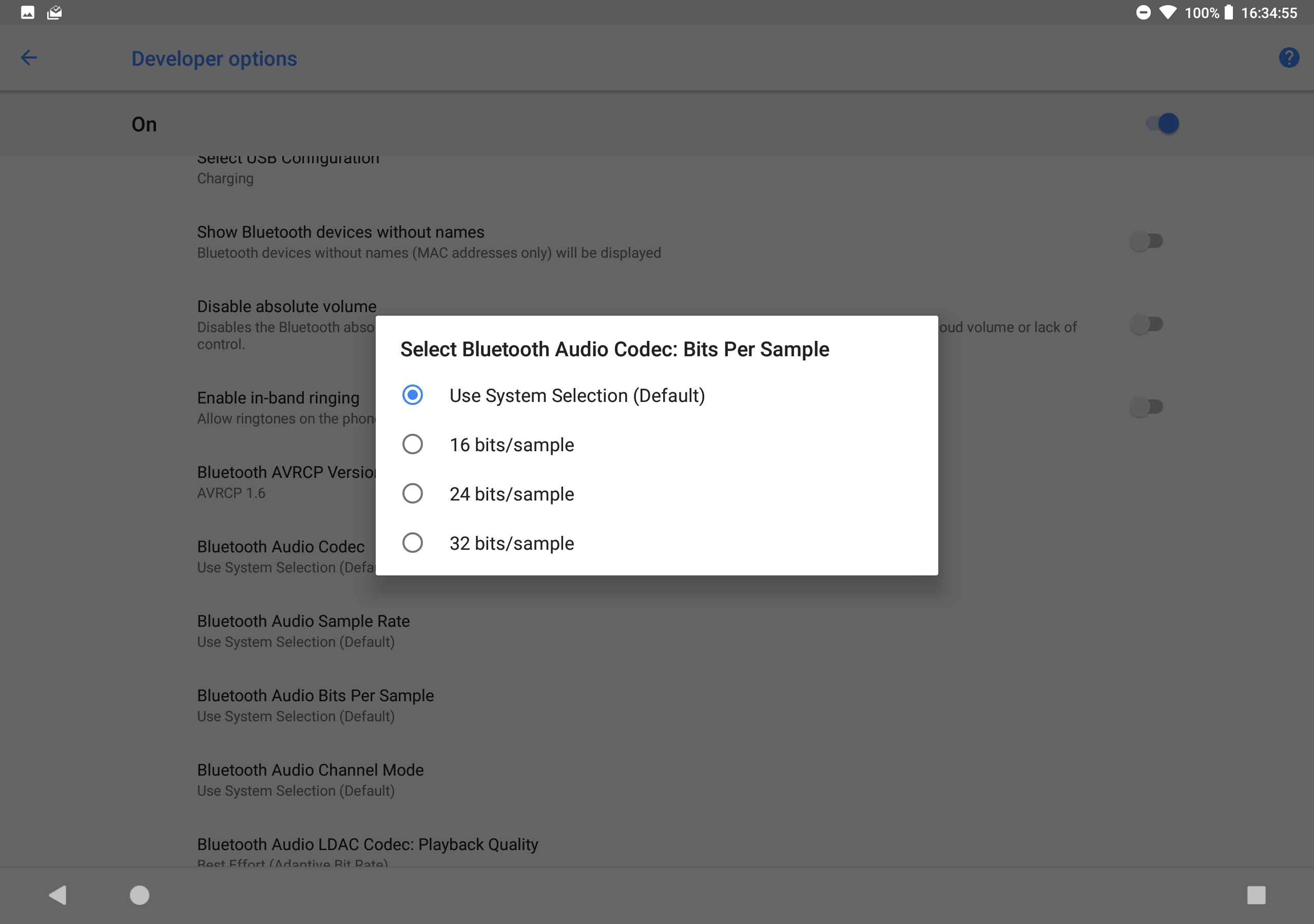
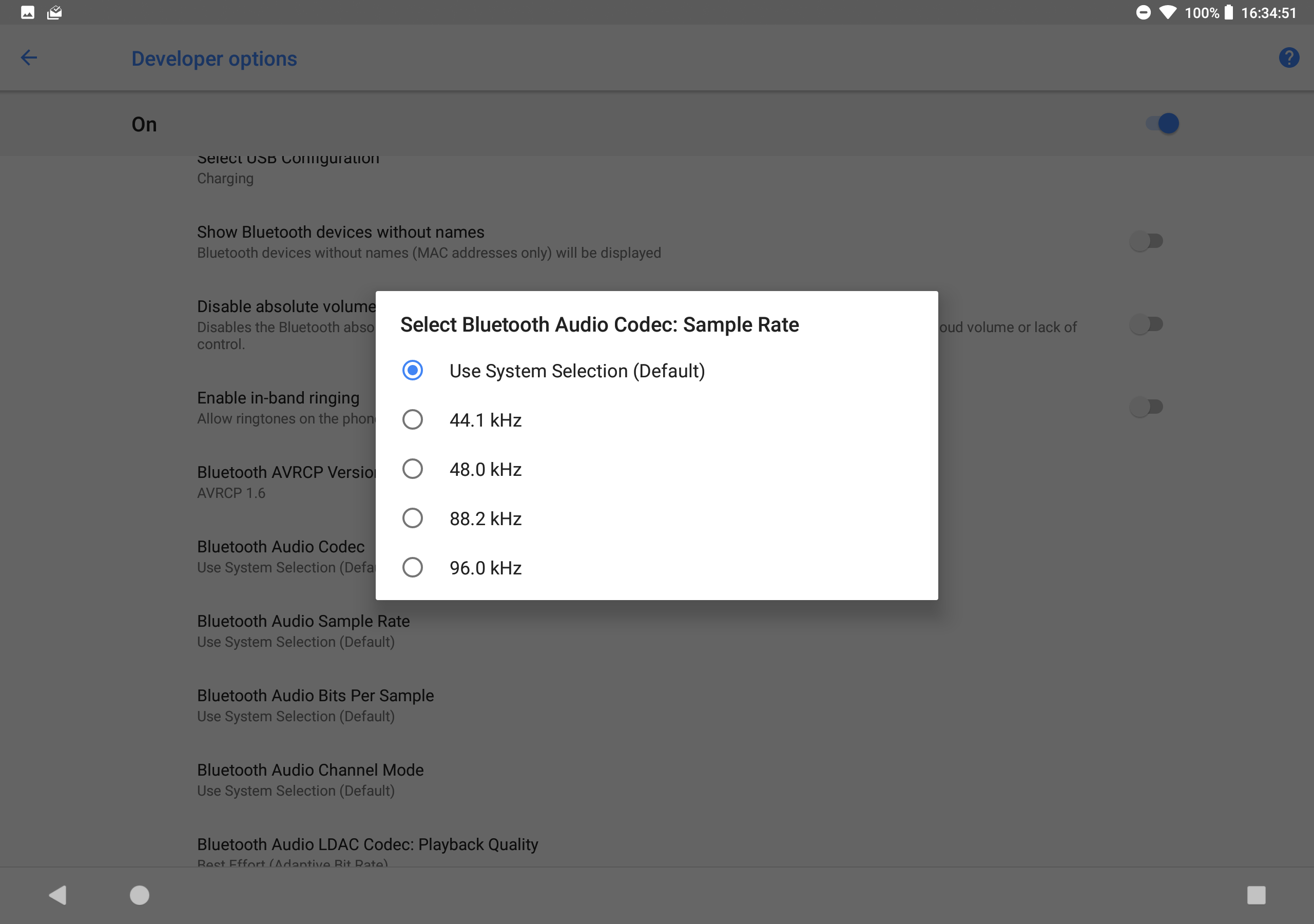
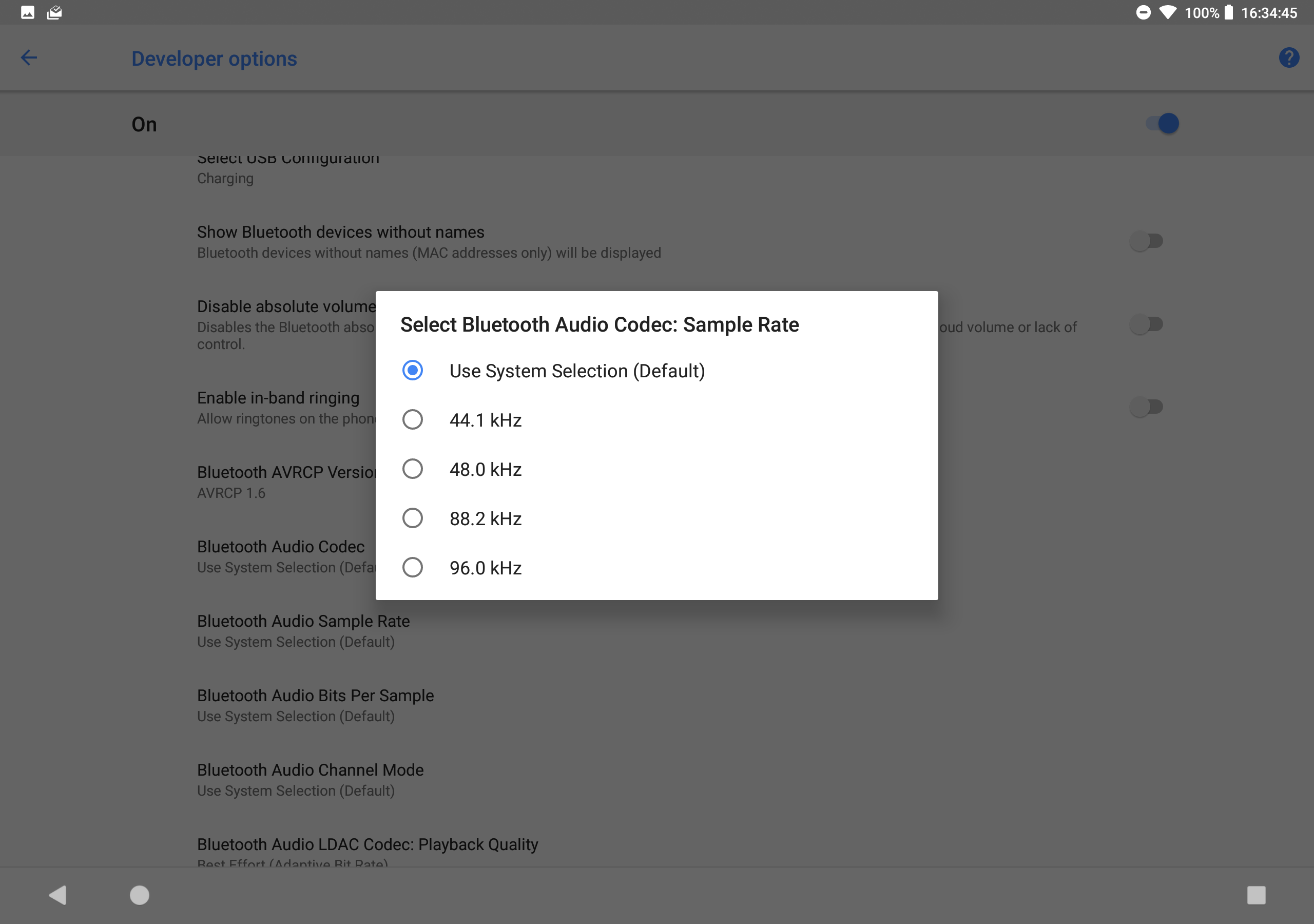
-
Andrew Sauls And this is the display hardware/software interface ..
-
Carl Lancaster Andrew,
My audio codec streaming defaults to SBC. Other than that, my settings are the same as yours. My Android version is 8.0, build #R16NW.T820XXU1BRE2.
Bill,
I am disappointed that you don’t want to put in any effort into this problem. Are you able to at least replicate the issue?
Carl
-
Bill Tschumy Carl,
I did just try paring an Apple Magic Trackpad with an Android device. I also see the orange flash. This seems to be some attempt by Android to treat the chart view as a button or on-screen element that wants "focus". After clicking in the chart I see a focus rectangle drawn around the chart. I also can get this focus rectangle drawn around other buttons in the app. The I click the focused button it also turns orange.
I did spend 15 minutes of so searching some Android developer sites to see if this behavior is mentioned but I didn't find anything useful. I sympathize with you but I just do not have the time to track this down right now. If we had multiple people clamoring for this then the priority might get raised. However you are the first to ask for this in the 6 or so years that SkySafari for Android has been out. I just have many higher priority items to work on right now.
It is not that I "don't want to put any effort into this problem", but it is not feasible right now given my workload. As I said, I can refund your purchase if this makes the app unusable for you.
-
Carl Lancaster Bill, thanks. At the moment it is more of an annoyance vs. being a complete showstopper, but I am glad that you were at least able to reproduce the issue. I think there is a new security update coming out any day, I will wait and see if that helps. If not, then I will talk to my local Best Buy store to see if there is a way to roll back the OS. I don't care what the OS is, I just need to run SkySafari. Either way, I will let you know.
I know you are busy and it's not a priority, but if you can queak a few minutes here or there, maybe we will get lucky and it won't take weeks to figure out!
Thanks again.
Carl
-
Bill Tschumy I have it on my list to look at at some point. We are also planning on hiring a true Android developer sometime soon and hopefully they will be able to work on this.
Please sign in to leave a comment.