I am using SkySafari 6 Pro on a Samsung Galaxy 9 running Android 8.0.0. Night vision mode for the keyboard doesn't work in fullscreen mode. When opening the keyboard e.g. to enter observation comments, only the bottom row of the onscreen keyboard which contains the space bar is shown with a dark red overlay. All other rows of the keyboard are shown in bright white. Below the keyboard, the Android onscreen Softbuttons are also shown in bright white. This behavior is consistent across the stock Samsung keyboard and GBoard. Needless to say, it completely destroys night vision. Please help.
Date
Votes
15 comments
-

Keiron Smith Hi Markus,
Please attach a screenshot of this issue. Also, please confirm, the device is not rooted, as you're not running anything like theme mods, or special keyboards, etc. I know you said stock, but let's check the box again to be sure.
Thanks!
-
Keiron Smith Please also try a reboot, just in case.
-

Markus Noga Here you go. Device is stock Android as provided by Samsung, not rooted.
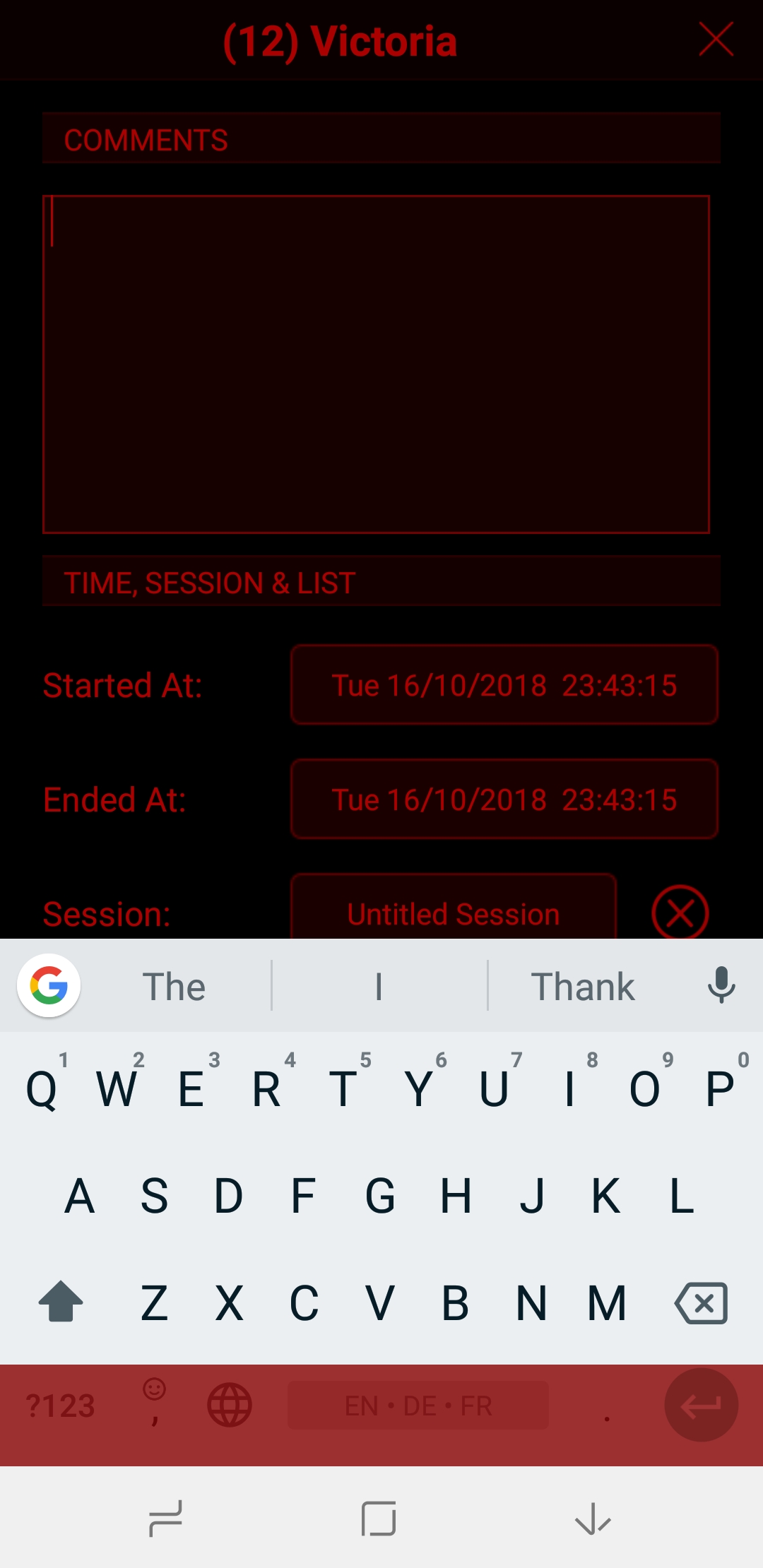
-

Christopher K Erickson My new Galaxy Note 9 does the same thing.
-
Christopher K Erickson It seems to change behavior if I have the navigation bar locked or not. With the bar locked, the keyboard comes up red, otherwise it does not. Either way. The navigation bar is white
-
Keiron Smith Thanks, we'll be looking into this next week.
-

Bill Tschumy Christopher,
Could you explain what it means to have the navigation bar locked? You say the red overlay is positioned correctly in this case?
If I can't solve the problem, is that a reasonable workaround? We have to play some incredible games to make this work at all. It may be that Android/Samsung has changed something that now makes it impossible.
I would also consider installing one of the many red keyboards you can get for Android. This will also solve your problem. When doing that, be sure to turn off the keyboard overlay in the Appearance & Behavior settings.
-
Christopher K Erickson On the Note 9, the very bottom part of the screen has a virtual navigation button bar that can be locked in place or set to pop up and down as desired.

On my Note 9, it ALWAYS displays as white, as shown above. Regardless of the night mode setting.
If the navigation bar is configured to be locked in place on the bottom of the screen, the virtual keyboard comes up red.
When the navigation bar is configured to pop up and down, the virtual keyboard comes up white.
And I don't seem to be able to capture screens while the virtual keyboard is displayed. I guess I could either do a video capture or a second camera capture.
I hope this helps.
-
Bill Tschumy For now you may need to just keep the nav bar locked until we can work on this. Alternatively you can install a custom red keyboard. Is anyone else seeing the problem with the red overlay being incorrectly positioned?
With respect to the color of the navigation bar, is this background color white or just the icons themselves? I make all the appropriate calls to tint the icons red, but newer version of Android no longer respect athletes on some Samsung devices. I have spent quite a bit of time investigating this.
If the background of the nav bar is white then this is a problem I wasn't aware of.
-
Christopher K Erickson Personally I rarely use night mode. I was just assisting with the initial report that was brought up by another user.
Here are some resized screenshots of the issue to go with the earlier descriptions. I hope this helps
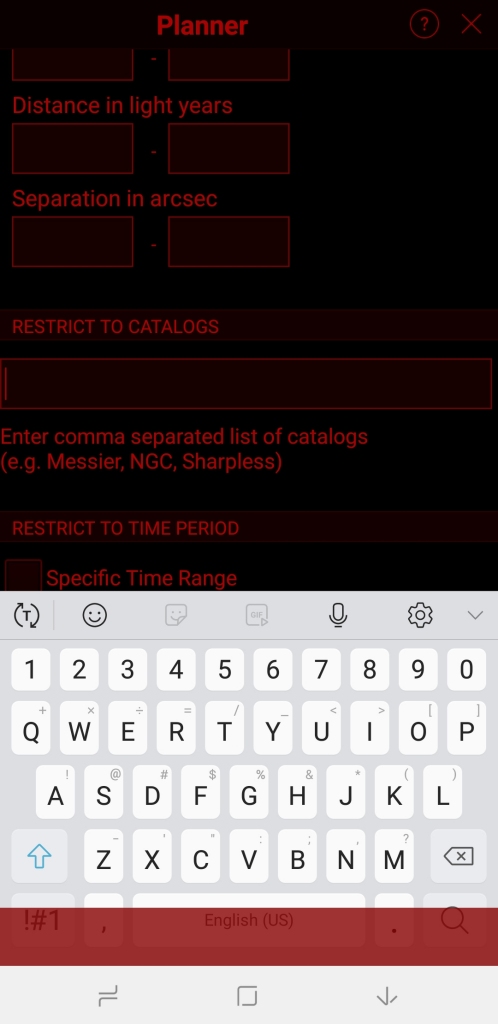
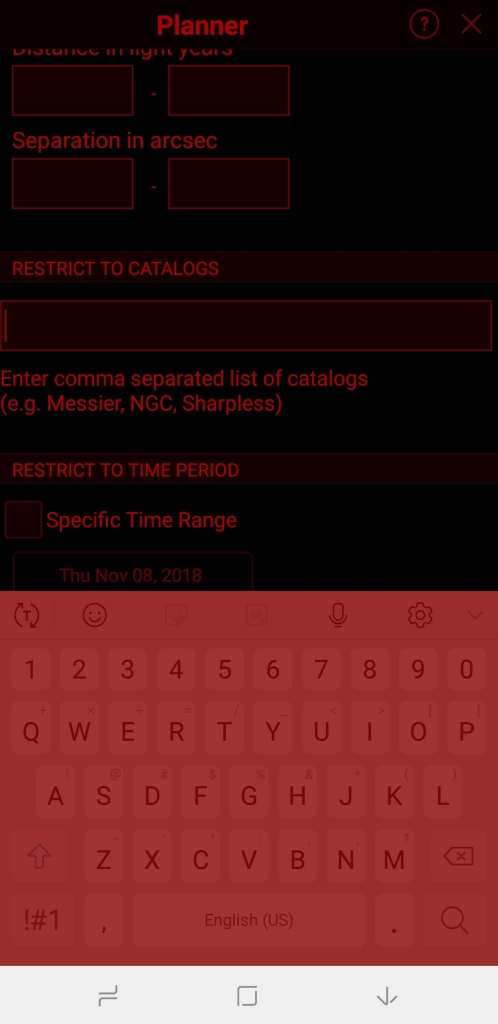
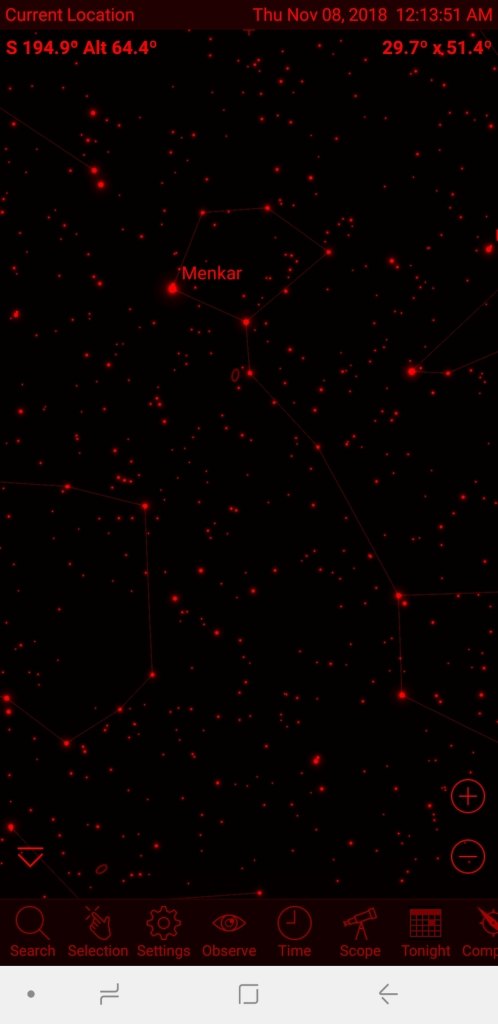
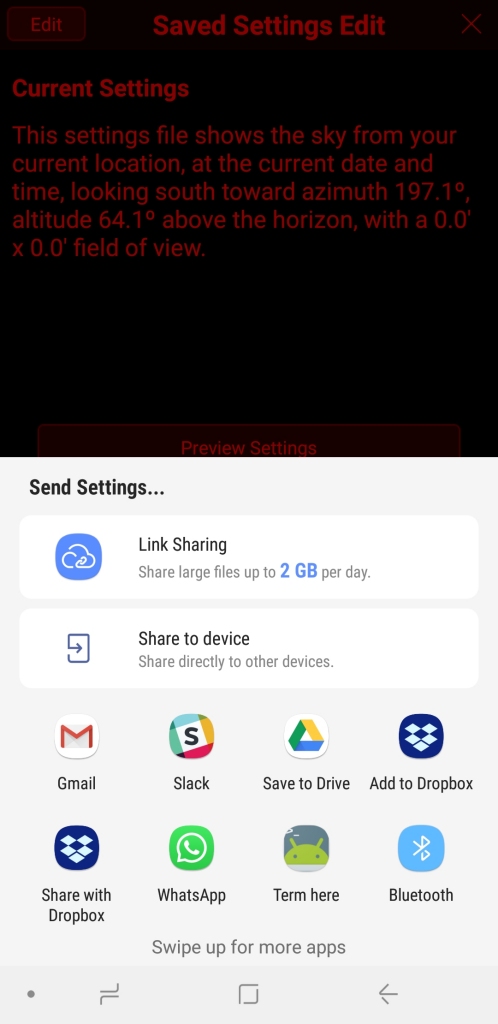
-
Christopher K Erickson Personally I would wish for an amber version of the night mode as well as the existing red mode.
-

John Sillasen I find night mode to be a bit too dark myself but having the same phone only with Android version 8.1.0 now, I wanted to confirm the same behavior, Bill, and I have. Frankly, leaving the navigation bar locked is incredibly annoying as it causes many controls to be blocked in apps with their own reply and navigation keys in the same place. So I consider this bad and know with O/S related features you're stuck in the proverbial functional non-functional place. I saw Chris's note about not being able to do screen prints so signed in to post mine which worked with the power, down volume key nicely. Now, I see he has posted the screen shots of the navigation bar behavior so just leaving my behavioral comments instead.
If you find a way to test a work around, let us know. As a beta tester in round 4, we were asked to test features not overall behavior so with the release date imminent, this was overlooked.
John Sillasen
-
John Sillasen I don't know if an amber screen would help me but a variable intensity of the 'redness' would definitely help, possibly even accomplish what Chris is requesting. I used to use an app that mixed the primary colors and intensity of light. It was an effective res overlay screen essentially. A variability bar may accomplish the same thing. Also a Samsung Galaxy Note 9, Android v8.1.0, having traded in the Motorola Droid Turbo 2 used in beta. The new model is 6 GB of RAM and 512 GB of storage. A major improvement for using Sky Safari Pro v.6.
John Sillasen -
Keiron Smith Marcus, Christopher, John,
Long time no progress, but we now have a dedicated Android developer working on SkySafari! And, we are working our way through the backlog of outstanding issues, of which this UI issue is one.
Please ensure you are running the latest version of SS6 and check to see whether you can still reproduce this issue.
Thanks!
-

Kevin Mayock I use a Samsung Galaxy Tab A to run SkySafari 6 Pro in red-on-black night vision mode. After I type an object name and hit the search icon, there is a brief flash of blue/white light across the top border of the keyboard, as the program displays the object info. Also about every third time I hit the search icon, a partial line of text will briefly flash blue/white. This occurs in the color chart, monochrome chart, and inverse monochrome modes.
Any ideas on how I can prevent this?
Thanks,
Please sign in to leave a comment.