New post
0

What Cable Do I Need To Connect SkyFi 3 To Celestron Nexstar SE? (Answer: USB-mini to USB-A cable - Read On/See The SkyFi 3 Quick Start Guide!))

Hi. I have recently purchased a SkyFi 3 for use with my Nexstar SE, and will be running SkySafari.

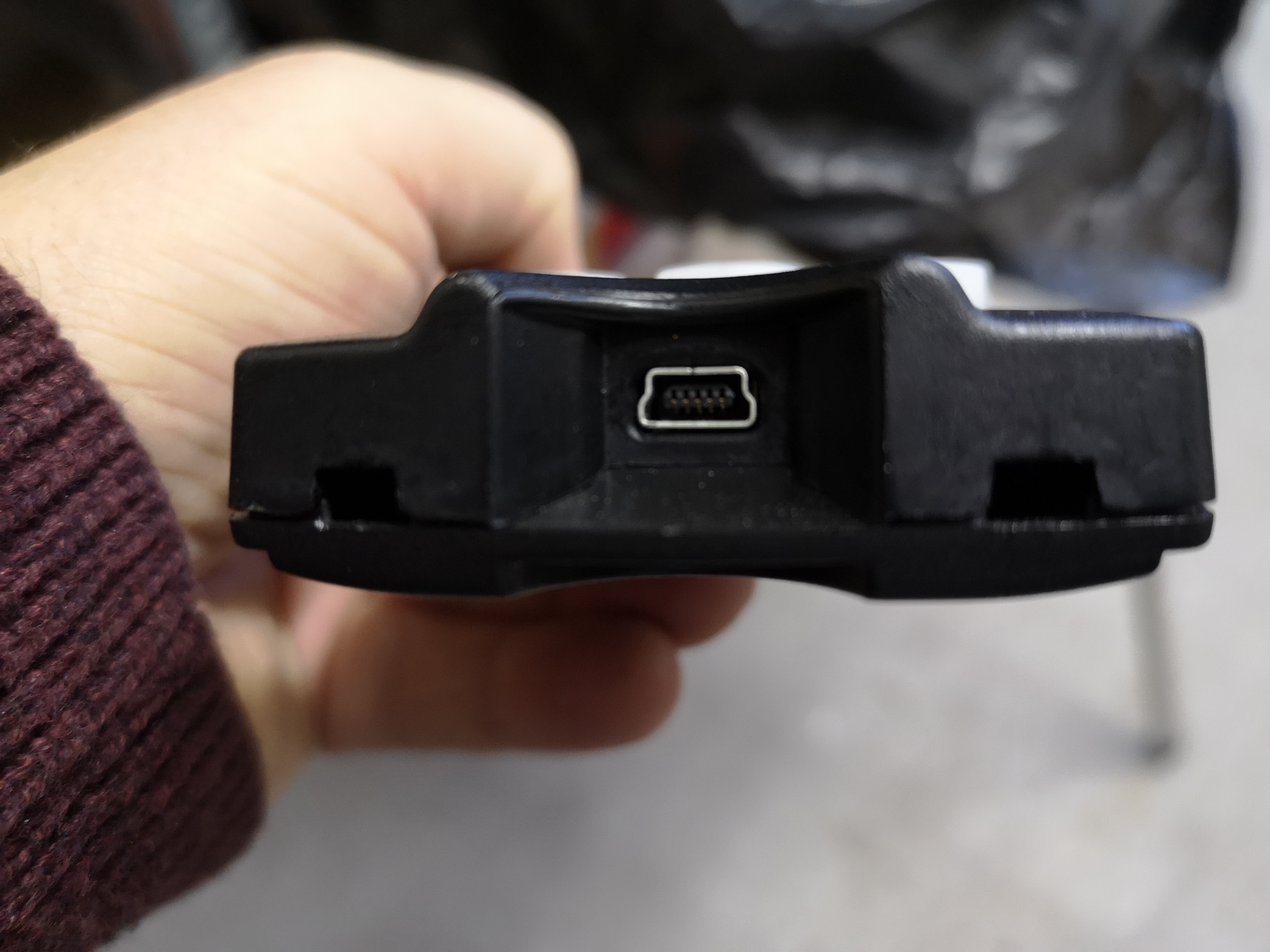
At the base of the SkyFi I can see a male 9-pin RS 232 socket. Now, If I understand correctly, I need to connect this NOT to the AUX socket on the mount, but directly to the hand controller via the connector in its base. This appears to be a very small socket, which the scope's manual labels as an "RS 232 jack". It is much smaller than the socket on the SKyFi, and is shaped slightly differently (see photo below).

I wonder if someone could advise on what type of cable I should look for? I should explain that I'm UK-based, if that makes a difference to what this kit is called.

Thanks in advance

Alan Stewart
7 comments

  • 0
    Avatar
    Keiron Smith

    Hi Alan, 

    The Celestron/StarSense hand controller takes a USB-mini connector.  The SkyFi 3 takes a USB-micro**.  So you would need a cable with those connectors.  We do not sell the cable.

    You will not need an rs-232.

    Thanks!

    ** This is incorrect!  The SkyFi 3 uses a USB-A port to communicate with USB telescopes.  The SkyFi 3 USB-Micro port is used for AC adapter charging.  Read on to Alan's follow up reply.

  • 0
    Avatar
    Alan Stewart

    Hi Keiron


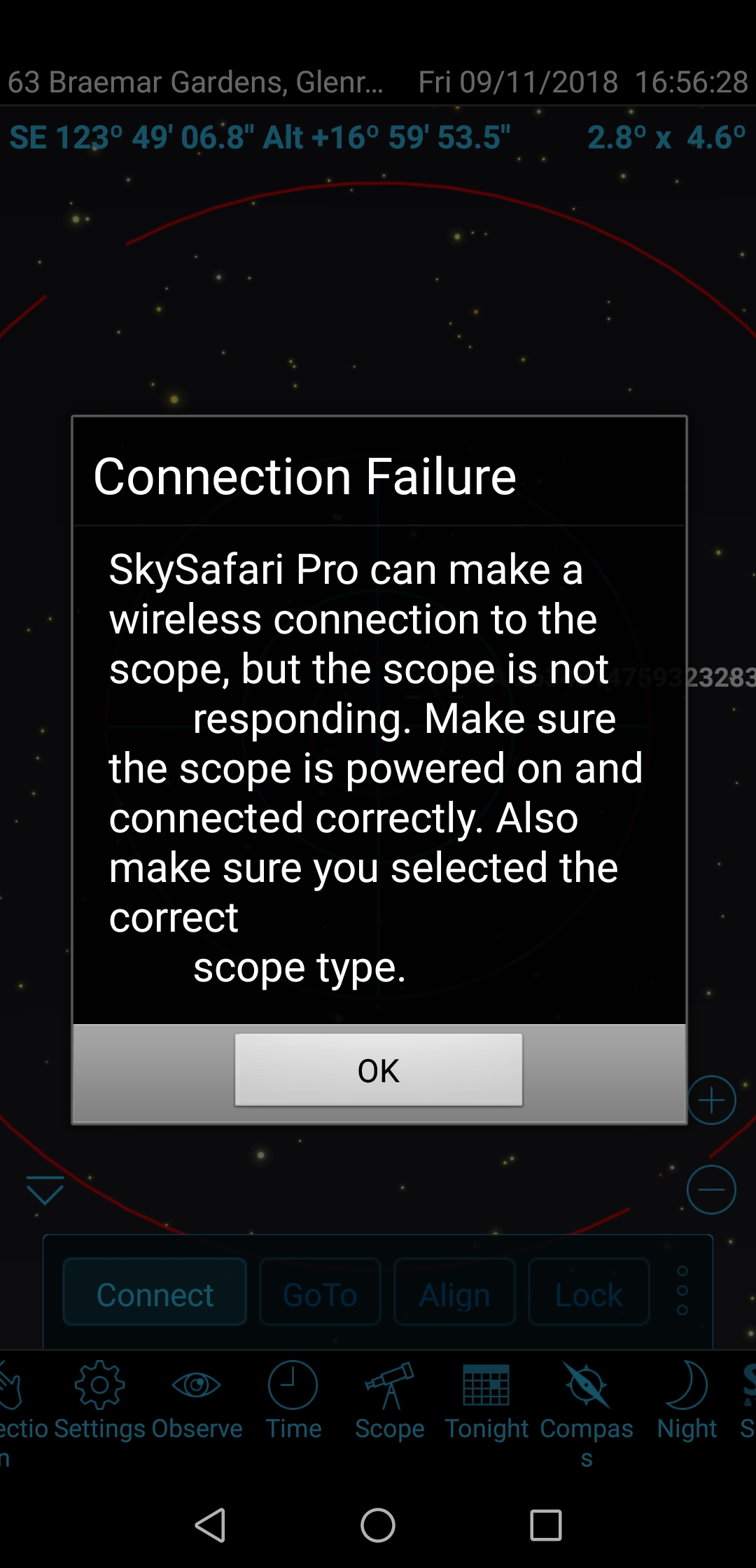
    I managed to get a suitable cable, and have set everything up. What I now get is the message shown on the pic below.

    The scope is powered on, and I selected what I believe to be the correct option for my scope (which is a Celestron Nexstar 6SE).

    Any ideas what's wrong?

    Alan

  • 0
    Avatar
    Keiron Smith

    Hi Alan, 

    Did you star-align your scope, using the Celestron hand controller, before trying to connect with SkySafari?  You must.

    Thanks!

  • 0
    Avatar
    Alan Stewart

    Hi.No luck, I'm afraid. The same error message cropped up, asking me to check that the scope was powered on and that I'd chosen the right scope. Power was on (I knew that as the handset was operating) and I'd selected the Celestron Nexstar SE, so that was all ok.

  • 0
    Avatar
    Keiron Smith

    Hi Alan, 

    What alignment method are you using with the Celestron hand controller?

    Thanks!

  • 0
    Avatar
    Izar21093

    Alan,

    I have three of the USB-mini to USB-micro cables from three different companies. All of them return the same error message you show above. They do not work.

    The cable which works is a standard USB-A to USB-mini. It plugs into the USB-A port on the SkyFi and the USB-mini port on the NexStar+ hand

    control.

    However, mine lights the HC buttons when it is plugged in requiring unplugging it at the end of the observing session or risk draining the battery. I assume this is normal behavior, but I'm not sure.

    BG


  • 0
    Avatar
    Keiron Smith

    Apologies, Alan!  I stand very much corrected!  

    The SkyFi 3 USB-Micro port is for AC adapter charging.  The USB-A port is for connecting to a USB telescope - which in the case of Celestron is a USB-Mini port.

    SkyFi 3 Quick Start Guide

    Thanks for posting your follow up clarification, and I'm sorry for offering incorrect info to begin with.

Please sign in to leave a comment.