New post
0

[UX Issue] How to hide Altitude/Azimuth and FOV info on the top left corner of the screen? (Solution: Preferences > HUD)

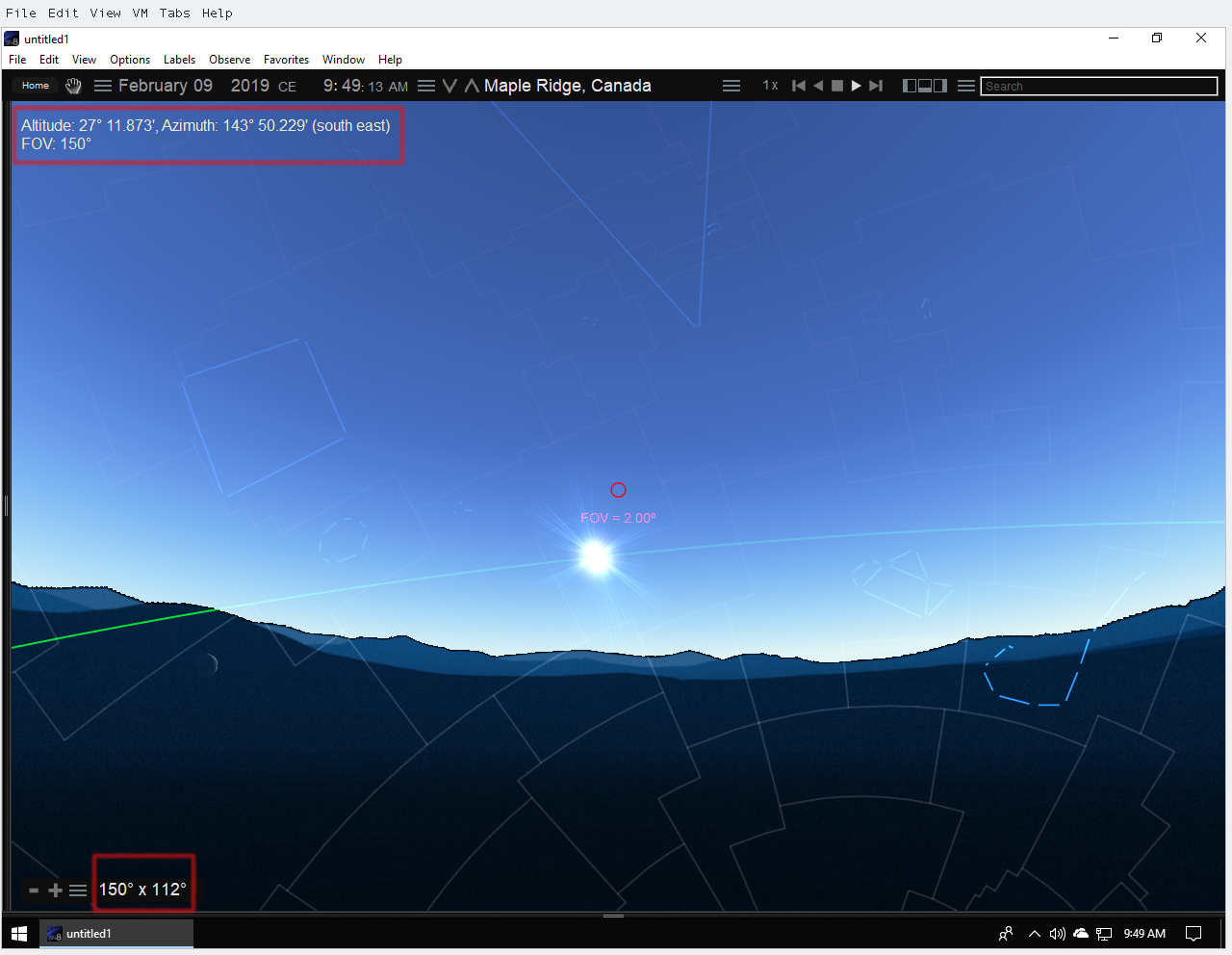
I want to hide the following info appearing on the top left corner of the screen/sky:


Altitude: 28 30.850, Azimuth: 187 49.977 (south)

FOV: 3.0


I clicked in the program menu --> Labels --> Hide All Labels but the above info is still showing in the screen/sky.

Also the FOV data is already shown on the bottom left of the screen: 6 x 4 degrees.  It is redundant to show it again on top left corner.

4 comments

  • 0
    Avatar
    Keiron Smith

    Please post a screenshot.  Thanks!

  • 0
    Avatar
    Darwin C Te

  • 0
    Avatar
    Keiron Smith

    Look in File > Preferences > HUD

    You have options regarding if/when/how the HUD should appear.

    Thanks!

  • 0
    Avatar
    Darwin C Te

    I disabled all checkboxes in the File > Preferences > HUD.  Saved the current options as default.  Restarted Starry Night, the info (alt/az and fov) is still there.

    Update:  I did a factory reset in the File > Preferences and the info are now gone.


Please sign in to leave a comment.