On my SkySafari 6 Plus app (Android), when I go to the User-Defined Observing Site list, there is no delete or edit button or red dot displayed. So how do I delete an observer defined observing site from the list?
Date
Votes
14 comments
-

John Sillasen Go into edit the list. Once in Edit , you'll see a trash can.
-

George Thanks for the reply John, but, as you can see in the screen shot, there is no edit button that shows up.
-
John Sillasen Sorry, I misread your note & thought you meant User Observing List, not Site.
Keiron-he is correct, I made a new User defined Site Location and now find I cannot delete as there is no Edit Button to select nor a menu at all other than ? And X. It was there. I just added Homs the other day, changed it to Home, saved it as user defined and deleted Homs. -

Keiron Smith Hi George,
Please look in Observe > Sites > Edit
Thanks!
-
Keiron Smith Hi George,
Correction:
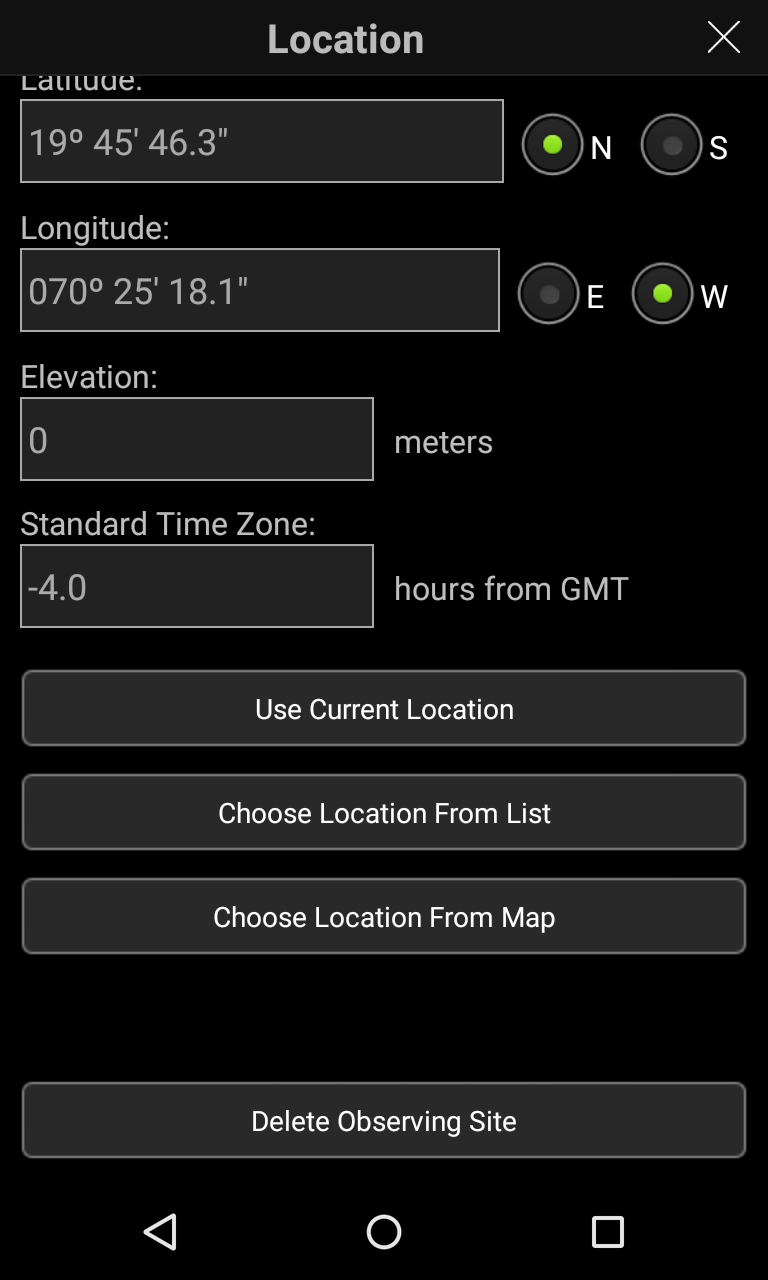
Please look in Observe > Sites > Edit location > Scroll down to "Delete Observing Site"
Thanks!
-
Keiron Smith Thanks, John!
-
George Thanks Keiron, but there is no delete or edit button that shows up.
-
Keiron Smith You are looking here? See the bottom.
-
George This is what my "Location" screen looks like. No delete observing site button,
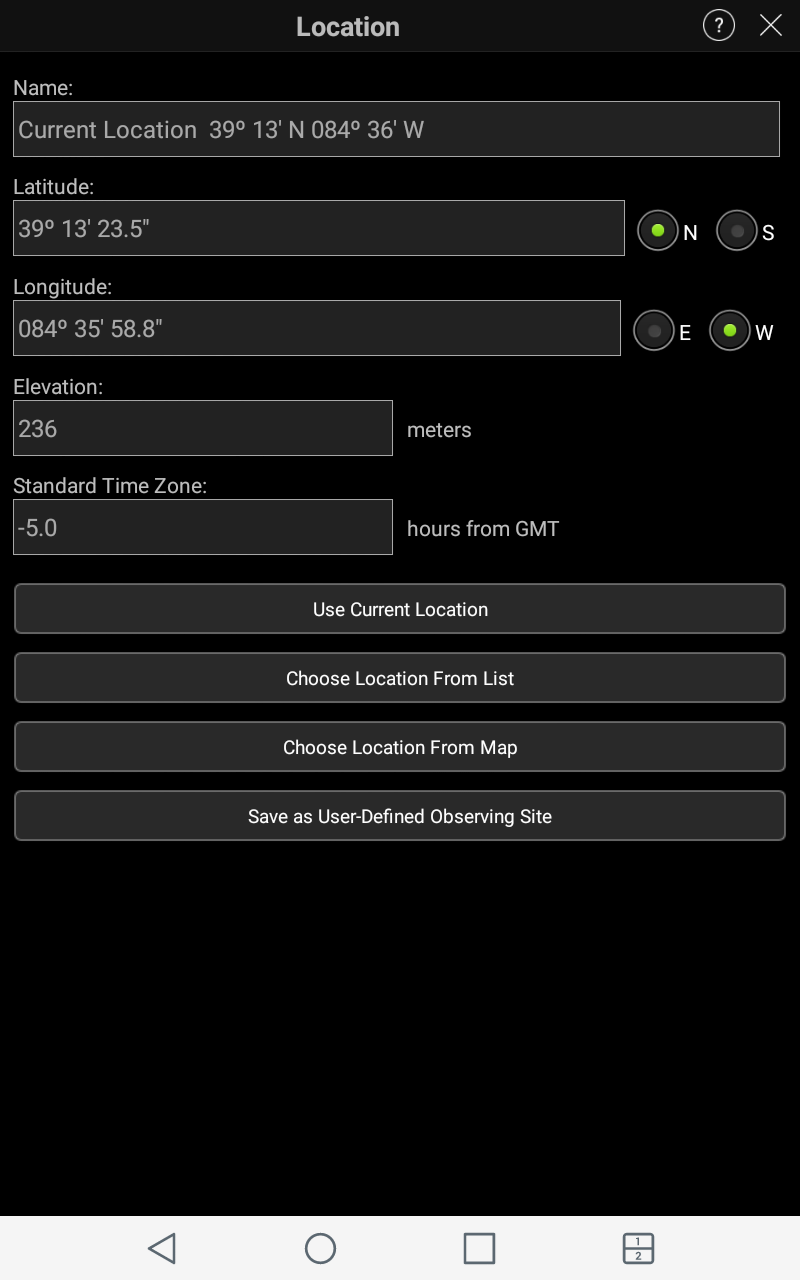 my app must not have installed correctly.
 -
Keiron Smith Hi George,
You have an option in your screenshot to "Save as User Defined Observing Site".
Please save your site first with a new name. Then select it again. Then see if you can delete it.
You are presented with options to use the "current location" or choose from "a list" or choose from "a map". Have you selected any of those options first? Have you saved a number of sites already? Are you choosing a location from a list of saved sites?
I'm sure there is nothing wrong with the app.
Thanks!
-
George Yes, I tried all of those suggestions of yours but with no luck. Thanks for trying to help.
-

Bill Tschumy George,
The delete button will only appear if you have gotten to the site from the Observe > Sites list. Tap a site in that list and there should be a Delete button on the new screen. If you don't see it, possible you need to scroll down?
Bill
-
George Bill,
That solved my problem! Thanks so much!
George
-
Bill Tschumy Great.
Please sign in to leave a comment.