I might have found another bug here. Using my phone with 6.2.0.39, I'm seeing significantly less stars that show on my tablet, even when star mag settings are the same. See the two screenshots that SHOULD look identical within the FOV Indicator.
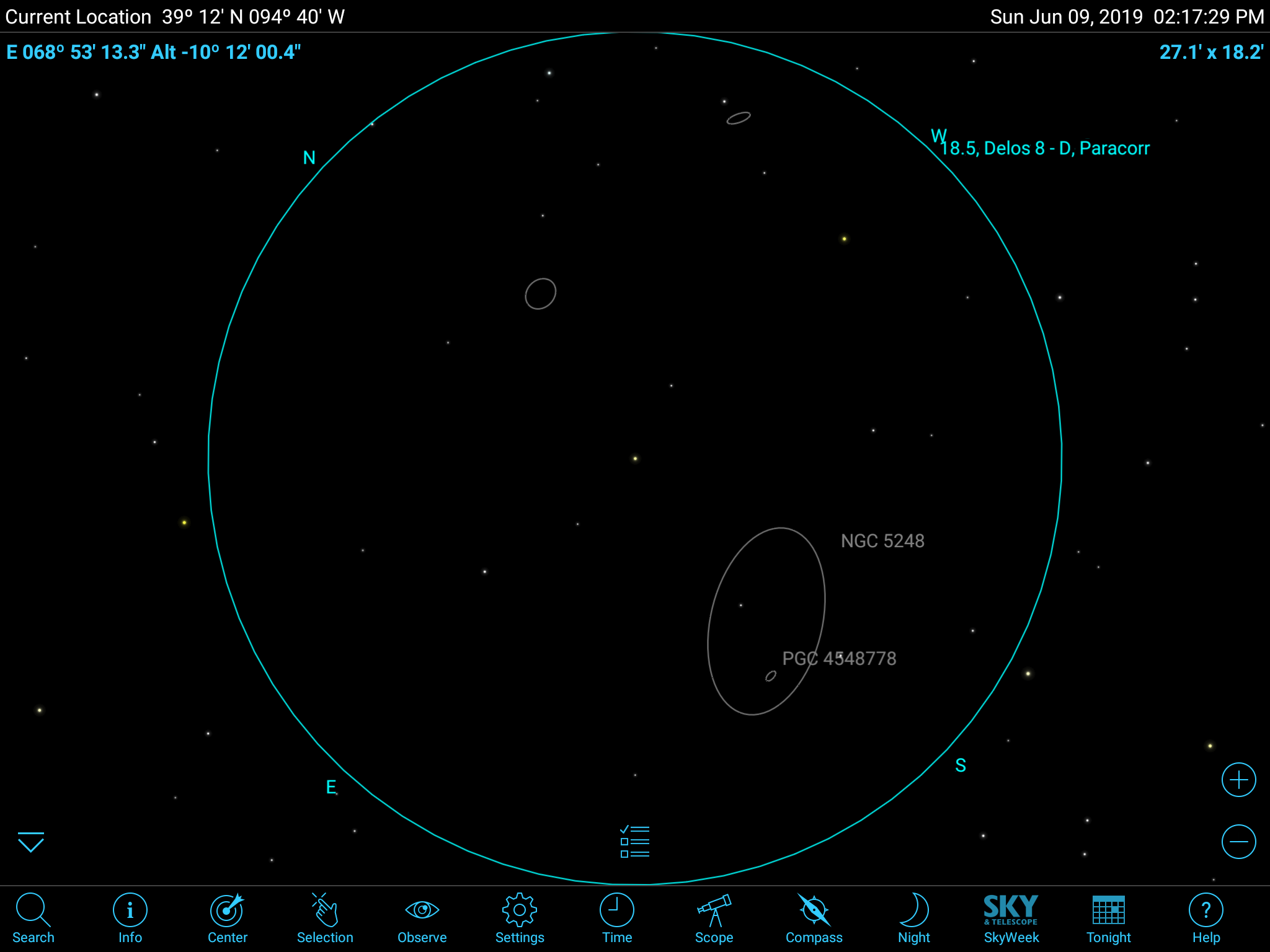
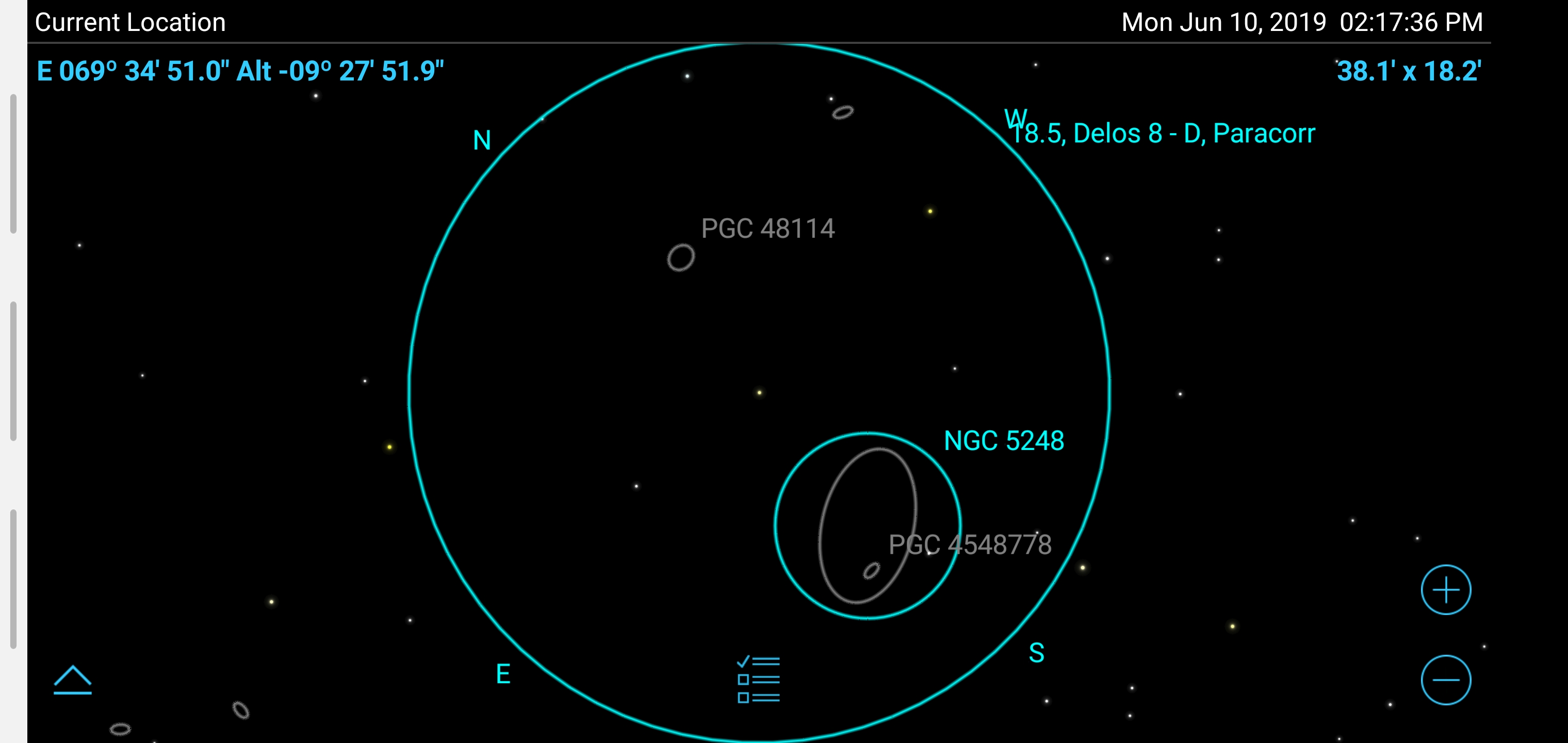
I might have found another bug here. Using my phone with 6.2.0.39, I'm seeing significantly less stars that show on my tablet, even when star mag settings are the same. See the two screenshots that SHOULD look identical within the FOV Indicator.

I also checked to make sure the GAIA extension was turned on for the new version. I toggled it off then on and it made no difference. I would be curious to know if the stars that are missing are part of the GAIA extension. If so, it could be that this isn't working with the newest version.

No, I tested the GAIA stars thoroughly in the new version. I don't see how they couldn't be working.
Are you sure the limiting mag is the same in both cases? Also make sure you don't have "Never Show Fainter Than" set to something lower than 17.
If I bump the limiting magnitude up to around 17, I get an identical star field on two devices and it matches your tablet view.
I checked both of these, never show fainter is set to unlimited, phone, which shows less stars, was set to star limiting mag 17, tablet was set to 16.3. The stars missing are brighter than 16.
Chris,
I don't know what to tell you. I am running the same beta version as you have on the phone. After increasing the mag to 16, I see the same stars as you are getting on the tablet.
Yes the missing stars are probably from the extension catalog. They are fainter than 15th magnitude.
In the In-app Purchase screen, does the the GAIA extension database say both Active and Installed?
You might also look for the file /sdcard/SkySafari 6 Pro/GAIAStars2.skydat. That file should exist.
Did you copy the data to the new phone? If so, maybe you need to do a Restore Purchases to get it actually being used.
For some reason the file was NOT in the folder anymore. One suggestion, if the file isn't found and activated, it shouldn't show 'Active' or let you switch between Active and Inactive.
Well, that is the way it should work. I will look into why it is not working. Sorry for the problem.
I just looked at it. Currently the button that normally says "Installed" says "Download" if the file is not found. That should be a big hint that the file is missing. However, I have disabled the Active/Inactive button if the file is not found.