New post
0

Does SkySafari 6 Pro Support Android OnStep App + HC-05 Bluetooth Adapters? (Answer: No, Not Officially - And User Needs Help)

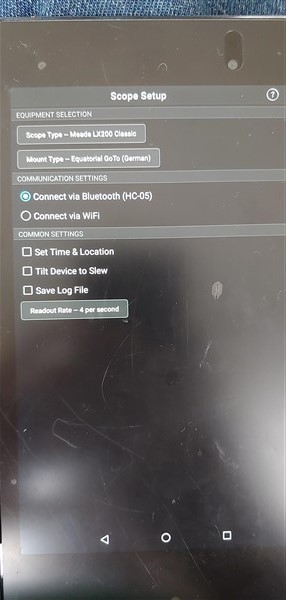
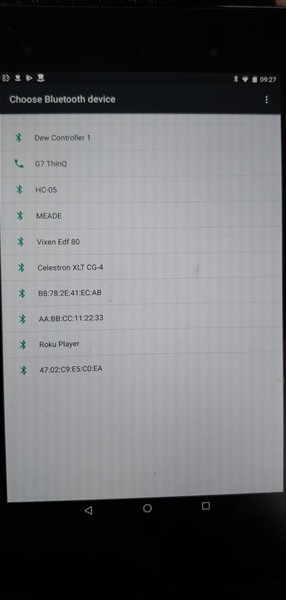
I use SkySafari Pro 6 on an LG G7 running Android v8 (Oreo).  I have 3 telescopes I'd like to connect.  They all connect fine to Bluetooth when I run the Android OnStep app but SkySafari cannot find the HC-05 Bluetooth adapters at all.  They are paired as you can see in the pic.

SkySafari does not allow me to scroll down the screen.  It remains stuck showing only the first 3 Bluetooth devices.  Please see the next pic of the SkySafari Bluetooth connect screen.
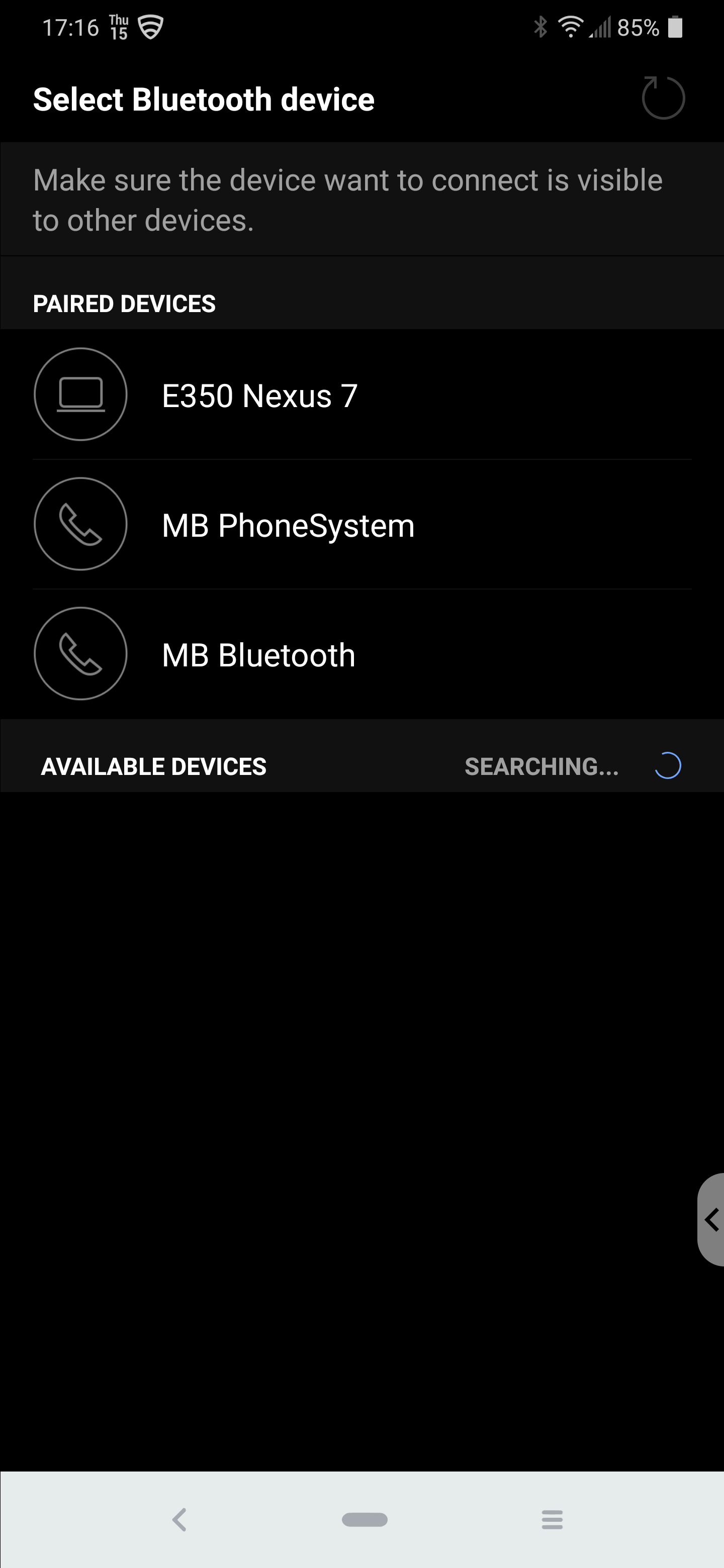
I am not sure but I think I may have discovered a SkySafari bug.

Please let me know if this is me, my phone or SkySafari.  I am suspicious of SkySafari (of me doing something wrong) because the phone and my scopes all work with Starry Night 7 under Windows when connecting to the same HC-05 adapters as I am failing to do from my phone.


Thanls

Pete

20 comments

  • 0
    Avatar
    Keiron Smith

    Hi Pete, 

    Unfortunately, we can not support 3rd party bluetooth adapters nor the OnStep app.  SkySafari officially supports SkyBT (Android only) SkyFi 3 (iOS and Android).

    However, other SkySafari Android users may be able to assist with troubleshooting ideas.

    Thanks!

  • 0
    Avatar
    Pete Ingram

    Kieron,  Thanks for your reply.  I do not ask or need support for OnSTep.  It works fine.  I offered it simply as an example to show that my phone would connect to an HC-05.  As it happens, SkySafari 5 Pro also worked fine.  In fact, SkySafari 6 Pro used to work on this phone.  It all stopped after a recent upgrade.  I do not think you need to support third party adapters, merley support the Bluetooth 2.0 specification.

    I guess my question now remains as follows:  Does the SkySafari 6 Pro bluetooth screen scroll up and down when there are more than three bluetooth devices paired on an Android phone running Oreo? 

    Thanks

  • 0
    Avatar
    Keiron Smith

    Perhaps, you can unpair enough devices to see and connect to your HC-05, and determine that way if the only issue is one of scrolling.

    Thanks!

  • 0
    Avatar
    Pete Ingram

    Yes, that is a good suggestion and I shall try that.  I shall also try SkySafari 6 Pro on a couple of older phones and a tablet that I have.  However both my Mercedes cars need bluetooth for hands free voice so I cannot remove them permanently.  As a test, it is a good one.  Thank you.

  • 0
    Avatar
    Pete Ingram

    This is for sure a SkySafari 6 Pro and Android Oreo problem.

    I use an old Google Nexus 7 tablet running Android 6.01 and the bluetooth scrolling works fine when connecting a telescope to Bluetooth (not just an HC-05).  I had exactly the same success with an even older Samsung Galaxy 4 running Android 5.0.

    I installed SkySafari 6 Pro from my the Play Store.

    Following the success using the two older Android devices I returned to my current LG G7 Oreo phone and unpaired (deleted) all Bluetooth devices except for three HC-05s.  They all connected fine.  I put one other Bluetooth device back on the phone and naming it so that it was alphabetically Bluetooth device 3, I found that the 4th device was now not selectable because SkySafari 6 Pro would not scroll down.

    SkySafari needs an update to accommodate Oreo's new feature.

    Q.E.D. 

    Pete

  • 0
    Avatar
    Pete Ingram

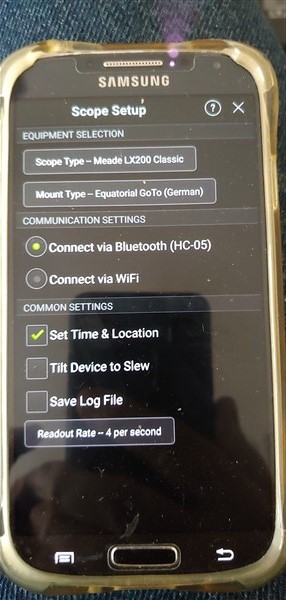
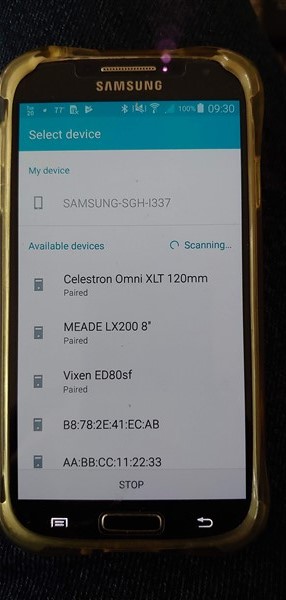
    Just to confirm, here is a screenshot from the Samsung Galaxy 4 running Android 5.00.  The screenshot is of SkySafari 6 Pro's Setup (telescope) Bluetooth device connection screen.  I have used this phoe to control my telescope for at least 2 years running SkySafari 5 and 6 Pro and connecting to HC-05 devices.

  • 0
    Avatar
    Keiron Smith

    Why is this Oreo's "new feature"?  What is the feature specifically?

  • 0
    Avatar
    Pete Ingram

    Look please at the Bluetooth selection screenshot in my 1st post and compare that with the one from the old Samsung phone.  You can see the device spacing is much greater under Oreo and for whatever reason SkySafari does not permit scrolling under Oreo.  I can't really give you much more to go on apart from the two pics and my assertion that under Oreo, SkySafari can only currently select one of the first-three-in-the-list Bluetooth devices.  Perhaps my wording was poor.  I shoul have said different functionality.  Either way it won't scroll and that means that I cannot select the Bluetooth device I want.

    Workaround?  Sure.  Rename the three telescope Bluetooth devices to be aaTelesope_q, aaTelescope_2 and aaTelesope_3.  At best it is a usable work around until it gets fixed.

    You really do need to test this on an Oreo equipped phone I think.

  • 0
    Avatar
    Keiron Smith

    Hi Pete, 

    I'm not sure this page you are posting screenshots of is actually a SkySafari app page.  SkySafari may make a call to the Android OS bluetooth pairing page, which is what you see, and then switch back to the SkySafari after an option is selected.

    What do you see when you go into Android Settings > Connections > Bluetooth

  • 0
    Avatar
    Pete Ingram

    Yeah, easy to be confused.  The pic in question is 2nd on in my OP.  This is a screenshot from within SS6P.  It is the point where I need to select a device to connect to.  I get 3 and no more.  It will not scroll.  Both this pic and the one from the old Samsung say "SELECT DEVICE"  The others are from the phone's OS.

    If you want more or different pics I can supply them.  I can use the work around I described but this is not the answer.  SS6P needs to be able to scroll that screen and it does not right now.

  • 0
    Avatar
    Pete Ingram

    The renaming workaround does not work.  Android does not reorder Bluetooth devices alphabetically. Removal of other devices (both my cars and a car tablet) is the only solution right now.  My only choices are to use an older Android device and to delete SS6P from my newer phone.  Not good.

  • 0
    Avatar
    Pete Ingram

    This topic seems to have stalled.  No worry.  Last weekend I looked out every old phone and tablet that I had lying around the house.  I charged them all up and updated all the OSs and apps.  I had 4 devices:

    - Samsung Galaxy 4, Android 5.0

    - Samsung Galaxy 5, Android 6.01

    - Google Nexus 7 (2013) tablet, Android 6.01

    - LG G7, Android 8.0

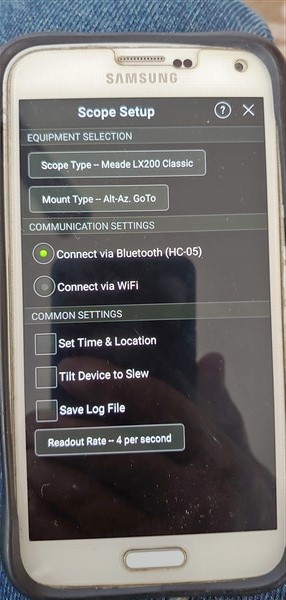
    SkySafari 6 Pro (paid for version) was downloaded on all devices from the Google Play Store on all devices.  I paired all three of my telescopes with all Android devices.  All telescopes have OnStep Goto and HC-05 Bluetooth devices.  The HC-05s connect to the OnStep Android app on all 4 phones/tablet.  This proves correct connectivity to be available.

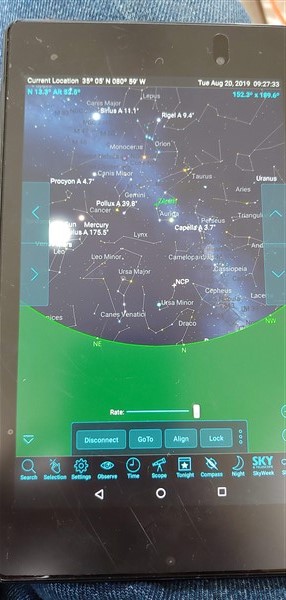
    Next I tried to connect SkySafari 6 Pro via Bluetooth on all 4 phones/tablet.  They all worked except my LG G7 which, from within SkySafari did not show the HC-05s. the picture of the LG G7 within SkySafari is in my original post.

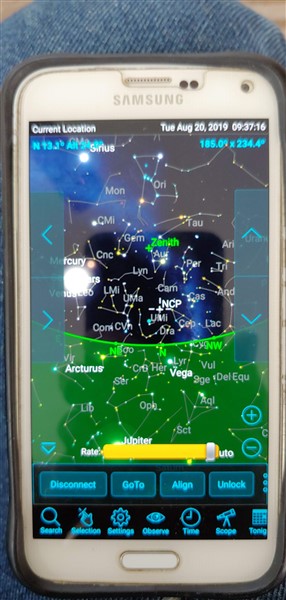
    I took similar photos of the other three devices and all of them show the telescopes/HC-05 and they all connect.  The only device that did not show or connect was the LG G7.  The photos are below,

    I really think there is a problem within SkySafari because it ti the only app that does not show the HC-05 on the G7.  The really worrying this is that it USED TO WORK on the G7 until a recent Play Store update.  I am convinced that this is a SkySafari bug.

    So far I have not posted my problem on Cloudynights or Stargazerslounge but if you cannot help I shall have to ask the community at large as I need the software I have bought and which was working to work again.

    Please help

    I also own licenses for SN8 and CSAP7


  • 0
    Avatar
    Pete Ingram

    I just downloaded this thread to my PC and I noticed at the top of the thread that you have marked this as Answered.  That is true nut this issue is absolutely not resolved or closed. 

    I really do need you help here guys. 

    Thanks.

    Pete

  • 0
    Avatar
    Chris

    I've noticed quite a few things lately that are breaking in SS6 as Android updates. Though Bill and team have fixed many of them, other things have caused me to stop updating my SS6 or Android on my tablet, my primary device. For example, using the latest version of Android and SS6, notifications are completely broken, only notifying when the app is opened. Unfortunately, Android takes a back seat to Apple since Apple users tend to spend more money on apps.

  • 0
    Avatar
    Pete Ingram

    Chris,  Thanks for the reply.  I too have noticed that apps sometimes do not keep pace with Android updates.  It is also clear that Android and/or Windows products here definitely take a back seat to their Apple equivalents.  That is up to them.  I have zero Apple product in my house and nor will I ever.  This is somewhat fpor the reason you state of cost but it is also about flexibility and functionality.

    I hope these guys can help because I believe that I have adequately demonstrated that there is an issue and that their product is currently inoperable with Bluetooth as it stands.

    If this is not addressed, I shall ask on Cloudynights and other forums if anybody has a fix and if not, I will just find another solution.

    I hope that they choose to address this.  I have spoken to a couple of people in my astronomy club (we have 200 members) and one other person has reported a problem similar to mine so I know that it is probably not just me.

  • 0
    Avatar
    Pete Ingram

    So I went back to SkySafari 5 Pro.  It exhibited the same symptoms as SS6Pro.  The Bluetooth telescopes were not visible to connect.

    I re-installed SS6Pro and it still does the same thing.  This app is now useless to me for controlling my telescopes.  It is very annoying since it worked for at least two years previously on other phones.  Obviously I can still use an old phone to control them but that is clearly not the way forward.

    Other apps work fine as does my Windows PC connection.

    This appears to be an incompatibility between the app and my version of Android.  

  • 0
    Avatar
    Pete Ingram

    Has any progress been made here please?

    My phone has now been updated to Android Pie and Sky Safari STILL does not recognize my telescopes.  Other Android phones and tablets running earlier version of Android do detect, connect and function perfectly with Sky Safari.

    On earlier versions of Android I vane always been able to use Sky Safari with all three of my telescope.  This stopped when I got a new phone.

    Having asked around and done some of my own testing I am now convinced that the problem lies in the way Sky Safari works with Android Oreo (8) and Pie (9).  I have not yet got to try Sky Safari on Android 10 so I cannot say if that works.

    It is a very clear problem.  Sky Safari connects to all of my telescopes equipped with HC-05 modules (these support Bluetooth protocol:  Bluetooth Specification v2.0+EDR) when the Android device is Android 5 or 6.  However when the Android device is 8 or 9 it does not even show the HC-05s within Sky Safari.  Other software on my Android 9 phone will connect to the HC-05.

    I believe the problem is with Sky Safari and I need it fixed please,  I have PAID FOR your product and I need it to to work with current Android, not just older versions.

    Please give me a response as I honestly need to know what has happend and what is going to happen.

    I am not going to let this drop.  I'll keep coming back.  Why?  Sky Safari is supposed to be a premium product and I have the paid for Pro version.  I downloaded it from Google Play where there was nothing said that this was not going to work on my new phone just like it worked on my old phone.  I feel that the responsibility lies with you, the publisher to respond and to give me a working product.

    Thank you.

  • 0
    Avatar
    Pete Ingram

    I have now installed WiFi on all three of my telescopes.  They now work with Sky Safari once more if I connect via WiFi.  Bluetooth connectivity still works with Android 6.0.1 but not with Android 9.

    I am extremely disappointed with 

    a. your product being sold as working on my phone and not doing so.

    b. having your product work on an old phone and not on a current one.

    c. the lack of dialog and explanation I have received on this forum.  You just STOPPED talking when I had a problem.

  • 0
    Avatar
    Jorge Olivares

    Hello!!! I use Bolutek module (BT is based in HC) with 2 mounts. One is Virtuoso (Skywatcher) and the oder is a Celestron Advanced CG5-GT... I have 2 tablets, old BQ with Kit Kat Android's version and Samsung Tab 6, most modern version.

    It's not the same problem, but it's similar...


    With old tablet, Sky Safary 5 or 6, both tablets works

    With new Samsung, only Skywatcher mount wors... 


    So I thought the problem was of the Android version. But I installed Stellarium +, and works with both tablets and both mount !!!!

    I think it´s a problem between SS (5 or 6) and some Android's versions, and only with same mounts.  


    I have a HC5 module... I'll try to detect it with the new tablet


  • 0
    Avatar
    Pete Ingram

    Hi Jorge,  Thanks for the reply.  It is nice to see somebody else responding.  I am sorry you have a similar problem to mine.

    I have solved my problem in similar ways to you.  I simply installed Stellarium Plus Mobile and all works fine. The BT05 module works on my new KG phone but SkySafari 6 Pro does not.  I also installed and ESP01 WiFi on my scopes so now they do WiFi as well.  That still works with SkySafari.

    What annoy me in here is that the moderators will not acknowledge the problem.  I am sure this is not an Android problem.  It is a SkySafari to Android problem.  I have paid them money and I expect it to work.  If not I shall (and have) found another solution.


    Thanks again.

Please sign in to leave a comment.