New post
0

Automatic Daylight Saving Time issue in SkySafari Pro (Answer: Issue Is No Longer Reproducible)

Hello folks,

SkySafari Pro recently developed a date entry error. On Sunday evening last, when using the Pick Starting Time screen to record a Start Time for a Session, I noticed the time is one hour off. In other words, the current time was 16:15hours, but the picker was one hour ahead. If I disabled Automatic Daylight Saving Time in Settings>Date & Time, the picker would enter the correct time. Occurs both on an iPhone 7 and iPad Air 2.

Skysafari Pro v6.5.1.3, iOS v12.4.1

Thank you for a great product -- credit where credit's due folks!

Kind regards,
Mark

4 comments

  • 0
    Avatar
    Keiron Smith

    Hi Mark, 

    Please confirm your version number.

    Please also give me a path to reproducing this issue, with screenshots.  

    I can not reproduce an issue with DST with SkySafari 6 Pro on iOS 13.2.

    Thanks!

  • 0
    Avatar
    Dirtbagpook

    Hi Keiron,

    Current Test Setup

    Skysafari 6 Pro v6.5.1.3 on iPhone 7 w/iOS 12.4.1

    Original Test/Live Setup - used for 99% of the field recordings

    SkySafari 6 Pro v6.5.1.3 on iPad Air 2 w/iOS 12.4.1


    SkySafari Setup

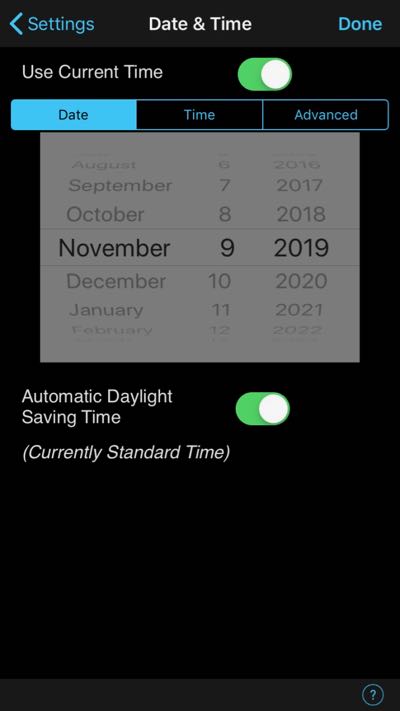
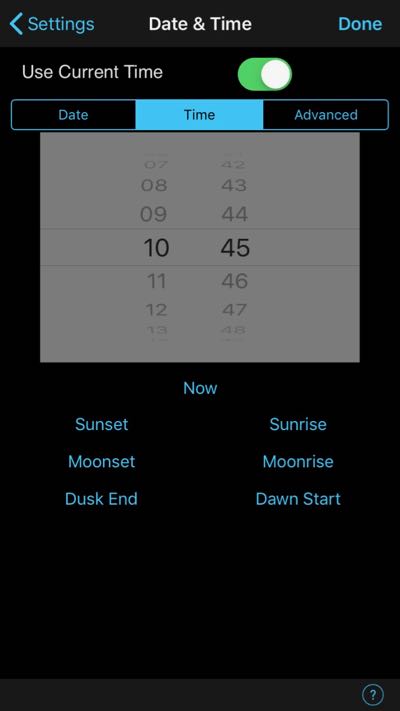
    Settings>Date & Time

    Date: current with Automatic Daylight Saving Time enabled

    Time: Use Current Time


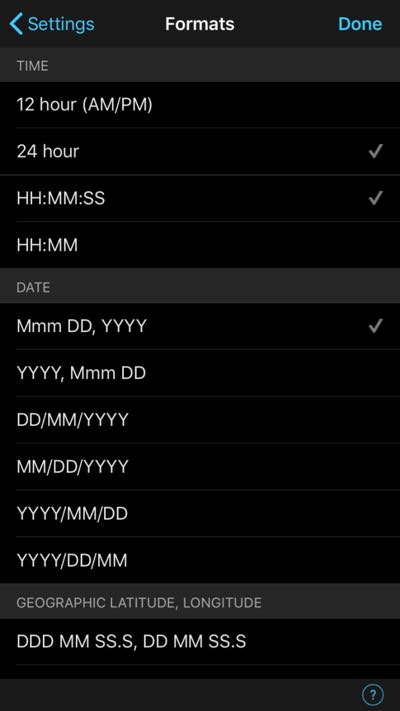
    Settings>Formats

    I changed to 24 hour clock format when I first started using SkySafari, >2 years ago.


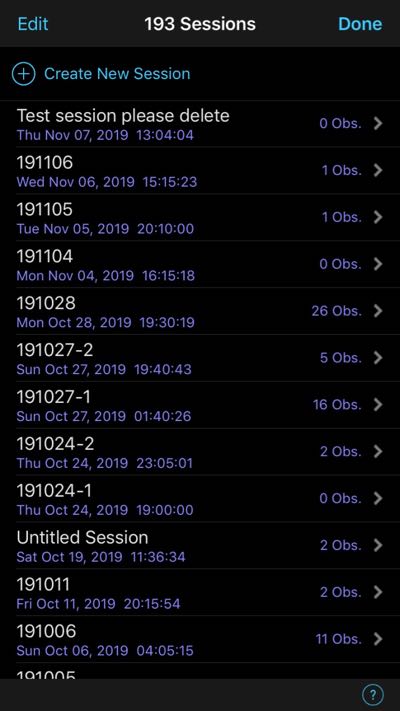
    Sessions

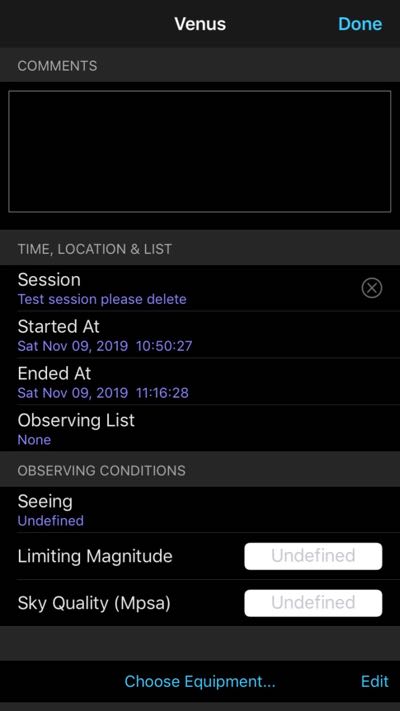
    Test Session please delete: for testing purposes, created Nov 7, 2019


    Steps to Reproduce

    Tap Object

    Tap Selection>Create New Observation

    Tap Session: select Test Session

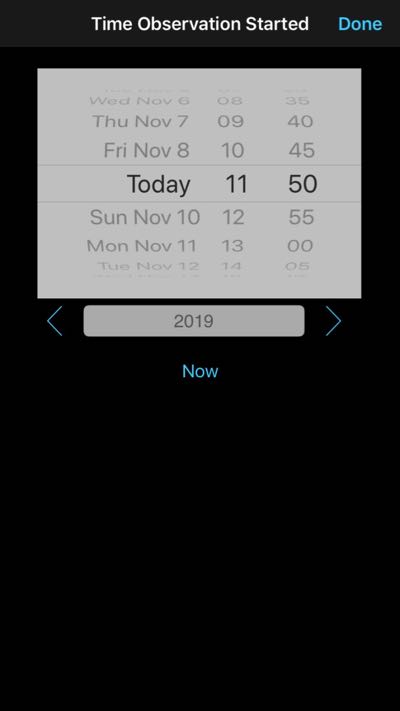
    Tap Started At: the hour selection wheel is one hour ahead

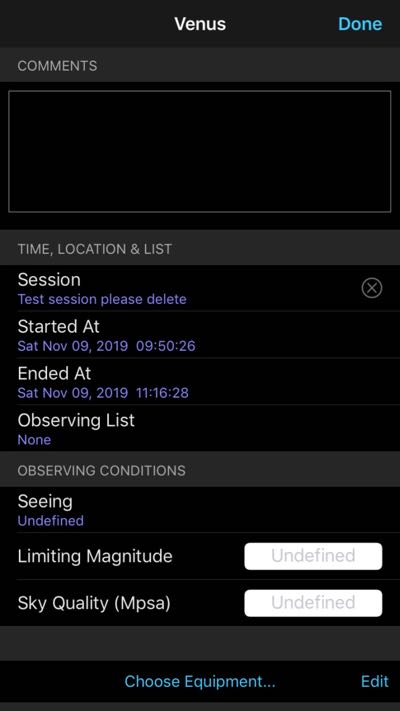
    Change the wheel selection to the correct/desired time

    Tap Done

    The Started At Time is now one hour earlier than the Current Time


    The correct time appears to be recorded when:

    The selector wheel is one hour ahead

    Disable Automatic Daylight Saving Time

    One can edit the Time in LiveSky (I have Premium)


    Thanks in advance. Please feel free to reach out if you need anymore information. I’ll be happy to help!

    Regards,

    Mark


  • 0
    Avatar
    Keiron Smith

    Hi Mark,

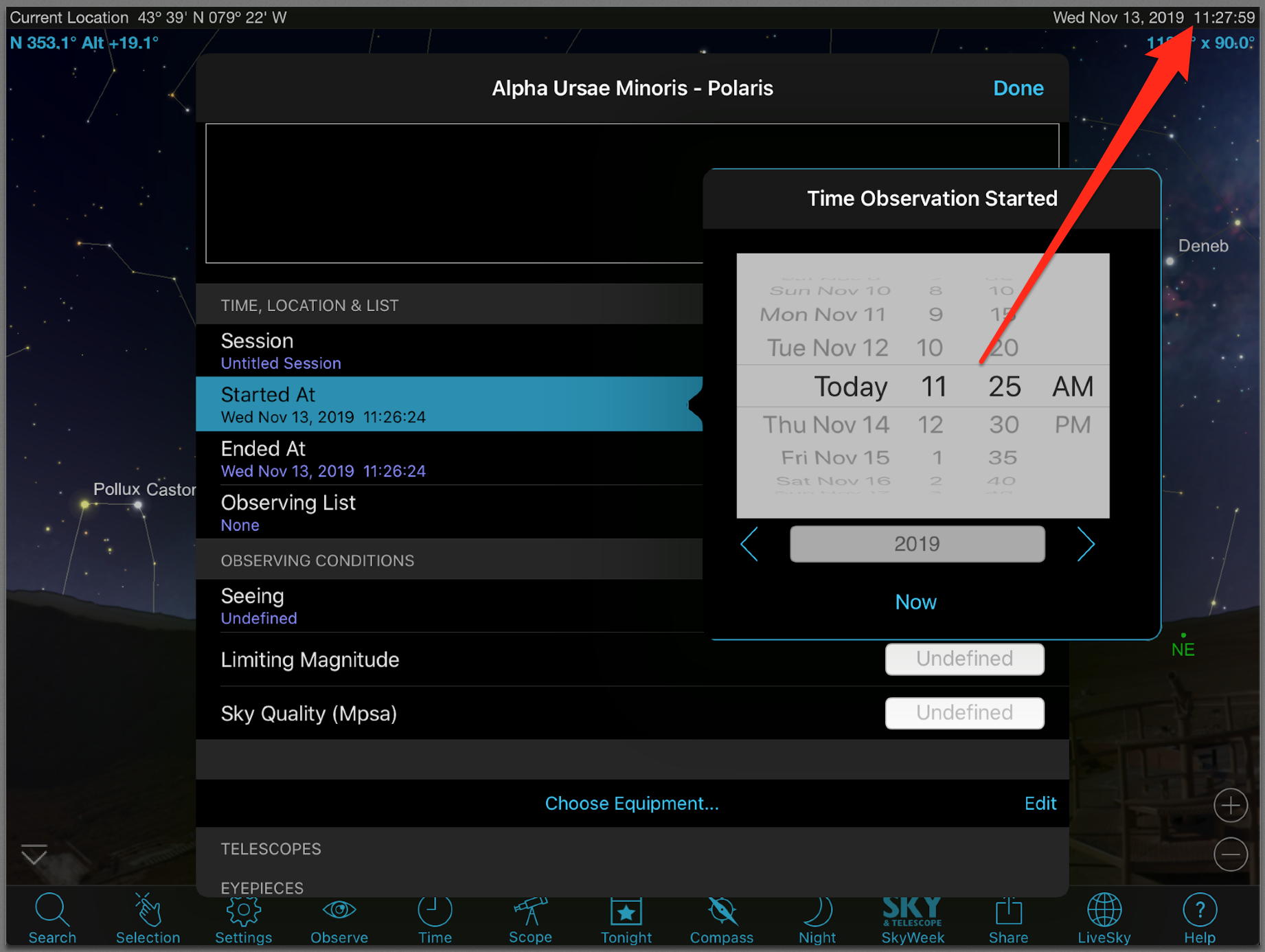
    When I try to reproduce this issue I find the time is correct at this step.  What is your home location?

  • 0
    Avatar
    Dirtbagpook

    In SkySafari Pro

    Location = Current Location. Ok, then I followed my steps to reproduce on the iPad Air 2 and Voila! The issue has disappeared, even with Automatic Daylight Saving Time enabled. Ghost in the machine. I'll check the iPhone later this week. Thanks in advance!

Please sign in to leave a comment.