New post
0

Why Doesn't The Translucent Green Horizon Work in SkySafari 6 Pro Anymore? (Answer: Change The Coordinates Setting From Equatorial To Horizon)

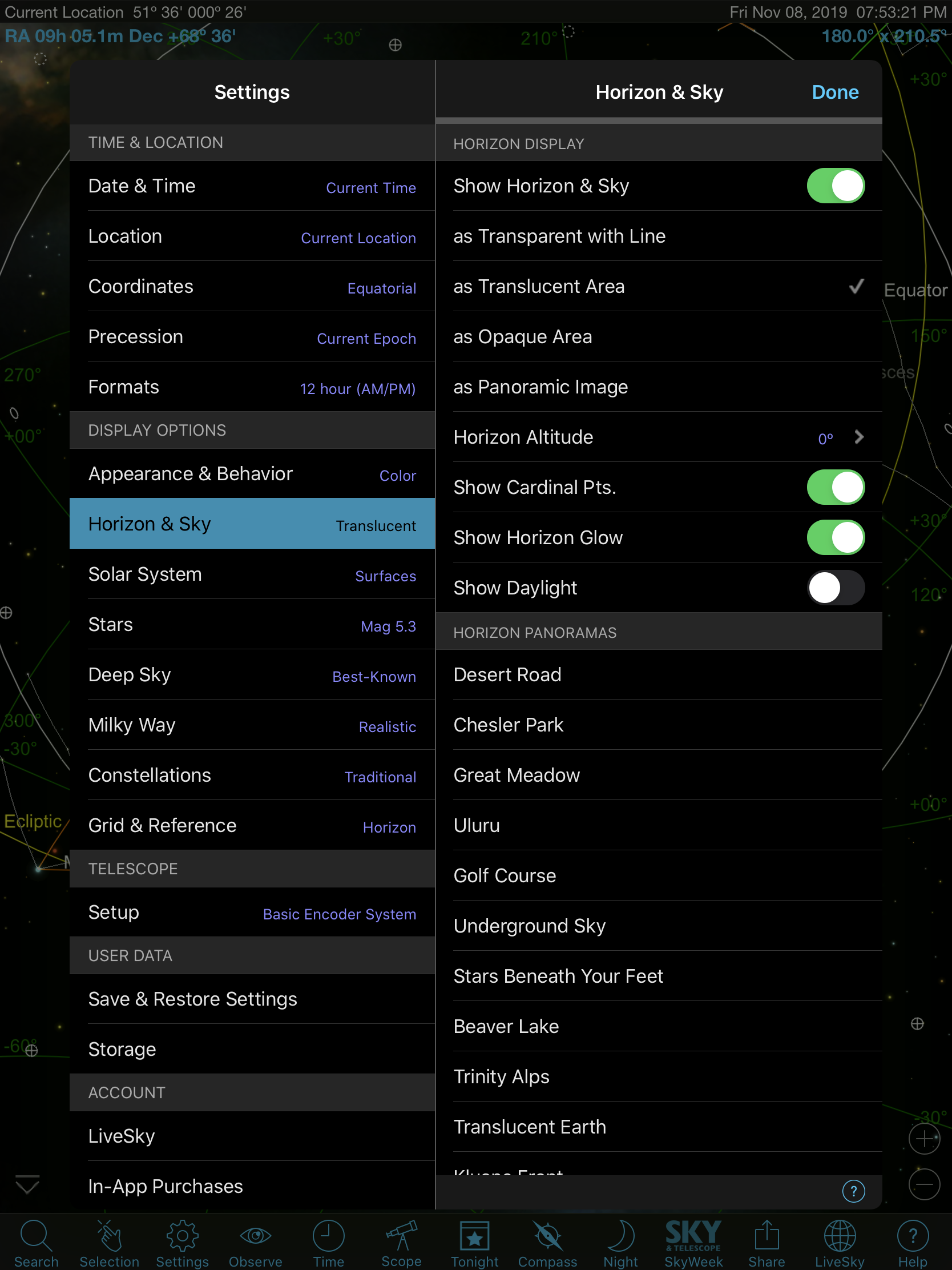
I think I might have a bug. The translucent setting, (which I always use) isn’t working on my iPad Pro. it used to. It works on my iPhone and I’ve checked the settings match.

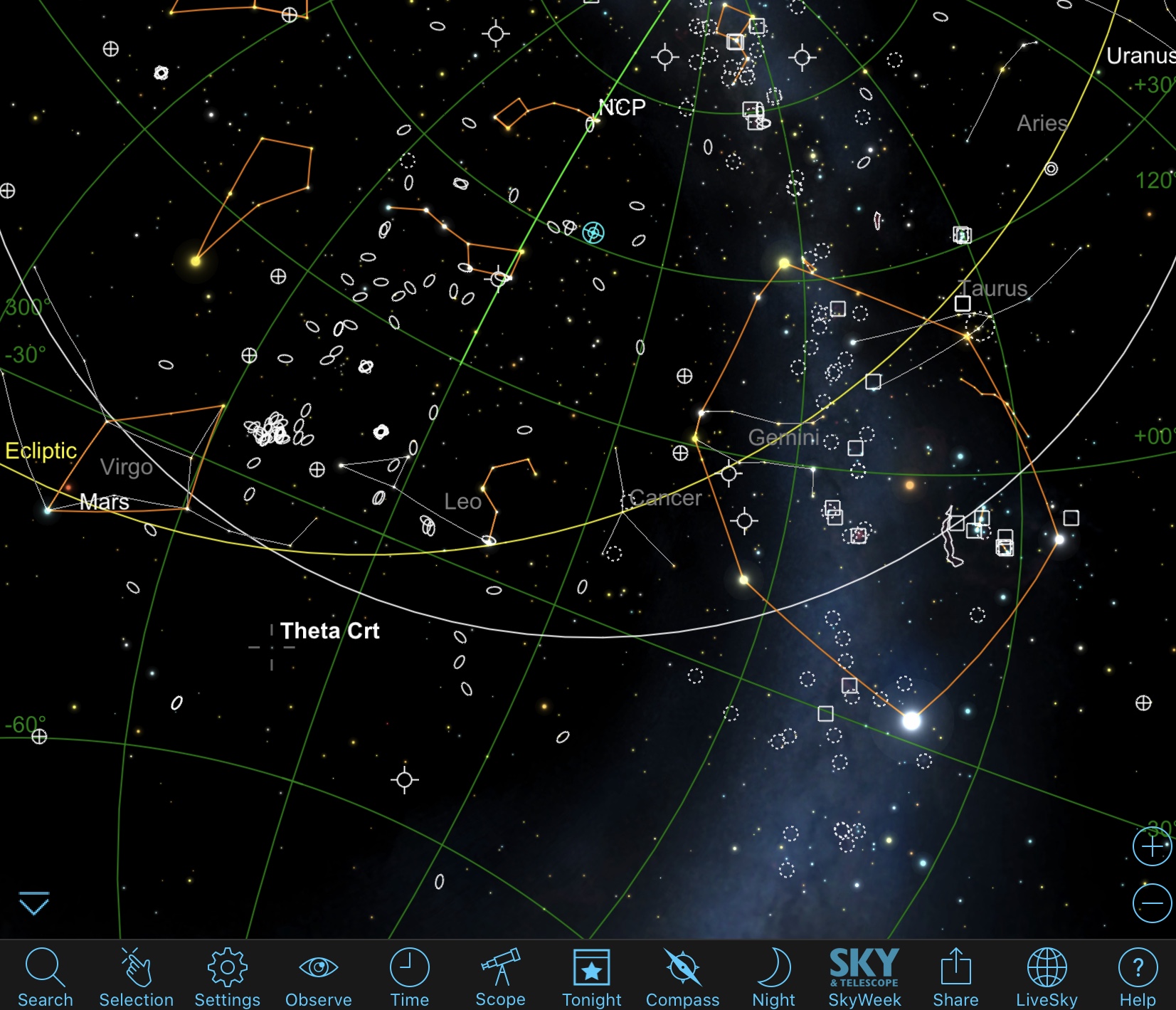
I should see below the horizon in green and altering the setting on the iPad doesn’t seem to change anything. 

11 comments

  • 0
    Avatar
    Keiron Smith

    Hi Scooot, 

    1. App and version?
    2. iOS version?
    3. Please include a screenshot of the selected setting, and also of the skychart you see.

    Thanks!

  • 0
    Avatar
    Scooot

    Sky Safari 6 pro

    ios 13.2,2


  • 0
    Avatar
    Scooot

    It won’t let me send a screenshot of the sky chart

  • 0
    Avatar
    Scooot

    Ok it


  • 0
    Avatar
    Scooot

    I had to crop the screenshot of the sky chart for it to accept the image 

  • 0
    Avatar
    Keiron Smith

    What happens when you choose:

    1. Transparent with Line
    2. Opaque Area

    Thanks for the screenshots!

  • 0
    Avatar
    Scooot

    Nothing, it stays the same as far as I can tell.

    I think it went wrong when I switched to a monochrome chart when I last used my scope but can’t be sure because I obviously can’t see the green n mono. Only noticed this evening when I switched back to the colour chart.

  • 0
    Avatar
    Dean

    You need to change the "Coordinates" setting from Equatorial  to Horizon.

  • 0
    Avatar
    Scooot

    Ah, many thanks. That works. 
    my apologies for thinking there might be a bug. 😀

  • 0
    Avatar
    Keiron Smith

    Thanks, Dean, for the save!

  • 0
    Avatar
    Dean

    My pleasure.

Please sign in to leave a comment.