New post
0

[SynScan WiFi Beta Testing] Possible BUG or feature is not developed yet: AZGTi mount position

Hi,

I do not know if it's normal behaviour or at this beta phase this function is not complete yet, but I have problem with mount positioning. I can describe two scenarios, root cause might be the same, no celestial coordinates coming from the mount, only "raw data".

1. In case of using SkySafari only

- I connect to the mount via SkySafari app
- Mount position information show to default, towards NCP regardless its actual position
- Star alignment is not possible, if I try to set the mount to a certain star and press align button in SkySafari, I receive an error message: "Command Failure - Your alignment target is too far from the telescope's actual position. Please make sure yiu selected the right alignment target."

2. In case using both SynScan app and SkySafari

- I set up the mount in SynScan via the normal way, goto works properly with SynScan
- I open SkySafari and connect it to the mount
- SkySafari's telescope direction points to a different part of the sky, far from the telescope's real position which makes goto function useless, the telescope coordinates are completely wrong in SkySafari

If I compare how it's working via the old method with two IOS devices, there is no problem. In this case I use one device with SynScan and an IOS device with SkySafari - standard SynScan connection, NOT SynScanLink!

- I set up the telescope mount with one device using SynScan app, goto is working properly with it
- I set up another device with SkySafari conecting to the first device's IP address via the old SynScan connection
- SkySafari shows the correct telescope direction, goto is accurate

Used equipment:

SkyWatcher AZGTi mount, firmware version 3.20 (standard, AZ mode)
iPhone 8 IOS version 13.4.1
iPhone SE IOS version 13.4.1
SynScan app version 1.18.3
SkySafari Plus beta 6.6.5.1

49 comments

  • 0
    Avatar
    David Parks

    Tamas,

    If you will give it a try, I believe you will find out that your steps 1 - 3 are irrelevant and simply accomplishes the act of pointing the telescope north and level to the horizon.  Any previous alignment you did with Synscan is lost the moment you turn the mount off in your Step 3.

    Simply:

    1. Point your telescope north and level to the horizon (Set the mount/tripod down, loosen clutches and swing the scope into north level, tighten clutches)

    2. Turn the mount on

    3. Connect SkySafari

    This alone will bring the same accurate positioning in SkySafari (not similar accuracy, the EXACT same accuracy).  Far simpler than Luminos.  No Synscan Required.

  • 0
    Avatar
    Tamás Fehér

    David, you are right and I am not arguing with that. I just found my method is simply more accurate because I can position the mount to 0/0 after SynScan alignment more precisely by checking the axis values on my phone's screen in arcsecond resolution. Anyway, whichever method we are using, a handshake between the planetary app and SynScan would be a more convinient and faster solution.

  • 0
    Avatar
    K

    David hi

    Thank you for answering those other points, much appreciated as ever.


    AZ vs EQ

    Yes, that was my basic understanding that in AZ mode, the motor/motors and gears have to perform a stepping action when tracking(example 2up, 1 across etc).

    Whereas in EQ mode, it may well just be the 1 across, less actions and less room for error all being equal or a single plane.

    And back to the old best Polar alignment practises, if you want the best results.


    Weather beat me last night, all set-up outside, 8-10 star only in SharpCap, then 3, then game over!

    However, I did roughly Polar align(very roughly, its behind that cloud!), powered on the AZ-GTI and then connected using only the SkySafari Beta app and nothing else, after firstly checking in AR mode where several objects where(as at this stage I could only physically see Venus and the Moon).

    **Note**

    To start with, I also physically position my kit as shown in David's picture on the previous page.

    (And like some others, I did initially use SynScan for this process - however, not anymore)

    **********

    I then navigated/slew to all of the targets, not conclusive due to adverse weather conditions, but on a personal note, I was able to test that you do only need that single app working.

    I will try again tonight.

  • 0
    Avatar
    Keiron Smith

    New beta is available, SynScan_Link option is available again, an we have the SkyWatcher mount in-hand!  

    So, please get the latest build and keep testing.

    Thanks for your patience!

  • 0
    Avatar
    Albut

    David I quote “3. Connect your iOS device to the AZGTi wireless access point”

    more information because there is no way any of my iOS devices can connect to the azgti unless I use synscan link and then it opens the synscan app. So more info please on how you connect to iOS device directly from SKySafari without using any other app.

  • 0
    Avatar
    Albut
    Keiron Smith

    New beta is available, SynScan_Link option is available again, an we have the SkyWatcher mount in-hand!  

    So, please get the latest build and keep testing.

    Thanks for your patience!
    what ghastly happened post pretty old have you given up on this

  • 0
    Avatar
    Albut

    Seems the problem us that the synscan app dies not run in the background on iOS devices. So that’s it really.

  • 0
    Avatar
    Albut

    David Parks “The exciting thing here is that Skywatcher finally made their API available to Simulation Curriculum and now we get to Beta Test Skysafari's direct control of Synscan Mounts without needing the Synscan App to serve as the API.” How?

  • 0
    Avatar
    Albut

    David Parks wrote :

    ‘Simply:

    1. Point your telescope north and level to the horizon (Set the mount/tripod down, loosen clutches and swing the scope into north level, tighten clutches)

    2. Turn the mount on

    3. Connect SkySafari

    This alone will bring the same accurate positioning in SkySafari (not similar accuracy, the EXACT same accuracy).  Far simpler than Luminos.  No Synscan Required.”

    Can’t connect in iOS without handshake with Synscan app. Simple as that. Luminos does the same to import offset data from synscan app and is far easier because Luminos has far better sync functions. These not available in SkySafari and sync does not work in SkySafari without having 2 devices connected. It does in Luminos.

  • 1
    Avatar
  • 0
    Avatar
    Albut

    Keiron,
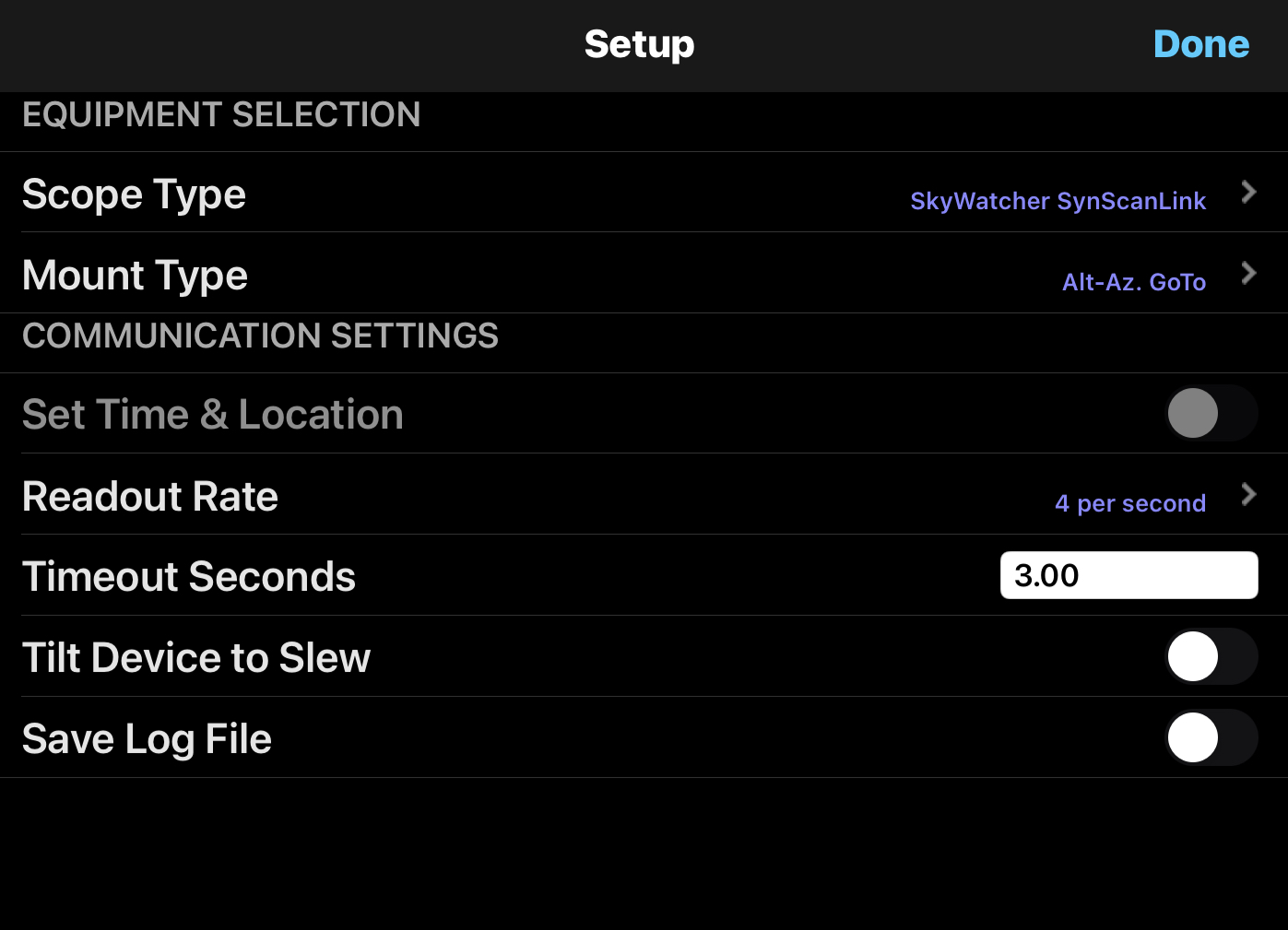
    My SkySafari app (which is the latest version) doesn’t relate to your link at all. See the screenshots. I do not have the options shown in the link you suggest. No where to put ip address or port.

  • 0
    Avatar
    Albut

    Further more with the above, it’s not possible to control SkySafari without the synscan app handing over the data and it all has to be done on the same iOS device that’s doesn’t work as synscan does not run in the background properly. Therefore syncs are impossible. Running on 2 devices does not cause a problem but the point is why can’t this operate on the one device. Luminos can control the mount after the initial handover. Then the synscan app can be closed and all works ok but not in sky safari.

  • 0
    Avatar
    Albut

    The problem is when using 1 device via the skywatcher synscanlink setting, on hand over of data from synscan to SkySafari there is a misalignment. The mount although set to 0,0 is shown pointing in a different direction. This offset is not correctable with sync. When using 2 devices via the Skywatcher synscan setting there is no offset. May be to do with the synscan app not being able to run in the background and therefore not completing the handover properly. Not sure. Any experts out there with ideas. BTW this offset also shown on other apps at handover, but in Luminos can be synced to align mount with real world, although not feed back to synscan sky model.

  • 0
    Avatar
    Keiron Smith
  • 0
    Avatar
    Albut

    Did you read at my post above? These instruction bear no resemblance to my latest version of SS pro. Read my post and note the screen shot. I can connect with 1 device via synscanlink setting but this is useless as there is an offset that cannot be corrected with sync. Connecting with 2 devices via synscan no probs. Is SS meant to work on a single device without problems?  But referring to the instructions you referred me to, I do not get the ip and port options in the synscan link settings as the post shows, I get as the screen shot posted.

  • 0
    Avatar
    Keiron Smith

    Albut, 

    1. In iOS (iPhone/iPad) Settings > Wi-Fi > connect to the SynScan WiFi network by selecting the module name which is usually something like:
     
    SynScan_WiFi_xxxx.   
     
    Are you connecting to the SynScan WiFi network?
  • 0
    Avatar
    Albut

    We must be at cross purposes here. I can connect and control my mount in SS. I cannot connect directly to it without the handoff through synscan pro app when using 1 device with SS skywatcher synscanlink setting. This handoff gives an offset that I DO NOT get when using 2 devices and the skywatcher synscan setting (NOT SYNSCAN LINK SETTING). The ss skywatcher synscanlink setting does not give me options of ip or port selection. Basically I’m unable to connect directly to the mount on 1 device through SS without it opening synscan link app. Have you a mobile we can speak on that you can send to my email or a private email that  I can send you mine to you.

  • 0
    Avatar
    Keiron Smith

    Albut, 

    I'm going to clarify the setup procedure with the developers and will reply here tomorrow.

    Thanks!

  • 0
    Avatar
    Albut

    Keiron, Did you get a response fro the developers? Thanks Albut

Please sign in to leave a comment.