New post
0

How To Configure Time Correctly In Starry Night 7? (Answer: Read On!)

SN Pro V7.6.5.1515 on Mac OS 10.14.6

My time is set correctly, but the moon in the sky view is setting about 1hr 40 minutes too early. I need to run the time back by that amount to make the sky in SN correspond accurately with what is outside.  I have double checked location (Crested Butte Colorado USA) and time zone (GMT-6 with DST, winter it is GMT-7).

The software displays the correct time for sunrise/sunset and moon rise/set.  But the sky view doesn't match.

Why is SN not matching what I see and why is the difference an unusual amount (1 hr 40 mins)??


Many thanks!

  John

9 comments

  • 0
    Avatar
    Keiron Smith

    Hi John, 

    Starry Night time is based on your computer operating system time. The two must be set correctly, and in sync. An error in either will result in a Starry Night error in calculation. For the moment, let us assume your operating system clock is set correctly. So, lets look at Starry Night.

    If you go to File--->Set Home Location--->and then look at the "Map" tab, you will probably see that there is a little red "X" (which represents your location on the global map) somewhere in middle of the Atlantic Ocean or India or somewhere else. The little red "X" needs to be where you are actually located (as a timezone). It doesn't have to be on your exact city, but in the same general vicinity. Once the "X" has been located properly, your Starry Night time should read correctly. Please have a look at this, and let me know whether this resolves the issue for you.

    In Starry Night please check the following:

    1. Go to File ---> Set Home Location ---> Choose your city from the "List" tab or by entering your zip code on the "Zip/Postal Code" tab.
    2. Go to the Map tab and make sure the X is position in the general vicinity. So long as the X is positioned just about right, that ok.
    3. Go to the "Latitude/Longitude" tab and confirm that your "Time Zone" is set correctly. Check the option for "Automatic".
    4. Go to the "Latitude/Longitude" tab and confirm that DST is set correctly.
    5. Go to the Starry Night Time & Date functions (top-left of application window) and makes sure that DST is set correctly.

    On your computer please do the following:

    1. Go to your operating system clock and choose the option to make changes.
    2. Confirm that you are, in fact, correctly set for your time zone.
    3. Confirm the clock time & date are correct.

    If all of the above are true it is not possible for Starry Night to give you an incorrect time.

    So, please spend a few minutes going over all the details above and verify that everything is set up correctly. If Starry Night is not giving you the correct time then something in the list above in not set properly.

  • 0
    Avatar
    John Stenmark

    Hi Keiron,

    Thanks for your quick reply.  I have completed your checklist and confirmed that my computer time and Starry Night are in sync. The X in the map tab is located accurately and the Lat/Long are correct. DST is also set--the AutoManage box is ticked in the Time&Date functions pulldown.

    My issue is that the sky displayed in Starry Night is about 1 hr 40 mins ahead of what is actually happening. For example, Starry Night says moonset is at 22:29 (I confirmed this with other sources as well). But in the sky plot, when I run the time increments manually, moonset is around 20:55. Likewise, Mercury is scheduled to set at 22:05, but in the software it sets at ~20:40.

    What can I do to get the display to more closely correspond with what I'm seeing at a given time?

    Sorry for the bother,

      John

  • 0
    Avatar
    Keiron Smith

    Hi John, 

    How have you set your home location?  Choosing a location from the list, or entering long/lat?

    Thanks!

  • 0
    Avatar
    John Stenmark

    Hi Keiron,

    Yes, I set the Home location to Crested Butte, Colorado USA.  I then compared the Lat/Long in Starry Night with a position in my yard using a handheld GPS receiver.  They agree to one tenth of an arc-minute.  I reckon that is close enough.


    Thanks,

      John


  • 0
    Avatar
    Keiron Smith

    Choosing from the SN list of locations?  Or entering the lat/long yourself?

  • 0
    Avatar
    John Stenmark

    I selected the location from the SN list.


  • 0
    Avatar
    Keiron Smith

    Hi John, 

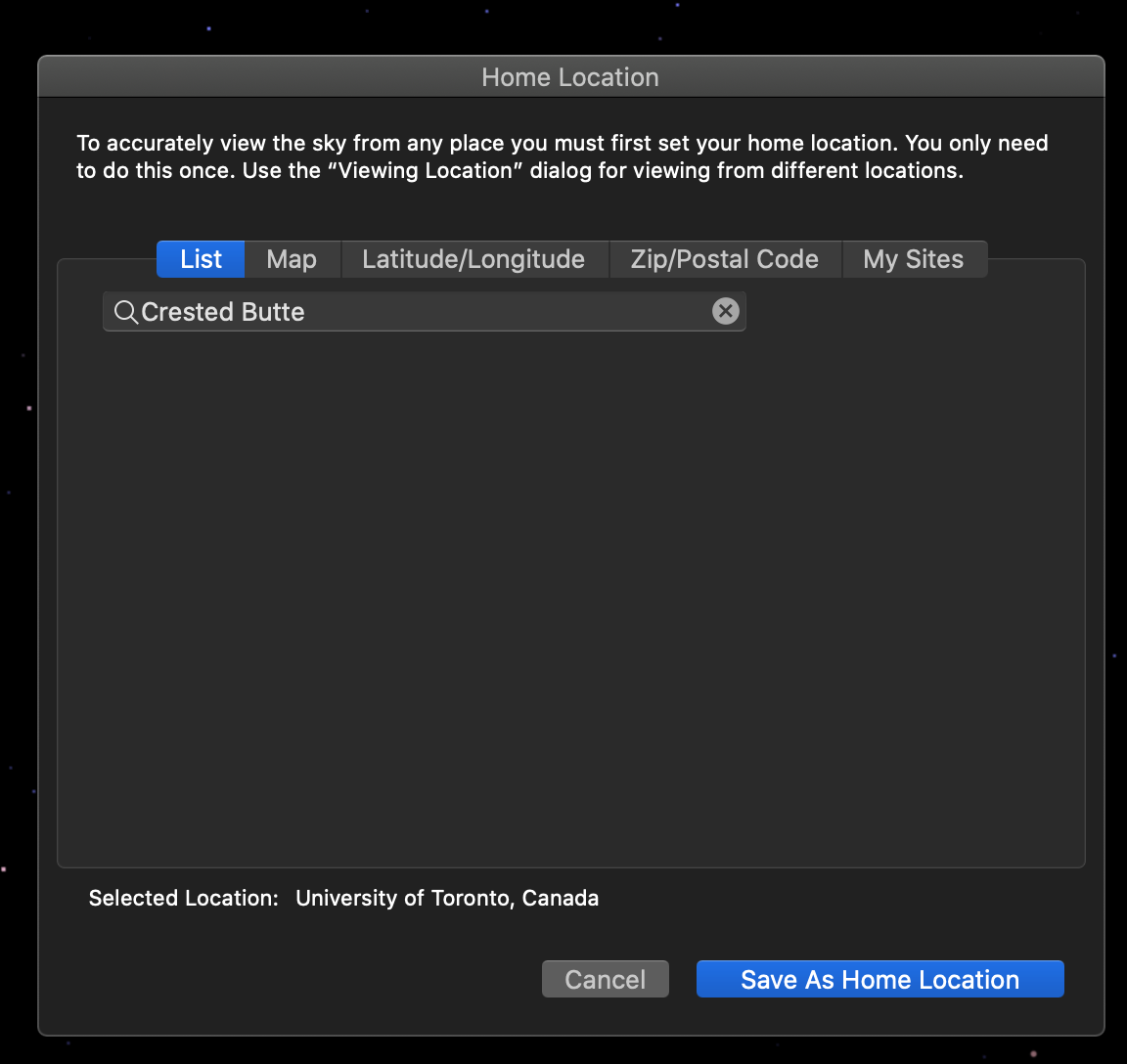
    I don't see Crested Butte Colorado USA in the list of locations to choose from.  But, I am using SN8.  Please show me a screenshot of the location in the list that you have selected for as your home location, like this.

  • 0
    Avatar
    John Stenmark
    You're correct, Crested Butte appears in my list because I had previously defined it.  I apologize for the error.
     
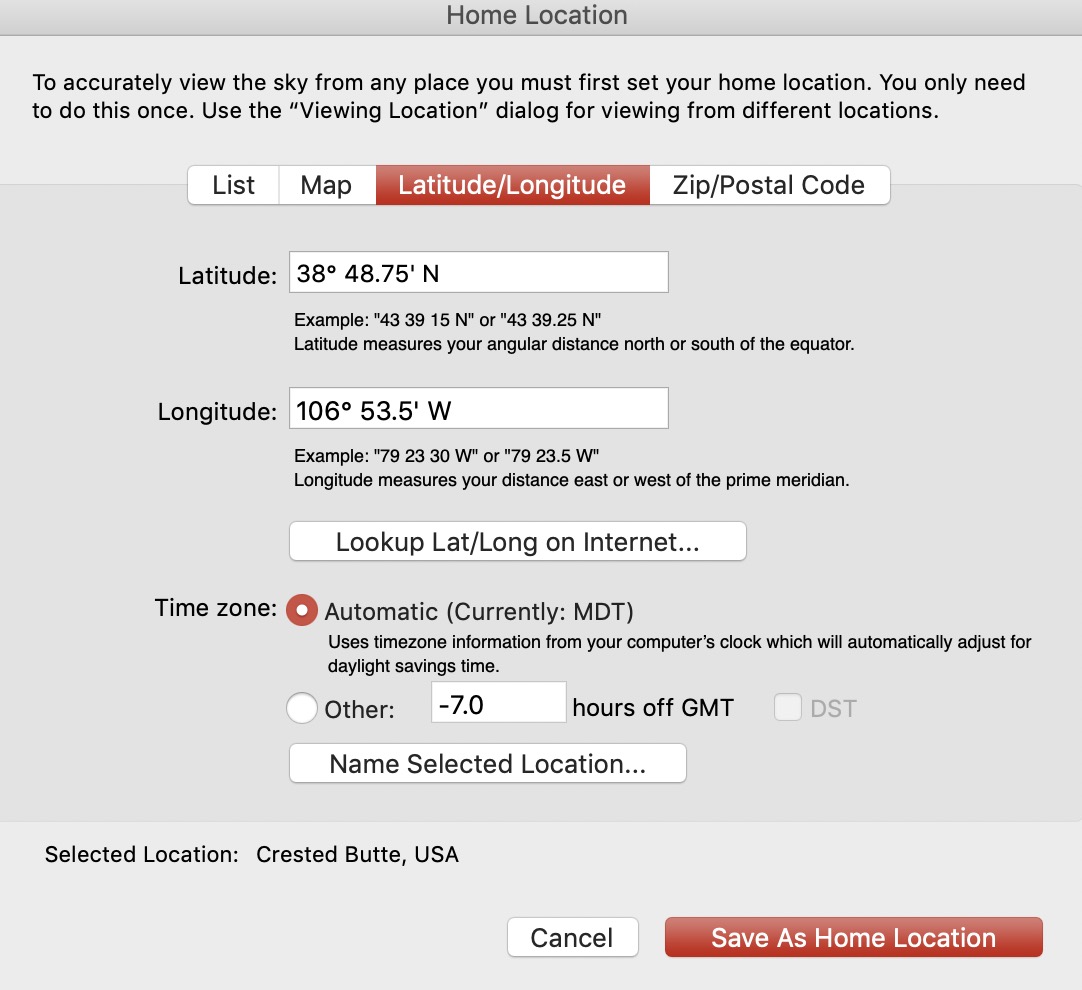
    I wanted to confirm that I had the correct position so I've attached two screen snaps. One is the dialog box from SN7 showing the coordinates I have been using. The second is from my GPS handheld.   The elevation at this location is approx 2,620 meters.
     
    Thanks,
    John
  • 0
    Avatar
    Keiron Smith

    Hi John, 

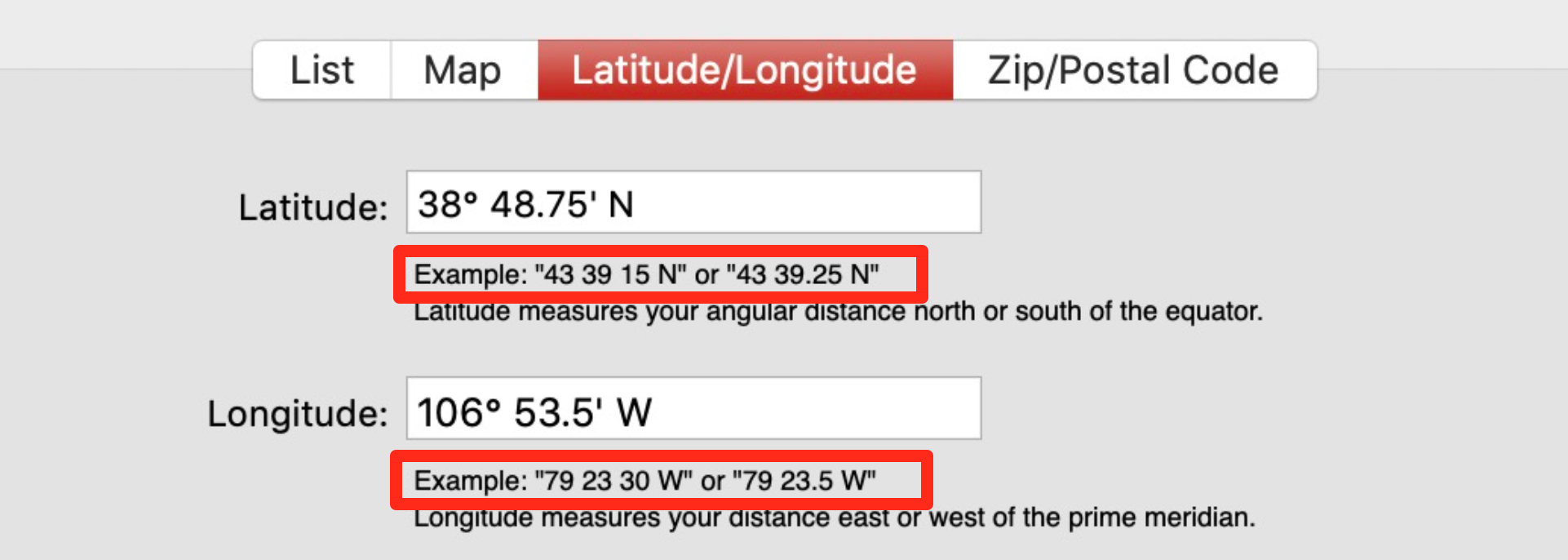
    You have to enter the Lat/Long using one of the formats shown in the example.  That will resolve the issue for you.  Thanks!

Please sign in to leave a comment.