
i bought recently a Travel Scope 70, it came with Starry Night 8 basic edition, i installed it, the Setup wizard was fine and worked, but when i opened the app it says: ´´The planet data file could not be found, try reinstalling from original disks´´, i tried reinstalling and repairing from setup wizard, but still the same problem, here i leave a screenshot: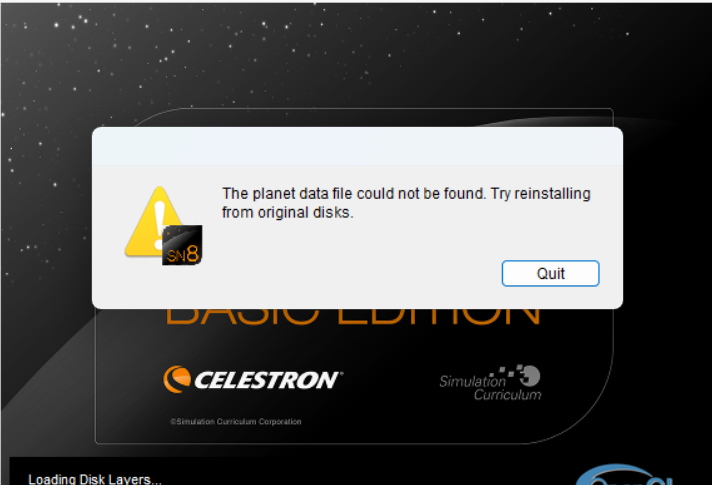
Date
Votes
3 comments
-

Keiron Smith Rafael,
You have 2 options:
1. Read this: Error: 'The Planet Data File Could Not Be Found, Try Reinstalling From Original Disks.'
2. Or, delete Starry Night from your hard drive and download a NEW installer from a fast internet connection. Then make a NEW installation of Starry Night.
Thanks!
-

Brandon Sibley My issue was the installer getting hung up while trying to enable .net 3.5 features, so do this BEFORE you run the installer.
- Open the Start menu, type "Turn Windows features on or off", and select the top result.
- In the window that appears, locate and check the box for .NET Framework 3.5 (includes .NET 2.0 and 3.0).
Uninstall if you haven't yet, re-run the installer as admin.
This fixed it for me -
Keiron Smith Excellent, thanks so much Brandon!
Please sign in to leave a comment.