10 comments
-
Keiron Smith Official comment DevOps reference: https://starrynight.unfuddle.com/a#/projects/7965/tickets/by_number/4112
-
Keiron Smith HI Mirko,
Please Crete a short screen recording that demonstrates these issues.
Please also provide the following info:
App and version. See Help > scroll to the bottom.
Share with a link to iCloud, etc.
Thanks!
-
Mirko Gude Hi Keiron,
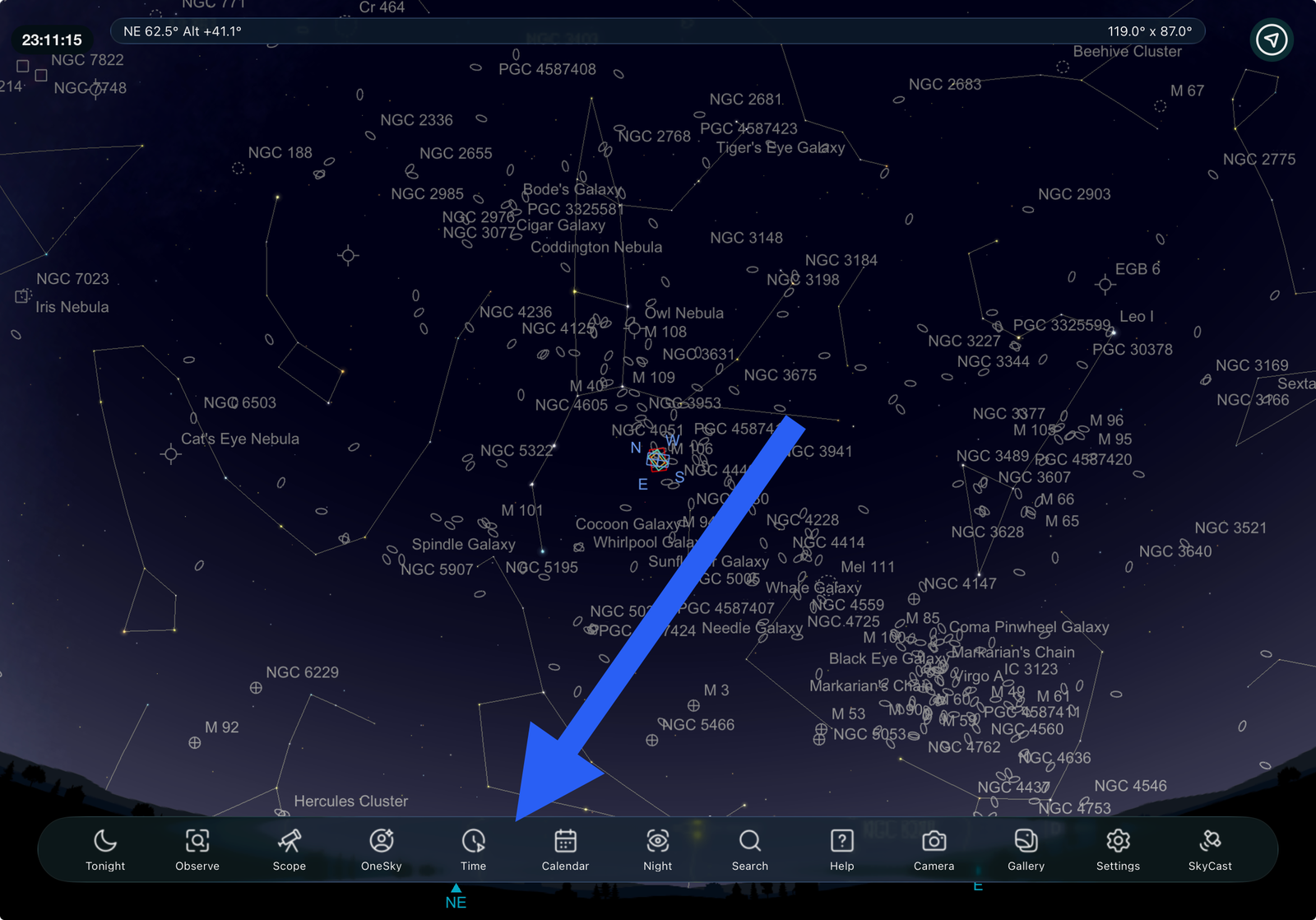
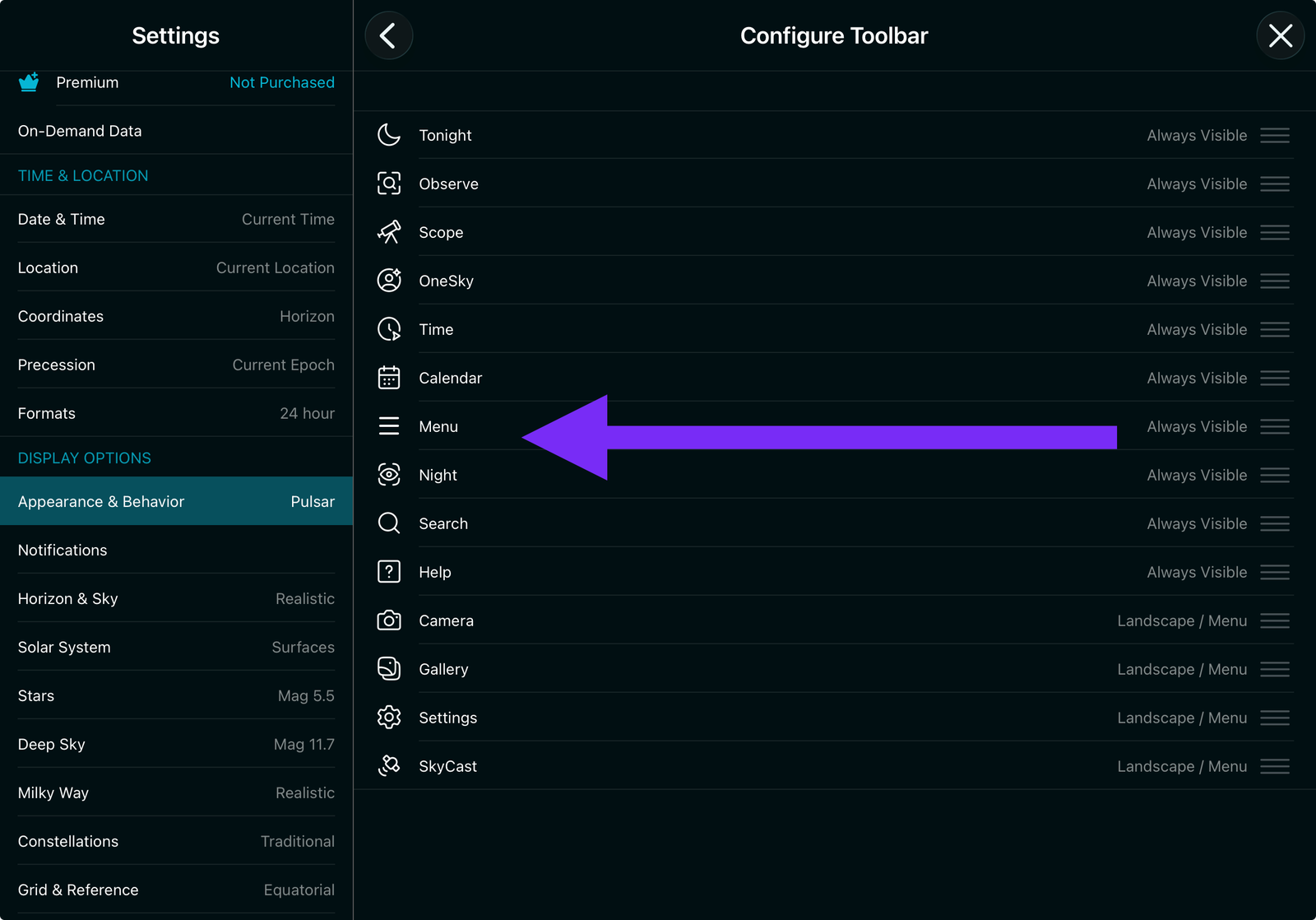
Here are the screenshots


As you can see the „Menu“ is not available …
SkySafari Pro 8.0.0 (1197)
Best,
Mirko -
Mirko Gude Hi Keiron, do you need more information?
-
Garry Bluhm Hi Mirko,
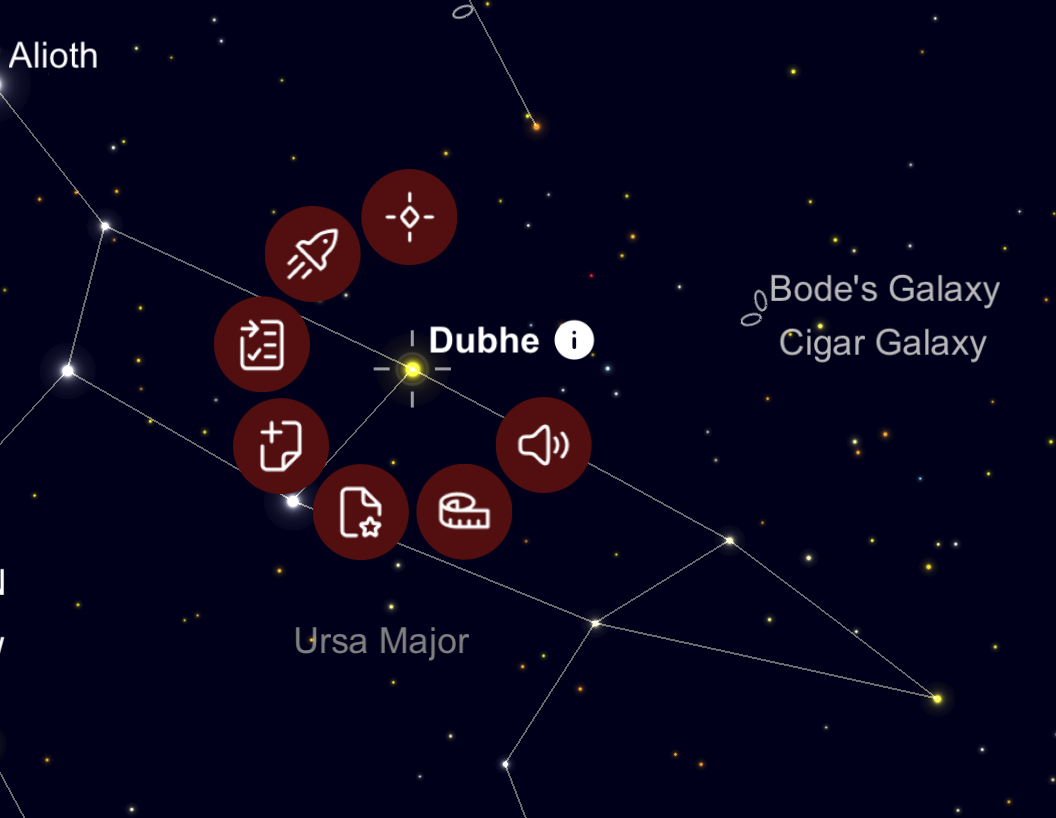
In SS8Pro first tap to select Object on screen, then tap and hold the selected Object until Selection icons appear around the Object.

The Menu icon is only visible in Portrait mode. Make sure to select and enable Auto-Rotation. In Landscape mode all 13 Toolbar Icons are already visible in the Toolbar, therefore the Menu icon is not necessary.
Garry
-
Keiron Smith Hi Mirko,
Does the menu button appear if the iPad is turned into portrait mode?
Thanks for the screenshots.
Thank you Garry too!
-
Keiron Smith Hi Mirko,
In Help > scroll to the bottom. What version are you running?
Thanks!
-
Keiron Smith Nevermind, I see SkySafari Pro 8.0.0 (1197).
Please update the app and check for these issues again.
Thanks!
-
Mirko Gude Hi Garry and Keiron,
Thanks, I use Landscape and I see all icons. But the same is for portrait mode, because there is enough space.
Thanks for the hint with tap and hold the selection, it works also.As I wrote before, my version is: SkySafari Pro 8.0.0 (1197). IOS latest version (26.2.1).
So the „Selection“ Button / Function is no longer a separate icon? It is only accessible via tab and hold…
Best,
Mirko -
Keiron Smith Developers will review and fix.
Thanks for your report, Mirko!