Using SynscanLink setting on SS7 on iPhone 8 running iOS 15.1 successfully with synscanpro in background, however can’t connect with iPad Pro with iOS 15.1. Error message pops up saying SS7 can’t connect, check Synscan Pro app. Anyone else can’t connect using iPad Pro?
Date
Votes
7 comments
-

Keiron Smith Jamie Albireo
-

Albireo George P Kolb Are you sure you were connected to your mount's wifi first using your iPad Pro?
IME SS7 Pro behaves identically between my iPhone XS (15.1) and iPad Pro (15.1) as far as connectivity between SkySafari and SynScan/SynScan Pro goes. But you do have to make sure you're connected to the mount first.
-

George P Kolb Thanks Albireo. Yes, I connected the iPad Pro first to the mount via Wi-Fi then performed an alignment using the Synscan Pro app, then started SS7, pushed the scope button, then connect and that’s when I get the error message that SS7 can’t connect. Using the same sequence with my iPhone SS7 connects perfectly. Must be a setting in my iPad.
-
George P Kolb Albiero, I compared my settings in my iPhone to my iPad and found SS7 toggled “off” under privacy, local network. After toggling it to “on”, SS7 connected the first time so that was the problem. Thank for making me think.
-
Albireo George, I have to admit I didn't even know there was such a setting in SS7, so that's a nice find. Had it been set by default?
-
George P Kolb Albiero - the setting for privacy, local networks (on or off) was in my iPad, not SS7.
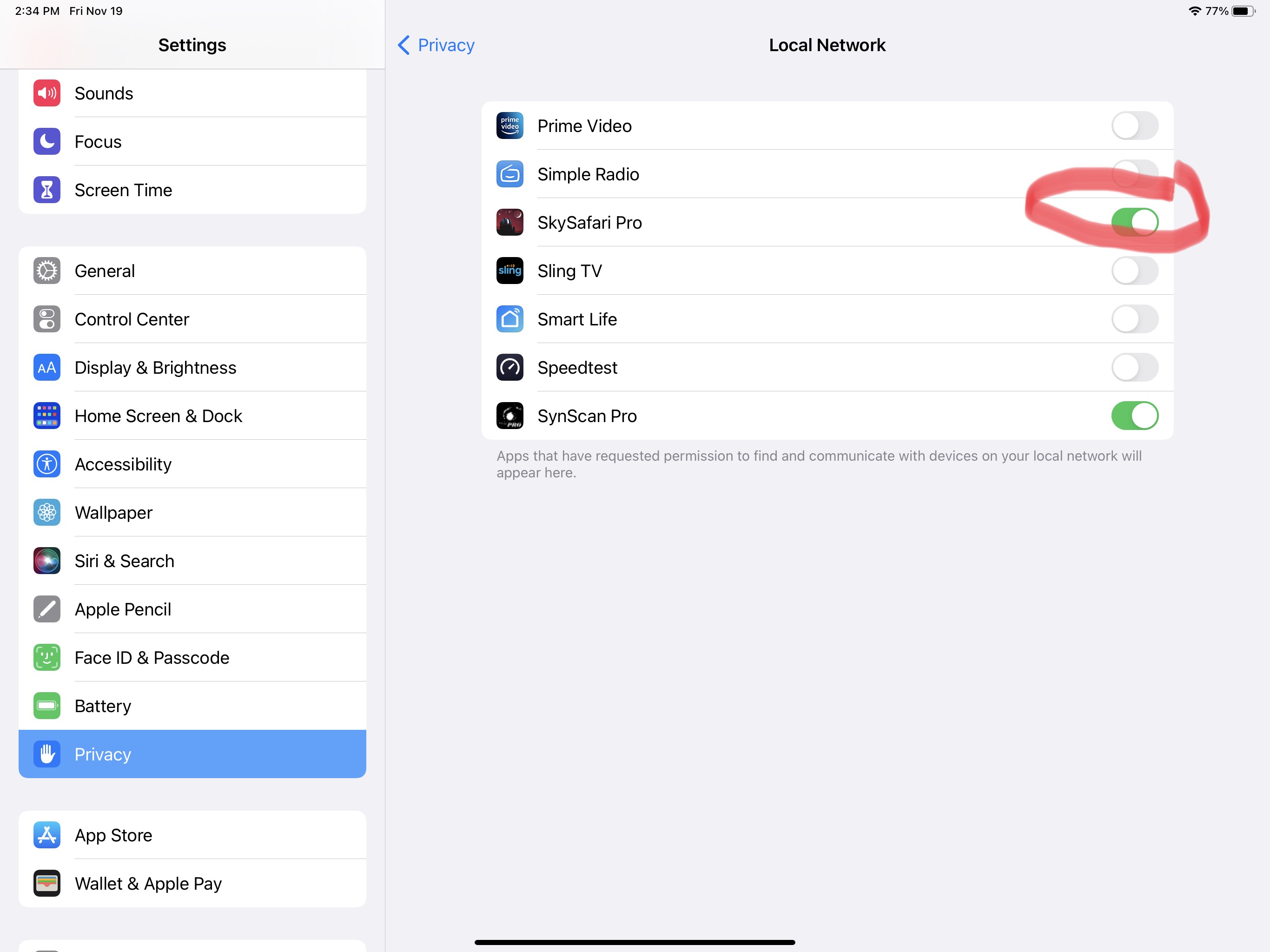
-
Albireo George P Kolb Oh goodness, that's one of those passing iOS dialog boxes that I click "OK" on and never go back to find out where I might need to change it one day.
Thanks for the screenshot!
Please sign in to leave a comment.