New post
0

[UX Issue] How To Delete Redundant Equipment Entries? (Answer: Read On!)

I upgraded from Sky Safari 6 to 7, and added my equipment manually. I then realised that this syncs via LiveSky. I logged onto LiveSky on both my iPad and iPhone in Sky Safari 7, and then uninstalled Sky Safari 6 from both.

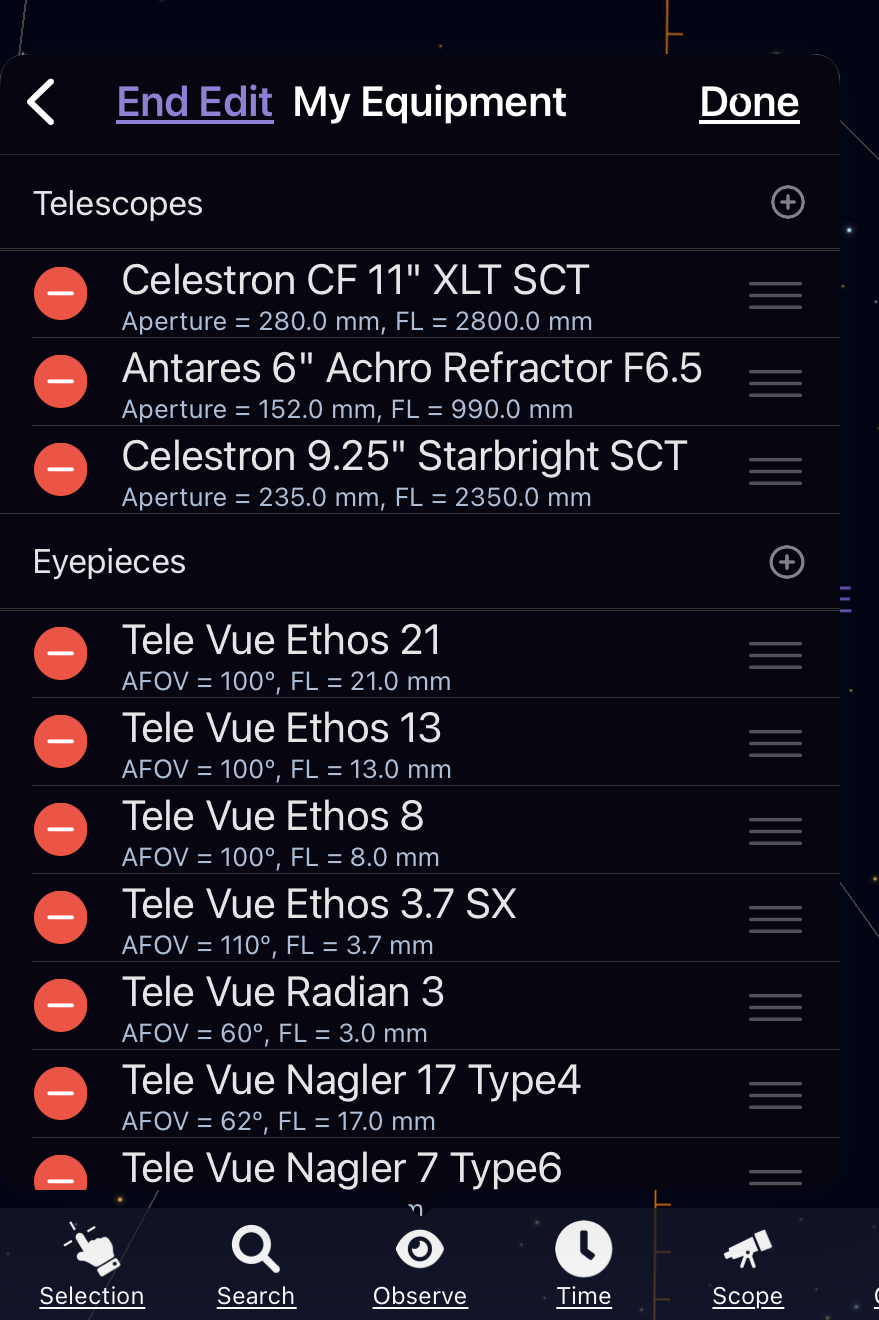
Now I have 2 copies of all my equipment, and selecting any item either gives me a message "Not Editable", or "Already in Your Equipment". So it looks like I can't delete the redundant entries.

I logged onto the web version of LiveSky, and it tells me I have to subscribe to LiveSky premium to edit my equipment list.

Is there some way I can delete the redundant items directly from the app?

3 comments

  • 0
    Avatar
    Garry Bluhm

    Cgoulden asked “Is there some way I can delete the redundant items directly from the app?”

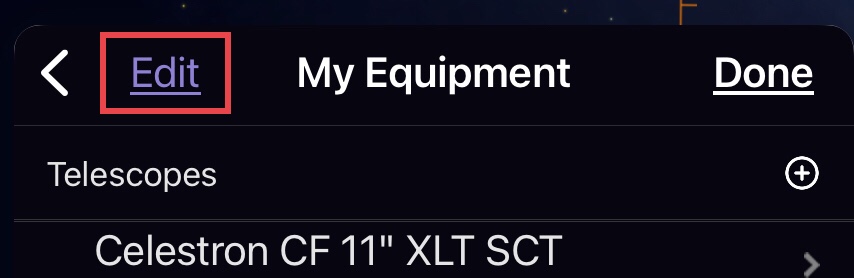
     Yes: Select Observe>My Equipment >Edit. Tap minus (-) will delete Equipment entry.

  • 0
    Avatar
    Keiron Smith

    When you press the minus (-) buttons what happens?  Please specific which button you press and include a screenshot for any error message.

    Thanks!

  • 0
    Avatar
    Cgoulden

    Thanks Garry and Kieron. My bad. I wasn’t clicking the edit button; I was clicking the ‘>’ on the right of each row. All good now :-)

Please sign in to leave a comment.