After upgrading to version 7, when I connect my Nexus DSC to the app, it does not show the pointing location of the scope. Version 6 used to immediately display the bullseye showing the scope location. How do I get this back? I cannot find it in any menu but I may not know what to look for.
Just loaded version 7.0.2, it connects fine.
Date
Votes
5 comments
-

John Petterson Just to verify this I reloaded SS6 and it does show the scope position fine with the same configuration.
SS7 moves the star background, but there is no way to tell exactly where the center of the screen is so the location is only approximate - plus if the display is unlocked it can be anywhere. -

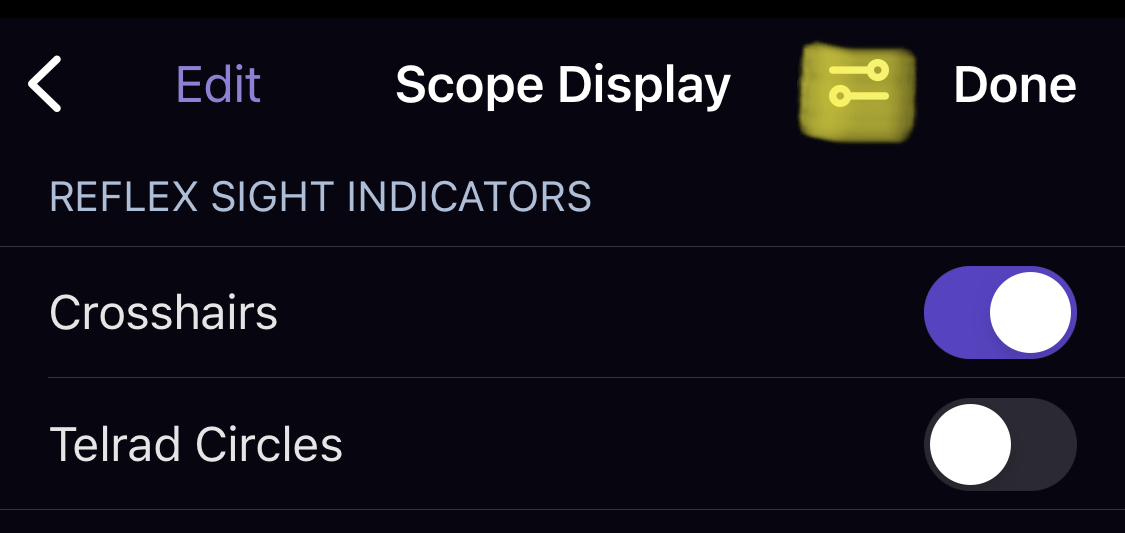
Pedro Braganca Hi John, in the Scope Display screen - tap the settings button (to the left of the Done button, looks like a pair of sliders). This will open the scope display options - select "Show even when telescope is not connected". Thank you.
-
John Petterson Pedro, Thanks for answering. I am unable to find any scope display options page on the settings menus. Under Telescope there is a Settings page that only shows 2 options - "tilt device to slew", and "save to log file", and there are no sliders next to the Done button. Under Display Options there are 10 pages, none of them have anything about the scope display.
-
Pedro Braganca Here you go:
-
John Petterson OK I found it. Scope Display screen from the observe menu. And I had to enable one or more of the FOV indicators, which I did not remember having to do on the previous version. Did they default to on in earlier versions? Is that going to be an issue for people?
Please sign in to leave a comment.