
Go into Settings. Go into Save and Restore Settings. In Saved Settings, choose one. Select Preview Settings. On the iPad it comes up with a screen with a title bar of the Settings in use and a Done to the right side of the title bar so that you can exit the screen back to the prior Saved Settings menu. On my Android tablet it comes up with a screen I cannot exit, as shown below. The only way out is to completely shut down and exit the app. Yes, I have tried restarting the Tablet, the app, and deleting / reinstalling without success.
SAMSUNG Tab 7+ SS6.8.6.14
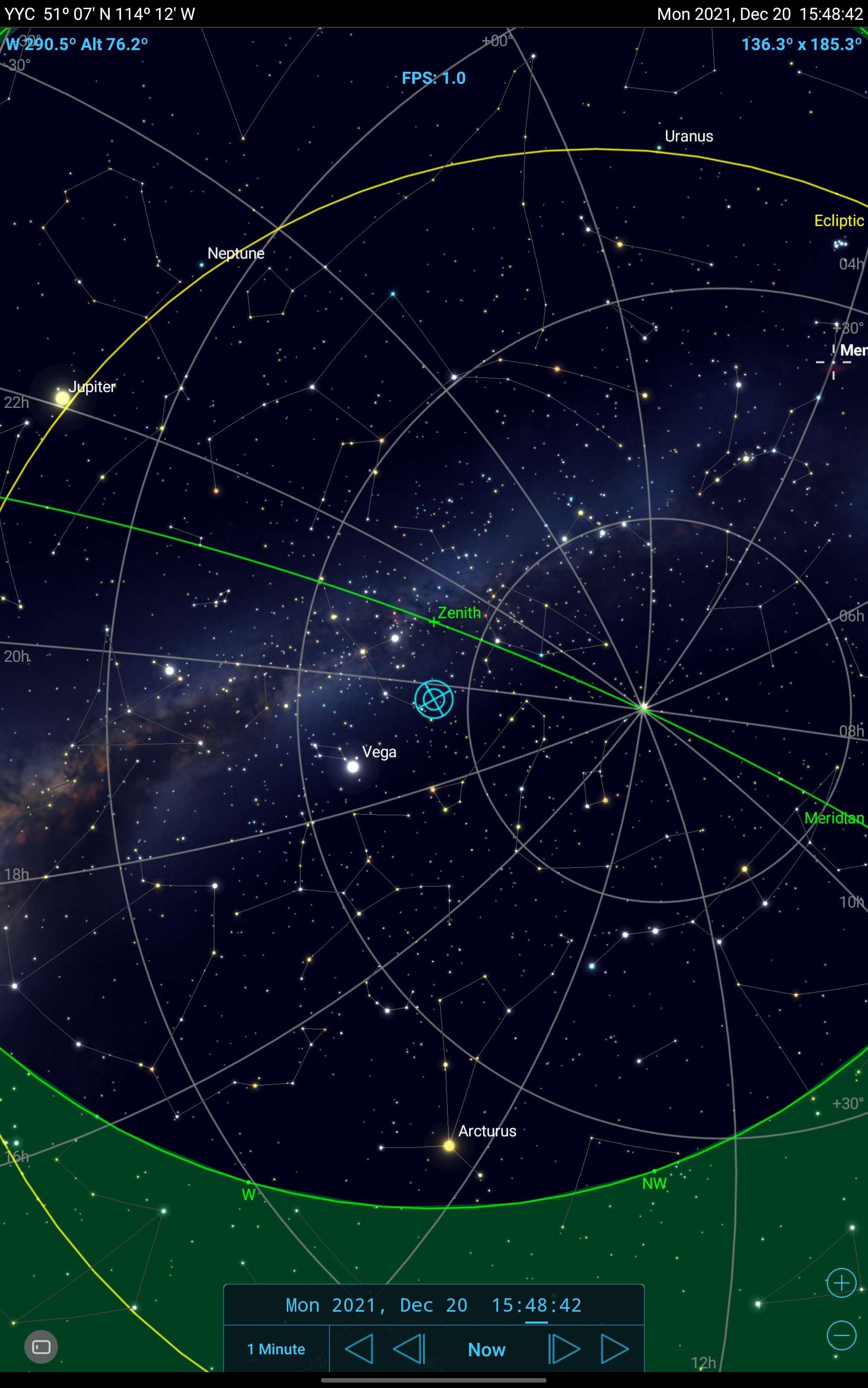

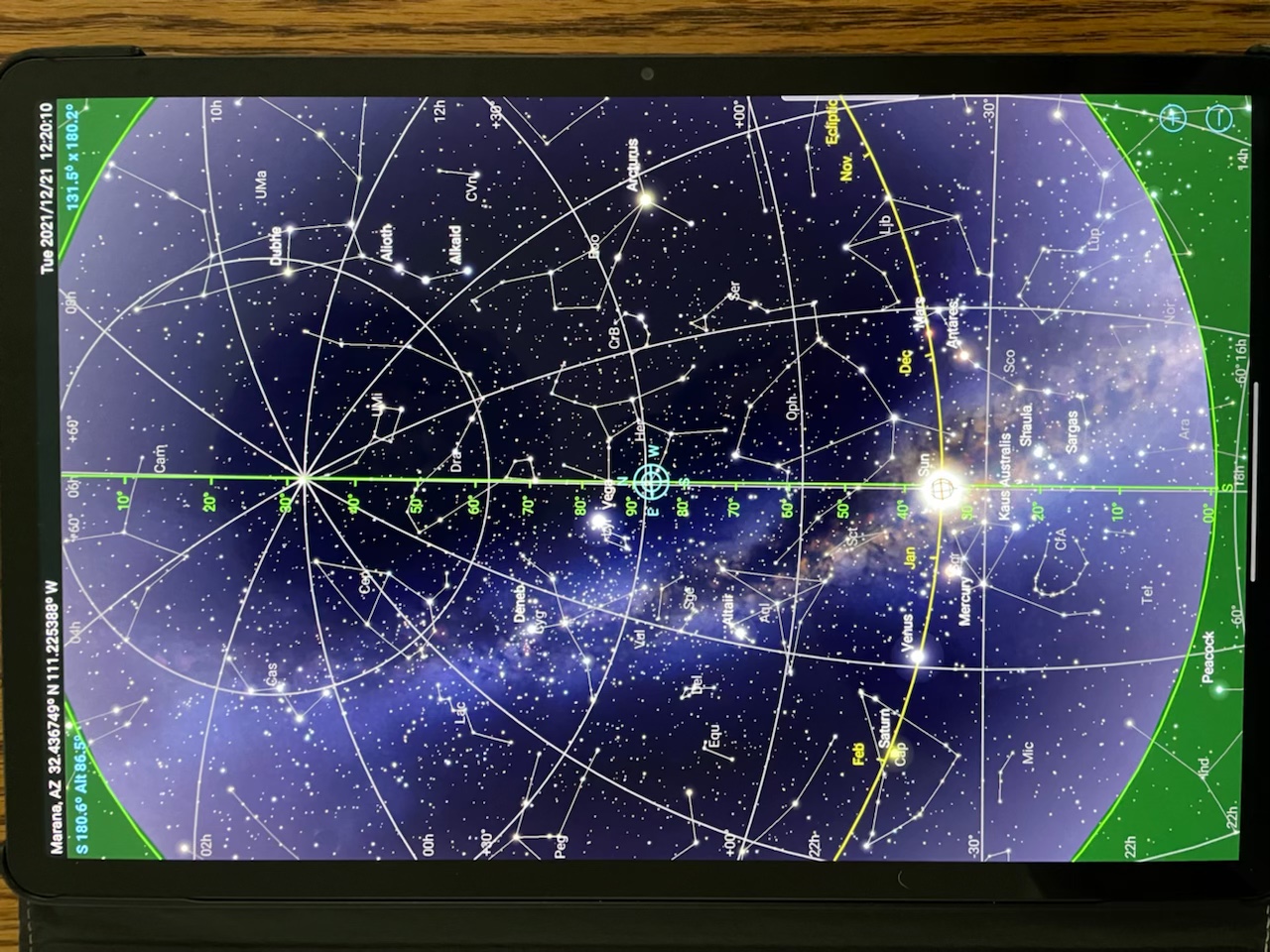 That button is not visible on the screen; it shows only in the screen capture on the S7+. I have pressed there trying to see if it is actually there, but invisible, but absolutely nothing happens. I'll take another pic of the screen from my phone and attach it in a few moments…done. Nothing to press on that does anything other than the zoom icons on the bottom right. No way out other than to switch away from app. Returning to it leaves me in the same place. Only way to exit is by completely closing the app and restarting.
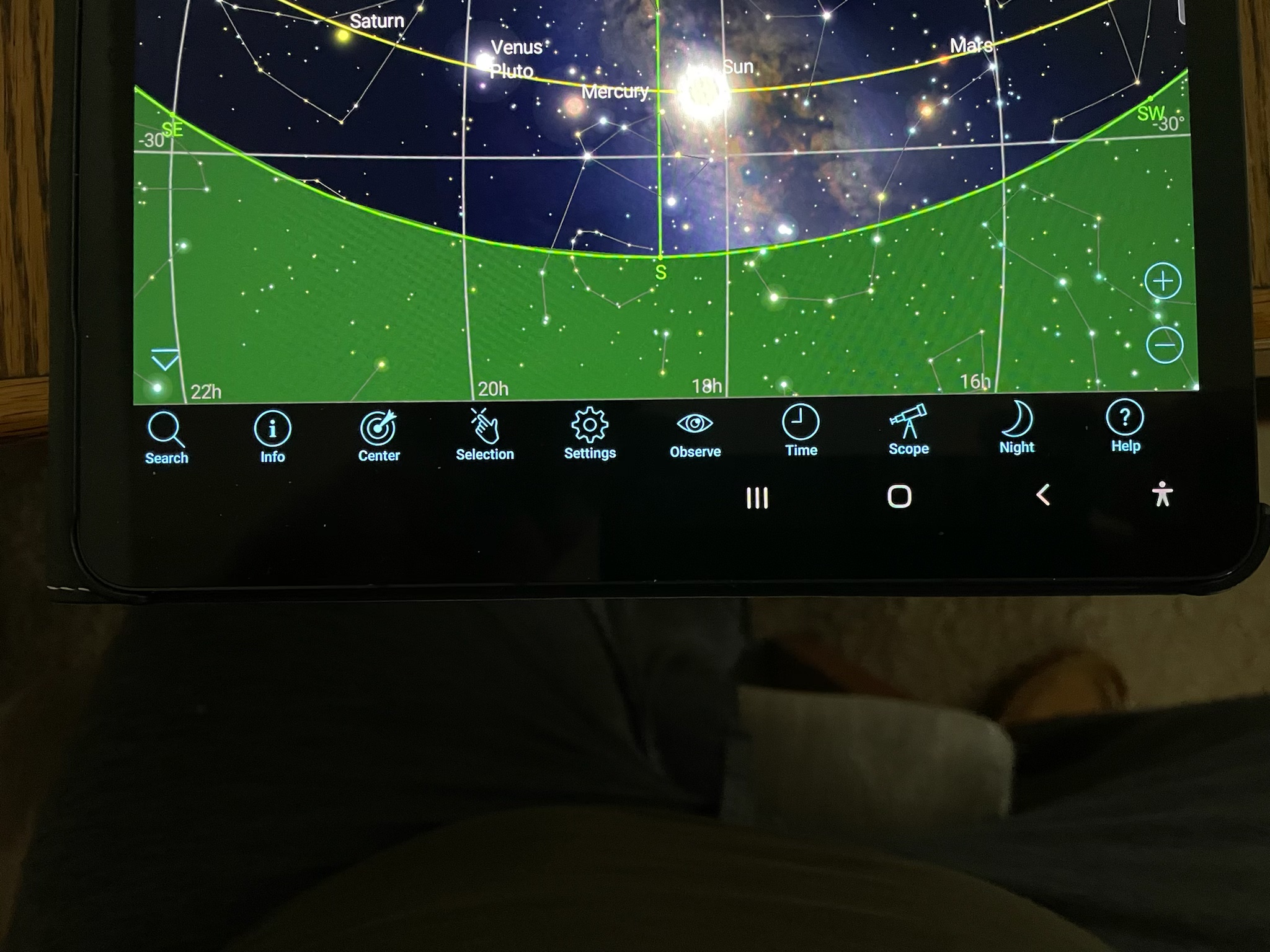 Ok, if I force the gesture buttons to be displayed on the screen as shown in this picture (sorry about the rotation), I can use the back button to return to the settings screen from the ‘Preview Settings’. If this is not on screen, I can not swipe from either side to get at the ‘back’ button. I can swipe up from the bottom to move focus away from the app or swipe and hold to go to the loaded app selection table, but that still leaves SS6 in a state where it is waiting for a ‘back’ input when it once again brought in focus. Something to do with Android O/S I am suspecting. I will keep trying different swipe setups in settings to see what else works or doesn’t work.