New post
0

[UX Issue]* Problem With UI In Night Vision Mode / Problema Colore Scritte In Visione Notturna

Buongiorno

Sono un utente di Sky Safari 7 Pro per Android, acquistato di recente, già utilizzatore di Sky Safari 6 Pro.

Da astrofilo visualista non posso che fare i complimenti al Vs staff per l'ottima applicazione realizzata.

Premetto che di notte quando utilizzo Sky Safari 7 Pro, imposto il mio smartphone Xiaomi Mi 9 Lite come segue:
- luminosità dello schermo al minimo;
- modalità scura attiva;
- filtro luce blu attivo;
che insieme alla modalità "visione notturna" di Sky Safari attiva, permettono di utilizzare lo smartphone di notte senza che la vista venga compromessa.

A tal proposito devo però segnalare quello che secondo me (ed altri miei amici astrofili visualisti) è un problema ai fini di un perfetto adattamento al buio.

Nonostante la "visione nottura" di Sky Safari 7 Pro attiva che rende lo schermo di una buona tonalità di rosso, si ha che:
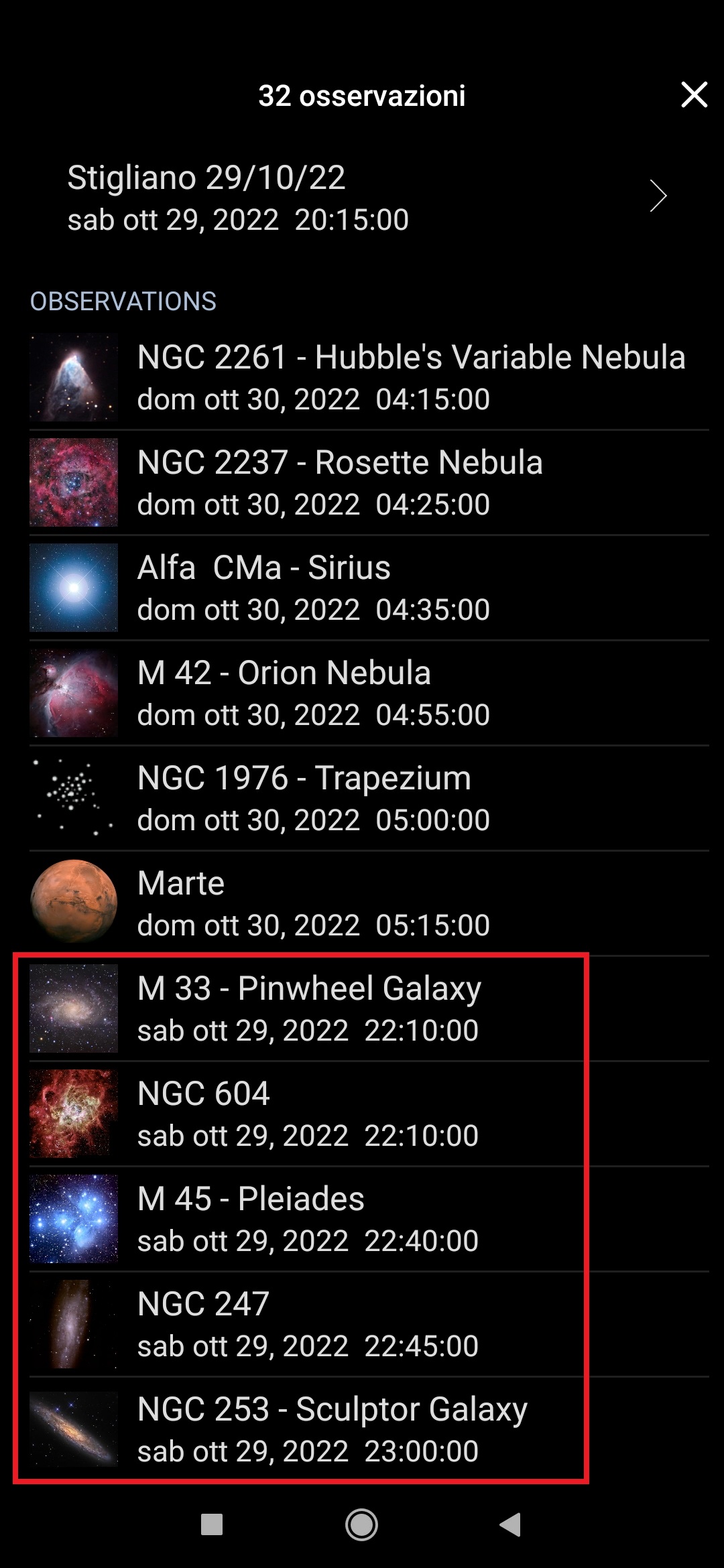
le scritte dei pannelli in basso, in alto, del menù impostazioni, ricerca, etc, mostrano ancora una tonalità di colore tendente al bianco (o comunque ad un colore chiaro sicuramente filtrato di rosso, ma non abbastanza) che, come potete immaginare, è un problema per chi come me va alla ricerca degli oggetti celesti più deboli (ma credo lo sia per tutti gli astrofili visualisti più esigenti).

Mi sono permesso di segnalarvi quanto sopra perché da utente che ha acquistato un app a pagamento sono certo che saprete sicuramente cogliere questo ed altri feedback per poter apportare le giuste calibrazioni e rilasciare quanto prima una versione migliorata.

Ringraziandovi per l'attenzione che darete al mio messaggio, invio i miei più "stellari" saluti.

Cieli sereni, Giulio Vipera.


## Google Translate ##

Good morning

I am a recently purchased Sky Safari 7 Pro for Android user, already a Sky Safari 6 Pro user.

As a visualist amateur I can only congratulate your staff for the excellent application created.

I state that at night when I use Sky Safari 7 Pro, I set my Xiaomi Mi 9 Lite smartphone as follows:
- screen brightness at a minimum;
- dark mode active;
- active blue light filter;
which together with the active Sky Safari "night vision" mode, allow you to use your smartphone at night without compromising your view.

In this regard, however, I must point out what in my opinion (and my other visualist amateur friends) is a problem for the purpose of perfect adaptation to the dark.

Despite the "night vision" of Sky Safari 7 Pro active which makes the screen a good shade of red, we have that:
the writings of the panels at the bottom, at the top, of the settings menu, search, etc, still show a color tone tending to white (or in any case to a light color definitely filtered by red, but not enough) which, as you can imagine, is a problem for those like me who go in search of the faintest celestial objects (but I think it is for all the most demanding visualist amateur astronomers).

I took the liberty of pointing out the above because as a user who has purchased a paid app, I am sure that you will certainly be able to grasp this and other feedback in order to make the right calibrations and release an improved version as soon as possible.

Thanking you for the attention you will give to my message, I send my most "stellar" greetings.

Clear skies, Giulio Vipera.

44 comments

  • 0
    Avatar
    Lis

    Hello Keiron.
    The UI has improved a lot since the last upgrade. Thank you.

    Perhaps just one last request for UI modification.
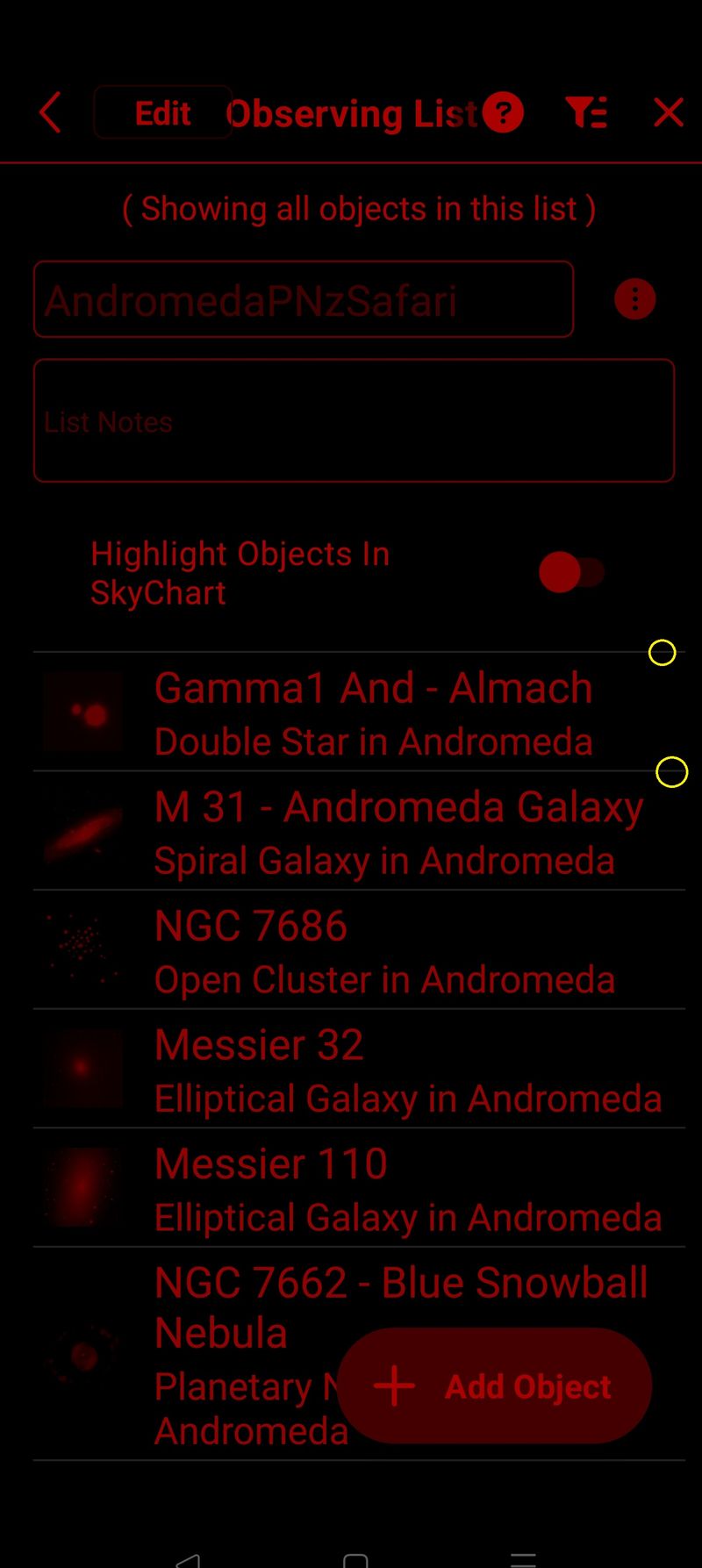
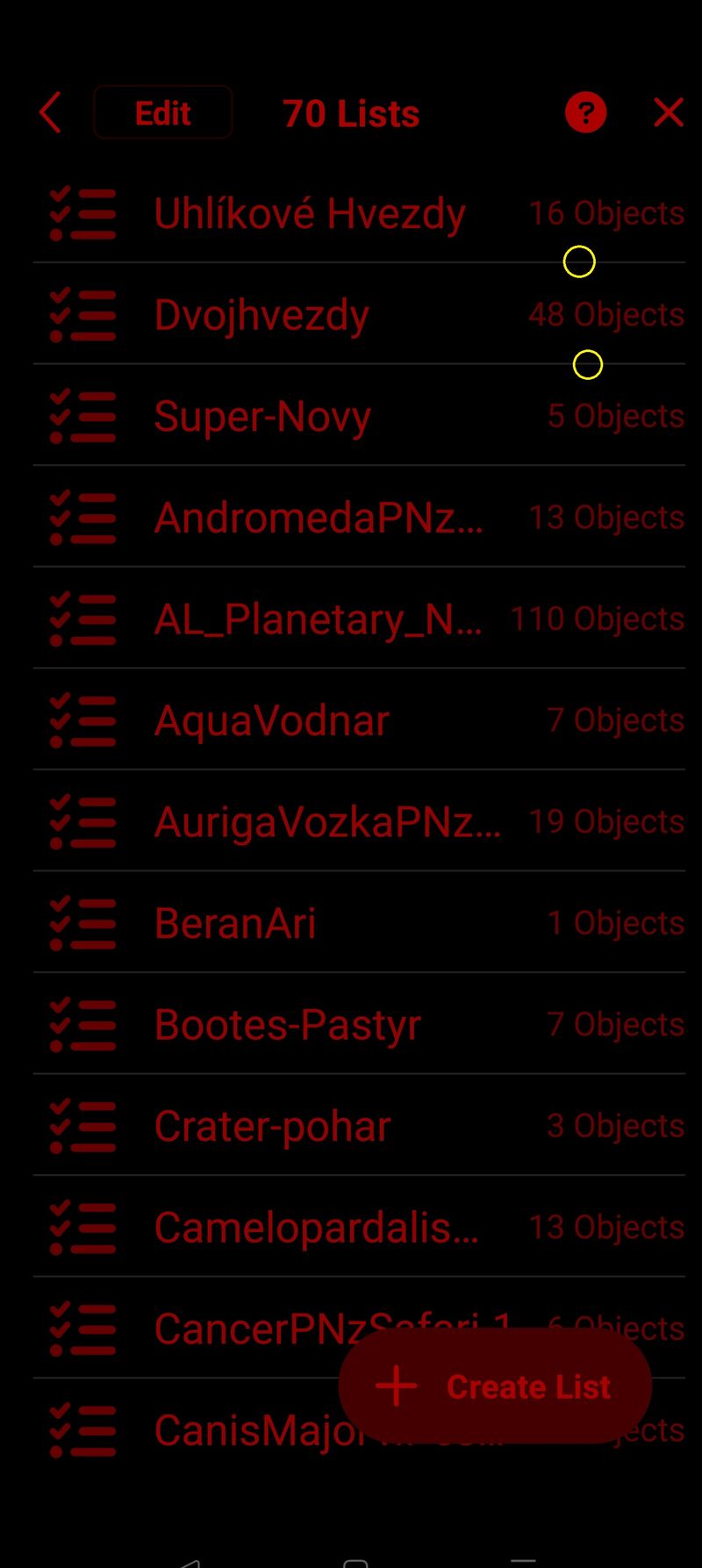
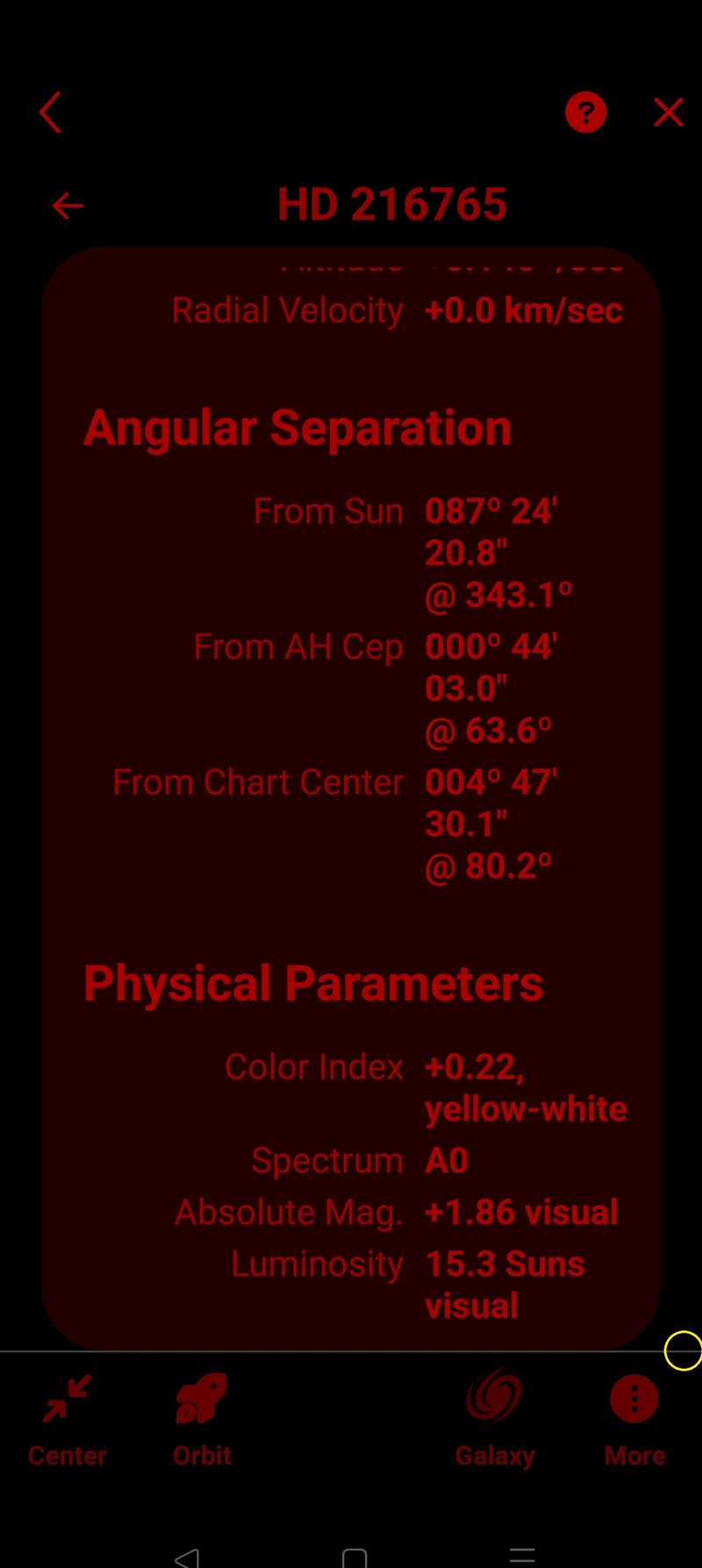
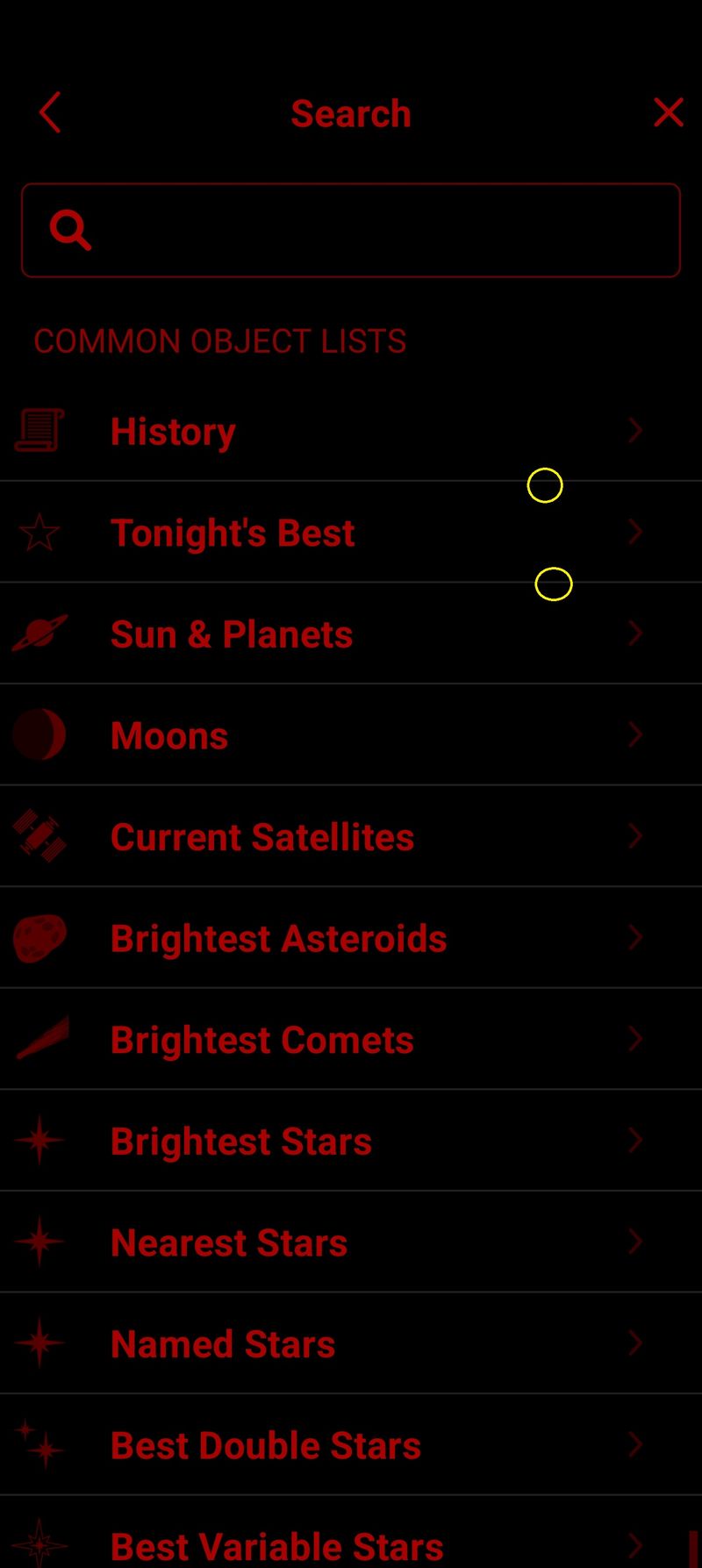
    The dividing lines in all lists are shaded white.
    Marked with a yellow circle in the pictures.
    Detected again on multiple devices. (Samsung Galaxy Tab S8 Ultra, Redmi Note 9 Pro mobile phone, realme GT2Pro mobile phone )
    App is SkySafari 7 Pro - latest version 7.1.0.2
    Thank you for your support.
    Frantisek.

  • 0
    Avatar
    Keiron Smith

    Giulio,

    I'll ask developers to review your new feedback.

    Thanks!

  • 0
    Avatar
    Lis

    Hello.
    Please, Is there any information about the expected date of modification above described issue ?
    Above all, I mean the dividing lines in all lists are shaded white.
    Frantisek
    Thank you for your support.

  • 0
    Avatar
    Keiron Smith

    Sorry, Lis, I can not give you an ETA on a fix for this issue.

  • 0
    Avatar
    Keiron Smith

    I asked the developers to review this again, and it should be fixed in the next app update.

    Thanks!

  • 0
    Avatar
    Lis

    Great news, thank you very much.
    Best regards
    Lis

  • 0
    Avatar
    Giulio Vipera

    Ciao Keiron

    Innanzitutto grazie a te e agli sviluppatori di SkySafari per gli aggiornamenti sulla versione 7 Pro.

    Grazie anche agli altri utenti per i vari contributi.

    Vorrei confermare che ad oggi 26 marzo 2023 i colori delle scritte in "modalità notte" di SkySafari 7 Pro e in "modalità scura" del mio smarthphone Xiaomi Mi 9 Lite sembrerebbero risolti, ovvero le scritte non appaiono più bianche, bensì rosse. Devo però ancora provare di notte sotto le stelle dopo aver adattato la vista al buio. Intanto grazie per questo aggiornamento.

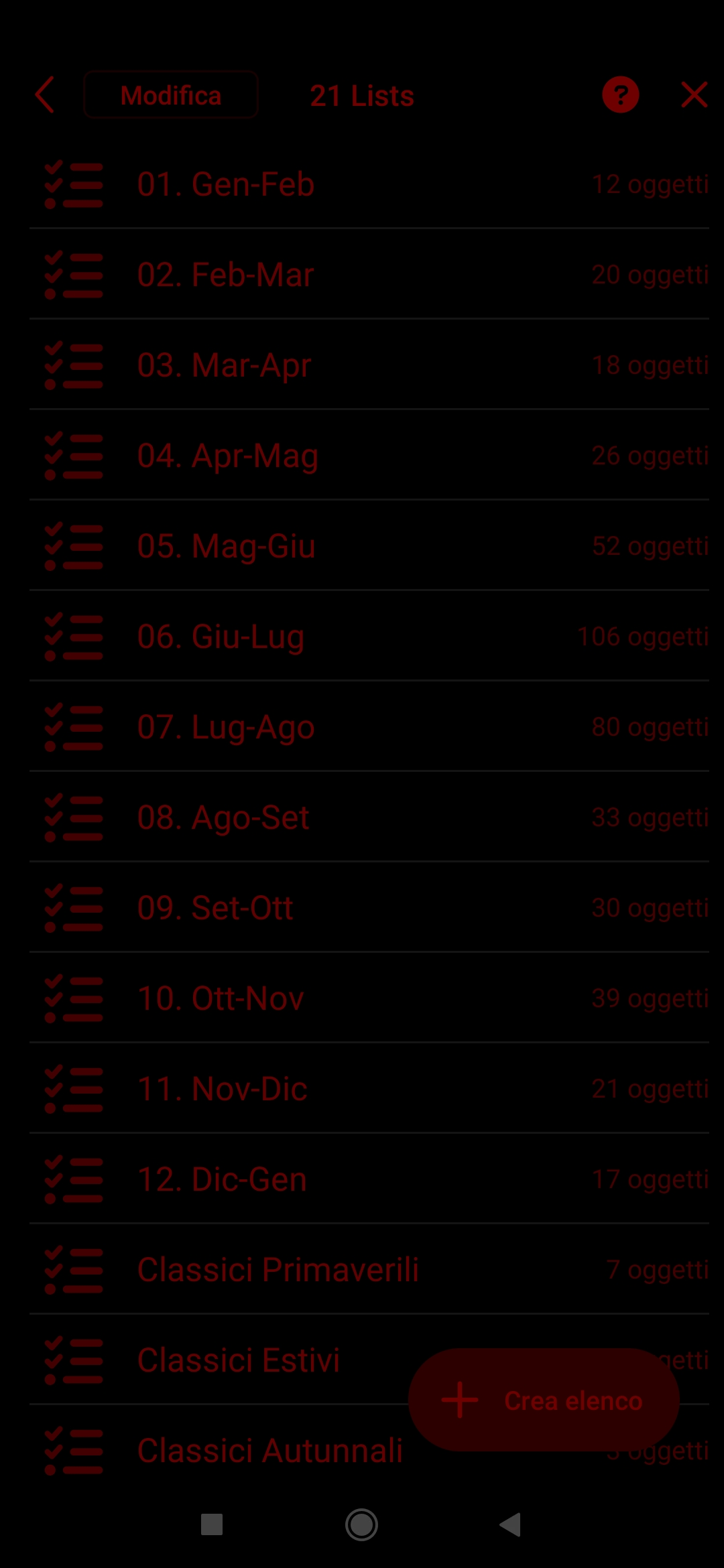
    Come anticipato da "Lis", devo confermare anche io che ad oggi le linee di separazione in vari elenchi appaiono ancora di bianco, come anche le 3 icone in basso del mio smarthphone Xiaomi Mi 9 Lite. Vedi ad esempio l'immagine seguente:


    Approfitto poi per far notare altri difetti e/o aspetti che potrebbero essere migliorati:

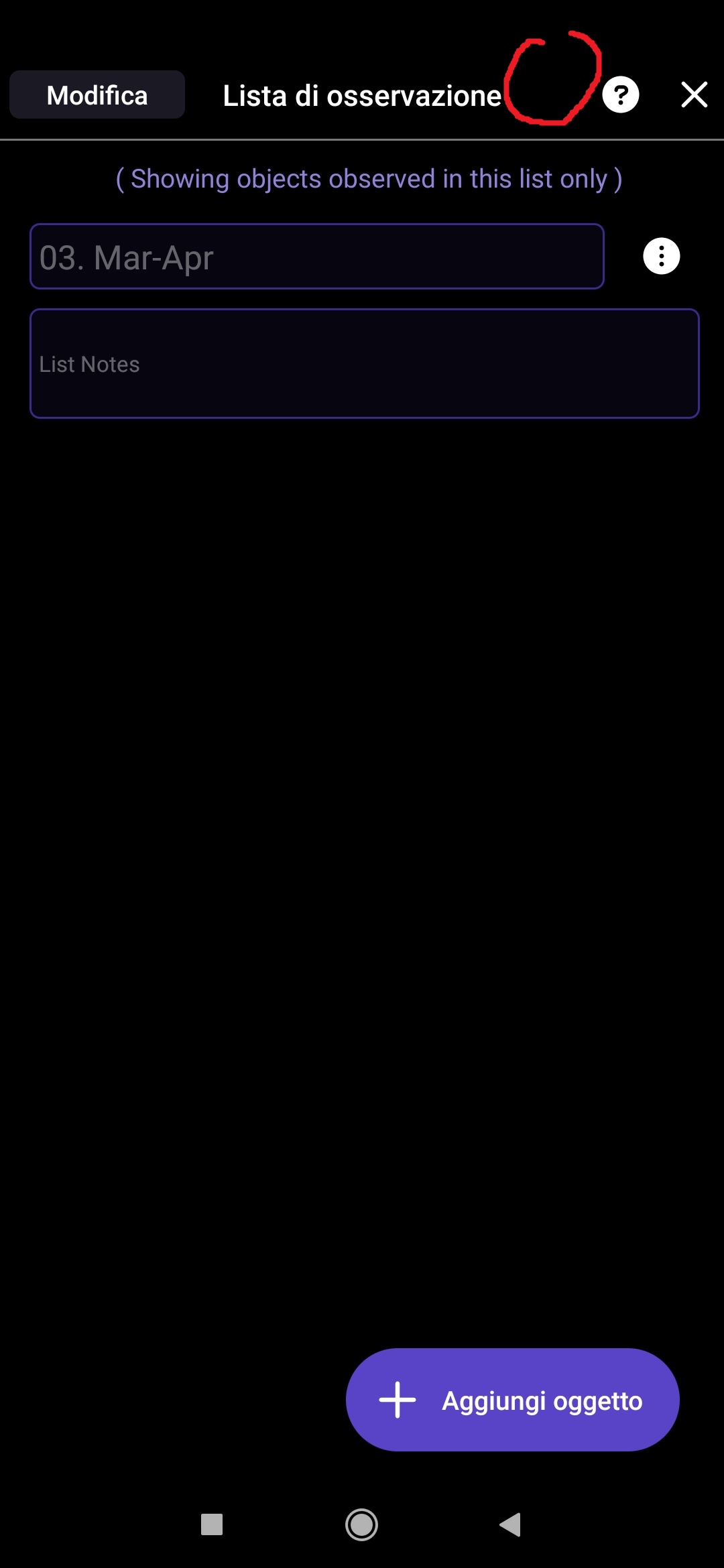
    1. Nella sezione "liste di osservazione" mi è successo di aprire una lista (ad esempio quella che ho denominato "03.Mar-Apr") e di filtrare gli oggetti come "non osservati". Tornando nella lista ho notato che gli oggetti sono spariti (vedi immagine seguente):


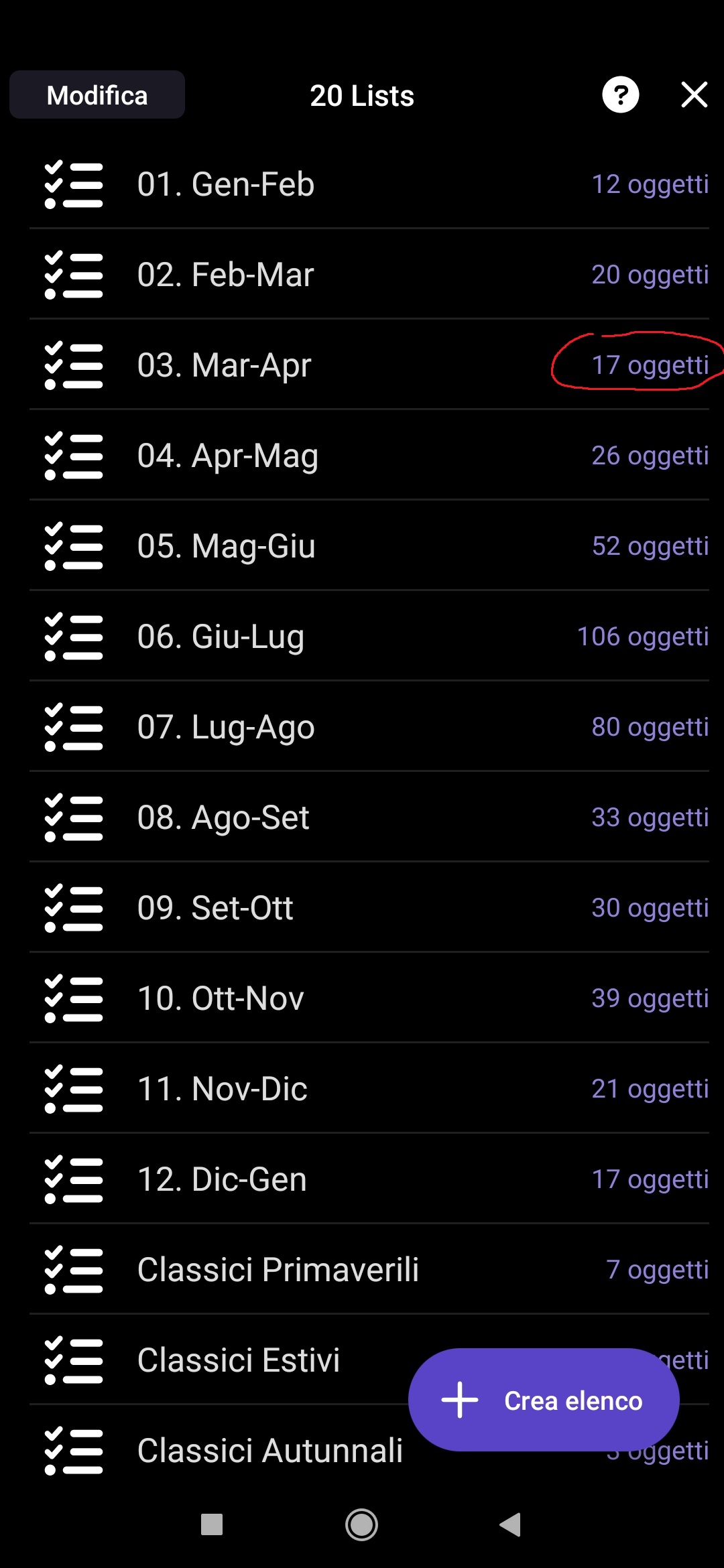
    ed è sparito anche il tasto in alto a destra per aprire la pagina dei filtri. La lista denominata "03.Mar-Apr" però esiste ancora e risulta contenere 17 oggetti come prima di attivare il filtro (vedi immagine seguente):

    Dentro la lista però gli oggetti non ci sono e non so come fare per visualizzarli essendo sparito il tasto per gestire i filtri.


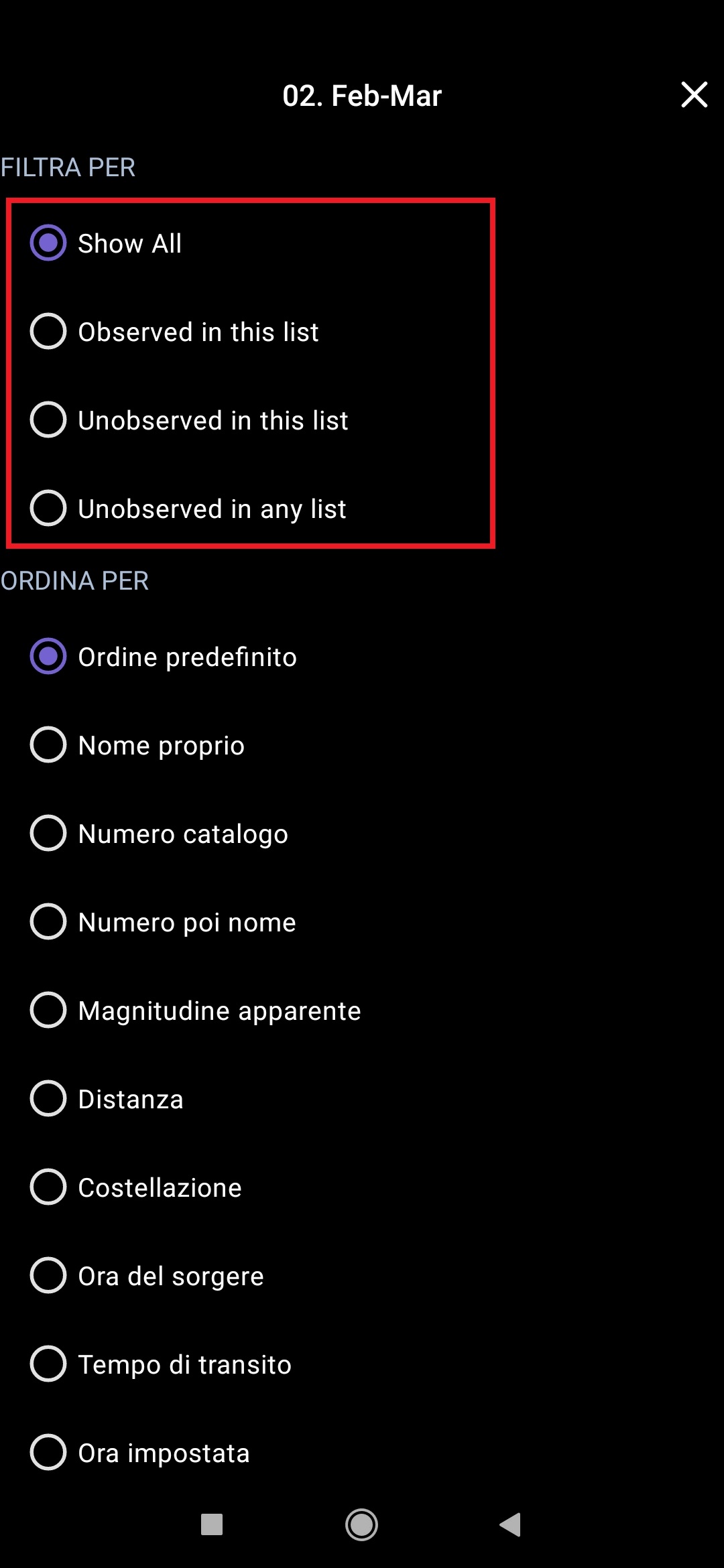
    2. Sempre in tema di "liste di osservazione", quando si apre la pagina dei filtri, le prime 4 voci in alto risultano in inglese e non in italiano (vedi immagine seguente):


    3. Se in una "sessione di osservazione" aggiungo oggetti in ordine cronologico di osservazione, questi risultano effettivamente ordinati in ordine cronologico di osservazione dall'alto verso il basso, ma se a posteriori aggiungo oggetti che mi ero dimenticato di aggiungere durante l'osservazione all'inizio della sessione osservativa, questi vengono inseriti alla fine dell'elenco e quindi non risultano in ordine cronologico di osservazione (vedi immagine seguente):

    Sarebbe l'ideale se questi oggetti inseriti successivamente si ordinassero automaticamente in base all'orario di osservazione o tramite un comando del tipo "ordina per...".

    4. Ogni volta che evidenzio sulla mappa gli oggetti della lista, dopo averli osservati l'unico modo per farli sparire è creare un'osservazione di quello specifico oggetto... vorrei invece avere sulla mappa un comando della lista su cui premere per far sparire l'oggetto senza creare un'osservazione.

    In attesa di sviluppi, ringrazio e auguro cieli sereni a tutti.

  • 0
    Avatar
    Giulio Vipera

    Hi Keiron
    Any news about my message of March 26, 2023?
    In this regard I add the following: I thought it would be useful to have a page in SkySafari where you can freely write notes, as if it were a post-it, to be opened directly from the map or from the menu. That is, not as a description of an object (this already exists), but as a page that can be opened at the right time, like a notepad, but within SkySafari. In this way, at night you would continue to operate in the SkySafari environment with a red filtered screen, without having to switch to other apps.
    I look forward, as I think the other users, to receive updates.
    Thank you and clear skies.

  • 0
    Avatar
    Lis

    Hello.
    It's a shame that the above-mentioned issue with the red user interface was not fixed in the current SS7Pro upgrade. (ver. 7.1.10.5)
    I mean the problem with white dividing lines separating single items in all lists (objects, searches, observing lists, etc.).

    Frantisek
    Thank you


  • 0
    Avatar
    Keiron Smith

    Frantisek,

    Please provide the following info:

    1. App and version.
    2. Android OS.
    3. Android device make and model.
    4. Screenshot(s) of the issue.

    Thanks!

  • 0
    Avatar
    Lis

    Hello Keiron.
    Of course:
    Ad 1:  SkySafary PRO  version ver. 7.1.10.5
    Ad 2:  Android version 13
    Ad 3:  mobile phone: realme GT 2 Pro
              and tablet Samsung Galaxy Tab S8 Ultra
    Ad 4: see my post from October 31, 2022 11:59  - screen where I marked these lines with yellow circles

    Frantisek
    Thank you for your support.


  • 0
    Avatar
    Giulio Vipera

    Hello.

    I also confirm that after the last update of SkySafari 7 Pro to version 7.1.10.5, the white lines problem (already mentioned in the post of March 26, 2023 with related screenshots) has not been solved yet.

    In this regard, my device has not changed since previous posts in this community and is as follows:

    Xiaomi Mi 9 Lite
    Android version: 10 QKQ1.190828.002

    I hope this problem will be fixed as soon as possible. I would also like to receive a response regarding my post dated March 26, 2023, containing other reports besides the white lines problem.

    Thank you

  • 0
    Avatar
    Keiron Smith

    Frantisek, Giulio,

    I will ping developers to review again your reports, and provide a fix for this issue in a future update.

    Thanks for your continued patience and feedback!

  • 0
    Avatar
    Giulio Vipera

    Hi Keiron.

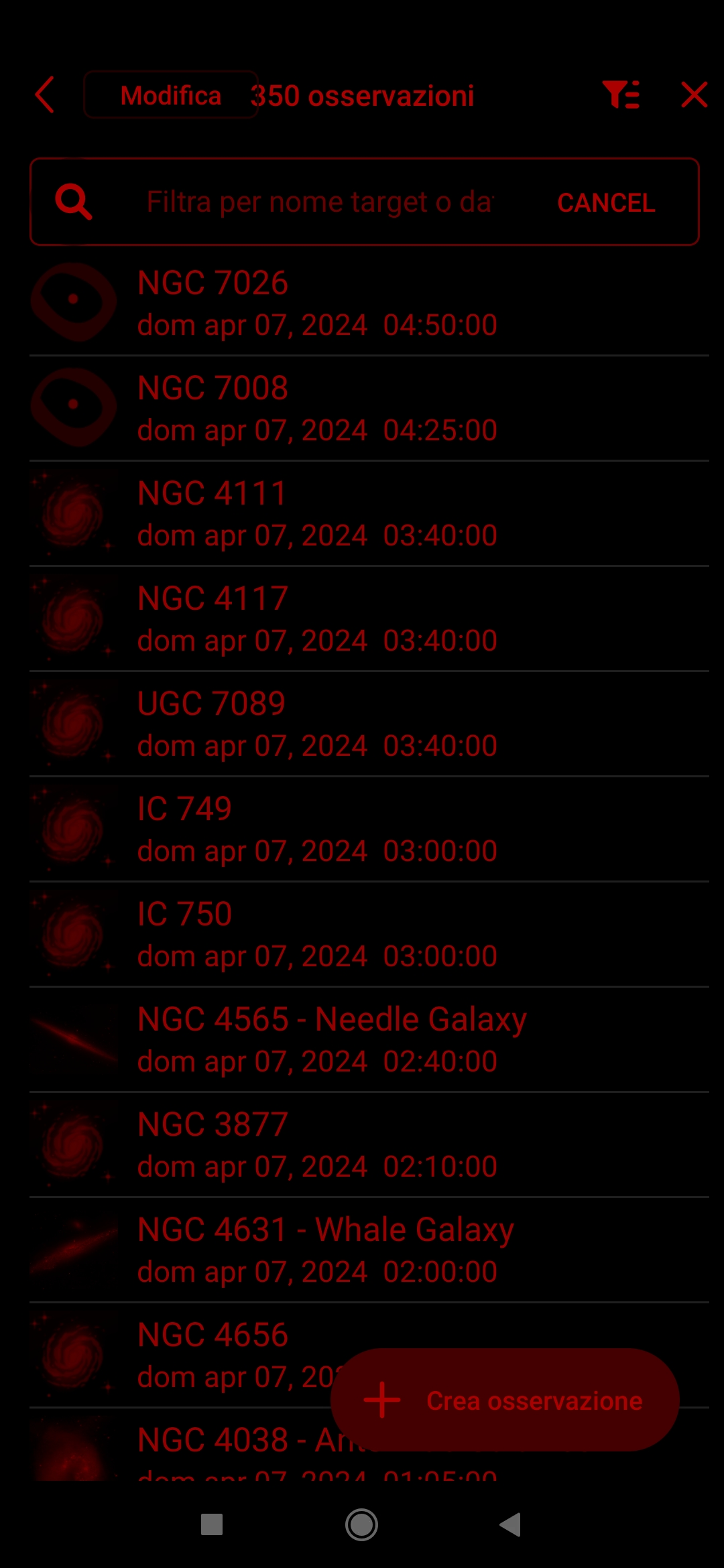
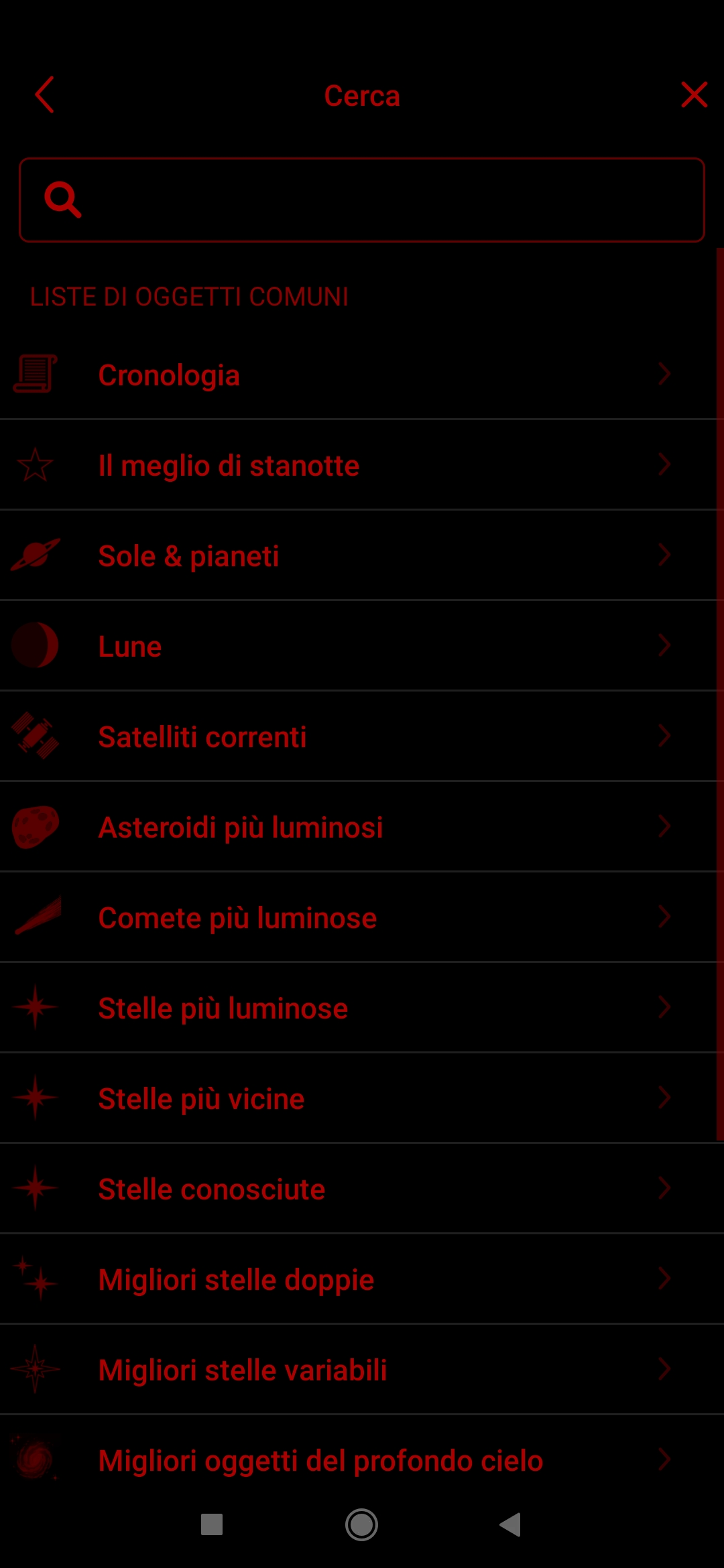
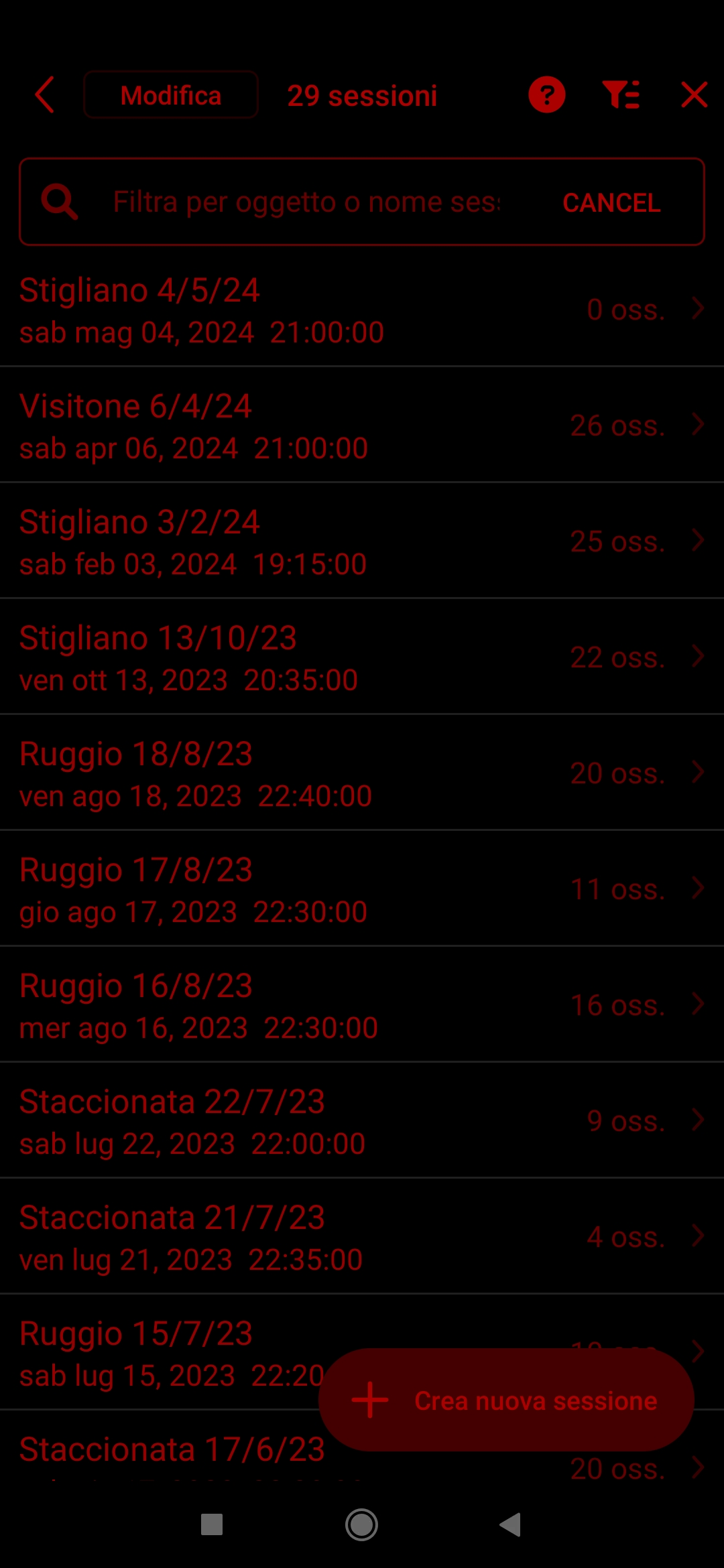
    As of today May 19, 2024, I must unfortunately report that the problem of white lines in “night mode” of SkySafari 7 Pro (version 7.4.0.3) has not been solved yet, as you can see from the 3 attached screenshots.

    Device: smartphone Xiaomi Mi 9 Lite.

    Screenshot #1:


    Screenshot #2:


    Screenshot #3:


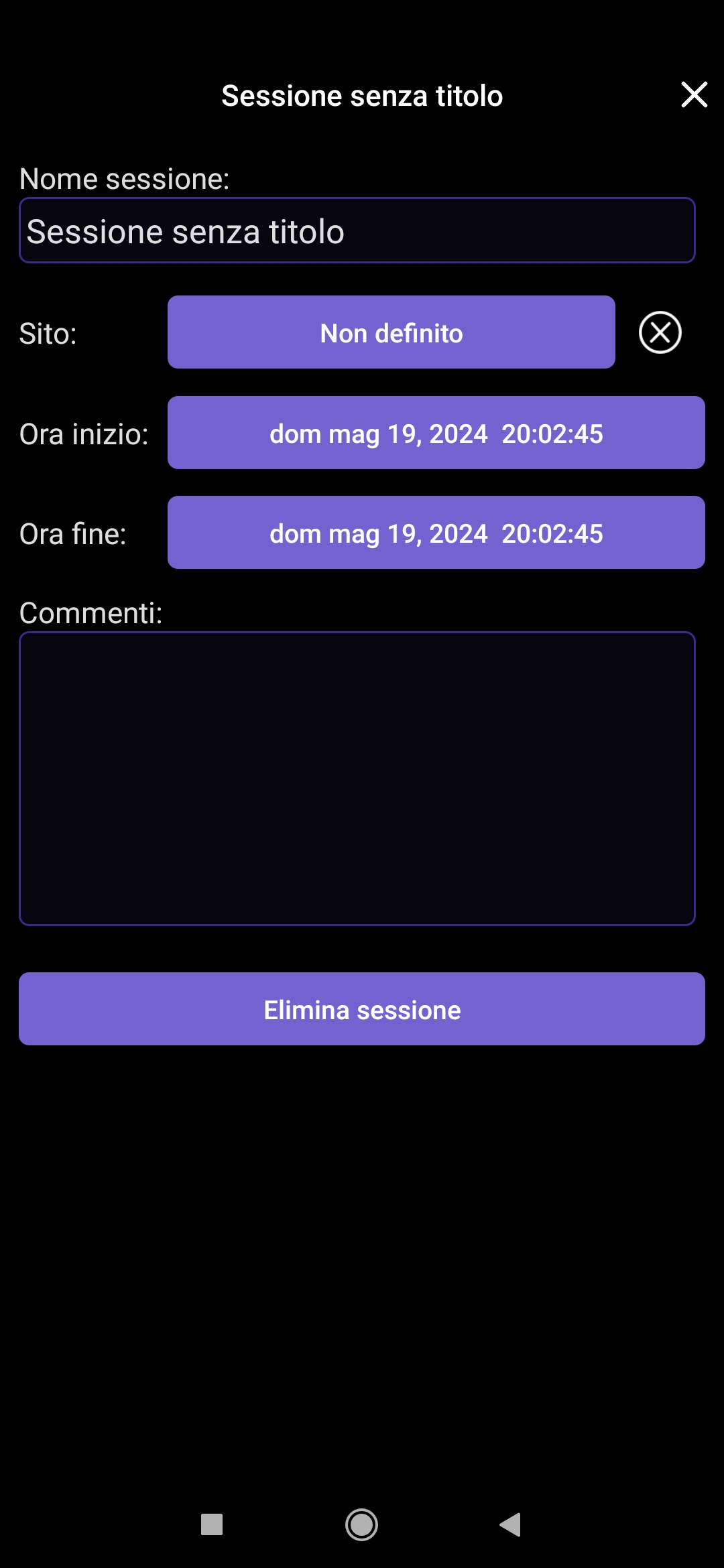
    I have a question: within an “observing session” (see screenshot #4 below) would it be possible to add a space where handwritten notes could be uploaded in pdf format?

    Screenshot #4:


    I personally think this would be a very useful feature at night under the sky, because transcribing observational notes on SkySafari is a very time-consuming and laborious task that ends up being neglected or abandoned.
    It would be much easier and faster to mark in SkySafari only the objects observed during an observing session and then upload the pdf to be able to read the observational notes of a particular object.

    I hope you can consider this request of mine.

    I look forward to your developments.

    Thank you.

Please sign in to leave a comment.