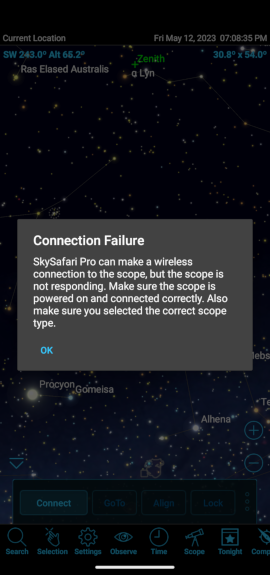
I recently purchased a SkyFi3 controller. I charged it up overnight and connected it to a Celestron NexStar SE which I'd already faux aligned, it's daytime after all. When I turn it on I can see the network (although the SSID is SkyFi instead of SkyFi 3 like the quick start claims) on my Android 11 device -- a Moto G Power. I then start up SkySafari 6 Pro and in the settings->telescope-> section I select "Connect via WiFi" and check "Auto-Detect SkyFi". It successfully finds the network, but then I cannot connect to the SkyFi Web Page from the button right there, nor can I get SkySafari to connect to the telescope. It just says it can't communicate with the device. I've also tried this with an old tablet running Android 5. On that I can see the web page from the SkyFi, but it won't connect to the scope.
By contrast, if I join the SkyFi network from my desktop I can point my browser at 10.0.0.1 and immediately find the SkyFi status page. I've verified that it's using the latest firmware, but I haven't changed any settings yet. I've also tried to connect from Starry Night 8 (bundled version that came with the telescope). It also sees the network but refuses to connect. If I look at the log it says "Sent ASCII at <timestamp> with error 0: <CR> V# <CR> Received ASCII at <timestamp> with error -13: <CR>".
I think I have a setting messed up somewhere, but I'll be switched if I know where to look next. Any suggestions/pointers welcome.