New post
0

Is There A Way To Automate The Conversion Between CSV And .Skylist File Formats? (Answer: Use Another Program To Convert)

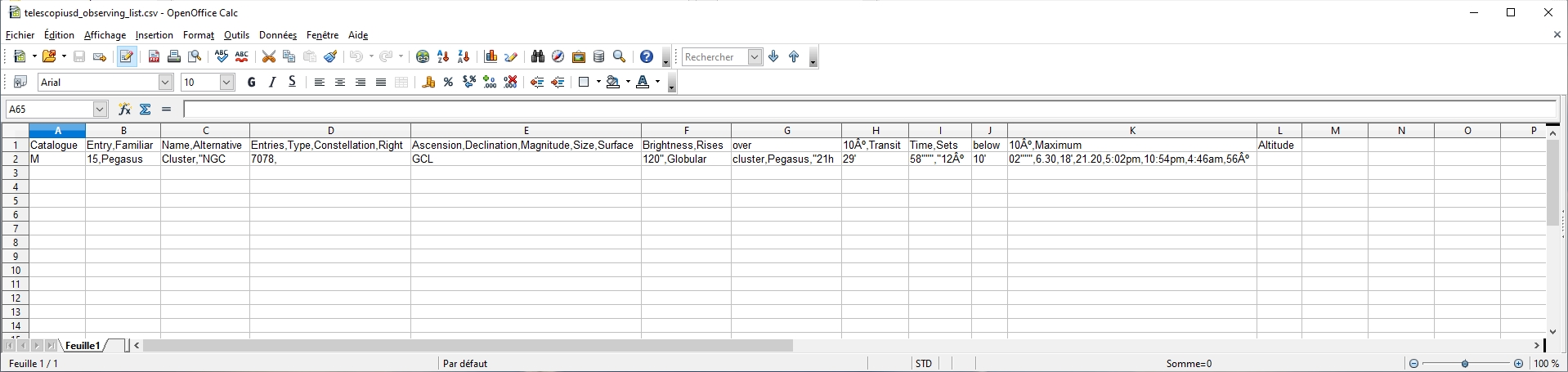
Hi, i'm using telescopius service to prepare my night targets, one of the feature that i like in this site, is the ability to export an observation list in .csv format that you can "easily" export in other softs; that give us this formatting
a liste in SS looks that
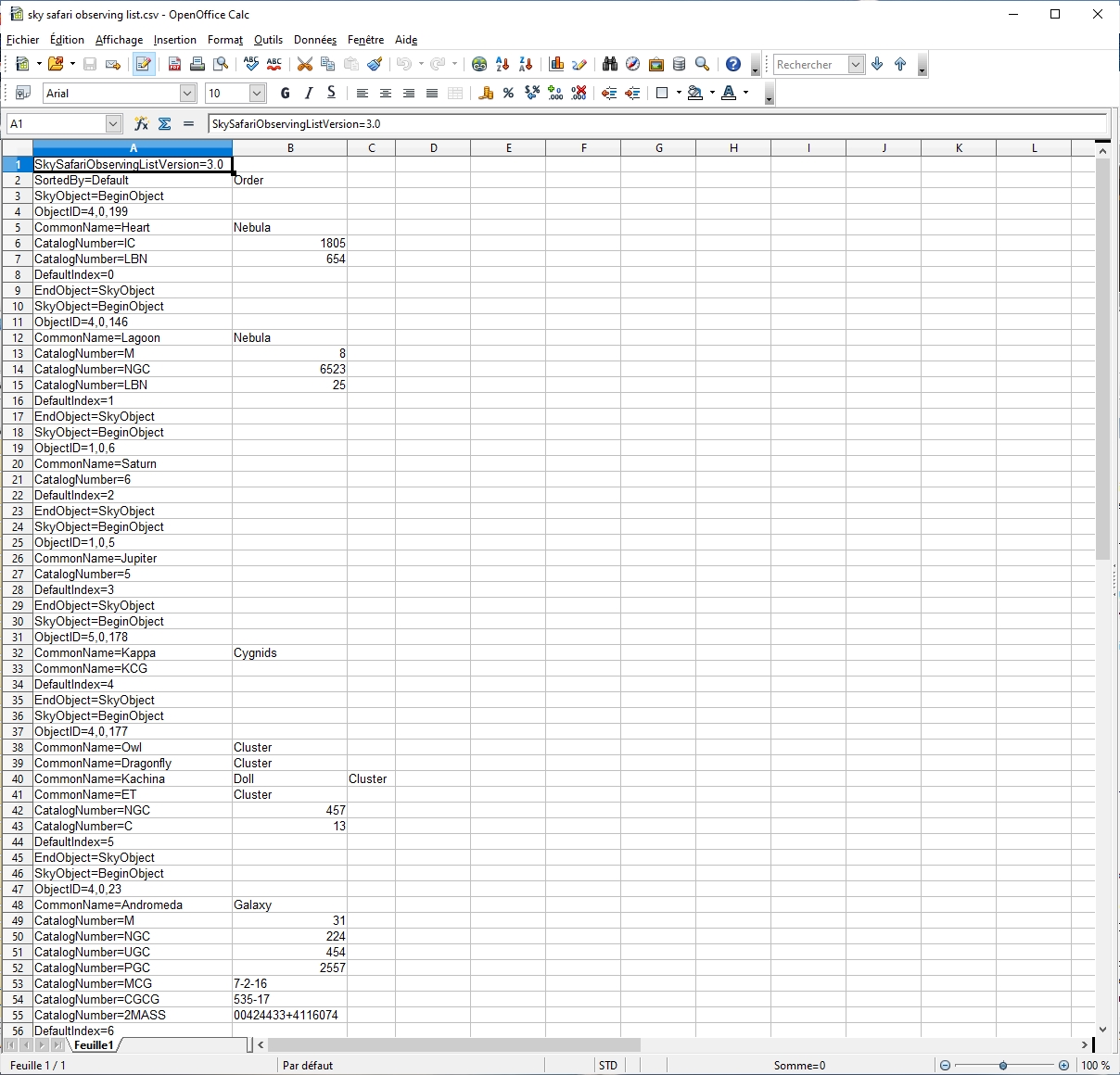
So i tried to import such list into SS6 but
unfortunately the exported file list isn't formatted like the .skylist in SS6 Pro that i have on my phone.

I already read the manual and the help point 15 where it explain how to deal with such file
Is there an way to automate the conversion between the csv and the .skylist to avoid hand typing each line, which would be tedious, despite the explanations given?

Thanks in advance.

5 comments

  • 0
    Avatar
    Keiron Smith

    You will have to import the CSV into another program that exports in .skylist format.  DeepSky Planner may does this.

    https://support.simulationcurriculum.com/hc/en-us/community/posts/360034535654-How-To-Import-Custom-Observing-List-Using-Ra-Dec-Coordinates-Answer-User-Needs-Help-

    Thanks!

  • 0
    Avatar
    Beguin Raphaël

    ok understood thank you.

  • 0
    Avatar
    bk3xpnLb9y

    I came up with the following VBA Macro that converts csv to skylist. The code assumes that the first column in your csv to be the objects list with an one-line header, iterates for each object till it finds an empty cell, and generates a skylist file with ObjectID 2. Please modify according to your need. To run it, open the csv in Excel, Alt-F11, Insert>Module, cut and paste the code below, run, choose a filename, and that's it!

    Sub Convert_CSV_to_SkyList()

        Dim saveas_filename As Variant
        Dim i As Long
       
        saveas_filename = Application.GetSaveAsFilename(FileFilter:="Unicode Text (*.skylist), *.skylist", Title:="SaveAs")
       
        If saveas_filename = False Then
            Exit Sub
        End If

        Open saveas_filename For Output As #1
        Print #1, "SkySafariObservingListVersion=3.0"
        For i = 2 To Rows.Count
            If Cells(i, 1).Value = "" Then Exit For
            Print #1, "SkyObject=BeginObject" & vbNewLine & "    " & "ObjectID=2,0," & i & vbNewLine & "    " & "CatalogNumber=" & Cells(i, 1).Value & vbNewLine & "    " & "CommonName=" & vbNewLine & "EndObject=SkyObject"
        Next i
        Close #1
          
        MsgBox "Your csv has been converted to " & saveas_filename
          
    End Sub

  • 0
    Avatar
    Beguin Raphaël

    Hi back, sorry for the late reply, thanks for your code,.i tried it with Libre Office calc and it did'nt work.


    So i ask a friend about that and he wrote one in ruby
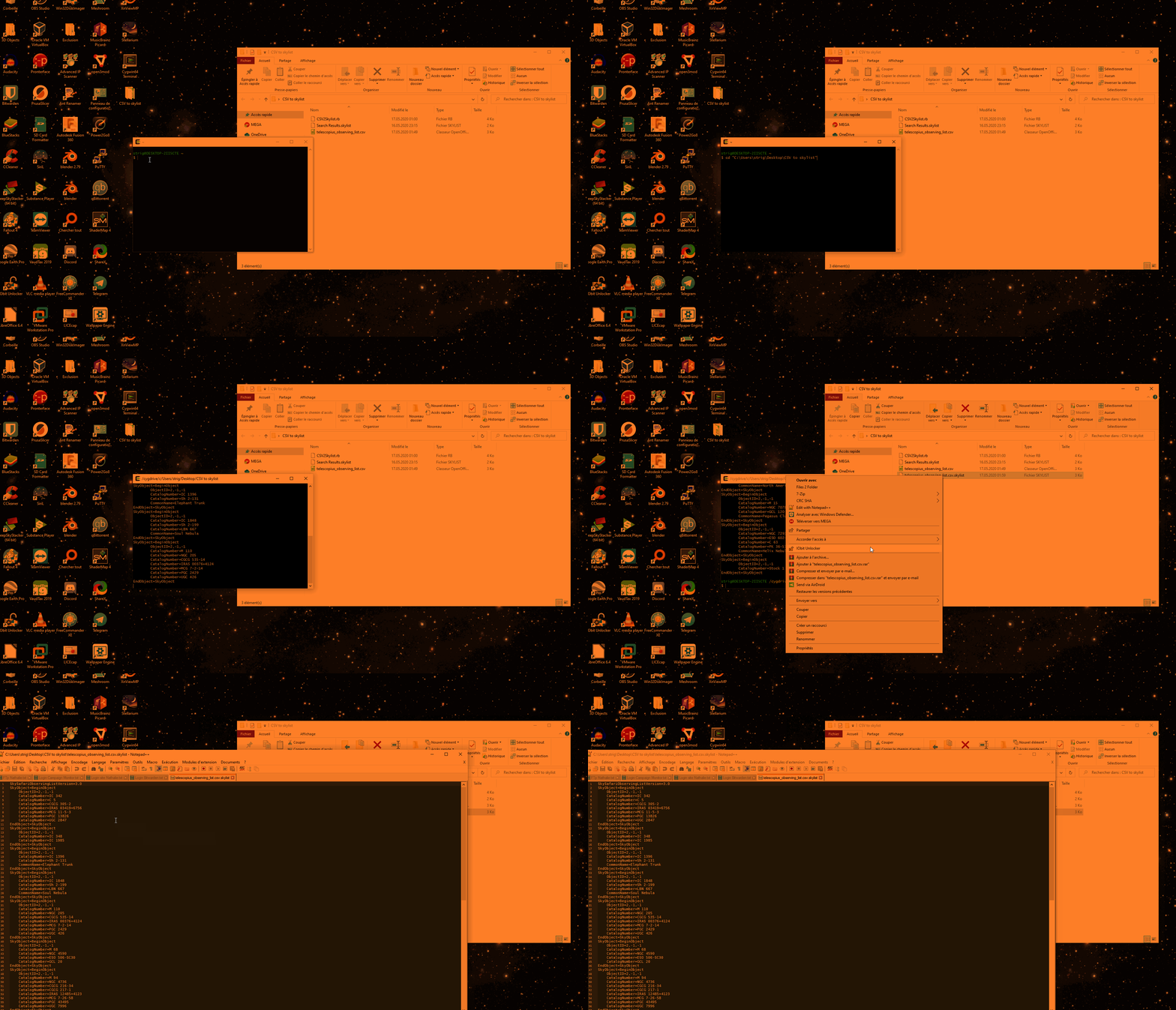
    here's an howto

    here's the file https://drive.google.com/open?id=1wpnBQm_uwNmYfjRVtkEuzbG5okeV0e1X 

  • 0
    Avatar
    Keiron Smith
    #!/usr/bin/env ruby
    # -------------------------------------------------------------------------------- #
    # Description #
    # -------------------------------------------------------------------------------- #
    # Converts a (telescopius.com) CSV to skylist android #
    # Author: Pedro #
    # Date: 16.05.2020 #
    # -------------------------------------------------------------------------------- #
    # Usage: CSV2Skylist.rb <inputFile.csv> #
    # -------------------------------------------------------------------------------- #
    ##CSV Format
    ##Catalogue Entry,Familiar Name,Alternative Entries,Type,Constellation,Right Ascension,Declination,Magnitude,Size,Surface Brightness,Rises over 10º,Transit Time,Sets below 10º,Maximum Altitude

    require 'csv'
    require 'pp'

    SKYLIST_HEADER_VERSION="SkySafariObservingListVersion=3.0"
    DEFAULT_OBJECT_ID="2,-1,-1"
    outputFile = "output.skylist"

    inputFile = ARGV[0]
    if inputFile.nil? || inputFile.empty? then
    puts "Please provide a TelescopiusCSV file as input parameter"
    raise("No input file")
    else
    outputFile = inputFile + ".skylist"
    end

    begin
    puts "Reading from #{inputFile}, generating output #{outputFile} "
    file = File.open(outputFile, "w")

    #-------

    puts SKYLIST_HEADER_VERSION
    file.write(SKYLIST_HEADER_VERSION + "\n")

    CSV.foreach(inputFile, headers: true) do |row|

    # 0: Catalogue Entry,
    # 1: Familiar Name,
    # 2: Alternative Entries, (inner csv)
    # 3: Type,
    # 4: Constellation,
    # 5: Right Ascension,
    # 6: Declination,
    # 7: Magnitude,
    # 8: Size,
    # 9: Surface Brightness,
    # 10: Rises over 10º,
    # 11: Transit Time,
    # 12: Sets below 10º,
    # 13: Maximum Altitude

    puts "SkyObject=BeginObject"
    file.write("SkyObject=BeginObject" + "\n")

    puts "\tObjectID=" + DEFAULT_OBJECT_ID
    file.write("\tObjectID=" + DEFAULT_OBJECT_ID + "\n")

    #CatalogNumber first one is "catalog entry"
    unless row[0].nil? || row[0].empty? then
    puts "\tCatalogNumber=" + row[0]
    file.write("\tCatalogNumber=" + row[0] + "\n")
    end

    #CatalogNumber (many entries)
    unless row[2].nil? || row[2].empty? then
    CSV.parse(row[2])[0].to_a.each do |cnumber|
    puts "\tCatalogNumber=" + cnumber.strip
    file.write("\tCatalogNumber=" + cnumber.strip + "\n")
    end
    end

    #CommonName
    unless row[1].nil? || row[1].empty? then
    puts "\tCommonName=" + row[1]
    file.write("\tCommonName=" + row[1] + "\n")
    end
    puts "EndObject=SkyObject"
    file.write("EndObject=SkyObject" + "\n")
    end
    rescue IOError => e
    #some error occur, dir not writable etc.
    ensure
    file.close unless file.nil?
    end


Please sign in to leave a comment.