
Hi,
I do not know if it's normal behaviour or at this beta phase this function is not complete yet, but I have problem with mount positioning. I can describe two scenarios, root cause might be the same, no celestial coordinates coming from the mount, only "raw data".
1. In case of using SkySafari only
- I connect to the mount via SkySafari app
- Mount position information show to default, towards NCP regardless its actual position
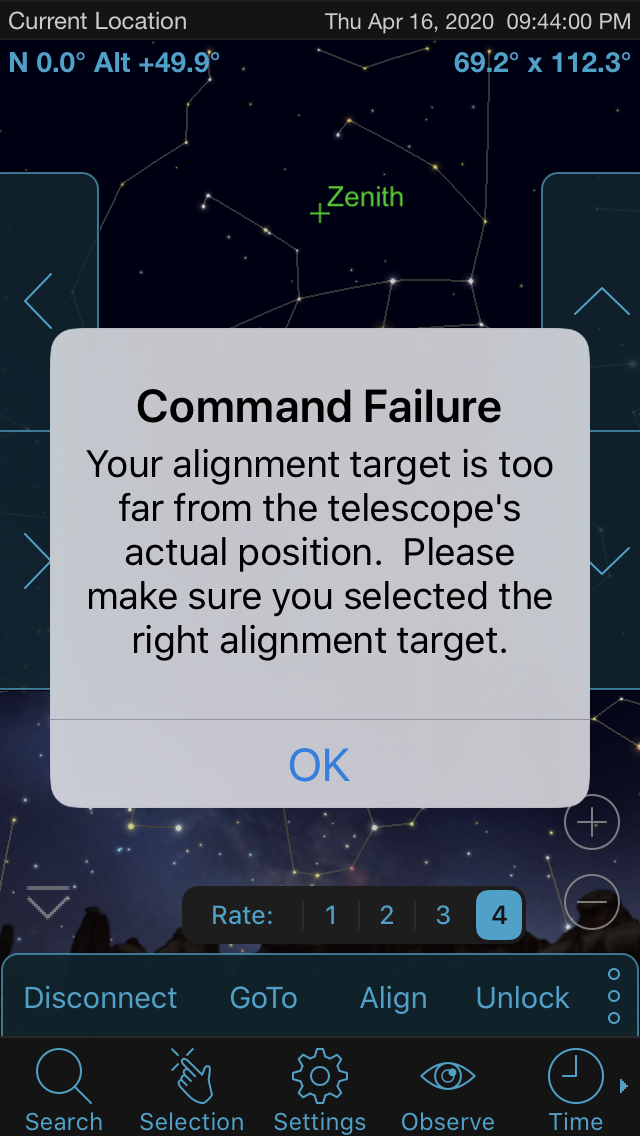
- Star alignment is not possible, if I try to set the mount to a certain star and press align button in SkySafari, I receive an error message: "Command Failure - Your alignment target is too far from the telescope's actual position. Please make sure yiu selected the right alignment target."
2. In case using both SynScan app and SkySafari
- I set up the mount in SynScan via the normal way, goto works properly with SynScan
- I open SkySafari and connect it to the mount
- SkySafari's telescope direction points to a different part of the sky, far from the telescope's real position which makes goto function useless, the telescope coordinates are completely wrong in SkySafari
If I compare how it's working via the old method with two IOS devices, there is no problem. In this case I use one device with SynScan and an IOS device with SkySafari - standard SynScan connection, NOT SynScanLink!
- I set up the telescope mount with one device using SynScan app, goto is working properly with it
- I set up another device with SkySafari conecting to the first device's IP address via the old SynScan connection
- SkySafari shows the correct telescope direction, goto is accurate
Used equipment:
SkyWatcher AZGTi mount, firmware version 3.20 (standard, AZ mode)
iPhone 8 IOS version 13.4.1
iPhone SE IOS version 13.4.1
SynScan app version 1.18.3
SkySafari Plus beta 6.6.5.1



 setup with the ASIAIR Pro and new Redcat 51 in EQ Mode for Imaging, so like a kid in a candy store I'm trying to fit everything in to the few clear sky moments we get :)