New post
0

[UI Issue]* Chart Coordinates & FOV On Status Bar Interfere With Object Info

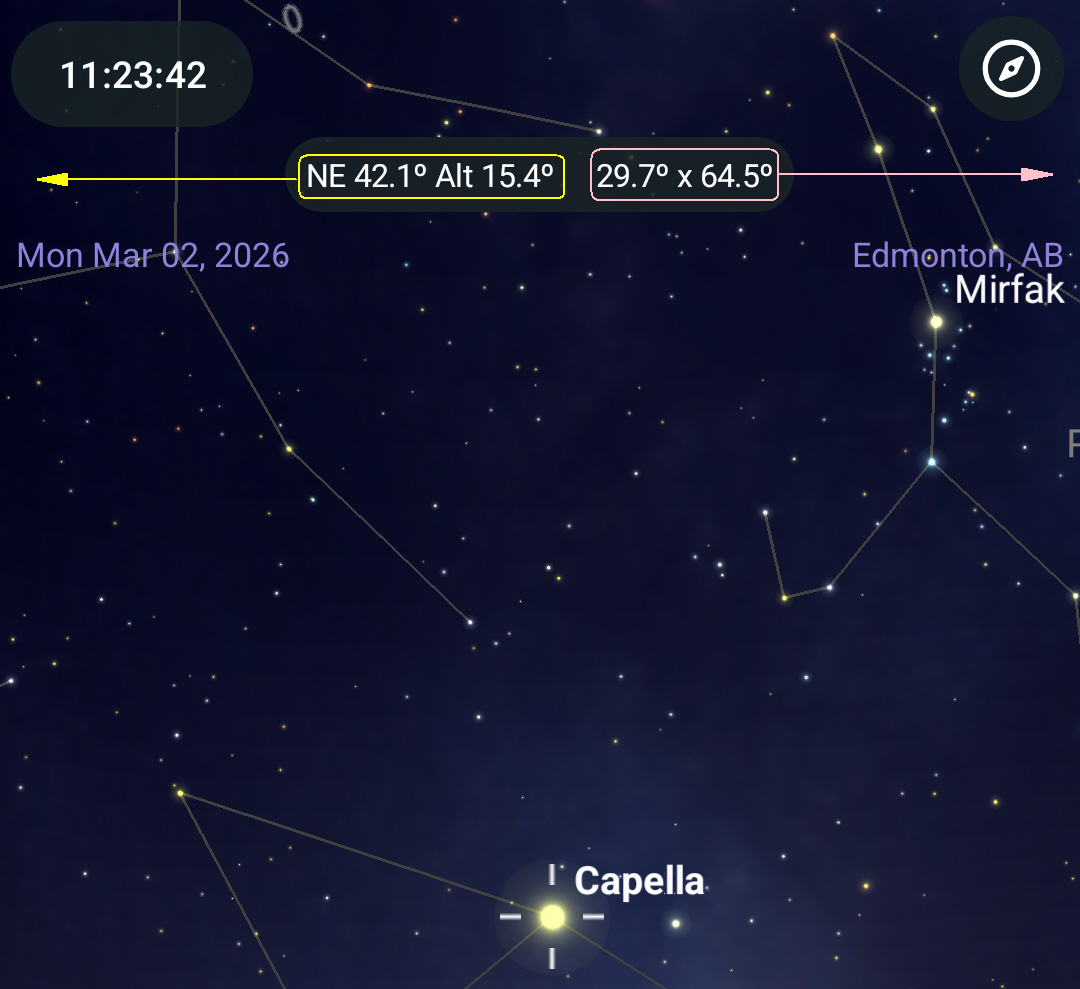
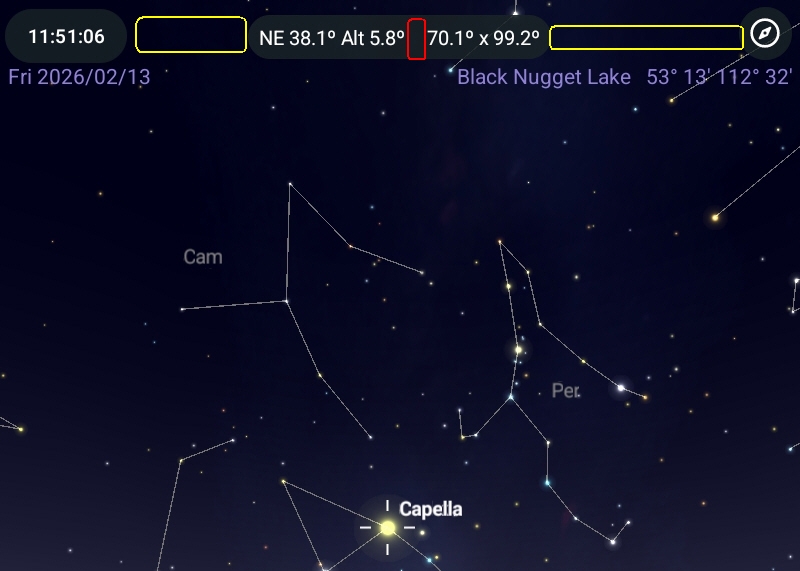
In the latest SkySafari Pro v7.6.4.1 for Android, the chart coordinates & FoV size have been moved to the Status Bar. An undesirable effect of this is that tapping the Status Bar to briefly display the object name, mag, etc. is trickier. One must tap between the coordinates and the FoV to display the info (the red area in the screenshot below). Tapping left of the coordinates or right of the FoV does not do it (the yellow areas in the screenshot below). This is worse than before and with gloved hands makes it trickier to display the info - if I don't tap just right, the coordinates popup or the FoV popup control appears. There is more space left of the coordinates or right of the FoV than between the two, so perhaps those areas could also be made to display the brief object info.
9 comments

  • Avatar
    Keiron Smith Official comment
  • 0
    Avatar
    Keiron Smith

    Hi Luca, 

    Please provide the following info:

    1. Android OS
    2. Android device.

    Thanks!

  • 0
    Avatar
    Luca Vanzella

    Keiron,

    1. Android 14, One UI v6.1

    2. Samsung Galaxy Tab A7 SM-T220

    --
    Luca

  • 0
    Avatar
    Luca Vanzella

    I just noticed that my posts are being marked "Pending approval". Is this normal?

  • 0
    Avatar
    Keiron Smith

    You're all good, Luca - thanks!

  • 0
    Avatar
    Keiron Smith

    Thanks, Luca, perfect!

  • 0
    Avatar
    Ros Hartigan

    Thanks Luca, this is an excellent point. You can also bring up the short object message again by tapping on the object itself. We will consider whether an alternate gesture (such as double tap on the status bar) will work to replace this functionality we have lost.

  • 0
    Avatar
    Luca Vanzella

    Ros, tapping again on the object often selects a nearby object, especially in a crowded field, and so the short object message is now for a different object. Not the best workaround.

    I see in the latest SS7 and SS8 Beta, that the chart coordinates & FoV size controls have been moved down from the top area (between the time and the gyro). Since these controls are used to display the coordinates popup and the the FoV popup, which are left and right justified, what about left justifying the chart coordinates control and right justifying the FoV size control, creating a wider space between the controls for tapping to display the short object message?

    I do like your suggestion of double tapping on the status bar. I'd even suggest not displaying the star chart in the status bar so that a single tap could be used for the short object message. I know it's cool to display the start chart on the entire canvas, behind all controls but isn't that what "Fullscreen" is for? I don't mind having the top status area and the bottom menu area hide those thin strips of sky chart.

  • 0
    Avatar
    Ros Hartigan

    Thanks Luca, these are all good suggestions - we will discuss the best way to restore this functionality.

Please sign in to leave a comment.